
How to Convert JSON Data to CSV Format
Answer
Converting JSON to CSV involves transforming structured hierarchical data into a flat tabular format using scripts, libraries, or converters. The most common approach is to parse JSON into objects and map fields into rows and columns using tools like Python pandas or custom code.
Detailed Explanation
JSON (JavaScript Object Notation) is a hierarchical, nested data format, while CSV is a flat, row-and-column structure. Because of this structural difference, conversion requires a transformation step called "flattening." Each JSON key typically becomes a CSV column, and each object becomes a row. However, nested objects or arrays may require normalization or custom mapping rules.
In real-world data workflows such as web scraping, API aggregation, and automation pipelines, JSON is often used for data transport, while CSV is preferred for analysis, spreadsheets, and reporting. This mismatch creates a need for reliable conversion strategies that preserve data integrity while simplifying structure.
Solutions / Methods
- Python standard libraries: Use built-in
jsonandcsvmodules to manually parse JSON objects and write rows into a CSV file, ideal for lightweight and controlled transformations. - Data processing frameworks: Libraries like pandas allow direct conversion using
read_json()andto_csv(), handling large datasets and optional normalization of nested structures. - Automated conversion tools: Online or desktop converters can quickly transform JSON files into CSV format. In large-scale automation workflows or scraping pipelines, structured extraction combined with post-processing tools such as CapSolver can help ensure data pipelines remain uninterrupted when handling protected or dynamic sources.
Best Practice / Tips
When converting JSON to CSV, always validate data structure before transformation. Flatten nested JSON carefully to avoid losing hierarchical relationships. For large datasets, prefer streaming or batch processing instead of loading everything into memory. Additionally, ensure consistent field mapping to prevent column misalignment during export.
👉 Related:
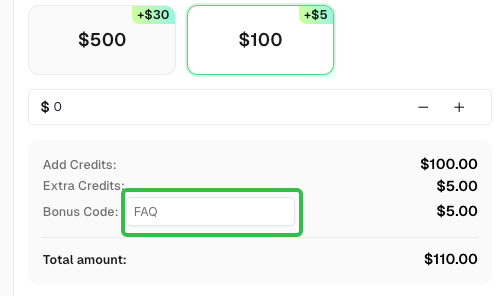
Use code
FAQwhen signing up at CapSolver to receive an additional 5% bonus on your recharge.
CapSolver FAQ — capsolver.com