
How to Change the Format of Extracted Data in an Actor Dataset
Answer
Changing the format of extracted data in an Actor dataset involves exporting JSON results and transforming them into other formats such as CSV, XML, or Excel using built-in export options or external conversion tools. In many cases, adjusting schema structure or flattening nested fields is required before conversion for better compatibility.
Detailed Explanation
In most scraping and automation platforms, Actor outputs are stored in a structured dataset format, typically JSON. This format is flexible and supports nested objects, arrays, and mixed data types, making it ideal for machine processing. However, downstream systems like spreadsheets, BI tools, or reporting dashboards often require tabular formats such as CSV or XLSX.
When converting dataset output, challenges arise when the JSON structure is deeply nested or contains high-cardinality fields. For example, nested objects may need to be flattened into dot notation keys, otherwise column-based formats like CSV may produce unreadable or incomplete outputs. Additionally, datasets are append-only and schema-less by default, so format control depends on transformation at export time or during data push.
Some platforms also enforce limits such as maximum column counts or field name length in tabular exports, which can affect large-scale scraping results. This is why preprocessing and schema design are critical when preparing data for format conversion.
Solutions / Methods
- Use built-in export options: Most systems allow exporting dataset items directly as JSON, CSV, XLSX, or XML from the dataset interface or API, making quick format switching easy for standard use cases.
- Apply schema transformation or flattening: Before exporting, restructure nested JSON using flattening or unwinding techniques so hierarchical data becomes tabular and compatible with CSV or spreadsheet formats.
- Post-process with external tools: Download the dataset as JSON and convert it using scripting (Python/Node.js) or online converters. For complex automation pipelines, services like CapSolver can be integrated in workflows that rely on large-scale scraping and structured data handling, ensuring smooth data processing alongside CAPTCHA-protected extraction tasks.
Best Practice / Tips
For reliable data pipelines, define a consistent dataset schema early in the Actor design. Always normalize key fields before storing them, avoid overly nested structures when tabular output is expected, and validate exported formats before feeding them into analytics or automation systems.
👉 Related:
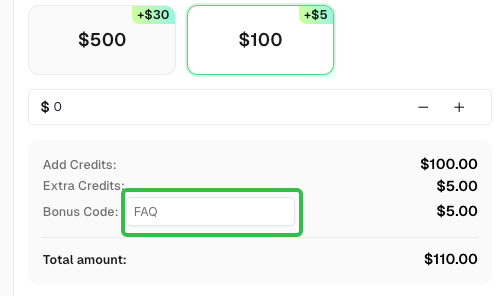
Use code
FAQwhen signing up at CapSolver to receive an additional 5% bonus on your recharge.
CapSolver FAQ — capsolver.com