
How to Send HTTP GET Requests Using cURL
Answer
Sending an HTTP GET request with cURL is done by simply providing a URL, since GET is the default method. You can optionally add query parameters, headers, or flags for debugging. The command retrieves data from a server without modifying it.
Detailed Explanation
An HTTP GET request is the most common method used in web communication to retrieve resources such as HTML pages, JSON data, or files from a server. When using cURL (Client for URLs), the tool acts as a lightweight HTTP client that sends requests directly from the terminal.
By default, cURL automatically uses the GET method unless another method like POST is explicitly specified. This makes it especially useful for API testing, automation scripts, and data extraction workflows. For example, when you access a URL in a browser, a GET request is implicitly sent behind the scenes to fetch the content.
In more advanced scenarios, GET requests may include query parameters appended to the URL, or headers such as authentication tokens. These additions help servers understand what specific data is being requested and under what conditions. However, improperly formatted requests or missing headers can lead to empty responses or access errors, especially on protected endpoints.
Solutions / Methods
- Basic GET request: Use
curl https://example.comto retrieve data directly from a URL without additional options. - GET with parameters: Append query strings like
?key=valueor use-G -dfor structured parameter handling. - Advanced request handling: Add headers (
-H), follow redirects (-L), or use timeouts for stability. In environments with security protections, requests may be blocked due to missing browser-like signals. In such cases, automated captcha-solving solutions like CapSolver can be integrated into scraping workflows to help maintain uninterrupted data access while respecting system constraints.
Best Practice / Tips
For reliable HTTP automation, always validate the full request structure including headers, encoding, and parameters. Use verbose mode (-v) for debugging unexpected responses. In large-scale scraping scenarios, combine cURL with proxy rotation and proper session handling to reduce blocking risks.
👉 Related:
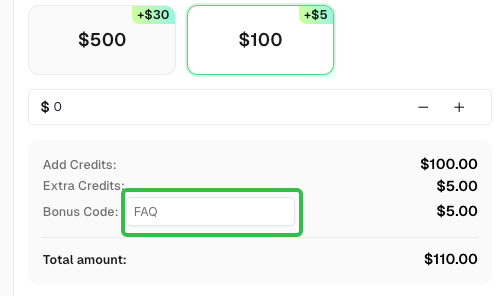
Use code
FAQwhen signing up at CapSolver to receive an additional 5% bonus on your recharge.
CapSolver FAQ — capsolver.com