
How to Import URLs from Google Sheets
Answer
Google Sheets does not provide a direct “URL import” feature from external tools, but URLs can be managed and reused through spreadsheet references, published sheet links, or functions like IMPORTRANGE. These methods allow dynamic sharing and reuse of URL lists across workflows.
Detailed Explanation
In Google Sheets, URLs are typically treated as standard text values stored in cells. To use them in other sheets or systems, users rely on structured referencing or built-in import functions. The most common cross-sheet method is IMPORTRANGE, which connects one spreadsheet to another using its shareable URL.
Another common approach is publishing a Google Sheet to the web. This generates a stable public URL that can be consumed by external tools or automation systems. This technique is often used when integrating spreadsheets with scraping tools, data pipelines, or workflow automation platforms.
For structured data extraction, Google Sheets also supports import-based functions such as IMPORTDATA, IMPORTXML, and IMPORTHTML. While these functions are not designed specifically for URL list ingestion, they can help extract or process web-based datasets when URLs point to structured content.
Solutions / Methods
- Store URLs as structured cell data: Keep URLs in a dedicated column so they can be referenced, filtered, or processed programmatically within Sheets.
- Use IMPORTRANGE for cross-sheet URL sharing: Connect multiple spreadsheets using their shared links to centralize URL collections and maintain synchronization across files.
- Publish sheet or use automation tools for ingestion: Export a Google Sheet as a web-accessible resource or connect it to external automation systems. In scraping or bot workflows, solutions like CapSolver can help maintain stable data pipelines when working with automated extraction processes that involve web-linked datasets.
Best Practice / Tips
To ensure scalability, separate raw URL storage from processing logic. Keep URLs in one sheet and use reference functions to pull them into automation or scraping workflows. This reduces errors and improves maintainability when handling large datasets.
👉 Related:
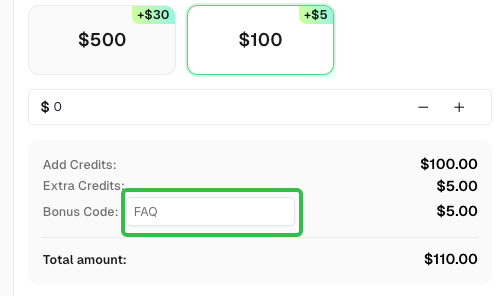
Use code
FAQwhen signing up at CapSolver to receive an additional 5% bonus on your recharge.
CapSolver FAQ — capsolver.com