🎉NEWCapSolver for AI agents-MCP, agent tools, and SDK integrations

Lucas Mitchell
Automation Engineer
Published Jan 22, 2026
Updated Jan 23, 2026 · min read
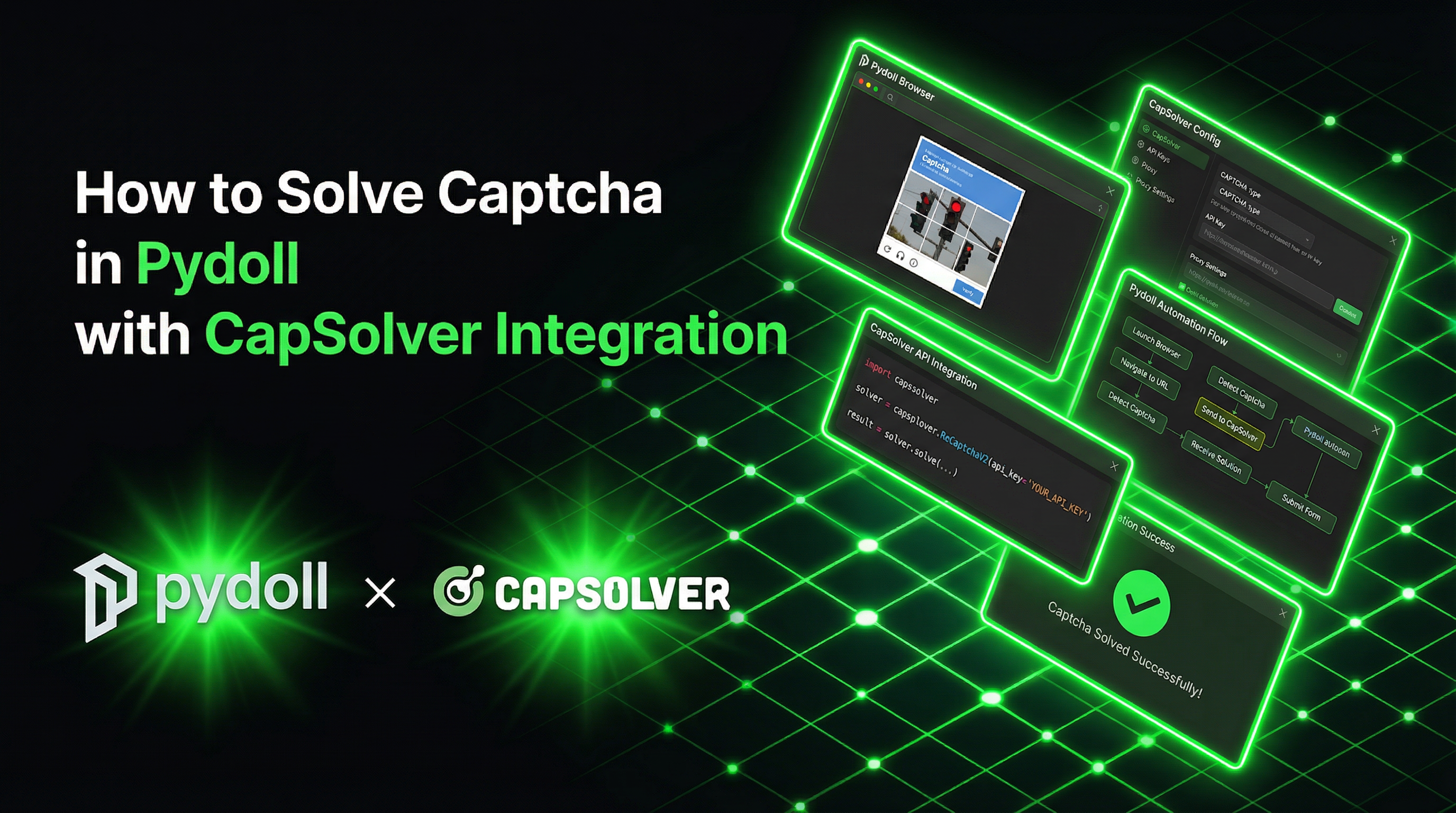
When it comes to web automation and browser control, Pydoll stands out as a lightweight Python library that talks directly to Chrome via the DevTools Protocol (CDP), without relying on WebDriver. This design makes it especially effective on modern sites that actively look for automation signals.
That said, automation often hits a wall once CAPTCHAs come into play. This is where CapSolver fits in. Pydoll focuses on realistic, human-like browser behavior, while CapSolver takes care of CAPTCHA challenges in the background. Together, they form a practical setup for handling real-world automation scenarios where both stealth and CAPTCHA solving are required.
Pydoll is a Python library for automating Chromium-based browsers without WebDriver, emphasizing realistic interactions and anti-bot evasion. It connects directly to Chrome DevTools Protocol (CDP) with a natively asynchronous, fully-typed architecture.
Pydoll operates on three fundamental principles:
| Feature | Description |
|---|---|
| Variable Keystroke Timing | 30-120ms between keystrokes, eliminating robotic patterns |
| Realistic Typos | ~2% error rate with automatic correction simulation |
| Physics-Based Scrolling | Momentum, friction, micro-pauses, and overshoot correction |
| Natural Mouse Movement | Bezier curve paths mimicking human hand movement |
CapSolver is a leading CAPTCHA solving service that provides AI-powered solutions for bypassing various CAPTCHA challenges. With support for multiple CAPTCHA types and lightning-fast response times, CapSolver integrates seamlessly into automated workflows.
Pydoll excels at behavioral evasion—making your automation appear human through realistic interactions. However, when a website presents a CAPTCHA challenge, behavioral stealth alone isn't enough. Here's why this integration matters:
First, install the required packages:
pip install pydoll-python aiohttpNo WebDriver or external dependencies required—Pydoll connects directly to your installed Chrome browser.
Here's a reusable CapSolver utility class designed for async Python workflows:
import aiohttp
import asyncio
from typing import Optional
from dataclasses import dataclass

CAPSOLVER_API_KEY = 'YOUR_CAPSOLVER_API_KEY'

@dataclass
class TaskResult:
    status: str
    solution: Optional[dict] = None
    error_description: Optional[str] = None


class CapSolverService:
    def __init__(self, api_key: str = CAPSOLVER_API_KEY):
        self.api_key = api_key
        self.base_url = 'https://api.capsolver.com'

    async def create_task(self, task_data: dict) -> str:
        async with aiohttp.ClientSession() as session:
            async with session.post(
                f'{self.base_url}/createTask',
                json={
                    'clientKey': self.api_key,
                    'task': task_data
                }
            ) as response:
                data = await response.json()

                if data.get('errorId', 0) != 0:
                    raise Exception(f"CapSolver error: {data.get('errorDescription')}")

                return data['taskId']

    async def get_task_result(self, task_id: str, max_attempts: int = 60) -> TaskResult:
        async with aiohttp.ClientSession() as session:
            for _ in range(max_attempts):
                await asyncio.sleep(2)

                async with session.post(
                    f'{self.base_url}/getTaskResult',
                    json={
                        'clientKey': self.api_key,
                        'taskId': task_id
                    }
                ) as response:
                    data = await response.json()

                    if data.get('status') == 'ready':
                        return TaskResult(
                            status='ready',
                            solution=data.get('solution')
                        )

                    if data.get('status') == 'failed':
                        raise Exception(f"Task failed: {data.get('errorDescription')}")

        raise Exception('Timeout waiting for CAPTCHA solution')

    async def solve_recaptcha_v2(self, website_url: str, website_key: str) -> str:
        task_id = await self.create_task({
            'type': 'ReCaptchaV2TaskProxyLess',
            'websiteURL': website_url,
            'websiteKey': website_key
        })

        result = await self.get_task_result(task_id)
        return result.solution.get('gRecaptchaResponse', '') if result.solution else ''

    async def solve_recaptcha_v3(
        self,
        website_url: str,
        website_key: str,
        page_action: str = 'submit'
    ) -> str:
        task_id = await self.create_task({
            'type': 'ReCaptchaV3TaskProxyLess',
            'websiteURL': website_url,
            'websiteKey': website_key,
            'pageAction': page_action
        })

        result = await self.get_task_result(task_id)
        return result.solution.get('gRecaptchaResponse', '') if result.solution else ''

    async def solve_turnstile(
        self,
        website_url: str,
        website_key: str,
        action: Optional[str] = None,
        cdata: Optional[str] = None
    ) -> str:
        task_data = {
            'type': 'AntiTurnstileTaskProxyLess',
            'websiteURL': website_url,
            'websiteKey': website_key
        }

        # Add optional metadata if provided
        if action or cdata:
            metadata = {}
            if action:
                metadata['action'] = action
            if cdata:
                metadata['cdata'] = cdata
            task_data['metadata'] = metadata

        task_id = await self.create_task(task_data)
        result = await self.get_task_result(task_id)
        return result.solution.get('token', '') if result.solution else ''


# Global instance
capsolver = CapSolverService()Pydoll's execute_script returns CDP (Chrome DevTools Protocol) responses as nested dictionaries. Here's a helper function to extract values:
def extract_cdp_value(response):
    """Extract the actual value from a CDP response."""
    if isinstance(response, dict):
        return response.get('result', {}).get('result', {}).get('value', '')
return responseimport asyncio
from pydoll.browser import Chrome
def extract_cdp_value(response):
"""Extract the actual value from a CDP response."""
if isinstance(response, dict):
return response.get('result', {}).get('result', {}).get('value', '')
return response
async def solve_recaptcha_v2_example():
async with Chrome() as browser:
tab = await browser.start()
# Store URL since tab.url is not available
target_url = 'https://example.com/protected-page'
await tab.go_to(target_url)
# Check if page has reCAPTCHA
try:
recaptcha_element = await tab.find(class_name='g-recaptcha', timeout=5)
print('reCAPTCHA v2 detected, solving...')
# Get the site key from the data attribute
site_key_response = await tab.execute_script(
"return document.querySelector('.g-recaptcha').getAttribute('data-sitekey')"
)
site_key = extract_cdp_value(site_key_response)
# Solve the CAPTCHA
token = await capsolver.solve_recaptcha_v2(
website_url=target_url,
website_key=site_key
)
# Inject the token into the hidden textarea
await tab.execute_script(f'''
document.getElementById('g-recaptcha-response').style.display = 'block';
document.getElementById('g-recaptcha-response').value = `{token}`;
''')
# Submit the form
submit_button = await tab.find(tag_name='button', type='submit')
await submit_button.click()
print('reCAPTCHA v2 solved successfully!')
except Exception as e:
print(f'No reCAPTCHA found or error: {e}')
# Continue with data extraction
title_response = await tab.execute_script('return document.title')
title = extract_cdp_value(title_response)
print(f'Page title: {title}')
asyncio.run(solve_recaptcha_v2_example())import asyncio
import re
from pydoll.browser import Chrome
def extract_cdp_value(response):
"""Extract the actual value from a CDP response."""
if isinstance(response, dict):
return response.get('result', {}).get('result', {}).get('value', '')
return response
async def solve_recaptcha_v3_example():
async with Chrome() as browser:
tab = await browser.start()
# Store URL since tab.url is not available
target_url = 'https://example.com/v3-protected'
await tab.go_to(target_url)
# reCAPTCHA v3 is invisible, detect by script
page_source_response = await tab.execute_script('return document.documentElement.outerHTML')
page_source = extract_cdp_value(page_source_response)
# Look for reCAPTCHA v3 script
match = re.search(r'recaptcha/api\.js\?render=([^&"\']+)', page_source)
if match:
site_key = match.group(1)
print(f'reCAPTCHA v3 detected with key: {site_key}')
# Solve reCAPTCHA v3
token = await capsolver.solve_recaptcha_v3(
website_url=target_url,
website_key=site_key,
page_action='submit'
)
# Inject token into hidden input
await tab.execute_script(f'''
const input = document.querySelector('input[name="g-recaptcha-response"]');
if (input) input.value = `{token}`;
''')
print('reCAPTCHA v3 token injected!')
# Continue with form submission
title_response = await tab.execute_script('return document.title')
title = extract_cdp_value(title_response)
print(f'Page title: {title}')
asyncio.run(solve_recaptcha_v3_example())import asyncio
from pydoll.browser import Chrome
def extract_cdp_value(response):
"""Extract the actual value from a CDP response."""
if isinstance(response, dict):
return response.get('result', {}).get('result', {}).get('value', '')
return response
async def solve_turnstile_example():
async with Chrome() as browser:
tab = await browser.start()
# Store URL since tab.url is not available
target_url = 'https://example.com/turnstile-protected'
await tab.go_to(target_url)
# Check for Turnstile widget
try:
turnstile_element = await tab.find(class_name='cf-turnstile', timeout=5)
print('Cloudflare Turnstile detected, solving...')
# Get site key
site_key_response = await tab.execute_script(
"return document.querySelector('.cf-turnstile').getAttribute('data-sitekey')"
)
site_key = extract_cdp_value(site_key_response)
if site_key:
# Optional: Get action and cdata metadata if present
action_response = await tab.execute_script(
"return document.querySelector('.cf-turnstile').getAttribute('data-action')"
)
cdata_response = await tab.execute_script(
"return document.querySelector('.cf-turnstile').getAttribute('data-cdata')"
)
action = extract_cdp_value(action_response) or None
cdata = extract_cdp_value(cdata_response) or None
# Solve Turnstile (with optional metadata)
token = await capsolver.solve_turnstile(
website_url=target_url,
website_key=site_key,
action=action, # optional, e.g., "login"
cdata=cdata # optional, e.g., "0000-1111-2222-3333"
)
# Inject token
await tab.execute_script(f'''
const input = document.querySelector('input[name="cf-turnstile-response"]');
if (input) input.value = `{token}`;
''')
# Submit form
submit_button = await tab.find(tag_name='button', type='submit')
await submit_button.click()
print('Turnstile solved successfully!')
except Exception as e:
print(f'No Turnstile found or error: {e}')
# Extract data
title_response = await tab.execute_script('return document.title')
title = extract_cdp_value(title_response)
print(f'Page title: {title}')
asyncio.run(solve_turnstile_example())Here's an advanced function that automatically detects and solves different CAPTCHA types:
import asyncio
import re
from dataclasses import dataclass
from typing import Optional, Literal
from pydoll.browser import Chrome

def extract_cdp_value(response):
    """Extract the actual value from a CDP response."""
    if isinstance(response, dict):
        return response.get('result', {}).get('result', {}).get('value', '')
    return response

@dataclass
class CaptchaInfo:
    type: Literal['recaptcha-v2', 'recaptcha-v3', 'turnstile', 'none']
    site_key: Optional[str] = None
    # Optional Turnstile metadata
    action: Optional[str] = None
    cdata: Optional[str] = None


async def detect_captcha(tab) -> CaptchaInfo:
    """Auto-detect CAPTCHA type on the current page."""

    # Check for reCAPTCHA v2
    recaptcha_v2_response = await tab.execute_script('''
        const el = document.querySelector('.g-recaptcha');
        return el ? el.getAttribute('data-sitekey') : null;
    ''')
    recaptcha_v2_key = extract_cdp_value(recaptcha_v2_response)

    if recaptcha_v2_key:
        return CaptchaInfo(type='recaptcha-v2', site_key=recaptcha_v2_key)

    # Check for reCAPTCHA v3
    page_source_response = await tab.execute_script('return document.documentElement.outerHTML')
    page_source = extract_cdp_value(page_source_response)
    v3_match = re.search(r'recaptcha/api\.js\?render=([^&"\']+)', str(page_source))

    if v3_match:
        return CaptchaInfo(type='recaptcha-v3', site_key=v3_match.group(1))

    # Check for Turnstile (with optional metadata)
    turnstile_response = await tab.execute_script('''
        const el = document.querySelector('.cf-turnstile');
        return el ? {
            siteKey: el.getAttribute('data-sitekey'),
            action: el.getAttribute('data-action'),
            cdata: el.getAttribute('data-cdata')
        } : null;
    ''')
    turnstile_data = extract_cdp_value(turnstile_response)

    if turnstile_data and isinstance(turnstile_data, dict):
        return CaptchaInfo(
            type='turnstile',
            site_key=turnstile_data.get('siteKey'),
            action=turnstile_data.get('action'),
            cdata=turnstile_data.get('cdata')
        )

    return CaptchaInfo(type='none')


async def solve_captcha(tab, url: str, captcha_info: CaptchaInfo) -> Optional[str]:
    """Solve the detected CAPTCHA and inject the token."""

    if captcha_info.type == 'none' or not captcha_info.site_key:
        return None

    token: str = ''

    if captcha_info.type == 'recaptcha-v2':
        token = await capsolver.solve_recaptcha_v2(url, captcha_info.site_key)
        await tab.execute_script(f'''
            document.getElementById('g-recaptcha-response').style.display = 'block';
            document.getElementById('g-recaptcha-response').value = `{token}`;
        ''')

    elif captcha_info.type == 'recaptcha-v3':
        token = await capsolver.solve_recaptcha_v3(url, captcha_info.site_key)
        await tab.execute_script(f'''
            const input = document.querySelector('input[name="g-recaptcha-response"]');
            if (input) input.value = `{token}`;
        ''')

    elif captcha_info.type == 'turnstile':
        token = await capsolver.solve_turnstile(
            url,
            captcha_info.site_key,
            action=captcha_info.action,  # optional metadata
            cdata=captcha_info.cdata     # optional metadata
        )
        await tab.execute_script(f'''
            const input = document.querySelector('input[name="cf-turnstile-response"]');
            if (input) input.value = `{token}`;
        ''')

    return token


async def auto_solve_captcha_example():
    async with Chrome() as browser:
        tab = await browser.start()

        # Store URL since tab.url is not available
        target_url = 'https://example.com/protected'
        await tab.go_to(target_url)

        # Auto-detect CAPTCHA
        captcha_info = await detect_captcha(tab)

        if captcha_info.type != 'none':
            print(f'Detected {captcha_info.type}, solving...')
            token = await solve_captcha(tab, target_url, captcha_info)

            # Submit form if exists
            try:
                submit_btn = await tab.find(tag_name='button', type='submit', timeout=3)
                await submit_btn.click()
                await asyncio.sleep(2)  # Wait for navigation
            except Exception:
                pass

            print('CAPTCHA solved successfully!')

        # Extract data
        title = await tab.execute_script('return document.title')
        content = await tab.execute_script('return document.body.innerText.slice(0, 1000)')

        print(f'Title: {title}')
        print(f'Content preview: {content[:200]}...')


asyncio.run(auto_solve_captcha_example())One of Pydoll's greatest strengths is its humanized interactions. Here's how to combine them with CAPTCHA solving:
import asyncio
from pydoll.browser import Chrome

async def humanized_login_with_captcha():
    async with Chrome() as browser:
        tab = await browser.start()

        # Store URL since tab.url is not available
        target_url = 'https://example.com/login'
        await tab.go_to(target_url)

        # Find form fields
        username_field = await tab.find(id='username')
        password_field = await tab.find(id='password')

        # Use humanized typing (variable timing, occasional typos)
        await username_field.type_text('myusername', humanize=True)
        await password_field.type_text('mypassword123', humanize=True)

        # Check for CAPTCHA before submitting
        captcha_info = await detect_captcha(tab)

        if captcha_info.type != 'none':
            print(f'CAPTCHA detected: {captcha_info.type}')
            await solve_captcha(tab, target_url, captcha_info)
            print('CAPTCHA solved!')

        # Submit with humanized click
        submit_button = await tab.find(tag_name='button', type='submit')
        await submit_button.click()

        # Wait for page load
        await asyncio.sleep(3)

        # Verify login success - get URL via JavaScript
        url_response = await tab.execute_script('return window.location.href')
        current_url = extract_cdp_value(url_response)
        print(f'Current URL after login: {current_url}')


asyncio.run(humanized_login_with_captcha())import asyncio
from pydoll.browser import Chrome
async def scroll_and_solve_captcha():
async with Chrome() as browser:
tab = await browser.start()
# Store URL since tab.url is not available
target_url = 'https://example.com/long-page-with-captcha'
await tab.go_to(target_url)
# Humanized scroll to bottom where CAPTCHA might be
await tab.scroll.to_bottom(humanize=True)
# Small pause like a human would
await asyncio.sleep(1)
# Now check for CAPTCHA
captcha_info = await detect_captcha(tab)
if captcha_info.type != 'none':
print(f'Found {captcha_info.type} after scrolling')
await solve_captcha(tab, target_url, captcha_info)
asyncio.run(scroll_and_solve_captcha())import asyncio
from functools import wraps
from typing import Callable, TypeVar, Any
T = TypeVar('T')
def retry_async(max_retries: int = 3, exponential_backoff: bool = True):
"""Decorator for async retry logic with exponential backoff."""
def decorator(func: Callable[..., T]) -> Callable[..., T]:
@wraps(func)
async def wrapper(*args: Any, **kwargs: Any) -> T:
last_exception = None
for attempt in range(max_retries):
try:
return await func(*args, **kwargs)
except Exception as e:
last_exception = e
if attempt < max_retries - 1:
delay = (2 ** attempt) if exponential_backoff else 1
print(f'Attempt {attempt + 1} failed, retrying in {delay}s...')
await asyncio.sleep(delay)
raise last_exception
return wrapper
return decorator
@retry_async(max_retries=3, exponential_backoff=True)
async def solve_with_retry(url: str, site_key: str) -> str:
return await capsolver.solve_recaptcha_v2(url, site_key)import aiohttp
async def check_balance(api_key: str) -> float:
async with aiohttp.ClientSession() as session:
async with session.post(
'https://api.capsolver.com/getBalance',
json={'clientKey': api_key}
) as response:
data = await response.json()
return data.get('balance', 0)
async def main():
balance = await check_balance(CAPSOLVER_API_KEY)
if balance < 1:
print('Warning: Low CapSolver balance! Please recharge.')
else:
print(f'Current balance: ${balance:.2f}')
asyncio.run(main())import time
from dataclasses import dataclass
from typing import Dict, Callable, Awaitable
@dataclass
class CachedToken:
token: str
timestamp: float
TOKEN_TTL = 90 # seconds
token_cache: Dict[str, CachedToken] = {}
async def get_cached_token(
url: str,
site_key: str,
solver_fn: Callable[[], Awaitable[str]]
) -> str:
"""Get a cached token or solve a new one."""
from urllib.parse import urlparse
hostname = urlparse(url).hostname
cache_key = f'{hostname}:{site_key}'
cached = token_cache.get(cache_key)
if cached and (time.time() - cached.timestamp) < TOKEN_TTL:
return cached.token
token = await solver_fn()
token_cache[cache_key] = CachedToken(token=token, timestamp=time.time())
return tokenimport asyncio
from pydoll.browser import Chrome
async def hybrid_automation_example():
"""Authenticate via UI with CAPTCHA, then use API directly."""
async with Chrome() as browser:
tab = await browser.start()
# Navigate to login page
await tab.go_to('https://api-site.com/login')
# Fill login form with humanized typing
username = await tab.find(id='username')
password = await tab.find(id='password')
await username.type_text('myuser', humanize=True)
await password.type_text('mypass', humanize=True)
# Solve CAPTCHA if present
captcha_info = await detect_captcha(tab)
if captcha_info.type != 'none':
await solve_captcha(tab, captcha_info)
# Submit login
login_btn = await tab.find(id='login-btn')
await login_btn.click()
await asyncio.sleep(3)
# Now use the authenticated session for direct API calls!
# The browser's cookies are automatically included
response = await tab.request.get('https://api-site.com/api/user/profile')
user_data = response.json()
print(f'User profile: {user_data}')
# Make more API calls without CAPTCHA
orders = await tab.request.get('https://api-site.com/api/orders')
print(f'Orders: {orders.json()}')
asyncio.run(hybrid_automation_example())import asyncio
from dataclasses import dataclass
from typing import List
from pydoll.browser import Chrome
def extract_cdp_value(response):
"""Extract the actual value from a CDP response."""
if isinstance(response, dict):
return response.get('result', {}).get('result', {}).get('value', '')
return response
@dataclass
class Product:
name: str
price: str
url: str
image: str
async def scrape_products(tab) -> List[Product]:
"""Extract products from the current page."""
products_response = await tab.execute_script('''
const products = [];
document.querySelectorAll('.product-card').forEach(card => {
products.push({
name: card.querySelector('.product-name')?.innerText || '',
price: card.querySelector('.product-price')?.innerText || '',
url: card.querySelector('a')?.href || '',
image: card.querySelector('img')?.src || ''
});
});
return products;
''')
products_data = extract_cdp_value(products_response)
if isinstance(products_data, list):
return [Product(**p) for p in products_data]
return []
async def get_current_url(tab) -> str:
"""Get current page URL via JavaScript."""
url_response = await tab.execute_script('return window.location.href')
return extract_cdp_value(url_response)
async def ecommerce_scraper():
async with Chrome() as browser:
tab = await browser.start()
all_products: List[Product] = []
# Start URL
await tab.go_to('https://example-store.com/products')
while True:
# Get current URL via JavaScript
current_url = await get_current_url(tab)
print(f'Scraping: {current_url}')
# Check for CAPTCHA
captcha_info = await detect_captcha(tab)
if captcha_info.type != 'none':
print(f'Solving {captcha_info.type}...')
await solve_captcha(tab, current_url, captcha_info)
# Submit if there's a form
try:
submit_btn = await tab.find(
tag_name='button',
type='submit',
timeout=3
)
await submit_btn.click()
await asyncio.sleep(2)
except Exception:
pass
# Humanized scroll to load lazy content
await tab.scroll.to_bottom(humanize=True)
await asyncio.sleep(1)
# Extract products
products = await scrape_products(tab)
all_products.extend(products)
print(f'Extracted {len(products)} products (total: {len(all_products)})')
# Try to find and click "Next" button
try:
next_button = await tab.find(
text='Next',
tag_name='a',
timeout=5
)
await next_button.click()
await asyncio.sleep(2)
except Exception:
print('No more pages')
break
# Safety limit
if len(all_products) >= 200:
break
# Save results
print(f'\nTotal products scraped: {len(all_products)}')
for product in all_products[:5]: # Preview first 5
print(f' - {product.name}: {product.price}')
asyncio.run(ecommerce_scraper())Pydoll's network interception can help optimize CAPTCHA-protected scraping:
import asyncio
from pydoll.browser import Chrome
from pydoll.protocol.fetch import FetchEvent, RequestPausedEvent, ErrorReason

async def optimized_scraper():
    async with Chrome() as browser:
        tab = await browser.start()

        # Block unnecessary resources to speed up loading
        async def block_resources(event: RequestPausedEvent):
            request_id = event['params']['requestId']
            resource_type = event['params']['resourceType']

            # Block images, fonts, and stylesheets for faster loading
            if resource_type in ['Image', 'Font', 'Stylesheet']:
                await tab.fail_request(request_id, ErrorReason.BLOCKED_BY_CLIENT)
            else:
                await tab.continue_request(request_id)

        # Enable request interception
        await tab.enable_fetch_events()
        await tab.on(FetchEvent.REQUEST_PAUSED, block_resources)

        # Navigate to target page (loads faster without images/css)
        await tab.go_to('https://example.com/data-page')

        # Handle CAPTCHA if present (CAPTCHA iframe will still load)
        captcha_info = await detect_captcha(tab)
        if captcha_info.type != 'none':
            await solve_captcha(tab, captcha_info)

        # Extract data
        data = await tab.execute_script('return document.body.innerText')
        print(data[:500])


asyncio.run(optimized_scraper())Integrating CapSolver with Pydoll creates a powerful combination for Python-based web automation. Pydoll's stealth-by-design approach handles the behavioral evasion with human-like interactions, while CapSolver tackles the CAPTCHA challenges that would otherwise block your automation.
Key advantages of this integration:
Whether you're building data extraction pipelines, monitoring systems, or automated testing frameworks, the Pydoll + CapSolver combination provides the stealth and capability needed for modern web automation.
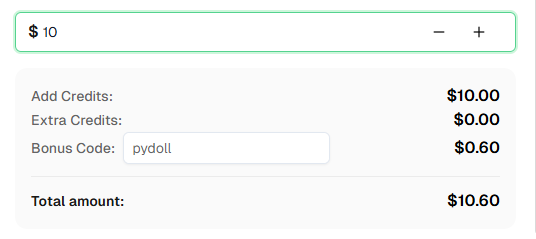
Ready to get started? Sign up for CapSolver and use bonus code PYDOLL for an extra 6% bonus on your first recharge!
Pydoll is a Python library for automating Chromium-based browsers without WebDriver. It connects directly to Chrome DevTools Protocol (CDP) with a focus on realistic, human-like interactions and anti-bot evasion. It's fully asynchronous and 100% type-annotated.
CapSolver integrates with Pydoll through an async service class that wraps the CapSolver API. When your automation encounters a CAPTCHA, you can use CapSolver to solve it and inject the token back into the page using Pydoll's JavaScript execution capabilities.
No. Pydoll excels at behavioral evasion through humanized interactions, but it doesn't solve CAPTCHAs directly. That's why integrating with CapSolver is recommended for complete automation of CAPTCHA-protected workflows.
CapSolver supports a wide range of CAPTCHA types including reCAPTCHA v2, reCAPTCHA v3, Cloudflare Turnstile, AWS WAF, GeeTest, and many more.
CapSolver offers competitive pricing based on the type and volume of CAPTCHAs solved. Visit capsolver.com for current pricing details. Use code PYDOLL for a 6% bonus on your first recharge.
Yes, Pydoll is open-source and released under the MIT License. The framework is free to use, though you may incur costs for proxy services and CAPTCHA solving services like CapSolver.
The site key is typically found in the page's HTML source. Look for:
data-sitekey attribute on .g-recaptcha elementdata-sitekey attribute on .cf-turnstile elementPydoll offers several advantages:
More Integration Guide to read:
Selenium & Puppeteer
Yes, Pydoll supports SOCKS5 proxies which are superior to HTTP proxies for preventing DNS leaks. You can configure proxy settings through Chrome's launch options.
Lucas Mitchell
Automation Engineer
Helping browser automation recover and continue.
ABOUT THE AUTHOR
Learn scalable Rust web scraping architecture with reqwest, scraper, async scraping, headless browser scraping, proxy rotation, and compliant CAPTCHA handling.
Learn the best techniques to scrape job listings without getting blocked. Master Indeed scraping, Google Jobs API, and web scraping API with CapSolver.