🎉NEWCapSolver for AI agents-MCP, agent tools, and SDK integrations

Ethan Collins
AI Agent Workflow Engineer
Published Jan 19, 2026
Updated Jan 21, 2026 · min read
In web data extraction, Maxun is gaining attention as an open-source, no-code platform that simplifies how teams collect data from the web. Its robot-based workflows and SDK make it possible for both developers and non-technical users to build and maintain scraping pipelines without heavy engineering effort.
That said, many real-world websites are protected by CAPTCHAs, which often become the main bottleneck during data extraction. CapSolver works well alongside Maxun by handling these challenges at the infrastructure level. With CapSolver in place, Maxun robots can continue operating on CAPTCHA-protected pages more reliably, combining ease of use with practical, production-ready scraping capabilities.
Maxun is an open-source, no-code web data extraction platform that allows users to train robots to scrape websites without writing code. It features a visual robot builder, a powerful SDK for programmatic control, and supports both cloud and self-hosted deployments.
| Class | Description |
|---|---|
| Extract | Build structured data extraction workflows with LLM or CSS selectors |
| Scrape | Convert webpages into clean Markdown, HTML, or screenshots |
| Crawl | Automatically discover and scrape multiple pages using sitemaps and links |
| Search | Perform web searches and extract content from results (DuckDuckGo) |
Maxun bridges the gap between no-code simplicity and developer flexibility:
CapSolver is a leading CAPTCHA solving service that provides AI-powered solutions for bypassing various CAPTCHA challenges. With support for multiple CAPTCHA types and lightning-fast response times, CapSolver integrates seamlessly into automated workflows.
CapSolver helps automation workflows handle most of the mainstream CAPTCHA and verification challenges commonly encountered during web scraping and browser automation, including:
When building Maxun robots that interact with protected websites—whether for data extraction, price monitoring, or market research—CAPTCHA challenges become a significant obstacle. Here's why the integration matters:

# Install Maxun SDK
npm install maxun-sdk

# Install additional dependencies for CapSolver integration
npm install axios# Clone the Maxun repository
git clone https://github.com/getmaxun/maxun.git
cd maxun
# Start with Docker Compose
docker-compose up -dCreate a .env file with your configuration:
CAPSOLVER_API_KEY=your_capsolver_api_key
MAXUN_API_KEY=your_maxun_api_key

# For Maxun Cloud (app.maxun.dev)
MAXUN_BASE_URL=https://app.maxun.dev/api/sdk

# For Self-Hosted Maxun (default)
# MAXUN_BASE_URL=http://localhost:8080/api/sdkNote: The
baseUrlconfiguration is required when using Maxun Cloud. Self-hosted installations default tohttp://localhost:8080/api/sdk.
Here's a reusable TypeScript service that integrates CapSolver with Maxun:
import axios, { AxiosInstance } from 'axios';

interface TaskResult {
  gRecaptchaResponse?: string;
  token?: string;
  cookies?: Array<{ name: string; value: string }>;
  userAgent?: string;
}

interface CapSolverConfig {
  apiKey: string;
  timeout?: number;
  maxAttempts?: number;
}

class CapSolverService {
  private client: AxiosInstance;
  private apiKey: string;
  private maxAttempts: number;

  constructor(config: CapSolverConfig) {
    this.apiKey = config.apiKey;
    this.maxAttempts = config.maxAttempts || 60;

    this.client = axios.create({
      baseURL: 'https://api.capsolver.com',
      timeout: config.timeout || 30000,
      headers: { 'Content-Type': 'application/json' },
    });
  }

  private async createTask(taskData: Record<string, unknown>): Promise<string> {
    const response = await this.client.post('/createTask', {
      clientKey: this.apiKey,
      task: taskData,
    });

    if (response.data.errorId !== 0) {
      throw new Error(`CapSolver error: ${response.data.errorDescription}`);
    }

    return response.data.taskId;
  }

  private async getTaskResult(taskId: string): Promise<TaskResult> {
    for (let attempt = 0; attempt < this.maxAttempts; attempt++) {
      await this.delay(2000);

      const response = await this.client.post('/getTaskResult', {
        clientKey: this.apiKey,
        taskId,
      });

      const { status, solution, errorDescription } = response.data;

      if (status === 'ready') {
        return solution as TaskResult;
      }

      if (status === 'failed') {
        throw new Error(`Task failed: ${errorDescription}`);
      }
    }

    throw new Error('Timeout waiting for CAPTCHA solution');
  }

  private delay(ms: number): Promise<void> {
    return new Promise((resolve) => setTimeout(resolve, ms));
  }

  async solveReCaptchaV2(websiteUrl: string, websiteKey: string): Promise<string> {
    const taskId = await this.createTask({
      type: 'ReCaptchaV2TaskProxyLess',
      websiteURL: websiteUrl,
      websiteKey,
    });

    const solution = await this.getTaskResult(taskId);
    return solution.gRecaptchaResponse || '';
  }

  async solveReCaptchaV3(
    websiteUrl: string,
    websiteKey: string,
    pageAction: string = 'submit'
  ): Promise<string> {
    const taskId = await this.createTask({
      type: 'ReCaptchaV3TaskProxyLess',
      websiteURL: websiteUrl,
      websiteKey,
      pageAction,
    });

    const solution = await this.getTaskResult(taskId);
    return solution.gRecaptchaResponse || '';
  }

  async solveTurnstile(
    websiteUrl: string,
    websiteKey: string,
    action?: string,
    cdata?: string
  ): Promise<string> {
    const taskData: Record<string, unknown> = {
      type: 'AntiTurnstileTaskProxyLess',
      websiteURL: websiteUrl,
      websiteKey,
    };

    // Add optional metadata
    if (action || cdata) {
      taskData.metadata = {};
      if (action) (taskData.metadata as Record<string, string>).action = action;
      if (cdata) (taskData.metadata as Record<string, string>).cdata = cdata;
    }

    const taskId = await this.createTask(taskData);
    const solution = await this.getTaskResult(taskId);
    return solution.token || '';
  }

  async checkBalance(): Promise<number> {
    const response = await this.client.post('/getBalance', {
      clientKey: this.apiKey,
    });

    return response.data.balance || 0;
  }
}

export { CapSolverService, CapSolverConfig, TaskResult };
★ Insight ─────────────────────────────────────
The CapSolver service uses a polling pattern (getTaskResult) because CAPTCHA solving is asynchronous—the API accepts a task, processes it on their servers, and returns a result when ready. The 2-second delay between polls balances responsiveness with API rate limits.
─────────────────────────────────────────────────
Since Maxun operates at a higher level than raw browser automation, the integration approach focuses on solving CAPTCHAs before or during robot execution:
import { Extract } from 'maxun-sdk';
import { CapSolverService } from './capsolver-service';

const CAPSOLVER_API_KEY = process.env.CAPSOLVER_API_KEY!;
const MAXUN_API_KEY = process.env.MAXUN_API_KEY!;
const MAXUN_BASE_URL = process.env.MAXUN_BASE_URL || 'https://app.maxun.dev/api/sdk';

const capSolver = new CapSolverService({ apiKey: CAPSOLVER_API_KEY });
const extractor = new Extract({
  apiKey: MAXUN_API_KEY,
  baseUrl: MAXUN_BASE_URL,
});

async function extractWithRecaptchaV2() {
  const targetUrl = 'https://example.com/protected-page';
  const recaptchaSiteKey = '6LcxxxxxxxxxxxxxxxxxxxxxxxxxxxxxxxxxxxxABC';

  console.log('Solving reCAPTCHA v2...');

  // Solve the CAPTCHA first
  const token = await capSolver.solveReCaptchaV2(targetUrl, recaptchaSiteKey);

  console.log('CAPTCHA solved, creating extraction robot...');

  // Create a robot using method chaining
  const robot = await extractor
    .create('Product Extractor')
    .navigate(targetUrl)
    .type('#g-recaptcha-response', token)
    .click('button[type="submit"]')
    .wait(2000)
    .captureList({ selector: '.product-item' });

  // Run the robot
  const result = await robot.run({ timeout: 30000 });

  console.log('Extraction complete:', result.data);
  return result.data;
}

extractWithRecaptchaV2().catch(console.error);import { Extract } from 'maxun-sdk';
import { CapSolverService } from './capsolver-service';
const CAPSOLVER_API_KEY = process.env.CAPSOLVER_API_KEY!;
const MAXUN_API_KEY = process.env.MAXUN_API_KEY!;
const MAXUN_BASE_URL = process.env.MAXUN_BASE_URL || 'https://app.maxun.dev/api/sdk';
const capSolver = new CapSolverService({ apiKey: CAPSOLVER_API_KEY });
const extractor = new Extract({
apiKey: MAXUN_API_KEY,
baseUrl: MAXUN_BASE_URL,
});
async function extractWithRecaptchaV3() {
const targetUrl = 'https://example.com/v3-protected';
const recaptchaSiteKey = '6LcxxxxxxxxxxxxxxxxxxxxxxxxxxxxxxxxxxxxDEF';
console.log('Solving reCAPTCHA v3 with high score...');
// Solve with custom page action
const token = await capSolver.solveReCaptchaV3(
targetUrl,
recaptchaSiteKey,
'submit' // pageAction
);
console.log('Token obtained with high score, creating robot...');
// Create extraction robot using method chaining
const robot = await extractor
.create('V3 Protected Extractor')
.navigate(targetUrl)
.type('input[name="g-recaptcha-response"]', token)
.click('#submit-btn')
.wait(2000)
.captureText({ resultData: '.result-data' });
const result = await robot.run({ timeout: 30000 });
console.log('Data extracted:', result.data);
return result.data;
}
extractWithRecaptchaV3().catch(console.error);import { Scrape } from 'maxun-sdk';
import { CapSolverService } from './capsolver-service';
const CAPSOLVER_API_KEY = process.env.CAPSOLVER_API_KEY!;
const MAXUN_API_KEY = process.env.MAXUN_API_KEY!;
const MAXUN_BASE_URL = process.env.MAXUN_BASE_URL || 'https://app.maxun.dev/api/sdk';
const capSolver = new CapSolverService({ apiKey: CAPSOLVER_API_KEY });
const scraper = new Scrape({
apiKey: MAXUN_API_KEY,
baseUrl: MAXUN_BASE_URL,
});
async function extractWithTurnstile() {
const targetUrl = 'https://example.com/turnstile-protected';
const turnstileSiteKey = '0x4xxxxxxxxxxxxxxxxxxxxxxxxxxxxGHI';
console.log('Solving Cloudflare Turnstile...');
// Solve with optional metadata (action and cdata)
const token = await capSolver.solveTurnstile(
targetUrl,
turnstileSiteKey,
'login', // optional action
'0000-1111-2222-3333-example-cdata' // optional cdata
);
console.log('Turnstile solved, creating scrape robot...');
// Create a scrape robot - for Turnstile, we typically need to
// submit the token via a POST request first, then scrape
const robot = await scraper.create('turnstile-scraper', targetUrl, {
formats: ['markdown', 'html'],
});
const result = await robot.run({ timeout: 30000 });
console.log('Extraction complete');
console.log('Markdown:', result.data.markdown?.substring(0, 500));
return result.data;
}
extractWithTurnstile().catch(console.error);The Extract class is used for pulling structured data from specific page elements. It supports both LLM-powered extraction (using natural language prompts) and non-LLM extraction (using CSS selectors):
import { Extract } from 'maxun-sdk';
import { CapSolverService } from './capsolver-service';

const capSolver = new CapSolverService({ apiKey: process.env.CAPSOLVER_API_KEY! });
const extractor = new Extract({
  apiKey: process.env.MAXUN_API_KEY!,
  baseUrl: process.env.MAXUN_BASE_URL || 'https://app.maxun.dev/api/sdk',
});

interface ProductData {
  name: string;
  price: string;
  rating: string;
}

async function extractProductsWithCaptcha(): Promise<ProductData[]> {
  const targetUrl = 'https://example.com/products';
  const siteKey = '6LcxxxxxxxxxxxxxxxxxxxxxxxxxxxxxxxxxxxxABC';

  // Pre-solve CAPTCHA
  const captchaToken = await capSolver.solveReCaptchaV2(targetUrl, siteKey);

  console.log('CAPTCHA solved, creating extraction robot...');

  // Create extraction robot using method chaining
  const robot = await extractor
    .create('Product Extractor')
    .navigate(targetUrl)
    .type('#g-recaptcha-response', captchaToken)
    .click('button[type="submit"]')
    .wait(3000)
    .captureList({
      selector: '.product-card',
      pagination: { type: 'clickNext', selector: '.next-page' },
      maxItems: 50,
    });

  // Run the extraction
  const result = await robot.run({ timeout: 60000 });

  return result.data.listData as ProductData[];
}

extractProductsWithCaptcha()
  .then((products) => {
    products.forEach((product) => {
      console.log(`${product.name}: ${product.price}`);
    });
  })
  .catch(console.error);
★ Insight ─────────────────────────────────────
The captureList method in Maxun's Extract class automatically detects fields within list items and handles pagination. When you specify a pagination type (scrollDown, clickNext, or clickLoadMore), the robot will continue extracting until it reaches your limit or runs out of pages.
─────────────────────────────────────────────────
The Scrape class converts webpages into clean HTML, LLM-ready Markdown, or screenshots:
import { Scrape } from 'maxun-sdk';
import { CapSolverService } from './capsolver-service';
import axios from 'axios';

const capSolver = new CapSolverService({ apiKey: process.env.CAPSOLVER_API_KEY! });
const scraper = new Scrape({
  apiKey: process.env.MAXUN_API_KEY!,
  baseUrl: process.env.MAXUN_BASE_URL || 'https://app.maxun.dev/api/sdk',
});

interface ScrapeResult {
  url: string;
  markdown?: string;
  html?: string;
  captchaSolved: boolean;
}

async function scrapeWithCaptchaHandling(): Promise<ScrapeResult[]> {
  const urls = [
    'https://example.com/page1',
    'https://example.com/page2',
    'https://example.com/page3',
  ];

  const results: ScrapeResult[] = [];

  for (const url of urls) {
    try {
      // For CAPTCHA-protected pages, solve first and establish session
      const siteKey = '6LcxxxxxxxxxxxxxxxxxxxxxxxxxxxxxxxxxxxxABC'; // Get dynamically if needed

      console.log(`Solving CAPTCHA for ${url}...`);
      const captchaToken = await capSolver.solveReCaptchaV2(url, siteKey);

      // Submit CAPTCHA to get session cookies
      const verifyResponse = await axios.post(`${url}/verify`, {
        'g-recaptcha-response': captchaToken,
      });

      // Create scrape robot for the authenticated page
      const robot = await scraper.create(`scraper-${Date.now()}`, url, {
        formats: ['markdown', 'html'],
      });

      const result = await robot.run({ timeout: 30000 });

      results.push({
        url,
        markdown: result.data.markdown,
        html: result.data.html,
        captchaSolved: true,
      });

      // Clean up - delete robot after use
      await robot.delete();

    } catch (error) {
      console.error(`Failed to scrape ${url}:`, error);
      results.push({ url, captchaSolved: false });
    }
  }

  return results;
}

scrapeWithCaptchaHandling().then(console.log).catch(console.error);The Crawl class automatically discovers and scrapes multiple pages using sitemaps and link following:
import { Crawl } from 'maxun-sdk';
import { CapSolverService } from './capsolver-service';
import axios from 'axios';

const capSolver = new CapSolverService({ apiKey: process.env.CAPSOLVER_API_KEY! });
const crawler = new Crawl({
  apiKey: process.env.MAXUN_API_KEY!,
  baseUrl: process.env.MAXUN_BASE_URL || 'https://app.maxun.dev/api/sdk',
});

interface PageResult {
  url: string;
  title: string;
  text: string;
  wordCount: number;
}

async function crawlWithCaptchaProtection(): Promise<PageResult[]> {
  const startUrl = 'https://example.com';
  const siteKey = '6LcxxxxxxxxxxxxxxxxxxxxxxxxxxxxxxxxxxxxABC';

  // Pre-solve CAPTCHA for the domain
  console.log('Solving CAPTCHA for domain access...');
  const captchaToken = await capSolver.solveReCaptchaV2(startUrl, siteKey);

  // Submit CAPTCHA to establish session (site-specific)
  await axios.post(`${startUrl}/verify`, {
    'g-recaptcha-response': captchaToken,
  });

  // Create crawl robot with domain-scoped configuration
  const robot = await crawler.create('site-crawler', startUrl, {
    mode: 'domain',           // Crawl scope: 'domain', 'subdomain', or 'path'
    limit: 50,                // Maximum pages to crawl
    maxDepth: 3,              // How deep to follow links
    useSitemap: true,         // Parse sitemap.xml for URLs
    followLinks: true,        // Extract and follow page links
    includePaths: ['/blog/', '/docs/'],  // Regex patterns to include
    excludePaths: ['/admin/', '/login/'], // Regex patterns to exclude
    respectRobots: true,      // Honor robots.txt
  });

  // Execute the crawl
  const result = await robot.run({ timeout: 120000 });

  // Each page in result contains: metadata, html, text, wordCount, links
  return result.data.crawlData.map((page: any) => ({
    url: page.metadata.url,
    title: page.metadata.title,
    text: page.text,
    wordCount: page.wordCount,
  }));
}

crawlWithCaptchaProtection()
  .then((pages) => {
    console.log(`Crawled ${pages.length} pages`);
    pages.forEach((page) => {
      console.log(`- ${page.title}: ${page.url} (${page.wordCount} words)`);
    });
  })
.catch(console.error);For sites that require CAPTCHA before accessing content, use a pre-authentication workflow:
import axios from 'axios';
import { Extract } from 'maxun-sdk';
import { CapSolverService } from './capsolver-service';

const capSolver = new CapSolverService({ apiKey: process.env.CAPSOLVER_API_KEY! });
const extractor = new Extract({
  apiKey: process.env.MAXUN_API_KEY!,
  baseUrl: process.env.MAXUN_BASE_URL || 'https://app.maxun.dev/api/sdk',
});

interface SessionCookies {
  name: string;
  value: string;
  domain: string;
}

async function preAuthenticateWithCaptcha(
  loginUrl: string,
  siteKey: string
): Promise<SessionCookies[]> {
  // Step 1: Solve the CAPTCHA
  const captchaToken = await capSolver.solveReCaptchaV2(loginUrl, siteKey);

  // Step 2: Submit the CAPTCHA token to get session cookies
  const response = await axios.post(
    loginUrl,
    {
      'g-recaptcha-response': captchaToken,
    },
    {
      withCredentials: true,
      maxRedirects: 0,
      validateStatus: (status) => status < 400,
    }
  );

  // Step 3: Extract cookies from response
  const setCookies = response.headers['set-cookie'] || [];
  const cookies: SessionCookies[] = setCookies.map((cookie: string) => {
    const [nameValue] = cookie.split(';');
    const [name, value] = nameValue.split('=');
    return {
      name: name.trim(),
      value: value.trim(),
      domain: new URL(loginUrl).hostname,
    };
  });

  return cookies;
}

async function extractWithPreAuth() {
  const loginUrl = 'https://example.com/verify';
  const targetUrl = 'https://example.com/protected-data';
  const siteKey = '6LcxxxxxxxxxxxxxxxxxxxxxxxxxxxxxxxxxxxxABC';

  // Pre-authenticate to get session cookies
  const sessionCookies = await preAuthenticateWithCaptcha(loginUrl, siteKey);

  console.log('Session established, creating extraction robot...');

  // Create extraction robot using method chaining
  // Note: Use setCookies() to pass authenticated session cookies
  const robot = await extractor
    .create('Authenticated Extractor')
    .setCookies(sessionCookies)
    .navigate(targetUrl)
    .wait(2000)
    .captureText({ content: '.protected-content' });

  // Run the extraction
  const result = await robot.run({ timeout: 30000 });

  return result.data;
}

extractWithPreAuth().then(console.log).catch(console.error);
★ Insight ─────────────────────────────────────
The pre-authentication pattern separates CAPTCHA solving from data extraction. This is particularly useful for Maxun because it operates at a higher abstraction level—instead of injecting tokens into the DOM, you establish an authenticated session first, then let Maxun's robots work within that session.
─────────────────────────────────────────────────
Handle CAPTCHAs across multiple concurrent robot executions:
import { Scrape } from 'maxun-sdk';
import { CapSolverService } from './capsolver-service';

const capSolver = new CapSolverService({ apiKey: process.env.CAPSOLVER_API_KEY! });
const scraper = new Scrape({
  apiKey: process.env.MAXUN_API_KEY!,
  baseUrl: process.env.MAXUN_BASE_URL || 'https://app.maxun.dev/api/sdk',
});

interface ExtractionJob {
  url: string;
  siteKey?: string;
}

interface ExtractionResult {
  url: string;
  data: { markdown?: string; html?: string };
  captchaSolved: boolean;
  duration: number;
}

async function processJob(job: ExtractionJob): Promise<ExtractionResult> {
  const startTime = Date.now();

  let captchaSolved = false;

  // Solve CAPTCHA if site key is provided
  if (job.siteKey) {
    console.log(`Solving CAPTCHA for ${job.url}...`);
    const token = await capSolver.solveReCaptchaV2(job.url, job.siteKey);
    captchaSolved = true;
    // Token would be submitted to establish session before scraping
  }

  // Create and run a scrape robot
  const robot = await scraper.create(`scraper-${Date.now()}`, job.url, {
    formats: ['markdown', 'html'],
  });

  const result = await robot.run({ timeout: 30000 });

  // Clean up robot after use
  await robot.delete();

  return {
    url: job.url,
    data: {
      markdown: result.data.markdown,
      html: result.data.html,
    },
    captchaSolved,
    duration: Date.now() - startTime,
  };
}

async function runParallelExtractions(
  jobs: ExtractionJob[],
  concurrency: number = 5
): Promise<ExtractionResult[]> {
  const results: ExtractionResult[] = [];
  const chunks: ExtractionJob[][] = [];

  // Split jobs into chunks for controlled concurrency
  for (let i = 0; i < jobs.length; i += concurrency) {
    chunks.push(jobs.slice(i, i + concurrency));
  }

  for (const chunk of chunks) {
    const chunkResults = await Promise.all(chunk.map(processJob));
    results.push(...chunkResults);
  }

  return results;
}

// Example usage
const jobs: ExtractionJob[] = [
  { url: 'https://site1.com/data', siteKey: '6Lc...' },
  { url: 'https://site2.com/data' },
  { url: 'https://site3.com/data', siteKey: '6Lc...' },
  // ... more jobs
];

runParallelExtractions(jobs, 5)
  .then((results) => {
    const solved = results.filter((r) => r.captchaSolved).length;
    console.log(`Completed ${results.length} extractions, solved ${solved} CAPTCHAs`);

    results.forEach((r) => {
      console.log(`${r.url}: ${r.duration}ms`);
    });
  })
.catch(console.error);async function solveWithRetry<T>(
solverFn: () => Promise<T>,
maxRetries: number = 3
): Promise<T> {
let lastError: Error | undefined;
for (let attempt = 0; attempt < maxRetries; attempt++) {
try {
return await solverFn();
} catch (error) {
lastError = error as Error;
console.warn(`Attempt ${attempt + 1} failed: ${lastError.message}`);
// Exponential backoff
await new Promise((resolve) =>
setTimeout(resolve, Math.pow(2, attempt) * 1000)
);
}
}
throw new Error(`Max retries exceeded: ${lastError?.message}`);
}
// Usage
const token = await solveWithRetry(() =>
capSolver.solveReCaptchaV2(url, siteKey)
);async function ensureSufficientBalance(minBalance: number = 1.0): Promise<void> {
const balance = await capSolver.checkBalance();
if (balance < minBalance) {
throw new Error(
`Insufficient CapSolver balance: $${balance.toFixed(2)}. Please recharge.`
);
}
console.log(`CapSolver balance: $${balance.toFixed(2)}`);
}
// Check balance before starting extraction jobs
await ensureSufficientBalance(5.0);interface CachedToken {
token: string;
timestamp: number;
}
class TokenCache {
private cache = new Map<string, CachedToken>();
private ttlMs: number;
constructor(ttlSeconds: number = 90) {
this.ttlMs = ttlSeconds * 1000;
}
private getKey(domain: string, siteKey: string): string {
return `${domain}:${siteKey}`;
}
get(domain: string, siteKey: string): string | null {
const key = this.getKey(domain, siteKey);
const cached = this.cache.get(key);
if (!cached) return null;
if (Date.now() - cached.timestamp > this.ttlMs) {
this.cache.delete(key);
return null;
}
return cached.token;
}
set(domain: string, siteKey: string, token: string): void {
const key = this.getKey(domain, siteKey);
this.cache.set(key, { token, timestamp: Date.now() });
}
}
const tokenCache = new TokenCache(90);
async function getCachedOrSolve(
url: string,
siteKey: string
): Promise<string> {
const domain = new URL(url).hostname;
const cached = tokenCache.get(domain, siteKey);
if (cached) {
console.log('Using cached token');
return cached;
}
const token = await capSolver.solveReCaptchaV2(url, siteKey);
tokenCache.set(domain, siteKey, token);
return token;
}Maxun supports configuration through environment variables and SDK options:
| Setting | Description | Default |
|---|---|---|
MAXUN_API_KEY |
Your Maxun API key | - |
MAXUN_BASE_URL |
Maxun API base URL | http://localhost:8080/api/sdk (self-hosted) or https://app.maxun.dev/api/sdk (cloud) |
CAPSOLVER_API_KEY |
Your CapSolver API key | - |
CAPSOLVER_TIMEOUT |
Request timeout in ms | 30000 |
CAPSOLVER_MAX_ATTEMPTS |
Max polling attempts | 60 |
import { Extract, Scrape, Crawl, Search } from 'maxun-sdk';
import { CapSolverService } from './capsolver-service';

// For Maxun Cloud (app.maxun.dev)
const MAXUN_BASE_URL = 'https://app.maxun.dev/api/sdk';

// For self-hosted Maxun (default)
// const MAXUN_BASE_URL = 'http://localhost:8080/api/sdk';

// Configure Maxun SDK modules
const extractor = new Extract({
  apiKey: process.env.MAXUN_API_KEY!,
  baseUrl: MAXUN_BASE_URL,
});
const scraper = new Scrape({
  apiKey: process.env.MAXUN_API_KEY!,
  baseUrl: MAXUN_BASE_URL,
});
const crawler = new Crawl({
  apiKey: process.env.MAXUN_API_KEY!,
  baseUrl: MAXUN_BASE_URL,
});
const searcher = new Search({
  apiKey: process.env.MAXUN_API_KEY!,
  baseUrl: MAXUN_BASE_URL,
});

// Configure CapSolver
const capSolver = new CapSolverService({
  apiKey: process.env.CAPSOLVER_API_KEY!,
  timeout: 30000,
  maxAttempts: 60,
});Integrating CapSolver with Maxun creates a powerful combination for web data extraction at scale. While Maxun's robot-based architecture abstracts away low-level browser automation, CapSolver provides the essential capability to bypass CAPTCHA challenges that would otherwise block your extraction workflows.
The key to successful integration is understanding that Maxun operates at a higher abstraction level than traditional browser automation tools. Instead of direct DOM manipulation for CAPTCHA token injection, the integration focuses on:
Whether you're building price monitoring systems, market research pipelines, or data aggregation platforms, the Maxun + CapSolver combination provides the reliability and scalability needed for production environments.
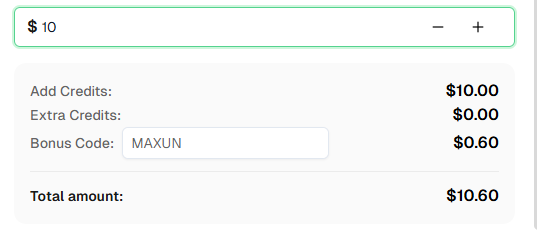
Ready to get started? Sign up for CapSolver and use bonus code MAXUN for an extra 6% bonus on your first recharge!
Maxun is an open-source, no-code web data extraction platform that enables users to train robots to scrape websites without writing code. It features a visual robot builder, a powerful TypeScript/Node.js SDK, and supports both cloud and self-hosted deployments.
CapSolver integrates with Maxun through a pre-authentication pattern. You solve CAPTCHAs via CapSolver's API before running Maxun robots, then pass the resulting tokens or session cookies to your extraction workflows. This approach works well with Maxun's higher-level abstraction.
CapSolver supports a wide range of CAPTCHA types including reCAPTCHA v2, reCAPTCHA v3, Cloudflare Turnstile, Cloudflare Challenge (5s), AWS WAF, GeeTest v3/v4, and many more.
CapSolver offers competitive pricing based on the type and volume of CAPTCHAs solved. Visit capsolver.com for current pricing details. Use code MAXUN for a 6% bonus on your first recharge.
Maxun's SDK is built in TypeScript and runs on Node.js 18+. It provides a modern, type-safe API for programmatic robot control and can be integrated into any Node.js application.
Maxun is open-source and free to self-host. Maxun also offers a cloud service with additional features and managed infrastructure. Check their pricing page for details.
The site key is typically found in the page's HTML source. Look for:
data-sitekey attribute on .g-recaptcha elementdata-sitekey attribute on .cf-turnstile elementYes, Maxun supports cookies and custom headers in robot configurations. You can pass session cookies obtained from CAPTCHA solving to authenticate your extraction robots.
Maxun operates at a higher abstraction level. While Playwright and Puppeteer provide low-level browser control, Maxun focuses on reusable robot-based workflows that can be created visually or programmatically. This makes it easier to build and maintain extraction pipelines at scale.
More Integration Guide to read:
Playwright & Puppeteer
For CAPTCHAs that appear during extraction (not on initial page load), you may need to implement a detection mechanism in your robot workflow and trigger CAPTCHA solving when detected. Consider using Maxun's webhook or callback features to pause and resume extraction.
Ethan Collins
AI Agent Workflow Engineer
Building clearer handoffs between AI agents and tools.
ABOUT THE AUTHOR
Learn scalable Rust web scraping architecture with reqwest, scraper, async scraping, headless browser scraping, proxy rotation, and compliant CAPTCHA handling.

Learn the best techniques to scrape job listings without getting blocked. Master Indeed scraping, Google Jobs API, and web scraping API with CapSolver.