🎉NEWCapSolver for AI agents-MCP, agent tools, and SDK integrations

Aloísio Vítor
Image Processing Expert
Published Feb 11, 2026
Updated Feb 12, 2026 · min read
robots.txt, Terms of Service, respect server load, and be mindful of data privacy laws.Did you know that over 95% of websites are not explicitly structured for data extraction? This means that while the information is there, accessing it in a usable, organized format requires specific techniques. The internet is a vast ocean of information, but much of it exists as unstructured text and images. For businesses, researchers, and developers, the ability to systematically extract this data – to turn raw web content into actionable insights – is becoming increasingly vital. This process, often referred to as web scraping, allows us to collect information from websites programmatically, transforming the chaotic web into a treasure trove of structured data.
This guide will delve into the world of structured data extraction from popular websites. We'll explore why it's important, the different methods available, the tools you can use, and crucial ethical and legal considerations. Whether you're looking to analyze market trends, gather competitive intelligence, or build a new data-driven application, understanding how to extract structured data is a powerful skill.
Before we dive into the 'how,' let's understand the 'why.' Structured data is information organized in a predefined format, making it easy for computers to read and process. Extracting this data from websites offers a multitude of benefits:
Businesses can gain a significant edge by monitoring competitors' pricing, product offerings, customer reviews, and marketing strategies. By scraping this data, companies can:
Sales and marketing teams can use web scraping to identify potential leads. For example, scraping business directories, company websites, or professional networking sites can yield contact information, job titles, and company details, all crucial for targeted outreach.
For platforms that aggregate information from various sources – like travel booking sites, real estate portals, or job boards – web scraping is the backbone. It allows them to collect listings, prices, and details from numerous providers and present them in a unified, searchable format.
Researchers across various disciplines, from sociology and economics to computer science, use web scraping to collect data for their studies. This could involve analyzing online discourse, tracking the spread of information, or studying user behavior on digital platforms.
Machine learning algorithms require vast amounts of data to learn and improve. Web scraping is a primary method for acquiring the datasets needed to train models for tasks like natural language processing, image recognition, and predictive analytics.
There are several approaches to extracting structured data, ranging from simple manual methods to sophisticated automated techniques.
This is the most basic method, involving manually copying and pasting information from a website into a spreadsheet or database. While simple, it's incredibly time-consuming, prone to human error, and impractical for large-scale data collection. It's only feasible for very small, one-off tasks.
Several user-friendly browser extensions and no-code/low-code tools are designed to simplify web scraping for non-programmers. These tools often allow you to visually select the data you want to extract and then export it in formats like CSV or Excel.
For more complex scraping needs, flexibility, and scalability, programming is the way to go. Python is a popular choice due to its extensive libraries for web scraping.
Key Python Libraries:
Pros: Highly flexible, scalable, can handle complex websites and anti-scraping measures, cost-effective (open-source libraries).
Cons: Requires programming knowledge, steeper learning curve.
Many websites offer official APIs that allow developers to access their data in a structured format. This is the ideal method when available, as it's sanctioned by the website owner, usually more reliable, and less likely to break due to website changes.
Many popular websites implement CAPTCHAs (Completely Automated Public Turing test to tell Computers and Humans Apart) to prevent automated access. To overcome this, specialized services exist that can solve CAPTCHAs programmatically. These services often use a combination of human solvers and advanced algorithms. For instance, CapSolver is a service that offers efficient CAPTCHA solving solutions, allowing automated scripts to bypass these security measures and continue data extraction.
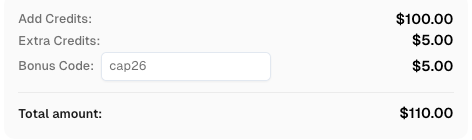
Use code
CAP26when signing up at CapSolver to receive bonus credits!
Let's outline a general process for web scraping, focusing on using programming methods (like Python) as they offer the most power and flexibility.
Based on your analysis and technical skills, select the appropriate tools. For Python, a common stack is Requests + Beautiful Soup for static sites, or Selenium for dynamic sites.
Requests to download the HTML content of the target page.Beautiful Soup to parse the HTML content, making it searchable.soup.find_all('div', class_='product-title')).Once extracted, the data needs to be stored. Common formats include:
This is arguably the most crucial step. We'll cover this in detail next.
Web scraping exists in a legal and ethical gray area. While collecting publicly available data is generally permissible, there are important boundaries to respect.
robots.txt FileMost websites have a robots.txt file (e.g., www.example.com/robots.txt) that outlines which parts of the site web crawlers (bots) are allowed or disallowed to access. Always respect these directives. Violating robots.txt can lead to your IP address being blocked and is considered unethical.
Many websites explicitly prohibit scraping in their Terms of Service. Violating the ToS can have legal consequences, including potential lawsuits. While enforcement varies, it's best practice to adhere to these terms.
Aggressive scraping can overwhelm a website's server, slowing it down or even causing it to crash for legitimate users. This is detrimental to the website owner and other users.
time.sleep() in Python) between your requests.Be extremely cautious when scraping personal data. Regulations like GDPR (General Data Protection Regulation) and CCPA (California Consumer Privacy Act) impose strict rules on collecting, storing, and processing personal information. Scraping and using personal data without consent can lead to severe legal penalties.
Content on websites is often protected by copyright. While scraping might be technically possible, republishing or commercializing scraped copyrighted content without permission can lead to infringement claims.
Recent court cases have further clarified the legal landscape. For example, the LinkedIn v. hiQ Labs case highlighted that scraping publicly available data from a platform that is not behind a login might be permissible, but scraping data behind a login without authorization is generally not.
As you become more proficient, you might explore:
Tools like Selenium or Puppeteer (for Node.js) can control browsers in the background without a visible UI. This is essential for scraping JavaScript-heavy websites where content is loaded dynamically.
To avoid IP bans, especially when scraping at scale, you can route your requests through proxy servers. This makes your requests appear to come from different IP addresses. Services offer rotating proxy pools for this purpose.
As mentioned earlier, for websites that employ CAPTCHAs, services like CapSolver are indispensable for maintaining scraping operations. These services automate the process of solving CAPTCHAs, ensuring your scripts aren't halted by these security measures.
For very large-scale operations, distributing the scraping workload across multiple machines or servers can significantly speed up data collection.
Extracting structured data from popular websites is a powerful capability that unlocks a wealth of information for analysis, decision-making, and innovation. Whether you're a student, a researcher, or a business professional, understanding the principles and tools of web scraping can provide a significant advantage. However, it's crucial to approach this practice with a strong sense of ethics and a clear understanding of the legal boundaries. By respecting website policies, being mindful of server load, and prioritizing data privacy, you can harness the power of the web responsibly and effectively. Remember to always check for official APIs first, as they offer the most reliable and sanctioned method for data access.
A1: The legality of web scraping is complex and depends on several factors, including the website's terms of service, the robots.txt file, and the nature of the data being scraped (especially if it's personal data). Scraping publicly available data without violating terms or robots.txt is often considered permissible, but scraping data behind logins or personal information without consent can have legal repercussions. Always consult legal counsel if you have specific concerns.
A2: To avoid IP blocking, you can use techniques like rotating proxy servers, introducing delays between requests, limiting your scraping rate, and using ethical User-Agent strings. Some advanced users also employ CAPTCHA solving services when necessary.
A3: An API (Application Programming Interface) is a structured way for applications to communicate and exchange data, usually provided by the website owner. Web scraping, on the other hand, is the process of extracting data directly from a website's HTML, often when no API is available. APIs are generally preferred as they are sanctioned, more reliable, and provide data in a pre-structured format.
A4: While you can technically attempt to scrape almost any website, whether you should or can legally and ethically is another matter. You must respect the website's robots.txt file and Terms of Service. Websites with strong anti-scraping measures or those containing sensitive personal data require particular caution.
A5: For beginners with no coding experience, browser extensions and no-code tools like Octoparse or ParseHub are excellent starting points. If you're comfortable with some coding, Python libraries like Beautiful Soup and Requests offer a gentler introduction to programmatic scraping compared to frameworks like Scrapy.
A6: Websites that heavily rely on JavaScript to load content dynamically often require tools that can render JavaScript. Selenium is a popular choice for this, as it automates a real web browser. Other methods include analyzing the website's network requests (AJAX calls) to directly fetch the data, which can be more efficient than using a full browser automation tool.
Aloísio Vítor
Image Processing Expert
Interpreting the visual signals behind web workflows.
ABOUT THE AUTHOR
Learn scalable Rust web scraping architecture with reqwest, scraper, async scraping, headless browser scraping, proxy rotation, and compliant CAPTCHA handling.

Learn the best techniques to scrape job listings without getting blocked. Master Indeed scraping, Google Jobs API, and web scraping API with CapSolver.