🎉NEWCapSolver for AI agents-MCP, agent tools, and SDK integrations

Lucas Mitchell
Automation Engineer
Published Feb 02, 2026
Updated Feb 04, 2026 · min read
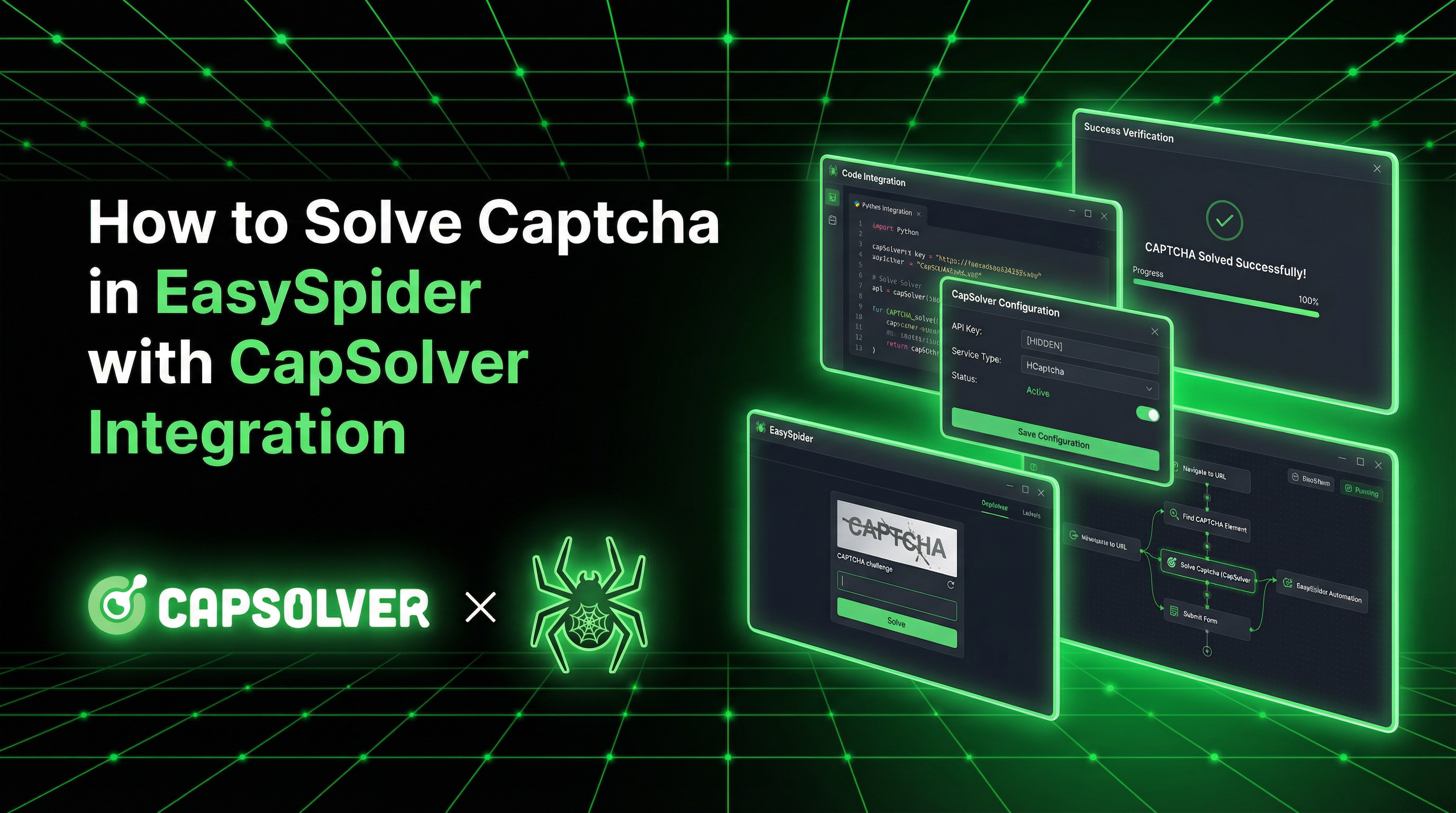
EasySpider is a powerful visual web scraping tool that allows anyone to design and execute browser automation tasks without writing code. Its intuitive flowchart-based interface makes it accessible to non-programmers while still advanced capabilities for developers.
CapSolver completes the EasySpider automation experience by providing seamless CAPTCHA solving. While EasySpider supports multiple CAPTCHA recognition schemes, integrating CapSolver's AI-powered solutions ensures reliable, fast bypassing of reCAPTCHA, Cloudflare Turnstile, and other CAPTCHA challenges.
EasySpider is a free, open-source visual web crawler and browser automation tool. Unlike traditional scraping libraries that require coding knowledge, EasySpider lets you design tasks visually by pointing and clicking on web elements.
EasySpider operates on three fundamental principles:
| Feature | Description |
|---|---|
| Infinite Loop Nesting | Handle complex pagination and multi-level data extraction |
| Conditional Branching | Create decision points based on page content |
| Break Statements | Exit loops anywhere in the flowchart |
| Regular Expressions | Extract data using pattern matching |
| OCR Recognition | Extract text from images and screenshots |
| Proxy Support | Rotate IPs and tunnel connections |
CapSolver is a leading CAPTCHA solving service that provides AI-powered solutions for bypassing various CAPTCHA challenges. With support for multiple CAPTCHA types and lightning-fast response times, CapSolver integrates seamlessly into automated workflows.
While EasySpider offers built-in CAPTCHA support, integrating CapSolver provides significant advantages:
EasySpider_windows_x64.zip for 64-bit WindowsEasySpider_windows_x86.zip for 32-bit WindowsEasySpider_MacOS.dmg for macOSEasySpider_Linux_x64.tar.gz for LinuxEasySpider.exe (Windows) or the appropriate executableNote: Ensure port 8084 is available for inter-process communication.
If you plan to use the CapSolver helper script:
pip install requestsHere's a reusable CapSolver utility class designed for Python workflows:
import requests
import time
from typing import Optional
from dataclasses import dataclass

CAPSOLVER_API_KEY = 'YOUR_CAPSOLVER_API_KEY'

@dataclass
class TaskResult:
    status: str
    solution: Optional[dict] = None
    error_description: Optional[str] = None


class CapSolverService:
    def __init__(self, api_key: str = CAPSOLVER_API_KEY):
        self.api_key = api_key
        self.base_url = 'https://api.capsolver.com'

    def create_task(self, task_data: dict) -> str:
        response = requests.post(
            f'{self.base_url}/createTask',
            json={
                'clientKey': self.api_key,
                'task': task_data
            }
        )
        data = response.json()

        if data.get('errorId', 0) != 0:
            raise Exception(f"CapSolver error: {data.get('errorDescription')}")

        return data['taskId']

    def get_task_result(self, task_id: str, max_attempts: int = 60) -> TaskResult:
        for _ in range(max_attempts):
            time.sleep(2)

            response = requests.post(
                f'{self.base_url}/getTaskResult',
                json={
                    'clientKey': self.api_key,
                    'taskId': task_id
                }
            )
            data = response.json()

            if data.get('status') == 'ready':
                return TaskResult(
                    status='ready',
                    solution=data.get('solution')
                )

            if data.get('status') == 'failed':
                raise Exception(f"Task failed: {data.get('errorDescription')}")

        raise Exception('Timeout waiting for CAPTCHA solution')

    def solve_recaptcha_v2(self, website_url: str, website_key: str) -> str:
        task_id = self.create_task({
            'type': 'ReCaptchaV2TaskProxyLess',
            'websiteURL': website_url,
            'websiteKey': website_key
        })

        result = self.get_task_result(task_id)
        return result.solution.get('gRecaptchaResponse', '') if result.solution else ''

    def solve_turnstile(
        self,
        website_url: str,
        website_key: str,
        action: Optional[str] = None,
        cdata: Optional[str] = None
    ) -> str:
        task_data = {
            'type': 'AntiTurnstileTaskProxyLess',
            'websiteURL': website_url,
            'websiteKey': website_key
        }

        if action or cdata:
            metadata = {}
            if action:
                metadata['action'] = action
            if cdata:
                metadata['cdata'] = cdata
            task_data['metadata'] = metadata

        task_id = self.create_task(task_data)
        result = self.get_task_result(task_id)
        return result.solution.get('token', '') if result.solution else ''


# Global instance
capsolver = CapSolverService()EasySpider offers multiple ways to integrate CapSolver. Choose the method that best fits your use case.
EasySpider supports executing custom JavaScript within your workflow. This is the most straightforward integration method.
Step 1: Create a new task in EasySpider and navigate to the CAPTCHA-protected page
Step 2: Add a "Custom Action" node with the following JavaScript:
// Extract the sitekey from the reCAPTCHA element
var siteKey = document.querySelector('.g-recaptcha').getAttribute('data-sitekey');
var pageUrl = window.location.href;

// Store for use in the next step
window.captchaSiteKey = siteKey;
window.captchaPageUrl = pageUrl;

// Log for debugging
console.log('Site Key:', siteKey);
console.log('Page URL:', pageUrl);
Step 3: Use EasySpider's external system call feature to invoke a Python script that solves the CAPTCHA and returns the token
Step 4: Add another "Custom Action" to inject the token:
// Token will be passed from the external script
var token = arguments[0];  // Passed from EasySpider

// Make the response textarea visible and set the token
document.getElementById('g-recaptcha-response').style.display = 'block';
document.getElementById('g-recaptcha-response').value = token;

// If there's a callback function, execute it
if (typeof ___grecaptcha_cfg !== 'undefined') {
    var clients = ___grecaptcha_cfg.clients;
    if (clients) {
        Object.keys(clients).forEach(function(key) {
            var client = clients[key];
            if (client.callback) {
                client.callback(token);
            }
        });
    }
}This is a proxyless Turnstile workflow using EasySpider's visual nodes. It does not require a proxy.
Step 1: Create a new task and navigate to your Turnstile-protected page.
Step 2: Add three Custom Action nodes (code mode = JavaScript) to capture Turnstile metadata:
// Node title: TS_SiteKey
return document.querySelector('.cf-turnstile')?.getAttribute('data-sitekey') || '';// Node title: TS_Action (optional)
return document.querySelector('.cf-turnstile')?.getAttribute('data-action') || '';// Node title: TS_Cdata (optional)
return document.querySelector('.cf-turnstile')?.getAttribute('data-cdata') || '';Step 3: Add an Execute System Command node to solve Turnstile with CapSolver:
python captcha_solver.py "{{current_url}}" "Field[\"TS_SiteKey\"]" "turnstile" "Field[\"TS_Action\"]" "Field[\"TS_Cdata\"]"Name this node Token so you can reference its output as Field["Token"].
Step 4: Add a Custom Action node (JavaScript) to inject the token:
var token = `Field["Token"]`;
var inputs = document.querySelectorAll('input[name="cf-turnstile-response"], input[name="turnstile-response"]');
inputs.forEach(function(el) {
    el.value = token;
    el.dispatchEvent(new Event('input', { bubbles: true }));
    el.dispatchEvent(new Event('change', { bubbles: true }));
});
Step 5: Click the form submit button (or use a JS submit).
Note: Proxyless Turnstile works on many sites, but some deployments validate tokens against the solver IP. If that happens, proxy-based solving is required.
For advanced users, you can extend EasySpider's Python execution engine directly. The easyspider_executestage.py script handles task execution and can be modified to include CapSolver integration.
Location: {EasySpider_Directory}/Code/easyspider_executestage.py
Add the CapSolver service to the execution context:
# Add to imports at the top of easyspider_executestage.py
import requests
import time

# Add CapSolver class
class CapSolverService:
    # ... (implementation from above)
    pass

# Create global instance
capsolver = CapSolverService('YOUR_CAPSOLVER_API_KEY')

# Now capsolver.solve_recaptcha_v2() is available in eval/exec blocks
Then in your EasySpider task, use the "Execute Python Code" feature:
# In EasySpider's Python execution block
site_key = driver.find_element_by_class_name('g-recaptcha').get_attribute('data-sitekey')
token = capsolver.solve_recaptcha_v2(current_url, site_key)
driver.execute_script(f'''
    document.getElementById('g-recaptcha-response').value = `{token}`;
''')import time
from functools import wraps
from typing import Callable, TypeVar, Any
T = TypeVar('T')
def retry(max_retries: int = 3, exponential_backoff: bool = True):
"""Decorator for retry logic with exponential backoff."""
def decorator(func: Callable[..., T]) -> Callable[..., T]:
@wraps(func)
def wrapper(*args: Any, **kwargs: Any) -> T:
last_exception = None
for attempt in range(max_retries):
try:
return func(*args, **kwargs)
except Exception as e:
last_exception = e
if attempt < max_retries - 1:
delay = (2 ** attempt) if exponential_backoff else 1
print(f'Attempt {attempt + 1} failed, retrying in {delay}s...')
time.sleep(delay)
raise last_exception
return wrapper
return decorator
@retry(max_retries=3, exponential_backoff=True)
def solve_with_retry(capsolver, url: str, site_key: str) -> str:
return capsolver.solve_recaptcha_v2(url, site_key)def check_balance(api_key: str) -> float:
response = requests.post(
'https://api.capsolver.com/getBalance',
json={'clientKey': api_key}
)
data = response.json()
return data.get('balance', 0)
def main():
balance = check_balance(CAPSOLVER_API_KEY)
if balance < 1:
print('Warning: Low CapSolver balance! Please recharge.')
else:
print(f'Current balance: ${balance:.2f}')Run EasySpider tasks from the command line:
# Basic execution
python easyspider_executestage.py --id [task_id] --read_type local --headless 1

# With full parameters
python easyspider_executestage.py \
    --ids [0] \
    --server_address http://localhost:8074 \
    --config_folder "./" \
    --headless 1 \
--read_type localHere's how to create a complete EasySpider workflow that includes CapSolver integration:
https://www.google.com/recaptcha/api2/demo)Save this as captcha_solver.py in your EasySpider directory:
#!/usr/bin/env python3
"""
CapSolver Helper Script for EasySpider
Usage: python captcha_solver.py <url> <site_key> <captcha_type> [action] [cdata]
"""

import sys
import requests
import time

CAPSOLVER_API_KEY = 'YOUR_CAPSOLVER_API_KEY'

def solve_captcha(url, site_key, captcha_type='recaptcha_v2', action=None, cdata=None):
    """Solve CAPTCHA and return token."""

    if captcha_type == 'recaptcha_v2':
        task_type = 'ReCaptchaV2TaskProxyLess'
    elif captcha_type == 'turnstile':
        task_type = 'AntiTurnstileTaskProxyLess'
    else:
        raise ValueError(f'Unknown CAPTCHA type: {captcha_type}')

    # Create task
    task = {
        'type': task_type,
        'websiteURL': url,
        'websiteKey': site_key
    }
    if captcha_type == 'turnstile' and (action or cdata):
        metadata = {}
        if action:
            metadata['action'] = action
        if cdata:
            metadata['cdata'] = cdata
        task['metadata'] = metadata

    response = requests.post(
        'https://api.capsolver.com/createTask',
        json={
            'clientKey': CAPSOLVER_API_KEY,
            'task': task
        }
    )
    data = response.json()

    if data.get('errorId', 0) != 0:
        raise Exception(f"Error: {data.get('errorDescription')}")

    task_id = data['taskId']

    # Poll for result
    for _ in range(60):
        time.sleep(2)

        response = requests.post(
            'https://api.capsolver.com/getTaskResult',
            json={
                'clientKey': CAPSOLVER_API_KEY,
                'taskId': task_id
            }
        )
        data = response.json()

        if data.get('status') == 'ready':
            solution = data.get('solution', {})
            return solution.get('gRecaptchaResponse') or solution.get('token')

        if data.get('status') == 'failed':
            raise Exception(f"Failed: {data.get('errorDescription')}")

    raise Exception('Timeout')


if __name__ == '__main__':
    if len(sys.argv) < 3:
        print('Usage: python captcha_solver.py <url> <site_key> [captcha_type] [action] [cdata]')
        sys.exit(1)

    url = sys.argv[1]
    site_key = sys.argv[2]
    captcha_type = sys.argv[3] if len(sys.argv) > 3 else 'recaptcha_v2'
    action = sys.argv[4] if len(sys.argv) > 4 else None
    cdata = sys.argv[5] if len(sys.argv) > 5 else None

    try:
        token = solve_captcha(url, site_key, captcha_type, action, cdata)
        print(token)  # Output token for EasySpider to capture
    except Exception as e:
        print(f'ERROR: {e}', file=sys.stderr)
sys.exit(1)In your EasySpider workflow, add a "Execute System Command" node:
python captcha_solver.py "{{current_url}}" "{{site_key}}" "recaptcha_v2"For Turnstile (proxyless):
python captcha_solver.py "{{current_url}}" "{{site_key}}" "turnstile" "{{action}}" "{{cdata}}"The output (token) can be captured and used in subsequent JavaScript injection steps.
Integrating CapSolver with EasySpider creates a powerful combination for visual web automation. EasySpider's intuitive flowchart interface makes task design accessible to everyone, while CapSolver handles the CAPTCHA challenges that would otherwise block your automation.
Key advantages of this integration:
Whether you're building data extraction pipelines, monitoring systems, or automated testing frameworks, the EasySpider + CapSolver combination provides the visual design experience and CAPTCHA-solving capability needed for modern web automation.
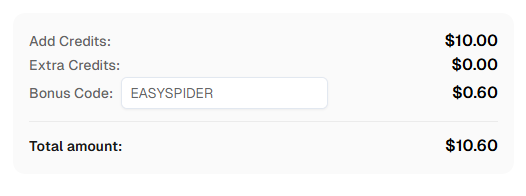
Ready to get started? Sign up for CapSolver and use bonus code EASYSPIDER for an extra 6% bonus on your first recharge!
EasySpider is a free, open-source visual web scraping and browser automation tool. It allows users to design automation tasks through a graphical flowchart interface without writing code, while also supporting custom JavaScript, Python code, and Selenium statements for advanced use cases.
CapSolver integrates with EasySpider through multiple methods: custom JavaScript injection within EasySpider's workflow, external Python scripts called via system commands, or direct modification of EasySpider's Python execution engine. All methods use CapSolver's API to solve CAPTCHAs and inject tokens into the page.
EasySpider has built-in support for some CAPTCHA recognition schemes and OCR capabilities. However, integrating with CapSolver provides higher success rates, faster solving times, and broader CAPTCHA type coverage for production automation workflows.
CapSolver supports a wide range of CAPTCHA types including reCAPTCHA v2, reCAPTCHA v3, Cloudflare Turnstile, AWS WAF, GeeTest v3/v4, and many more.
CapSolver offers competitive pricing based on the type and volume of CAPTCHAs solved. Visit capsolver.com for current pricing details. Use code EASYSPIDER for a 5% bonus on your first recharge.
Yes, EasySpider is completely free and open-source under the AGPL-3.0 license. The software permits free commercial use and modification. Network service deployments must provide source code access to users.
The site key is typically found in the page's HTML source:
data-sitekey attribute on .g-recaptcha elementdata-sitekey attribute on .cf-turnstile elementYes, EasySpider supports command-line execution through easyspider_executestage.py. This enables integration with other systems, scheduled task execution, and headless automation.
EasySpider is available for Windows (x64/x86), macOS, and Linux. Download the appropriate version from the GitHub Releases page.
Yes, EasySpider supports proxy IP configuration and tunnel switching. You can configure proxies in the task settings or through EasySpider's browser launch options.
Lucas Mitchell
Automation Engineer
Helping browser automation recover and continue.
ABOUT THE AUTHOR
Learn scalable Rust web scraping architecture with reqwest, scraper, async scraping, headless browser scraping, proxy rotation, and compliant CAPTCHA handling.
Learn the best techniques to scrape job listings without getting blocked. Master Indeed scraping, Google Jobs API, and web scraping API with CapSolver.