🎉NEWCapSolver for AI agents-MCP, agent tools, and SDK integrations

Emma Foster
Machine Learning Engineer
Published Jan 27, 2026
Updated Jan 27, 2026 · min read
TL;Dr: Key Takeaways
Web scraping has evolved from a complex coding task into a streamlined process accessible to everyone. Today, Instant Data Scraper Tools empower marketers, researchers, and business owners to gather valuable insights from the web with just a few clicks. These tools eliminate the need for Python scripts or complex configurations, making data extraction as simple as browsing a webpage. Whether you are looking to monitor competitor prices or build a lead generation list, the right tool can save you hundreds of hours of manual work. This guide explores the most efficient ways to extract web data without code, helping you choose the best solution for your 2026 data strategy.
The term Instant Data Scraper Tools refers to a category of software designed for immediate data collection from web pages. Unlike traditional scrapers that require manual selector mapping, these tools use heuristic algorithms or AI to identify patterns in HTML structures. This means they can recognize product lists, news feeds, or search results automatically. The global volume of data created and consumed is growing exponentially, making fast extraction tools more critical than ever.
Most Instant Data Scraper Tools operate as browser extensions or cloud-based APIs. Extensions are perfect for quick tasks where you only need data from the page you are currently viewing. Cloud-based tools, on the other hand, are better suited for large-scale operations where you need to scrape thousands of URLs simultaneously. Understanding these distinctions is the first step in optimizing your data collection workflow.
The market for no-code extraction has matured significantly, with several standout performers leading the way. Each tool offers unique features tailored to different user requirements. Below is a comparison of the top-rated Instant Data Scraper Tools currently available.
| Tool Name | Type | Best For | Ease of Use | Scalability |
|---|---|---|---|---|
| Instant Data Scraper | Chrome Extension | Quick, one-click table extraction | High | Low |
| ScraperAPI | Cloud API | High-volume, automated pipelines | Medium | High |
| Octoparse | Desktop App | Complex sites with pagination | Medium | Medium |
| WebScraper.io | Extension | Dynamic content and sitemaps | Medium | Medium |
| Data Miner | Extension | Pre-made recipes for popular sites | High | Medium |
This is perhaps the most popular choice for beginners. It is a free browser extension that uses AI to predict which data is most relevant on a page. When you click the extension icon, it immediately highlights the detected table or list and provides a preview of the data. It is one of the most effective fast ways to extract web data without code because it requires zero configuration.
The tool supports infinite scrolling and "Locate Next" buttons for pagination. This allows you to scrape multiple pages of search results without manual intervention. However, because it runs locally in your browser, it is not suitable for scraping millions of pages or handling heavy anti-scraping protections. For those looking for more robust options, checking out the best data extraction tools can provide a broader perspective on enterprise-grade solutions.
For users who need more than just a browser extension, ScraperAPI offers a low-code solution called DataPipeline. This tool allows you to upload a list of URLs and receive structured JSON or CSV data in return. It handles all the technical hurdles like IP rotation and header management automatically.
One of the key advantages of using an API-based Instant Data Scraper Tools is the ability to bypass common restrictions. Many websites use sophisticated methods to identify and block automated traffic. By using a service that knows how to avoid IP bans, you can ensure your data collection remains consistent and reliable.
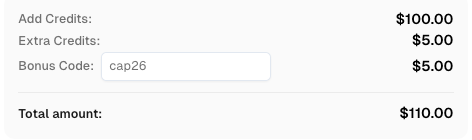
Use code
CAP26when signing up at CapSolver to receive bonus credits!
While Instant Data Scraper Tools are incredibly powerful, they often face obstacles on modern websites. Security measures like CAPTCHAs and bot detection systems are designed to prevent automated access. This is where a standard scraper might fail, leaving you with incomplete data or a blocked IP address.
To maintain a seamless extraction process, many professionals integrate their scrapers with specialized services. For instance, CapSolver provides an essential layer of support by handling complex verification challenges. By using a reliable solver, you can ensure that your Instant Data Scraper Tools can access even the most protected websites without being flagged as a bot. This is particularly important when dealing with the im not a bot prompts that frequently appear during high-frequency scraping.
When evaluating Instant Data Scraper Tools, you should prioritize features that align with your long-term goals. A tool that works today might not be sufficient as your data needs grow. Consider the following criteria:
Using Instant Data Scraper Tools is generally straightforward. Most tools follow a similar workflow that prioritizes speed and simplicity. Here is how you can start extracting data in minutes:
For more advanced users, following the W3C WebDriver Standard can help in understanding how these tools interact with browser environments at a deeper level.
The latest generation of Instant Data Scraper Tools is heavily influenced by Artificial Intelligence. AI allows these tools to understand the context of a page rather than just its code. For example, an AI-powered scraper can distinguish between a product price and a discounted price, even if the HTML tags are similar.
This shift towards intelligent extraction is making no-code web scraping tools 2026 more reliable than ever. As websites become more dynamic and complex, the ability of a tool to adapt to layout changes without user intervention is a major competitive advantage. This is why many businesses are moving away from rigid, selector-based scrapers in favor of more flexible, instant solutions.
The rise of Instant Data Scraper Tools has democratized access to web data, allowing anyone to become a data-driven decision-maker. By choosing the right tool—whether it is a simple extension for quick tasks or a robust API for large-scale projects—you can significantly accelerate your research and operations. Remember that the most successful scraping strategies often involve a combination of fast ways to extract web data without code and specialized services like CapSolver to handle security challenges. As you build your data pipeline, focus on scalability and reliability to ensure your insights remain accurate and timely.
1. Are Instant Data Scraper Tools legal to use?
Yes, web scraping is generally legal for publicly available data. However, you should always respect a website's robots.txt file and terms of service. For more details, you should consult legal resources regarding data collection ethics and regional regulations.
2. Can I scrape websites that require a login?
Some best web scraper extensions for chrome can handle logged-in sessions because they use your browser's cookies. However, cloud-based scrapers usually require more complex configurations to handle authentication.
3. What is the difference between a browser extension and a web scraping API?
An extension runs in your browser and is best for small tasks. An API runs on a remote server, allowing for much higher volume and better automation capabilities.
4. How do I handle CAPTCHAs while scraping?
The most effective way is to use a dedicated service like CapSolver. It integrates with your automated data extraction for any website workflow to solve challenges in real-time, ensuring your scraper never gets stuck.
5. Do I need to know HTML to use these tools?
While basic knowledge of HTML structure is helpful, most instant scrapers are designed to work without any technical knowledge. For those interested in the underlying technology, the W3C HTML Table Specification provides a deep dive into data organization on the web.
Emma Foster
Machine Learning Engineer
Where machine learning meets practical AI tooling.
ABOUT THE AUTHOR
Learn scalable Rust web scraping architecture with reqwest, scraper, async scraping, headless browser scraping, proxy rotation, and compliant CAPTCHA handling.

Learn the best techniques to scrape job listings without getting blocked. Master Indeed scraping, Google Jobs API, and web scraping API with CapSolver.