🎉NEWCapSolver for AI agents-MCP, agent tools, and SDK integrations

Ethan Collins
AI Agent Workflow Engineer
Published Apr 08, 2026
Updated Apr 08, 2026 · min read
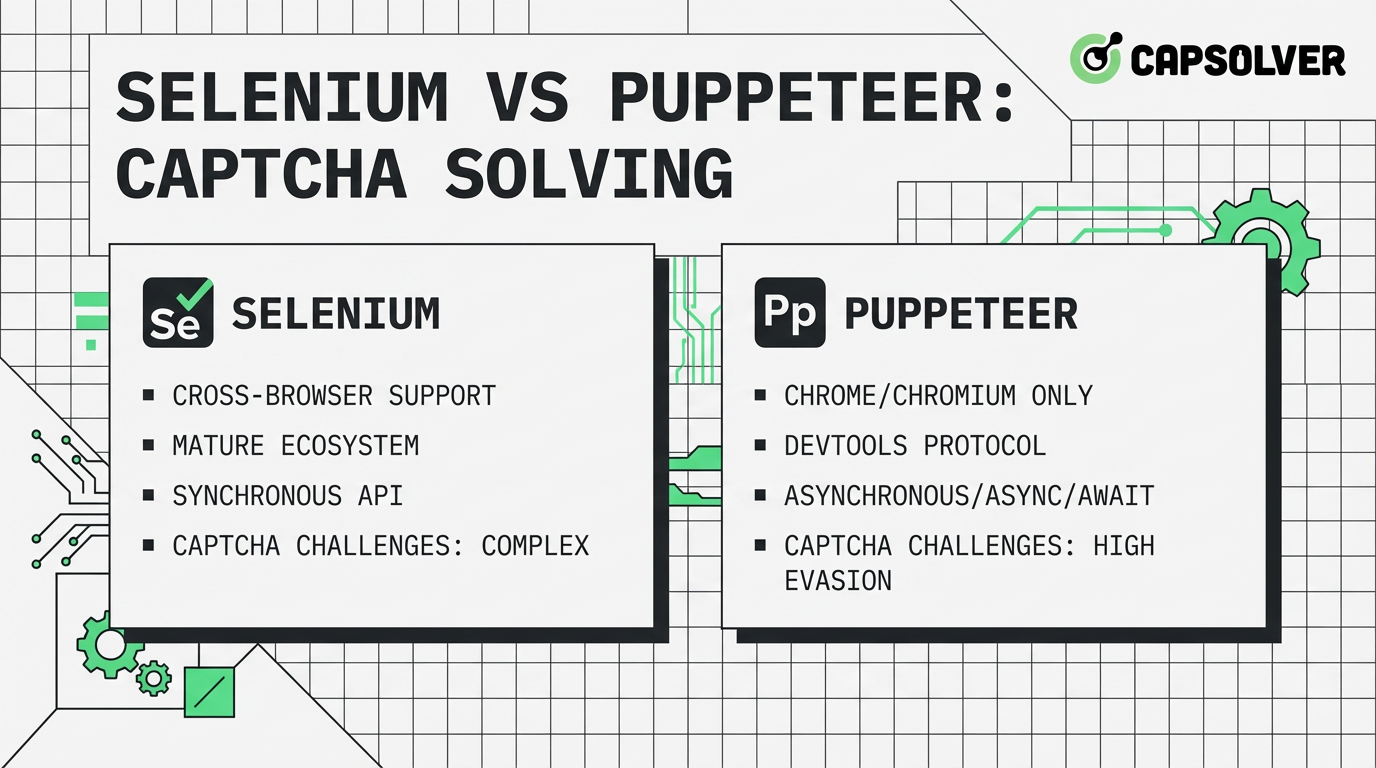
Choosing the right automation framework is critical for web scraping and testing success. When it comes to Selenium vs Puppeteer for CAPTCHA solving, developers often face a trade-off between speed and flexibility. While both tools can interact with web elements, they lack built-in capabilities to solve advanced challenges. This article provides a comprehensive comparison of their performance, stability, and use cases, helping you decide which framework fits your project. We also explore how integrating a professional service like CapSolver can eliminate the friction caused by automated security measures, ensuring your workflows remain uninterrupted.
Selenium has been the industry standard for over a decade. It supports multiple programming languages and browsers, making it the go-to for enterprise-level cross-browser testing. However, its architecture relies on the WebDriver protocol, which can introduce latency. According to BrowserStack, Selenium's broad browser support is its primary advantage, though it comes at the cost of execution speed.
Puppeteer, developed by Google, is a Node.js library that provides a high-level API to control Chrome or Chromium. It uses the DevTools Protocol, allowing for faster execution and more granular control over the browser's internal state. For many modern developers, Puppeteer's speed and ease of setup in JavaScript environments make it a preferred choice for high-performance scraping. Selenium vs Puppeteer for CAPTCHA solving comparisons often highlight Puppeteer's superior performance in Chromium-only environments.
In the debate of Selenium vs Puppeteer for CAPTCHA solving, performance is often the deciding factor. Puppeteer typically outperforms Selenium in execution speed because it communicates directly with the browser. Selenium's reliance on a middleman (the WebDriver) results in slower command execution. Research from Checkly indicates that Puppeteer scripts can be up to 20% faster in end-to-end scenarios.
| Dimension | Selenium | Puppeteer |
|---|---|---|
| Speed | Slower (WebDriver overhead) | Faster (Direct DevTools) |
| Memory Usage | Higher | Moderate |
| Setup Complexity | High (Drivers required) | Low (NPM install) |
| Headless Support | Standard | Excellent |
For tasks involving frequent page loads and interactions, Puppeteer's reduced overhead translates to significant time savings. However, Selenium's ability to run on multiple browsers is irreplaceable for projects requiring broad compatibility. Selenium vs Puppeteer for CAPTCHA solving tasks often require multiple retries, making framework efficiency even more critical.
Modern security systems are adept at detecting automation. Selenium is often easier to identify due to its specific browser fingerprints and WebDriver properties. Puppeteer, while also detectable, offers more tools to mask automation traces, such as the puppeteer-extra-plugin-stealth. As noted by Oxylabs, Puppeteer is generally more resistant to detection than Selenium, though both still face challenges with advanced fingerprinting.
When a CAPTCHA appears, the framework's stability is tested. Selenium scripts can be brittle if the page structure changes slightly. Puppeteer's "auto-waiting" features and better handling of asynchronous events lead to more resilient scripts. Regardless of the framework, using a dedicated solution like CapSolver ensures that even the most persistent challenges are handled with high success rates. Selenium vs Puppeteer for CAPTCHA solving workflows benefit significantly from CapSolver's automated CAPTCHA solving capabilities.
In the early days of the web, CAPTCHAs were simple distorted text images. Today, we face highly sophisticated systems like reCAPTCHA v3, which analyzes user behavior to assign a score. Selenium vs Puppeteer for CAPTCHA solving becomes even more complex when these systems are involved. Traditional automation tools often fail because they cannot simulate the subtle nuances of human interaction, such as mouse movement jitters or varying typing speeds.
This is where the choice between Selenium vs Puppeteer for CAPTCHA solving matters. Puppeteer's direct access to the browser's CDP allows for more precise control over these interactions. However, even with perfect simulation, the underlying security algorithms are constantly evolving. Relying on a framework alone is no longer enough; you need a dynamic solution that stays ahead of the curve.
When scaling your automation to thousands of concurrent requests, resource consumption becomes a major bottleneck. Selenium's higher memory footprint can lead to significant infrastructure costs. In the context of Selenium vs Puppeteer for CAPTCHA solving, Puppeteer's lightweight nature allows for higher density on the same server hardware.
Furthermore, managing a Selenium Grid for large-scale operations is notoriously complex. Puppeteer, being more modern, integrates more naturally with containerization technologies like Docker and Kubernetes. This makes it easier to scale your CAPTCHA solving capabilities horizontally. By using CapSolver's cloud-based API, you can offload the heavy lifting, further reducing your local resource requirements and operational complexity.
Neither Selenium nor Puppeteer can solve a reCAPTCHA or Cloudflare challenge natively. Developers must use an external API or a browser extension. CapSolver offers seamless integration for both, providing a reliable way to obtain tokens or solve visual challenges. Integrating a CAPTCHA solver is essential for maintaining high automation uptime.
Integrating CapSolver with Puppeteer is straightforward. You can load the extension directly into your browser instance to automate the solving process. This approach is highly effective for integrating Puppeteer into complex scraping pipelines.
const puppeteer = require('puppeteer');
const path = require('path');

// Step 1: Unzip the extension and set the path
const extensionPath = path.resolve(__dirname, 'capsolver-extension');

(async () => {
    const browser = await puppeteer.launch({
        headless: false,
        args: [
            `--disable-extensions-except=${extensionPath}`,
            `--load-extension=${extensionPath}`,
        ],
    });
    const [page] = await browser.pages();
    await page.goto('https://recaptcha-demo.appspot.com/recaptcha-v2-checkbox.php');

    // The extension will automatically recognize and solve the captcha.
    // Wait for the captcha to resolve and click the submit button.
    await new Promise(resolve => setTimeout(resolve, 15000));
    await page.click('button[type="submit"]');
})();For Selenium, you can use the load-extension argument to include the CapSolver extension in your Chrome options. This is a common pattern for integrating Selenium with third-party tools.
from selenium import webdriver
from selenium.webdriver.chrome.options import Options

chrome_options = Options()
# Load the CapSolver extension from your local path
chrome_options.add_argument("load-extension=/path/to/capsolver-extension")

driver = webdriver.Chrome(options=chrome_options)
driver.get("https://recaptcha-demo.appspot.com/recaptcha-v2-checkbox.php")
# The extension solves the challenge in the background automaticallyTo provide a clear decision matrix, we have ranked both frameworks across key operational dimensions. Selenium vs Puppeteer for CAPTCHA solving efficiency often depends on these specific metrics.
| Metric | Selenium | Puppeteer |
|---|---|---|
| Cost Efficiency | 7/10 | 8/10 |
| Success Rate | 8/10 | 9/10 |
| Scalability | 7/10 | 9/10 |
| Stability | 8/10 | 8/10 |
| Ease of Use | 6/10 | 9/10 |
Puppeteer wins on speed and developer experience, while Selenium remains the king of versatility. Selenium vs Puppeteer for CAPTCHA solving success is often more about the solver service than the framework itself.
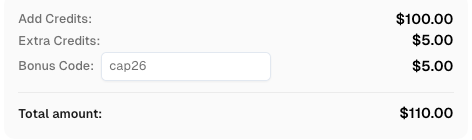
Use code
CAP26when signing up at CapSolver to receive bonus credits!
The best tool depends entirely on your specific requirements:
In all scenarios, the bottleneck is rarely the framework itself but the security hurdles it encounters. Utilizing a robust service like CapSolver allows you to focus on your core logic while the CAPTCHA solving is handled by experts. For those solving CAPTCHA while web scraping, a reliable partner is indispensable.
When discussing Selenium vs Puppeteer for CAPTCHA solving, it is crucial to address the ethical and legal aspects. Automation should never be used for malicious purposes or to violate a platform's integrity. We advocate for responsible automation that respects rate limits and terms of service. Using professional tools like CapSolver ensures that your automation remains within the bounds of reasonable use, focusing on data accessibility and legitimate testing.
Navigating the complexities of Selenium vs Puppeteer for CAPTCHA solving reveals that while frameworks differ, the need for a reliable solving solution is universal. CapSolver stands out as a premier provider, offering high success rates and low latency for all major challenge types. By integrating CapSolver into your automation stack, you ensure that your scripts remain functional and efficient, regardless of the security measures in place.
Whether you are building a large-scale scraper or an automated testing suite, CapSolver provides the tools you need to succeed. Selenium vs Puppeteer for CAPTCHA solving becomes a non-issue when you have the right infrastructure. We recommend exploring their official documentation to see how their API can streamline your development process. Selenium vs Puppeteer for CAPTCHA solving is much easier with professional support.
1. Is Puppeteer faster than Selenium?
Yes, Puppeteer is generally faster because it uses the DevTools Protocol for direct browser communication, whereas Selenium uses the WebDriver protocol which adds overhead.
2. Can Selenium solve reCAPTCHA?
Selenium cannot solve reCAPTCHA on its own. It requires integration with a third-party service like CapSolver to handle the challenge.
3. Does Puppeteer support browsers other than Chrome?
Puppeteer primarily supports Chromium-based browsers, though there is experimental support for Firefox. For full cross-browser needs, Selenium is better.
4. How does CapSolver improve success rates?
CapSolver uses advanced AI and a global network to solve challenges like reCAPTCHA v2/v3 and Cloudflare with much higher reliability than manual or open-source methods.
5. Is it legal to automate CAPTCHA solving?
Automating CAPTCHA solving should always be done in compliance with the target website's terms of service and relevant laws. Professional services like CapSolver emphasize ethical and responsible use of their technology.
Ethan Collins
AI Agent Workflow Engineer
Building clearer handoffs between AI agents and tools.
ABOUT THE AUTHOR
Learn scalable Rust web scraping architecture with reqwest, scraper, async scraping, headless browser scraping, proxy rotation, and compliant CAPTCHA handling.

Learn the best techniques to scrape job listings without getting blocked. Master Indeed scraping, Google Jobs API, and web scraping API with CapSolver.