🎉NEWCapSolver for AI agents-MCP, agent tools, and SDK integrations

Lucas Mitchell
Automation Engineer
Published Jan 19, 2026
Updated Jan 21, 2026 · min read
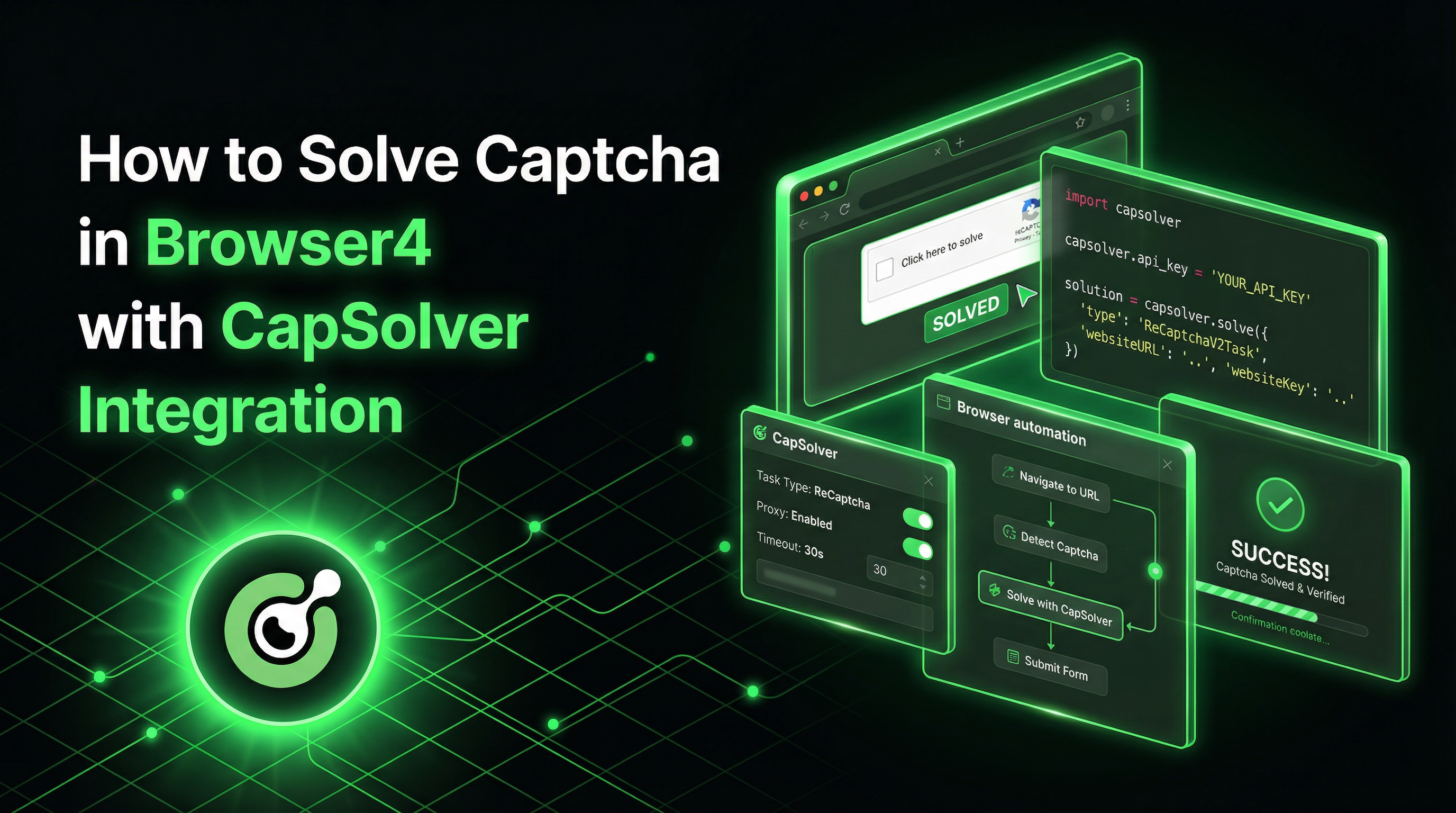
For web automation, Browser4 (from PulsarRPA ) has emerged as a lightning-fast, coroutine-safe browser engine designed for AI-powered data extraction. With capabilities supporting 100k-200k complex page visits per machine per day, Browser4 is built for serious scale. However, when extracting data from protected websites, CAPTCHA challenges become a significant barrier.
CapSolver provides the perfect complement to Browser4's automation capabilities, enabling your agents to navigate through CAPTCHA-protected pages seamlessly. This integration combines Browser4's high-throughput browser automation with industry-leading CAPTCHA solving.
Browser4 is a high-performance, coroutine-safe browser automation framework built in Kotlin. It's designed for AI applications requiring autonomous agent capabilities, extreme throughput, and hybrid data extraction combining LLM, machine learning, and selector-based approaches.
| Method | Description |
|---|---|
session.open(url) |
Loads a page and returns a PageSnapshot |
session.parse(page) |
Converts snapshot to in-memory document |
driver.selectFirstTextOrNull(selector) |
Retrieves text from live DOM |
driver.evaluate(script) |
Executes JavaScript in the browser |
session.extract(document, fieldMap) |
Maps CSS selectors to structured fields |
CapSolver is a leading CAPTCHA solving service that provides AI-powered solutions for bypassing various CAPTCHA challenges. With support for multiple CAPTCHA types and lightning-fast response times, CapSolver integrates seamlessly into automated workflows.
When building Browser4 automation that interacts with protected websites—whether for data extraction, price monitoring, or market research—CAPTCHA challenges become a significant obstacle. Here's why the integration matters:

Maven (pom.xml):
<dependencies>
    <!-- Browser4/PulsarRPA -->
    <dependency>
        <groupId>ai.platon.pulsar</groupId>
        <artifactId>pulsar-boot</artifactId>
        <version>2.2.0</version>
    </dependency>

    <!-- HTTP Client for CapSolver -->
    <dependency>
        <groupId>com.squareup.okhttp3</groupId>
        <artifactId>okhttp</artifactId>
        <version>4.12.0</version>
    </dependency>

    <!-- JSON Parsing -->
    <dependency>
        <groupId>com.google.code.gson</groupId>
        <artifactId>gson</artifactId>
        <version>2.10.1</version>
    </dependency>

    <!-- Kotlin Coroutines -->
    <dependency>
        <groupId>org.jetbrains.kotlinx</groupId>
        <artifactId>kotlinx-coroutines-core</artifactId>
        <version>1.8.0</version>
    </dependency>
</dependencies>
Gradle (build.gradle.kts):
dependencies {
    implementation("ai.platon.pulsar:pulsar-boot:2.2.0")
    implementation("com.squareup.okhttp3:okhttp:4.12.0")
    implementation("com.google.code.gson:gson:2.10.1")
    implementation("org.jetbrains.kotlinx:kotlinx-coroutines-core:1.8.0")
}Create an application.properties file:
# CapSolver Configuration
CAPSOLVER_API_KEY=your_capsolver_api_key

# LLM Configuration (optional, for AI extraction)
OPENROUTER_API_KEY=your_openrouter_api_key

# Proxy Configuration (optional)
PROXY_ROTATION_URL=your_proxy_urlHere's a reusable Kotlin service that integrates CapSolver with Browser4:
import com.google.gson.Gson
import com.google.gson.JsonObject
import okhttp3.MediaType.Companion.toMediaType
import okhttp3.OkHttpClient
import okhttp3.Request
import okhttp3.RequestBody.Companion.toRequestBody
import kotlinx.coroutines.delay
import java.util.concurrent.TimeUnit

data class TaskResult(
    val gRecaptchaResponse: String? = null,
    val token: String? = null,
    val cookies: List<Map<String, String>>? = null,
    val userAgent: String? = null
)

class CapSolverService(private val apiKey: String) {
    private val client = OkHttpClient.Builder()
        .connectTimeout(30, TimeUnit.SECONDS)
        .readTimeout(30, TimeUnit.SECONDS)
        .build()

    private val gson = Gson()
    private val baseUrl = "https://api.capsolver.com"
    private val jsonMediaType = "application/json".toMediaType()

    private suspend fun createTask(taskData: Map<String, Any>): String {
        val payload = mapOf(
            "clientKey" to apiKey,
            "task" to taskData
        )

        val request = Request.Builder()
            .url("$baseUrl/createTask")
            .post(gson.toJson(payload).toRequestBody(jsonMediaType))
            .build()

        val response = client.newCall(request).execute()
        val result = gson.fromJson(response.body?.string(), JsonObject::class.java)

        if (result.get("errorId").asInt != 0) {
            throw Exception("CapSolver error: ${result.get("errorDescription").asString}")
        }

        return result.get("taskId").asString
    }

    private suspend fun getTaskResult(taskId: String, maxAttempts: Int = 60): TaskResult {
        val payload = mapOf(
            "clientKey" to apiKey,
            "taskId" to taskId
        )

        repeat(maxAttempts) {
            delay(2000)

            val request = Request.Builder()
                .url("$baseUrl/getTaskResult")
                .post(gson.toJson(payload).toRequestBody(jsonMediaType))
                .build()

            val response = client.newCall(request).execute()
            val result = gson.fromJson(response.body?.string(), JsonObject::class.java)

            when (result.get("status")?.asString) {
                "ready" -> {
                    val solution = result.getAsJsonObject("solution")
                    return TaskResult(
                        gRecaptchaResponse = solution.get("gRecaptchaResponse")?.asString,
                        token = solution.get("token")?.asString,
                        userAgent = solution.get("userAgent")?.asString
                    )
                }
                "failed" -> throw Exception("Task failed: ${result.get("errorDescription")?.asString}")
            }
        }

        throw Exception("Timeout waiting for CAPTCHA solution")
    }

    suspend fun solveReCaptchaV2(websiteUrl: String, websiteKey: String): String {
        val taskId = createTask(mapOf(
            "type" to "ReCaptchaV2TaskProxyLess",
            "websiteURL" to websiteUrl,
            "websiteKey" to websiteKey
        ))

        val result = getTaskResult(taskId)
        return result.gRecaptchaResponse ?: throw Exception("No gRecaptchaResponse in solution")
    }

    suspend fun solveReCaptchaV3(
        websiteUrl: String,
        websiteKey: String,
        pageAction: String = "submit"
    ): String {
        val taskId = createTask(mapOf(
            "type" to "ReCaptchaV3TaskProxyLess",
            "websiteURL" to websiteUrl,
            "websiteKey" to websiteKey,
            "pageAction" to pageAction
        ))

        val result = getTaskResult(taskId)
        return result.gRecaptchaResponse ?: throw Exception("No gRecaptchaResponse in solution")
    }

    suspend fun solveTurnstile(
        websiteUrl: String,
        websiteKey: String,
        action: String? = null,
        cdata: String? = null
    ): String {
        val taskData = mutableMapOf(
            "type" to "AntiTurnstileTaskProxyLess",
            "websiteURL" to websiteUrl,
            "websiteKey" to websiteKey
        )

        // Add optional metadata
        if (action != null || cdata != null) {
            val metadata = mutableMapOf<String, String>()
            action?.let { metadata["action"] = it }
            cdata?.let { metadata["cdata"] = it }
            taskData["metadata"] = metadata
        }

        val taskId = createTask(taskData)
        val result = getTaskResult(taskId)
        return result.token ?: throw Exception("No token in solution")
    }

    suspend fun checkBalance(): Double {
        val payload = mapOf("clientKey" to apiKey)

        val request = Request.Builder()
            .url("$baseUrl/getBalance")
            .post(gson.toJson(payload).toRequestBody(jsonMediaType))
            .build()

        val response = client.newCall(request).execute()
        val result = gson.fromJson(response.body?.string(), JsonObject::class.java)

        return result.get("balance")?.asDouble ?: 0.0
    }
}import ai.platon.pulsar.context.PulsarContexts
import ai.platon.pulsar.skeleton.session.PulsarSession
import kotlinx.coroutines.runBlocking
class ReCaptchaV2Extractor(
private val capSolver: CapSolverService
) {
suspend fun extractWithCaptcha(targetUrl: String, siteKey: String): Map<String, Any?> {
println("Solving reCAPTCHA v2...")
// Solve the CAPTCHA first
val token = capSolver.solveReCaptchaV2(targetUrl, siteKey)
println("CAPTCHA solved, token length: ${token.length}")
// Create session and open the page
val session = PulsarContexts.createSession()
val page = session.open(targetUrl)
val driver = session.getOrCreateBoundDriver()
// Inject the token into the hidden textarea using value property (safe)
driver?.evaluate("""
(function() {
var el = document.querySelector('#g-recaptcha-response');
if (el) el.value = arguments[0];
})('$token');
""")
// Submit the form
driver?.evaluate("document.querySelector('form').submit();")
// Wait for navigation
Thread.sleep(3000)
// Extract data from the result page
val document = session.parse(page)
mapOf(
"title" to document.selectFirstTextOrNull("h1"),
"content" to document.selectFirstTextOrNull(".content"),
"success" to (document.body().text().contains("success", ignoreCase = true))
)
}
}
fun main() = runBlocking {
val apiKey = System.getenv("CAPSOLVER_API_KEY") ?: "your_api_key"
val capSolver = CapSolverService(apiKey)
val extractor = ReCaptchaV2Extractor(capSolver)
val result = extractor.extractWithCaptcha(
targetUrl = "https://example.com/protected-page",
siteKey = "6LcxxxxxxxxxxxxxxxxxxxxxxxxxxxxxxxxxxxxABC"
)
println("Extraction result: $result")
}class ReCaptchaV3Extractor(
private val capSolver: CapSolverService
) {
suspend fun extractWithCaptchaV3(
targetUrl: String,
siteKey: String,
action: String = "submit"
): Map<String, Any?> {
println("Solving reCAPTCHA v3 with action: $action")
// Solve reCAPTCHA v3 with custom page action
val token = capSolver.solveReCaptchaV3(
websiteUrl = targetUrl,
websiteKey = siteKey,
pageAction = action
)
println("Token obtained successfully")
// Create session and open the page
val session = PulsarContexts.createSession()
val page = session.open(targetUrl)
val driver = session.getOrCreateBoundDriver()
// Inject token into hidden input (using safe value assignment)
driver?.evaluate("""
(function(tokenValue) {
var input = document.querySelector('input[name="g-recaptcha-response"]');
if (input) {
input.value = tokenValue;
} else {
var hidden = document.createElement('input');
hidden.type = 'hidden';
hidden.name = 'g-recaptcha-response';
hidden.value = tokenValue;
var form = document.querySelector('form');
if (form) form.appendChild(hidden);
}
})('$token');
""")
// Click submit button
driver?.evaluate("document.querySelector('#submit-btn').click();")
Thread.sleep(3000)
val document = session.parse(page)
mapOf(
"result" to document.selectFirstTextOrNull(".result-data"),
"status" to "success"
)
}
}class TurnstileExtractor(
private val capSolver: CapSolverService
) {
suspend fun extractWithTurnstile(targetUrl: String, siteKey: String): Map<String, Any?> {
println("Solving Cloudflare Turnstile...")
// Solve with optional metadata (action and cdata)
val token = capSolver.solveTurnstile(
targetUrl,
siteKey,
action = "login", // optional
cdata = "0000-1111-2222-3333-example" // optional
)
println("Turnstile solved!")
val session = PulsarContexts.createSession()
val page = session.open(targetUrl)
val driver = session.getOrCreateBoundDriver()
// Inject Turnstile token (using safe value assignment)
driver?.evaluate("""
(function(tokenValue) {
var input = document.querySelector('input[name="cf-turnstile-response"]');
if (input) input.value = tokenValue;
})('$token');
""")
// Submit
driver?.evaluate("document.querySelector('form').submit();")
Thread.sleep(3000)
val document = session.parse(page)
mapOf(
"title" to document.selectFirstTextOrNull("title"),
"content" to document.selectFirstTextOrNull("body")?.take(500)
)
}
}Browser4's X-SQL provides powerful extraction capabilities. Here's how to combine it with CAPTCHA solving:
class XSqlCaptchaExtractor(
    private val capSolver: CapSolverService
) {
    suspend fun extractProductsWithCaptcha(
        targetUrl: String,
        siteKey: String
    ): List<Map<String, Any?>> {
        // Pre-solve CAPTCHA
        val token = capSolver.solveReCaptchaV2(targetUrl, siteKey)

        // Create session and establish authenticated session
        val session = PulsarContexts.createSession()
        val page = session.open(targetUrl)
        val driver = session.getOrCreateBoundDriver()

        driver?.evaluate("""
            (function(tokenValue) {
                var el = document.querySelector('#g-recaptcha-response');
                if (el) el.value = tokenValue;
                document.querySelector('form').submit();
            })('$token');
        """)

        Thread.sleep(3000)

        // Now parse the page and extract product data
        val document = session.parse(page)

        // Extract product data using built-in session methods
        val products = mutableListOf<Map<String, Any?>>()
        val productElements = document.select(".product-item")

        for ((index, element) in productElements.withIndex()) {
            if (index >= 50) break // LIMIT 50
            products.add(mapOf(
                "name" to element.selectFirstTextOrNull(".product-name"),
                "price" to element.selectFirstTextOrNull(".price")?.let {
                    """(\d+\.?\d*)""".toRegex().find(it)?.groupValues?.get(1)?.toDoubleOrNull() ?: 0.0
                },
                "rating" to element.selectFirstTextOrNull(".rating")
            ))
        }

        return products.map { row ->
            mapOf(
                "name" to row["name"],
                "price" to row["price"],
                "rating" to row["rating"],
                "image_url" to row["image_url"]
            )
        }
    }
}For sites requiring CAPTCHA before accessing content, use a pre-authentication workflow:
import okhttp3.Cookie
import okhttp3.CookieJar
import okhttp3.HttpUrl

class PreAuthenticator(
    private val capSolver: CapSolverService
) {
    data class AuthSession(
        val cookies: Map<String, String>,
        val userAgent: String?
    )

    suspend fun authenticateWithCaptcha(
        loginUrl: String,
        siteKey: String
    ): AuthSession {
        // Solve CAPTCHA
        val captchaToken = capSolver.solveReCaptchaV2(loginUrl, siteKey)

        // Submit CAPTCHA to get session cookies
        val client = OkHttpClient.Builder()
            .cookieJar(object : CookieJar {
                private val cookies = mutableListOf<Cookie>()

                override fun saveFromResponse(url: HttpUrl, cookieList: List<Cookie>) {
                    cookies.addAll(cookieList)
                }

                override fun loadForRequest(url: HttpUrl): List<Cookie> = cookies
            })
            .build()

        val formBody = okhttp3.FormBody.Builder()
            .add("g-recaptcha-response", captchaToken)
            .build()

        val request = Request.Builder()
            .url(loginUrl)
            .post(formBody)
            .build()

        val response = client.newCall(request).execute()

        // Extract cookies from response
        val responseCookies = response.headers("Set-Cookie")
            .associate { cookie ->
                val parts = cookie.split(";")[0].split("=", limit = 2)
                parts[0] to (parts.getOrNull(1) ?: "")
            }

        return AuthSession(
            cookies = responseCookies,
            userAgent = response.request.header("User-Agent")
        )
    }
}

class AuthenticatedExtractor(
    private val preAuth: PreAuthenticator,
    private val capSolver: CapSolverService
) {
    suspend fun extractWithAuth(
        loginUrl: String,
        targetUrl: String,
        siteKey: String
    ): Map<String, Any?> {
        // Pre-authenticate
        val authSession = preAuth.authenticateWithCaptcha(loginUrl, siteKey)
        println("Session established with ${authSession.cookies.size} cookies")

        // Create Browser4 session
        val session = PulsarContexts.createSession()

        // Configure session with cookies
        val cookieScript = authSession.cookies.entries.joinToString(";") { (k, v) ->
            "$k=$v"
        }

        val page = session.open(targetUrl)
        val driver = session.getOrCreateBoundDriver()

        // Set cookies
        driver?.evaluate("document.cookie = '$cookieScript';")

        // Reload with authenticated session
        driver?.evaluate("location.reload();")
        Thread.sleep(2000)

        // Extract data
        val document = session.parse(page)

        return mapOf(
            "authenticated" to true,
            "content" to document.selectFirstTextOrNull(".protected-content"),
            "userData" to document.selectFirstTextOrNull(".user-profile")
        )
    }
}Browser4's AI capabilities can be enhanced with OpenRouter, a unified API gateway for accessing various LLM models. This enables intelligent content extraction that adapts to different page structures.
import com.google.gson.Gson
import com.google.gson.JsonObject
import okhttp3.MediaType.Companion.toMediaType
import okhttp3.OkHttpClient
import okhttp3.Request
import okhttp3.RequestBody.Companion.toRequestBody
import java.util.concurrent.TimeUnit

data class ChatMessage(val role: String, val content: String)
data class ChatCompletion(val content: String, val model: String, val usage: TokenUsage)
data class TokenUsage(val promptTokens: Int, val completionTokens: Int, val totalTokens: Int)

class OpenRouterService(private val apiKey: String) {
    private val client = OkHttpClient.Builder()
        .connectTimeout(60, TimeUnit.SECONDS)
        .readTimeout(60, TimeUnit.SECONDS)
        .build()

    private val gson = Gson()
    private val baseUrl = "https://openrouter.ai/api/v1"
    private val jsonMediaType = "application/json".toMediaType()

    fun chat(
        messages: List<ChatMessage>,
        model: String = "openai/gpt-4o-mini"
    ): ChatCompletion {
        val payload = mapOf(
            "model" to model,
            "messages" to messages.map { mapOf("role" to it.role, "content" to it.content) }
        )

        val request = Request.Builder()
            .url("$baseUrl/chat/completions")
            .header("Authorization", "Bearer $apiKey")
            .post(gson.toJson(payload).toRequestBody(jsonMediaType))
            .build()

        val response = client.newCall(request).execute()
        val result = gson.fromJson(response.body?.string(), JsonObject::class.java)

        val choice = result.getAsJsonArray("choices")?.get(0)?.asJsonObject
        val content = choice?.getAsJsonObject("message")?.get("content")?.asString ?: ""

        val usage = result.getAsJsonObject("usage")

        return ChatCompletion(
            content = content,
            model = result.get("model")?.asString ?: model,
            usage = TokenUsage(
                promptTokens = usage?.get("prompt_tokens")?.asInt ?: 0,
                completionTokens = usage?.get("completion_tokens")?.asInt ?: 0,
                totalTokens = usage?.get("total_tokens")?.asInt ?: 0
            )
        )
    }

    fun extractStructuredData(html: String, schema: String): String {
        val prompt = """
            Extract the following data from this HTML content.
            Return ONLY valid JSON matching this schema: $schema

            HTML:
            ${html.take(4000)}
        """.trimIndent()

        return chat(listOf(ChatMessage("user", prompt))).content
    }

    fun listModels(): List<String> {
        val request = Request.Builder()
            .url("$baseUrl/models")
            .header("Authorization", "Bearer $apiKey")
            .build()

        val response = client.newCall(request).execute()
        val result = gson.fromJson(response.body?.string(), JsonObject::class.java)

        return result.getAsJsonArray("data")?.mapNotNull {
            it.asJsonObject.get("id")?.asString
        } ?: emptyList()
    }
}Combine CAPTCHA solving with intelligent content extraction:
class SmartExtractor(
    private val capSolver: CapSolverService,
    private val openRouter: OpenRouterService
) {
    suspend fun extractWithAI(
        targetUrl: String,
        siteKey: String?,
        extractionPrompt: String
    ): Map<String, Any?> {
        // Step 1: Solve CAPTCHA if needed
        val captchaToken = siteKey?.let {
            println("Solving CAPTCHA...")
            capSolver.solveReCaptchaV2(targetUrl, it)
        }

        // Step 2: Create session and open page
        val session = PulsarContexts.createSession()
        val page = session.open(targetUrl)
        val driver = session.getOrCreateBoundDriver()

        captchaToken?.let { token ->
            driver?.evaluate("""
                (function(tokenValue) {
                    var el = document.querySelector('#g-recaptcha-response');
                    if (el) el.value = tokenValue;
                    var form = document.querySelector('form');
                    if (form) form.submit();
                })('$token');
            """)
            Thread.sleep(3000)
        }

        // Step 3: Extract page content
        val document = session.parse(page)
        val pageContent = document.body().text().take(8000)

        // Step 4: Use LLM to extract structured data
        val llmResponse = openRouter.chat(listOf(
            ChatMessage("system", "You are a data extraction assistant. Extract structured data from web pages."),
            ChatMessage("user", """
                $extractionPrompt

                Page content:
                $pageContent
            """.trimIndent())
        ))

        println("LLM used ${llmResponse.usage.totalTokens} tokens")

        return mapOf(
            "url" to targetUrl,
            "captchaSolved" to (captchaToken != null),
            "extractedData" to llmResponse.content,
            "tokensUsed" to llmResponse.usage.totalTokens
        )
    }
}

// Usage
fun main() = runBlocking {
    val capSolver = CapSolverService(System.getenv("CAPSOLVER_API_KEY")!!)
    val openRouter = OpenRouterService(System.getenv("OPENROUTER_API_KEY")!!)

    val extractor = SmartExtractor(capSolver, openRouter)

    val result = extractor.extractWithAI(
        targetUrl = "https://example.com/products",
        siteKey = "6LcxxxxxxxxxxxxxxxxxxxxxxxxxxxxxxxxxxxxABC",
        extractionPrompt = """
            Extract all products with:
            - name
            - price (as number)
            - availability (in_stock/out_of_stock)
            - rating (1-5)
            Return as JSON array.
        """.trimIndent()
    )

    println("Extraction result: ${result["extractedData"]}")
}Use LLM to generate CSS selectors for unknown page structures:
class AdaptiveExtractor(
    private val capSolver: CapSolverService,
    private val openRouter: OpenRouterService
) {
    suspend fun extractWithAdaptiveSelectors(
        targetUrl: String,
        siteKey: String?,
        dataFields: List<String>
    ): Map<String, Any?> {
        // Solve CAPTCHA first
        val token = siteKey?.let { capSolver.solveReCaptchaV2(targetUrl, it) }

        val session = PulsarContexts.createSession()
        val page = session.open(targetUrl)
        val driver = session.getOrCreateBoundDriver()

        token?.let { t ->
            driver?.evaluate("""
                (function(tokenValue) {
                    var el = document.querySelector('#g-recaptcha-response');
                    if (el) el.value = tokenValue;
                })('$t');
            """)
        }

        // Get page HTML structure
        val htmlSample = driver?.evaluate("document.body.innerHTML")?.toString()?.take(5000) ?: ""

        // Ask LLM to generate selectors
        val selectorPrompt = """
            Analyze this HTML and provide CSS selectors for these fields: ${dataFields.joinToString(", ")}

            HTML sample:
            $htmlSample

            Return JSON like: {"fieldName": "css-selector", ...}
        """.trimIndent()

        val selectorsJson = openRouter.chat(listOf(ChatMessage("user", selectorPrompt))).content
        val selectors = Gson().fromJson(selectorsJson, Map::class.java) as Map<String, String>

        // Extract using generated selectors
        val document = session.parse(page)
        val extractedData = selectors.mapValues { (_, selector) ->
            document.selectFirstTextOrNull(selector)
        }

        return mapOf(
            "url" to targetUrl,
            "selectors" to selectors,
            "data" to extractedData
        )
    }
}Browser4's coroutine-safe design enables efficient parallel CAPTCHA handling:
import kotlinx.coroutines.*
import kotlinx.coroutines.channels.Channel

data class ExtractionJob(
    val url: String,
    val siteKey: String?
)

data class ExtractionResult(
    val url: String,
    val data: Map<String, Any?>?,
    val captchaSolved: Boolean,
    val error: String?,
    val duration: Long
)

class ParallelExtractor(
    private val capSolver: CapSolverService,
    private val concurrency: Int = 5
) {
    suspend fun extractAll(jobs: List<ExtractionJob>): List<ExtractionResult> = coroutineScope {
        val channel = Channel<ExtractionJob>(Channel.UNLIMITED)
        val results = mutableListOf<ExtractionResult>()

        // Send all jobs to channel
        jobs.forEach { channel.send(it) }
        channel.close()

        // Process with limited concurrency
        val workers = (1..concurrency).map { workerId ->
            async {
                val workerResults = mutableListOf<ExtractionResult>()
                // Each worker creates its own session for thread safety
                val workerSession = PulsarContexts.createSession()

                for (job in channel) {
                    val startTime = System.currentTimeMillis()
                    var captchaSolved = false

                    try {
                        // Solve CAPTCHA if site key provided
                        val token = job.siteKey?.let {
                            captchaSolved = true
                            capSolver.solveReCaptchaV2(job.url, it)
                        }

                        // Extract data
                        val page = workerSession.open(job.url)

                        token?.let { t ->
                            val driver = workerSession.getOrCreateBoundDriver()
                            driver?.evaluate("""
                                (function(tokenValue) {
                                    var el = document.querySelector('#g-recaptcha-response');
                                    if (el) el.value = tokenValue;
                                })('$t');
                            """)
                        }

                        val document = workerSession.parse(page)

                        workerResults.add(ExtractionResult(
                            url = job.url,
                            data = mapOf(
                                "title" to document.selectFirstTextOrNull("title"),
                                "h1" to document.selectFirstTextOrNull("h1")
                            ),
                            captchaSolved = captchaSolved,
                            error = null,
                            duration = System.currentTimeMillis() - startTime
                        ))
                    } catch (e: Exception) {
                        workerResults.add(ExtractionResult(
                            url = job.url,
                            data = null,
                            captchaSolved = captchaSolved,
                            error = e.message,
                            duration = System.currentTimeMillis() - startTime
                        ))
                    }
                }

                workerResults
            }
        }

        workers.awaitAll().flatten()
    }
}

// Usage
fun main() = runBlocking {
    val capSolver = CapSolverService(System.getenv("CAPSOLVER_API_KEY")!!)

    val extractor = ParallelExtractor(capSolver, concurrency = 5)

    val jobs = listOf(
        ExtractionJob("https://site1.com/data", "6Lc..."),
        ExtractionJob("https://site2.com/data", null),
        ExtractionJob("https://site3.com/data", "6Lc..."),
    )

    val results = extractor.extractAll(jobs)

    val solved = results.count { it.captchaSolved }
    println("Completed ${results.size} extractions, solved $solved CAPTCHAs")

    results.forEach { r ->
        println("${r.url}: ${r.duration}ms - ${r.error ?: "success"}")
    }
}suspend fun <T> withRetry(
maxRetries: Int = 3,
initialDelay: Long = 1000,
block: suspend () -> T
): T {
var lastException: Exception? = null
repeat(maxRetries) { attempt ->
try {
return block()
} catch (e: Exception) {
lastException = e
println("Attempt ${attempt + 1} failed: ${e.message}")
delay(initialDelay * (attempt + 1))
}
}
throw lastException ?: Exception("Max retries exceeded")
}
// Usage
val token = withRetry(maxRetries = 3) {
capSolver.solveReCaptchaV2(url, siteKey)
}suspend fun ensureSufficientBalance(
capSolver: CapSolverService,
minBalance: Double = 1.0
) {
val balance = capSolver.checkBalance()
if (balance < minBalance) {
throw Exception("Insufficient CapSolver balance: $${"%.2f".format(balance)}. Please recharge.")
}
println("CapSolver balance: $${"%.2f".format(balance)}")
}class TokenCache(private val ttlMs: Long = 90_000) {
private data class CachedToken(val token: String, val timestamp: Long)
private val cache = mutableMapOf<String, CachedToken>()
private fun getKey(domain: String, siteKey: String) = "$domain:$siteKey"
fun get(domain: String, siteKey: String): String? {
val key = getKey(domain, siteKey)
val cached = cache[key] ?: return null
if (System.currentTimeMillis() - cached.timestamp > ttlMs) {
cache.remove(key)
return null
}
return cached.token
}
fun set(domain: String, siteKey: String, token: String) {
val key = getKey(domain, siteKey)
cache[key] = CachedToken(token, System.currentTimeMillis())
}
}
// Usage with caching
class CachedCapSolver(
private val capSolver: CapSolverService,
private val cache: TokenCache = TokenCache()
) {
suspend fun solveReCaptchaV2Cached(websiteUrl: String, websiteKey: String): String {
val domain = java.net.URL(websiteUrl).host
cache.get(domain, websiteKey)?.let {
println("Using cached token")
return it
}
val token = capSolver.solveReCaptchaV2(websiteUrl, websiteKey)
cache.set(domain, websiteKey, token)
return token
}
}| Setting | Description | Default |
|---|---|---|
CAPSOLVER_API_KEY |
Your CapSolver API key | - |
OPENROUTER_API_KEY |
OpenRouter API key for LLM features | - |
PROXY_ROTATION_URL |
Proxy rotation service URL | - |
Browser4 uses application.properties for additional configuration |
Integrating CapSolver with Browser4 creates a powerful combination for high-throughput web data extraction. Browser4's coroutine-safe architecture and extreme performance capabilities, combined with CapSolver's reliable CAPTCHA solving, enable extraction at scale.
Key integration patterns:
Whether you're building price monitoring systems, market research pipelines, or data aggregation platforms, the Browser4 + CapSolver combination provides the reliability and scalability needed for production environments.
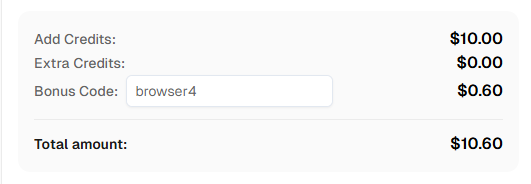
Ready to get started? Sign up for CapSolver and use bonus code BROWSER4 for an extra 6% bonus on your first recharge!
Browser4 is a high-performance, coroutine-safe browser automation framework from PulsarRPA. It's built in Kotlin and designed for AI-powered data extraction, supporting 100k-200k complex page visits per machine per day.
CapSolver integrates with Browser4 through a service class that solves CAPTCHAs via the CapSolver API. The solved tokens are then injected into pages using Browser4's JavaScript evaluation capabilities (driver.evaluate()).
CapSolver supports reCAPTCHA v2, reCAPTCHA v3, Cloudflare Turnstile, Cloudflare Challenge (5s), AWS WAF, GeeTest v3/v4, and many more.
CapSolver offers competitive pricing based on the type and volume of CAPTCHAs solved. Visit capsolver.com for current pricing. Use code BROWSER4 for a 6% bonus.
Browser4 is built in Kotlin and runs on the JVM (Java 17+). It can also be used from Java applications.
Yes! Browser4's coroutine-safe design enables efficient parallel processing. Combined with CapSolver's API, you can solve multiple CAPTCHAs concurrently across different extraction jobs.
The site key is typically found in the page's HTML source:
data-sitekey attribute on .g-recaptcha elementdata-sitekey attribute on .cf-turnstile elementLucas Mitchell
Automation Engineer
Helping browser automation recover and continue.
ABOUT THE AUTHOR
Learn scalable Rust web scraping architecture with reqwest, scraper, async scraping, headless browser scraping, proxy rotation, and compliant CAPTCHA handling.
Learn the best techniques to scrape job listings without getting blocked. Master Indeed scraping, Google Jobs API, and web scraping API with CapSolver.