
🎉NEWCapSolver for AI agents-MCP, agent tools, and SDK integrations

Emma Foster
Machine Learning Engineer
Published Jun 18, 2026
Updated Jun 18, 2026 · min read
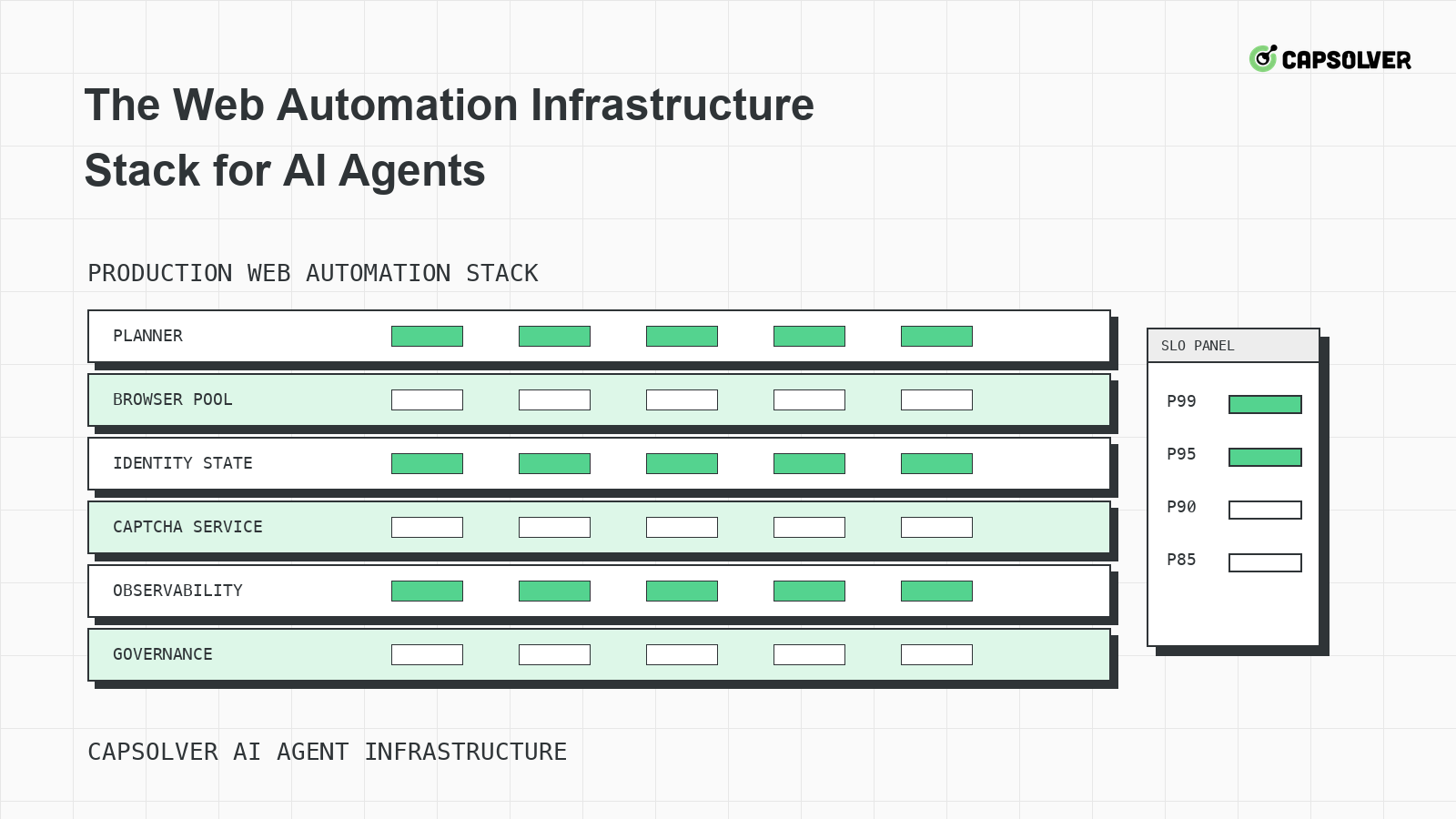
The web automation infrastructure stack for AI agents is the difference between a clever demo and a system that can be operated. CapSolver can support approved CAPTCHA handling, but it should sit inside a broader runtime that controls browsers, identity, routes, queues, and evidence. An agent that clicks pages without infrastructure will eventually confuse rate limits, form timing, session drift, and access refusals. A layered stack gives each failure a place to land, and it gives operators a way to stop safely.
The web automation infrastructure stack for AI agents starts with a planner contract. The planner should know the allowed domains, permitted data classes, account type, maximum interaction count, and stop reasons before it opens a page. This is where responsible use belongs. Technical ability does not grant permission to access private, restricted, sensitive, or unauthorized data.
The planner contract should also define what the model is not allowed to decide alone. It should not select new proxy routes, ignore a 403, submit a payment form, or retry a protected login beyond the configured budget. NIST's AI risk management framework is useful here because it encourages teams to define risks, controls, and accountability before deployment. CapSolver's AI automation use cases can help teams keep automation scope tied to legitimate business tasks.
The browser pool should treat every browser context as a leased resource with an owner, purpose, and expiration. The web automation infrastructure stack for AI agents should not let a planner borrow a random warmed context just because it is fast. A browser may contain cookies, local storage, permissions, downloads, or viewport state that belongs to another task.
Store lease metadata beside every context: account class, route pool, timezone, locale, user-agent family, viewport class, storage profile, allowed domain, and correlation ID. The runtime should reject a task if its requested domain or account class does not match the lease. CapSolver's browser automation for developers is a useful internal reference when teams map browser tooling to operational responsibilities.
{
  "browser_lease": {
    "correlation_id": "public-monitoring-1842",
    "allowed_domain": "example.com",
    "account_class": "approved-test-account",
    "route_pool": "residential-us-east",
    "storage_profile": "example-public-session",
    "expires_after_actions": 35,
    "stop_on": ["403", "login_lock", "private_data_prompt"]
  }
}
This is a local runtime contract, not a CapSolver request body. It makes the browser layer accountable for session ownership. If a CAPTCHA or traffic validation state appears later, the challenge handler can see which session owns the protected action instead of asking the model to infer it.
Identity state includes cookies, local storage, service worker state, cache behavior, account reputation, and route consistency. RFC 6265's cookie scope rules explains why cookies are scoped by domain and path, which is easy to overlook when an agent hops between subdomains. The web automation infrastructure stack for AI agents should preserve state through one protected journey and then retire or clean it according to policy.
CapSolver's cookie and session persistence guidance is relevant because many challenge failures are continuity failures. A solver can return a result, but the application may reject the final request if cookies, hidden form fields, route, or account state no longer match the challenge moment. Store redacted snapshots around protected actions so engineers can compare state without exposing secrets.
Network policy should be a shared service. It decides which route pool is allowed, when a target is cooling down, and whether a task should wait before opening a browser. The web automation infrastructure stack for AI agents should not implement waiting as a model prompt such as "be polite." It should enforce concurrency, backoff, and cooldown centrally.
MDN's HTTP 429 Too Many Requests page and RFC 9110's Retry-After header define rate-limit and wait signals that infrastructure can capture. CapSolver's proxy speed and success benchmarks can help teams separate route quality from application logic. A strong stack measures 429 rate, 403 rate, challenge rate, task completion, and cooldown compliance by route pool.
Place rate gates before browser launch and before solver dispatch. If a domain is cooling down, loading another challenge page creates unnecessary traffic. If a route pool is failing with 503 or 429, sending more CAPTCHA jobs will not repair it. The queue should hold tasks until cooldown expires or route health recovers. This keeps the web automation infrastructure stack for AI agents from spending solver budget on network pressure.
CAPTCHA handling should be a bounded service path. The runtime identifies the challenge, checks eligibility, sends documented parameters, waits under a strict budget, and returns a typed outcome. CapSolver's official automation tool integration documentation should be checked before wiring browser tools into challenge handling. If a team has not verified the required fields for a specific CAPTCHA type in official docs, it should record only high-level diagnostics and avoid inventing request payloads.
CapSolver's choose CAPTCHA-solving API article can help non-specialists understand evaluation criteria, while the implementation details should still follow the official documentation. In the web automation infrastructure stack for AI agents, challenge handling returns solved_backend_accepted, solved_backend_rejected, not_eligible, cooldown, or review_required. It should not return only a string that the planner interprets freely.
Redeem Your CapSolver Bonus Code
Boost your automation budget instantly!
Use bonus code CAP26 when topping up your CapSolver account to get an extra 5% bonus on every recharge — with no limits.
Redeem it now in your CapSolver Dashboard
Observability should connect planner intent to browser evidence and backend outcome. A useful trace includes the prompt task, allowed domain, browser lease ID, route pool, request statuses, screenshots at state transitions, challenge events, queue decisions, and final application result. The W3C WebDriver specification's discussion of element interactability is a reminder that an automation step is valid only when the element state supports it.
The web automation infrastructure stack for AI agents should support one-action replay. Pick a single item, replay the run with tracing, and confirm that no duplicate form submit, duplicate download, or hidden retry occurred. CapSolver's structured data AI workflow is relevant when the agent's final output needs to be grounded in extracted evidence rather than page impressions.
Treat infrastructure changes as releases. A new browser version, proxy vendor, fingerprint profile, queue rule, or solver configuration can change challenge rates. Before rollout, compare a small cohort against baseline metrics: task completion, median browser actions, 403 rate, 429 rate, challenge rate, and review stops. The goal is not to hide controls from the target site. The goal is to run approved automation with predictable state and fewer avoidable errors.
Capacity planning should happen before the agent fleet grows. The web automation infrastructure stack for AI agents uses heavier resources than ordinary API automation: browsers need CPU, memory, network bandwidth, storage profiles, trace files, and sometimes video or screenshot capture. If the platform scales workers without route budgets and browser leases, the first symptom may be more CAPTCHA challenges rather than higher throughput.
Track actions per domain, concurrent pages per route pool, median page weight, JavaScript error rate, memory per browser context, and trace size per protected action. HTTP Archive's page weight measurements are useful background because modern pages can be large enough that browser concurrency becomes a capacity risk by itself. When page weight rises, workers may slow down, timeouts increase, and the agent may retry actions that were only delayed.
Capacity planning should include a queue admission rule. A domain with a cooldown, high 429 rate, or repeated challenge loop should not receive more workers simply because the queue is long. Add a rollback switch that disables new protected actions while allowing already-approved runs to finish or stop cleanly. That gives operators a controlled response during a target-side change, browser regression, or solver configuration error.
The practical metric is not maximum browser count. It is completed permitted actions per domain with stable refusal rates, low duplicate side effects, and bounded challenge attempts. A smaller fleet with reliable browser leases is better than a large fleet that creates risk signals and unclear incidents.
Capacity planning should also include trace storage. Browser traces, screenshots, and network logs grow quickly when agents explore long pages. Keep full traces for protected transitions and incidents, but downsample routine successful navigation. That policy lowers storage cost without losing the evidence needed to debug challenge handling. It also makes reviews faster because engineers can start from the meaningful transition instead of scanning every hover, scroll, and wait.
Finally, align worker capacity with human review capacity. If the stack can create more review events than the team can evaluate, the queue will pressure operators to approve unclear cases. A good web automation infrastructure stack for AI agents limits protected work to the number of cases that can be governed responsibly.
Capacity plans should be reviewed after each major target-site change. A redesign, heavier JavaScript bundle, new login flow, or new traffic validation rule can invalidate previous worker sizing. Treat those changes as operational events, not as prompt failures.
Keep a capacity changelog beside deployment notes. It should record browser version, worker limits, route budget, trace-retention setting, challenge budget, review staffing assumption, and rollback owner. When a regression appears, this changelog shows whether the stack changed, the target changed, or both changed together.
The web automation infrastructure stack for AI agents should be layered: planner boundaries, browser leases, identity state, network policy, challenge handling, observability, and release controls. That stack gives each failure a precise owner and prevents the model from improvising around access signals. When lawful workflows encounter supported CAPTCHA challenges inside that runtime, CapSolver can provide the challenge-solving service while your platform controls permission, pacing, and evidence.
At minimum, include planner policy, browser pooling, session storage, route control, rate gates, challenge handling, observability, and release checks. Each layer should emit typed outcomes.
Browser state contains cookies, route identity, account context, and protected form timing. Those details are too important to leave to natural-language memory. The runtime should own them.
It should sit behind detection, eligibility checks, and queue budgets. It should return typed outcomes to the planner and should only use implementation details verified in official CapSolver documentation.
Run one-action replays, measure challenge and refusal rates, verify cooldown behavior, confirm no duplicate side effects, and document stop rules for private data, hard refusals, and unclear permission.
Emma Foster
Machine Learning Engineer
Where machine learning meets practical AI tooling.
ABOUT THE AUTHOR
Find CapSolver MCP in the Official MCP Registry, install version 0.1.3 with uvx or pip, configure a local client, and verify the stdio tools.

Add CAPTCHA tools to Pydantic AI using the official CapSolver adapter, test tool execution locally, and handle typed inputs and structured solver results.


