How to Solve CAPTCHA with MCP: CapSolver Model Context Protocol Service

Ethan Collins
Pattern Recognition Specialist
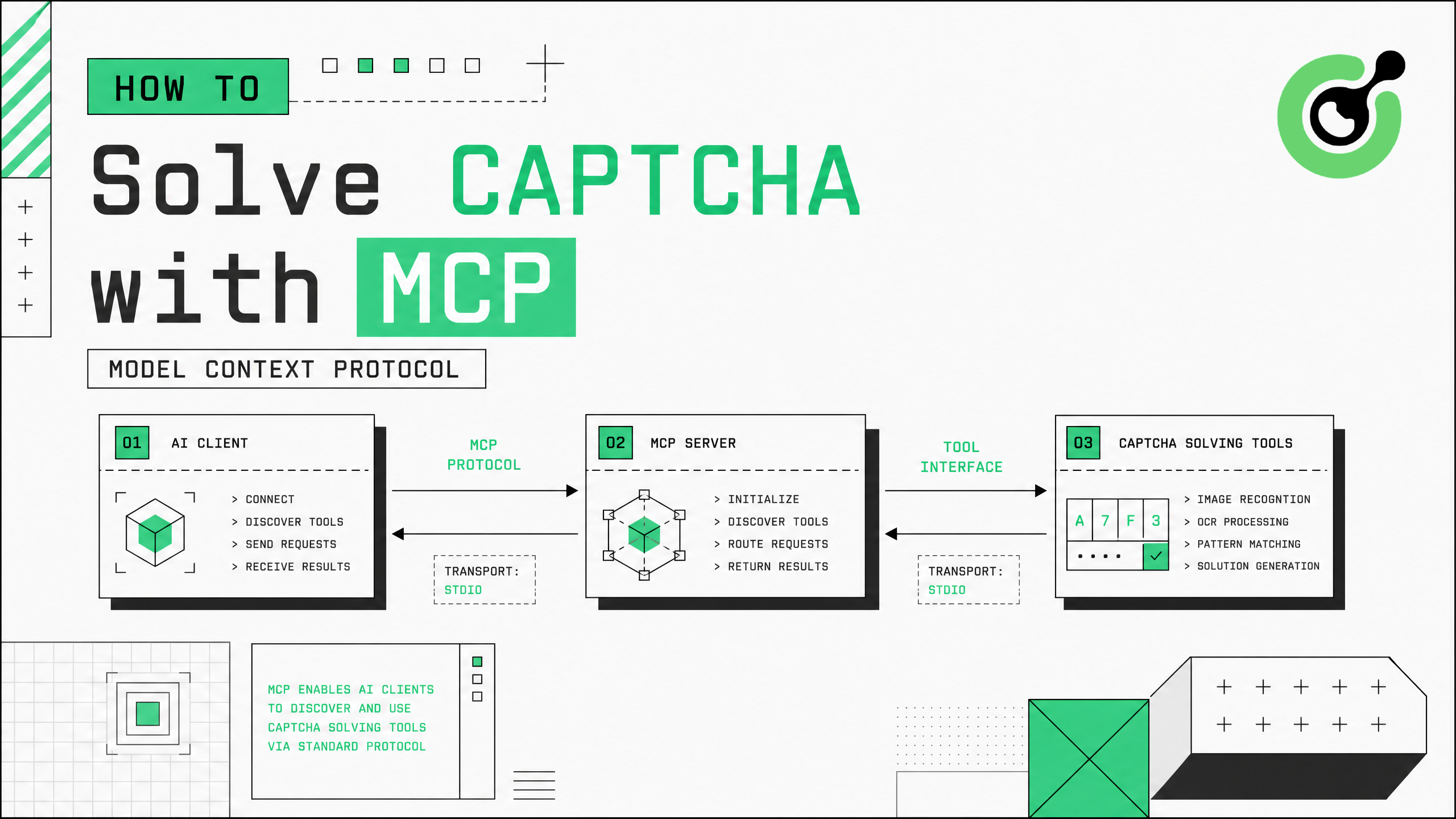
The Model Context Protocol (MCP) lets AI clients discover and call external tools with zero integration code. CapSolver's capsolver-mcp package exposes CAPTCHA solving as a standard MCP service — once connected, any MCP-compatible client (Claude Desktop, Claude Code, Cursor, Cline, Windsurf) gains five solving tools automatically. This guide shows how to set up and use CapSolver's MCP service for CAPTCHA solving in your AI workflow.
TL;DR
capsolver-mcpexposes CAPTCHA solving as standard MCP tools — no per-client adapter code needed- Any MCP-compatible client discovers the tools automatically upon connection
- Five tools available:
solve_captcha,detect_captchas,solve_on_page,get_balance,get_supported_captchas - Supports stdio, SSE, and streamable-http transports
- Natural language invocation: just ask "solve the reCAPTCHA on this page" and the client calls the tool
What Is MCP and Why It Matters for CAPTCHA Solving
The Model Context Protocol is an open standard that lets AI applications discover and use external tools through a unified interface. Instead of writing custom integration code for each AI client, you package a capability as an MCP service once, and every compatible client can use it immediately.
For CAPTCHA solving, this means you install capsolver-mcp, configure it with your API key, and every MCP client in your workflow — Claude Desktop for research, Cursor for development, Cline for automation — instantly gains the ability to solve reCAPTCHAs, Cloudflare Turnstile, and other verification challenges. No per-client code, no framework-specific adapters.
The MCP specification defines how clients discover tools, call them with structured parameters, and receive results. CapSolver's implementation follows this spec exactly, making it compatible with the growing ecosystem of MCP clients.
What You Need Before Starting
bash
# Install core engine first (mcp depends on it)
pip install git+https://github.com/capsolver-ai/capsolver-core.git

# Install MCP service
pip install git+https://github.com/capsolver-ai/capsolver-mcp.git

# Optional: browser tools (detect/solve_on_page)
pip install "capsolver-mcp[browser] @ git+https://github.com/capsolver-ai/capsolver-mcp.git"
playwright install chromium
bash
export CAPSOLVER_API_KEY="your-capsolver-api-key"Step 1 — Start the MCP Service
Command Line
bash
# stdio (default — for local MCP clients like Claude Desktop)
capsolver-mcp

# SSE (for remote/HTTP access)
capsolver-mcp --transport sse --host 0.0.0.0 --port 8000

# Streamable HTTP (MCP 2025-03-26 spec)
capsolver-mcp --transport streamable-http --host 0.0.0.0 --port 8000
Command-line options:
text
capsolver-mcp [OPTIONS]
  --transport {stdio,sse,streamable-http}   Transport protocol (default: stdio)
  --host HOST              Bind host for SSE/HTTP (default: 127.0.0.1)
  --port PORT              Bind port for SSE/HTTP (default: 8000)
  --api-key KEY            API key (falls back to CAPSOLVER_API_KEY env var)
  --name NAME              Service name (default: capsolver)
Step 2 — Configure Your MCP Client
Claude Desktop / Claude Code
Add to your MCP configuration file:
json
{
  "mcpServers": {
    "capsolver": {
      "command": "capsolver-mcp",
      "env": {
        "CAPSOLVER_API_KEY": "YOUR_API_KEY"
      }
    }
  }
}
If the client cannot find capsolver-mcp on PATH (common with venv/conda):
json
{
  "mcpServers": {
    "capsolver": {
      "command": "/abs/path/to/venv/bin/python",
      "args": ["-m", "capsolver_mcp"],
      "env": {
        "CAPSOLVER_API_KEY": "YOUR_API_KEY"
      }
    }
  }
}
Cursor / VS Code
Same configuration block in your project's mcp.json. After reload, CapSolver's five tools appear in the tool list automatically.
Step 3 — Available Tools
Once connected, the service exposes five tools:
| Tool | Browser? | Description |
|---|---|---|
solve_captcha |
No | Solve by type + site parameters (Token mode) |
detect_captchas |
Yes | Scan a page URL and list CAPTCHA types present |
solve_on_page |
Yes | Detect + solve + fill back every CAPTCHA on a page |
get_balance |
No | Query account balance |
get_supported_captchas |
No | List supported CAPTCHA types |
Step 4 — Use Natural Language to Solve CAPTCHAs
With the MCP service connected, just use natural language in your AI client:
Check balance:
"Use capsolver to check my account balance."
The client calls get_balance and returns your balance.
Token-mode solve:
"Solve this reCAPTCHA v2 for me. The URL is https://example.com/login and the site key is 6LeIxAcTAAAAAJcZVRqyHh71UMIEGNQ_MXjiZKhI."
The client calls solve_captcha with the parameters and returns a token.
Whole-page solve:
"Detect and solve every CAPTCHA on https://example.com/protected-page."
The client calls solve_on_page, which detects, solves, and fills back all CAPTCHAs on the page.
Step 5 — Programmatic MCP Server Creation
For embedding the MCP service in your own application:
python
from capsolver_mcp import create_server

# Create and run the MCP server programmatically
server = create_server(
    api_key="YOUR_CAPSOLVER_API_KEY",
    name="capsolver",
    transport="stdio"
)
This is useful when you want to embed CAPTCHA solving capability into a larger MCP service that exposes multiple tool sets.
Claim Your Bonus Code: Use code WEBS at CapSolver Dashboard to get an extra 5% bonus on every recharge.
The CapSolver MCP documentation provides additional configuration examples. For understanding the underlying solving engine, see the CapSolver core SDK guide. The CapSolver extension helps identify CAPTCHA parameters during development.
Conclusion
CapSolver's MCP service (capsolver-mcp) provides the fastest path to CAPTCHA solving in any MCP-compatible AI client. Install, configure your API key, and every client in your workflow gains solving capability with zero integration code. CapSolver handles the AI-powered solving in the cloud while the MCP service manages tool discovery, parameter passing, and result delivery through the standard protocol.
FAQ
Which AI clients support CapSolver's MCP service?
Any MCP-compatible client: Claude Desktop, Claude Code, Cursor, Windsurf, Cline, VS Code with Claude plugin, and any custom client implementing the MCP specification. The stdio transport works with local clients; SSE and streamable-http work with remote/networked clients.
Do I need a browser for MCP CAPTCHA solving?
Only for detect_captchas and solve_on_page tools. The primary solve_captcha tool works in Token mode — no browser needed. Install the [browser] extra only if you need automatic page detection and fill-back.
Can multiple clients share one MCP service instance?
With SSE or streamable-http transport, yes. Start the service on a network port and multiple clients can connect simultaneously. Each client's tool calls are handled independently.
What happens if the MCP service loses connection?
MCP clients handle reconnection automatically. If the service restarts, the client rediscovers the tools on reconnection. In-flight solve requests may fail and need retry from the client side.
More
AIJul 31, 2026
How to Solve CAPTCHA in LlamaIndex Agents
Integrate CAPTCHA solving into LlamaIndex agents using FunctionTool and CapSolver for web data ingestion pipelines.
AIJul 30, 2026
How to Solve reCAPTCHA v3 in OpenAI Agents SDK
Generate high-score reCAPTCHA v3 tokens in OpenAI Agents SDK using CapSolver function_tool.