
How to Resolve 403 Response Status Errors
Answer
A 403 response status error occurs when a server understands your request but refuses to authorize it. It is commonly caused by missing authentication signals, suspicious automation patterns, IP blocking, or security systems detecting bot-like behavior. Fixing it usually requires adjusting request headers, rotating IPs, and handling security challenges properly.
Detailed Explanation
The HTTP 403 Forbidden status code indicates that access to a resource is explicitly denied by the server. Unlike authentication errors, the server already recognizes the request but decides it should not be served. In web scraping and automation scenarios, this often happens when the request does not resemble a real browser.
Modern websites use advanced security management systems that evaluate multiple signals, including IP reputation, request frequency, header consistency, TLS fingerprinting, and cookie/session validity. If these signals look abnormal-such as missing browser-like headers or repeated automated requests-the server may return a 403 response. In some cases, even public pages can trigger 403 errors if the traffic is flagged as automated or suspicious.
Another common reason is rate limiting or geographic restrictions, where access is denied based on usage patterns or location. Additionally, some websites dynamically change tokens or session requirements, meaning outdated requests quickly become invalid and are blocked.
Solutions / Methods
- Improve request headers: Use realistic browser headers such as User-Agent, Accept-Language, and Referer to make requests resemble genuine human browsing behavior.
- Use IP rotation and request pacing: Spread requests across multiple IP addresses and introduce delays to avoid triggering rate limits or pattern-based detection.
- Handle security challenges and automated verification: When 403 errors are caused by security systems or verification pages, automated captcha solving services such as CapSolver can help handle these challenges and restore access flow in automated environments.
Best Practice / Tips
To minimize 403 errors in production scraping or automation pipelines, always combine multiple techniques instead of relying on a single fix. Maintain consistent sessions with cookies, randomize request patterns, and monitor response headers for blocking signals. Using structured retry logic and observability helps quickly identify whether the issue is caused by headers, IP reputation, or evolving security protections.
👉 Related:
- 402 403 404 429 Errors Web Scraping
- How to Solve Cloudflare 403
- Web Scraping Without Getting Blocked
- Solve 403 Problem
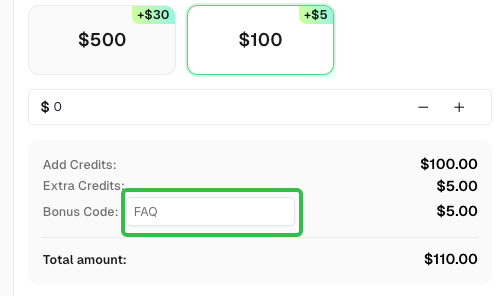
Use code
FAQwhen signing up at CapSolver to receive an additional 5% bonus on your recharge.
CapSolver FAQ — capsolver.com