
🎉NEWCapSolver for AI agents-MCP, agent tools, and SDK integrations

Nikolai Smirnov
Software Development Lead
Published Jun 23, 2026
Updated Jun 23, 2026 · min read
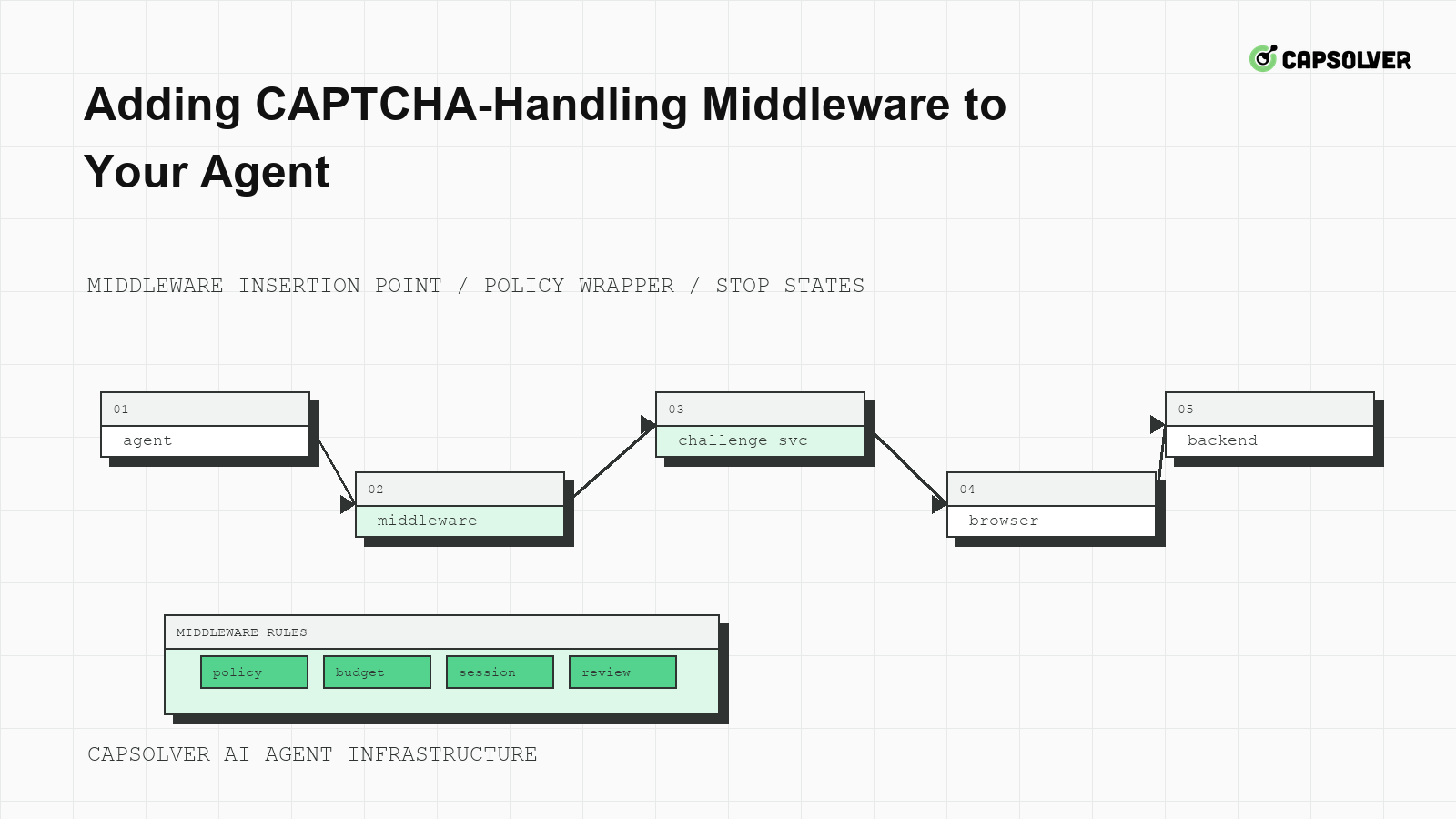
A useful agent does not need CAPTCHA logic scattered through prompts, tools, and page-specific scripts. CapSolver is relevant when an approved workflow meets a documented challenge, but CAPTCHA-handling middleware should own detection, eligibility, polling, and final verification. That boundary keeps the planner focused on the business task while infrastructure handles the protected interaction. The goal is not more retries. The goal is one controlled attempt that respects policy, preserves the browser session, and proves the application accepted the action.
CAPTCHA-handling middleware sits between the browser worker and the agent planner. It should observe page state, classify challenges, check policy, call documented solver paths when eligible, and return a typed result. The planner should receive completed, cooldown, review_required, or backend_rejected, not raw challenge details and a vague instruction to continue.
This shape matters because agents are good at choosing next steps but poor at enforcing retry budgets. CapSolver's article on agent tasks stuck on CAPTCHA shows the operational problem: a loop can look active while it makes no real progress. Middleware turns that loop into a finite state transition.
The middleware input should include the current URL, challenge markers, browser session ID, policy decision, route class, and protected action name. The output should include a state, a reason, an attempt count, and the final browser outcome. Avoid storing raw tokens or credentials in logs.
{
  "input": {
    "session_id": "lease-123",
    "protected_action": "submit_public_form",
    "policy": "allowed",
    "challenge_family": "captcha_detected"
  },
  "output": {
    "state": "backend_accepted_or_stopped",
    "attempts_used": 1,
    "reason": "typed_result_for_planner"
  }
}
This is a local middleware contract, not a CapSolver request body. Exact CapSolver fields must come from official documentation.
Detection should identify that a challenge exists, not invent a task type. The middleware can inspect visible widgets, iframe origins, form fields, status codes, and DOM changes. It should then map the observed challenge to official CapSolver documentation. The createTask API describes task creation, while the getTaskResult API describes result polling for asynchronous tasks.
Before code reaches production, review the mapping table. Each row should name the observed challenge family, official documentation URL, supported task type, required input fields, result readiness signal, and browser-consumption step. If the documentation does not support a specific field, remove the field. If a page requires a workflow not documented by CapSolver, keep the middleware at the diagnostic level and send the case to review.
CapSolver's automated CAPTCHA workflow helps explain the high-level process, but field-level implementation should always defer to the official docs. This protects the agent from accidental API drift and from code copied across unrelated CAPTCHA families.
Polling is where many integrations become unsafe. A pending solver result should not cause the browser to resubmit the form, reload the page repeatedly, or open a new session. The middleware should poll only within the official result window and its own stricter attempt budget. If the task does not become ready in time, the state should become solver_timeout or review_required.
The following pseudocode shows control flow without inventing CapSolver request fields. Use it after mapping the challenge to official documentation and before writing language-specific code.
pseudocode:
  if policy != "allowed": stop("review_required")
  if session_changed(): stop("session_drift")
  task_id = create_documented_task_for_detected_challenge()
  while within_poll_budget(task_id):
      result = read_documented_task_result(task_id)
      if result_is_ready(result): break
      wait_with_jitter()
  if not result_is_ready(result): stop("solver_timeout")
  consume_result_in_original_browser_session(result)
  verify_backend_acceptance_or_stop()
The stop condition is as important as the success path. MDN defines HTTP 429 Too Many Requests as a rate signal, so a 429 during polling or submit should move the domain into cooldown rather than creating another solver task.
CAPTCHA-handling middleware should never detach the result from the browser session that encountered the challenge. Cookies, local storage, hidden fields, user-agent family, viewport, and route class may all matter at submit time. RFC 6265's cookie scope rules is a practical reminder that domain and path boundaries can affect the final request.
CapSolver's Playwright CAPTCHA integration is relevant for browser agents because it places CAPTCHA handling in the context that owns page state. If your agent uses Playwright, Puppeteer, Selenium, or a hosted browser, the middleware should pass a typed result back to the same context. Opening a fresh context after the challenge is ready often invalidates the result.
Redeem Your CapSolver Bonus Code
Boost your automation budget instantly!
Use bonus code CAP26 when topping up your CapSolver account to get an extra 5% bonus on every recharge — with no limits.
Redeem it now in your CapSolver Dashboard
A disappeared widget is not proof of success. The middleware must verify that the original protected action succeeded. That may mean a 200 or 303 response, a saved entity ID, a confirmation state, or a domain-specific application signal. MDN's HTTP 403 Forbidden shows why status code semantics matter: an authorization refusal after a visible challenge should not be reported as solved.
Write acceptance assertions in the browser worker, not in the model prompt. The assertion should check one expected outcome and should reject duplicate side effects. CapSolver's analysis of CAPTCHA failure causes is useful here because many failures happen after the visible challenge: stale form state, session mismatch, invalid token placement, or backend rejection.
An acceptance assertion can be a page locator, a response body field, or an application record lookup in a test environment. It should be specific enough to distinguish true success from a page reload. If the assertion fails, the middleware should return backend_rejected and include evidence for engineering review.
The planner should not see API keys, tokens, proxy credentials, or raw solver responses. Middleware can provide typed summaries such as challenge_handled_once or cooldown_required. OWASP's automated threat taxonomy is useful because it shows how repeated automated behavior can become risky even when each request looks small.
Technical capability does not grant permission to access private, restricted, sensitive, or unauthorized data. Store policy decisions with each task. If the middleware sees an account warning, consent screen, paywall, or private-data prompt, it should stop the run and require review.
Test the middleware with negative paths, not only a happy path. Simulate an unsupported challenge, expired browser session, 429 response, repeated backend rejection, and policy denial. CapSolver's article on MCP agent CAPTCHA errors gives a useful reminder that tool boundaries need typed failure states, especially when an agent is delegating browser work.
Create fixtures that count form submits and solver dispatches. The test should fail if one protected action creates two backend submits or more solver tasks than the policy allows. W3C WebDriver's browser navigation commands can help teams reason about page transitions during tests.
A practical rollout plan is to deploy the middleware in shadow mode first. Let it classify challenges, session drift, rate signals, and backend acceptance without calling a solver. Compare the middleware states with human trace review for a small set of approved workflows. When the classification is accurate, enable documented solver paths for one challenge family and keep all other cases in review.
CAPTCHA-handling middleware should also report cost and latency at the action level. A low page-level challenge rate can still be expensive if the same protected submit requires repeated solver tasks. Track solver tasks per accepted action, timeout rate, backend rejection after solver readiness, and review stops. Those metrics tell you whether the middleware is reducing uncertainty or hiding it.
For Adding CAPTCHA-Handling Middleware to Your Agent, connect CAPTCHA-handling middleware to agent CAPTCHA middleware in one evidence trail. The owner should inspect the queue item, browser session lease, route class, challenge event, and final application result before allowing the next run. This keeps Adding CAPTCHA-Handling Middleware to Your Agent from becoming a hidden retry policy. If permission, session coherence, cooldown state, or backend acceptance is unclear, the next state should be review or cooldown rather than another automated attempt.
Adding CAPTCHA-handling middleware to your agent is mostly about boundaries. Keep policy, challenge mapping, polling, session binding, and acceptance checks outside the planner and inside infrastructure. When your approved workflow needs documented CAPTCHA support, CapSolver can be integrated through that middleware without turning solver behavior into prompt logic.
It should detect challenges, check policy, map the challenge to official documentation, run bounded polling, consume the result in the original browser session, and verify the protected action.
No. The task type and fields should be selected by code that has been reviewed against official CapSolver documentation, not by model-generated guesses.
The widget can disappear even when the application rejects the protected action. Backend acceptance is the signal that the workflow actually completed.
The middleware should create cooldown state for the domain or route class. It should not create more challenge tasks in the same loop.
Nikolai Smirnov
Software Development Lead
Building dependable software for complex automation.
ABOUT THE AUTHOR
Fix CAPTCHA handling that works locally but fails in a cloud AI agent. Compare browser setup, dependencies, credentials, network access, and page state.

Estimate CAPTCHA solving costs in Browser Use by separating agent runs, challenge types, billable solves, retries, and verified outcomes from browser costs.

