
🎉NEWCapSolver for AI agents-MCP, agent tools, and SDK integrations

Adélia Cruz
MCP Integration Engineer
Published Jun 23, 2026
Updated Jun 23, 2026 · min read
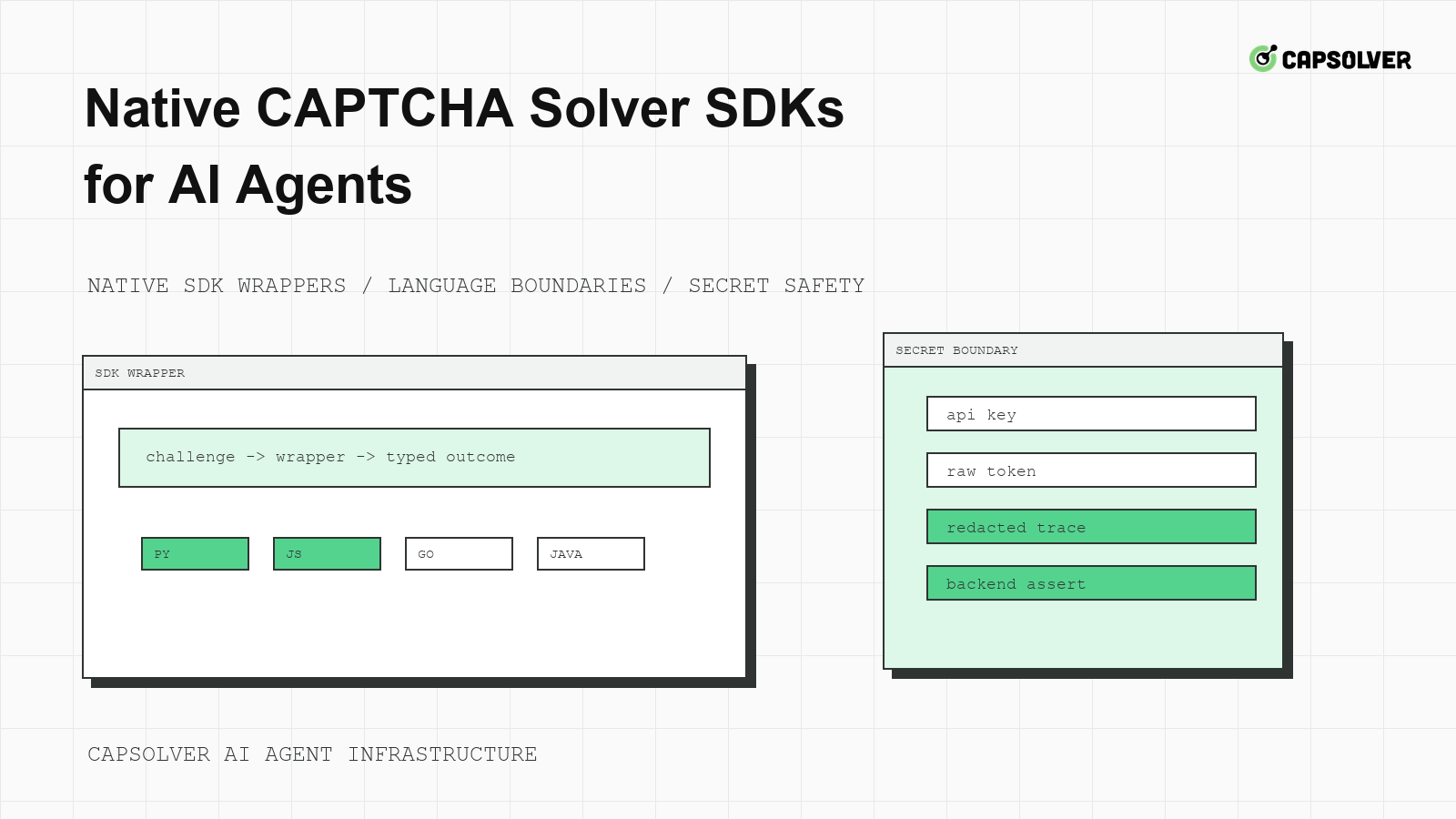
SDKs can make CAPTCHA integration cleaner, but they can also hide important state if teams wire them directly into agent tools. CapSolver documents SDK-style examples for supported challenge families, and native CAPTCHA solver SDKs for AI agents should be used through an internal wrapper. The wrapper should preserve official fields, bind calls to the browser session, and return typed outcomes to the agent runtime. That approach keeps language convenience without turning solver behavior into opaque model logic.
Native CAPTCHA solver SDKs for AI agents should live near the browser worker or challenge service, not inside the planner. Placement matters more than language. If the browser worker is Python, a Python wrapper may keep traces and task correlation simple. If the browser worker is Node, a Node wrapper may reduce cross-service latency. The agent should not care which SDK language is used.
CapSolver's article on an agent-ready CAPTCHA solver is useful because the agent-facing boundary is the important design surface. The planner should receive typed states such as challenge_handled_once, solver_timeout, or backend_rejected, not raw SDK objects.
Define a provider-neutral wrapper before importing an SDK. The wrapper input should include policy state, challenge family, browser session ID, and evidence ID. The output should include a typed state, reason, and correlation ID.
type ChallengeResult =
  | { state: "handled_once"; evidenceId: string }
  | { state: "solver_timeout"; evidenceId: string }
  | { state: "unsupported_challenge"; evidenceId: string }
  | { state: "review_required"; evidenceId: string };
This code does not call CapSolver. It defines the boundary your agent runtime understands.
Native CAPTCHA solver SDKs for AI agents are safest when the exact challenge implementation comes from official documentation. CapSolver's reCAPTCHA v3 documentation includes SDK-style Python and Go examples using capsolver.solve for that challenge family. CapSolver's ImageToText documentation also shows SDK-style examples for recognition tasks. Do not mix fields across challenge families.
Before copying an SDK example, confirm the challenge family, required fields, result shape, and whether the task is synchronous or asynchronous. If the official page does not support your observed challenge, do not improvise. Keep the integration at a diagnostic level and send the case to engineering review.
# Pseudocode wrapper shape only.
# Use official CapSolver documentation for exact SDK payloads and fields.
def solve_challenge_with_reviewed_mapping(challenge, browser_session):
    if not challenge.policy_allowed:
        return {"state": "review_required"}
    if browser_session.has_drift:
        return {"state": "session_drift"}
    solution = call_officially_documented_sdk_example(challenge)
    return verify_original_session_acceptance(solution, browser_session)
The function names here are deliberately descriptive pseudocode. They are not CapSolver SDK methods.
SDKs often make it easy to pass API keys and result objects through application code. Native CAPTCHA solver SDKs for AI agents should hide those details from the model. Store API keys in a secret manager, keep raw SDK responses in redacted service logs, and return typed outcomes to the planner. CapSolver's FAQ on LLMs and external APIs helps explain why tool boundaries matter for agent systems.
The wrapper should also redact sensitive target data. Store challenge family, route class, task correlation ID, and final state. Do not store passwords, raw cookies, private form fields, or solver tokens in model-visible context.
Redeem Your CapSolver Bonus Code
Boost your automation budget instantly!
Use bonus code CAP26 when topping up your CapSolver account to get an extra 5% bonus on every recharge — with no limits.
Redeem it now in your CapSolver Dashboard
SDK runtime and browser evidence should be correlated. If the browser worker uses Puppeteer, the wrapper should know which page, context, and protected action produced the challenge. CapSolver's Puppeteer CAPTCHA integration provides relevant integration context, while your own wrapper should enforce the final application assertion.
Generate one evidence ID per protected action. Attach it to the browser trace, SDK wrapper logs, queue item, and backend assertion. This makes incident review possible without exposing secrets. If the SDK call succeeds but the backend rejects the action, the evidence ID should show whether the session drifted, the form rerendered, or the challenge mapping was wrong.
W3C WebDriver's session lifecycle is a neutral reference for the importance of browser sessions. Even when using a different browser framework, the principle is the same: results should be consumed in the session that observed the challenge.
SDK convenience should not remove budgets. The wrapper should allow one eligible task per protected action unless policy explicitly allows more. It should stop on timeout, unsupported challenge, repeated backend rejection, session drift, account warning, or active rate cooldown. MDN's HTTP 403 Forbidden is a useful reminder that authorization failure is not a solver retry case.
sdk_challenge_budget:
  max_tasks_per_protected_action: 1
  max_wait_seconds: 90
  stop_on:
    - "session_drift"
    - "http_403"
    - "http_429"
    - "account_warning"
    - "backend_rejected"
This configuration is local runtime policy. It does not define CapSolver fields, but it prevents native CAPTCHA solver SDKs for AI agents from becoming open-ended loops.
If you support multiple SDK languages, test them against the same fixture. The fixture should include challenge evidence, expected wrapper state, timeout behavior, redaction rules, and final backend assertion. CapSolver's Selenium CAPTCHA integration can inform browser-specific testing, but the acceptance rule should stay provider-neutral.
The OpenTelemetry distributed trace model is useful for correlating browser, wrapper, and backend events. You do not need a complex tracing rollout to start. A consistent evidence ID in logs is already valuable.
SDK drift happens when examples, package versions, or challenge requirements change. Pin package versions, version your mapping table, and run a small canary after upgrades. Native CAPTCHA solver SDKs for AI agents should be treated like infrastructure dependencies, not snippets pasted into page scripts.
Technical capability does not grant permission to access private, restricted, sensitive, or unauthorized data. Your SDK wrapper should enforce the same policy gates as direct API integrations. If a workflow cannot be audited, it should not call the SDK.
A multi-language team should also decide where retries live. Do not let Python, Node, and Go wrappers each implement their own attempt logic. Put budgets and stop states in one shared policy module or service. Native CAPTCHA solver SDKs for AI agents are easier to maintain when language wrappers are thin and policy stays centralized.
Finally, document the handoff between engineering and operations. Engineers own official field mapping and wrapper behavior. Operations owns key rotation, rate budgets, and incident triage. Product owners own whether the workflow remains approved. This division keeps SDK convenience from becoming unowned infrastructure risk.
For Native CAPTCHA Solver SDKs for AI Agents, connect native CAPTCHA solver SDKs to AI agent SDK integration in one evidence trail. The owner should inspect the queue item, browser session lease, route class, challenge event, and final application result before allowing the next run. This keeps Native CAPTCHA Solver SDKs for AI Agents from becoming a hidden retry policy. If permission, session coherence, cooldown state, or backend acceptance is unclear, the next state should be review or cooldown rather than another automated attempt.
Native CAPTCHA solver SDKs for AI agents are useful when they reduce boilerplate while preserving official field mapping, session binding, budgets, and auditability. Keep the SDK behind your own wrapper, copy examples only from official documentation, and judge success by backend acceptance in the original browser session. Teams implementing approved workflows can use CapSolver through that wrapper without exposing solver details to the planner.
No. The SDK should be called by a wrapper or challenge service that enforces policy, budgets, session checks, and redaction.
Only after official documentation confirms the exact task type, fields, and result shape. Fields from one challenge family should not be copied into another.
Use the language closest to your browser worker and queue runtime. The best choice keeps evidence, session state, and solver correlation easy to inspect.
The main risk is hiding state. If the SDK result is not tied to the original browser session and backend acceptance, the agent may report success incorrectly.
Adélia Cruz
MCP Integration Engineer
Making CapSolver tools accessible through MCP.
ABOUT THE AUTHOR
Fix CAPTCHA handling that works locally but fails in a cloud AI agent. Compare browser setup, dependencies, credentials, network access, and page state.

Estimate CAPTCHA solving costs in Browser Use by separating agent runs, challenge types, billable solves, retries, and verified outcomes from browser costs.

