
🎉NEWCapSolver for AI agents-MCP, agent tools, and SDK integrations

Sora Fujimoto
AI Solutions Architect
Published Dec 11, 2025
Updated Dec 11, 2025 · min read
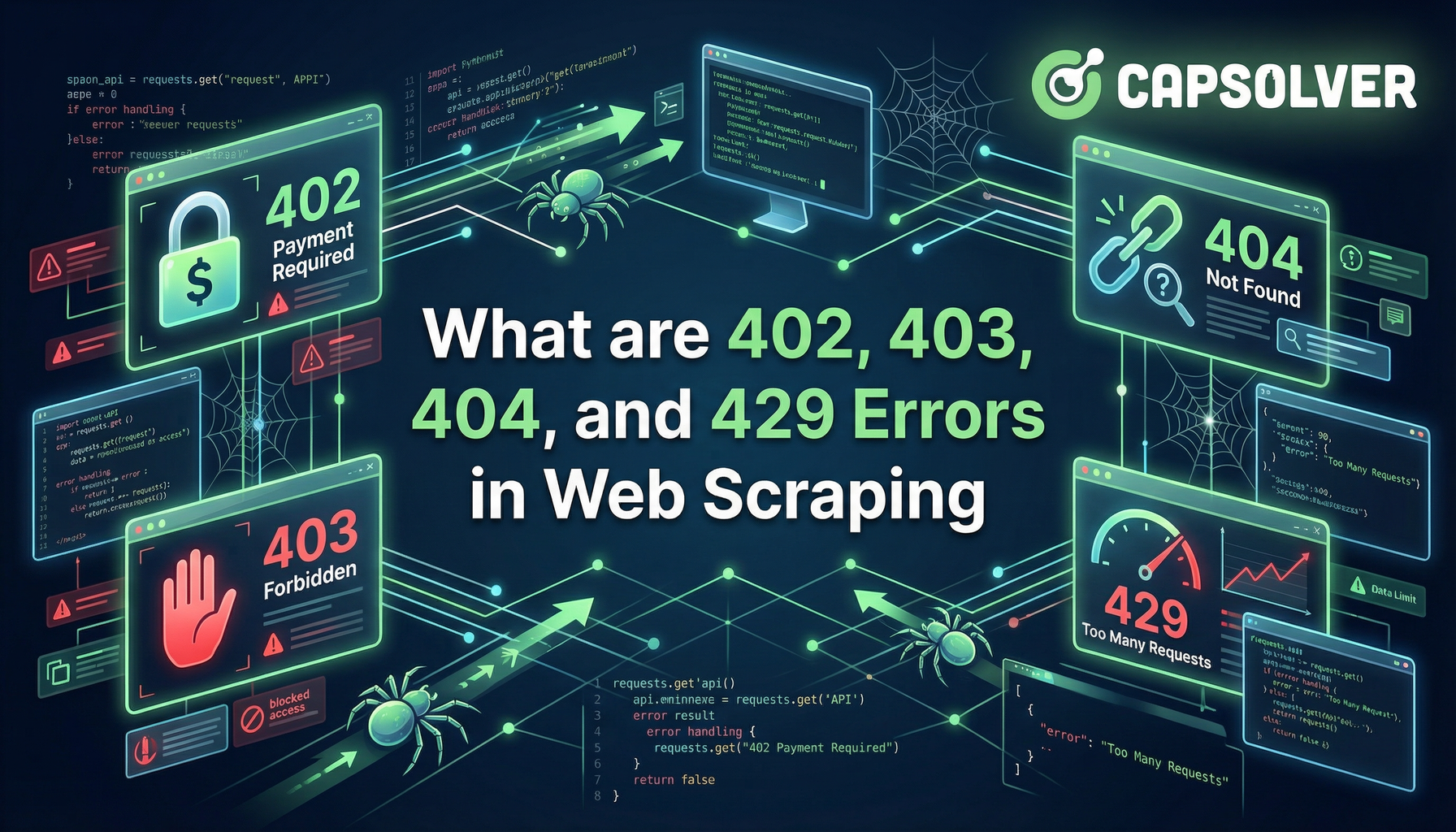
TL;Dr: The four HTTP status codes—402 (Payment Required), 403 (Forbidden), 404 (Not Found), and 429 (Too Many Requests)—represent distinct but common roadblocks in web scraping. The 404 error is a simple resource issue, while 403 and 429 are active server defense systems. The emerging 402 error signals a new era of paid access for automated crawlers. Understanding these differences is crucial for building resilient and effective scraping infrastructure. This guide will clarify what are 402, 403, 404, and 429 errors in web scraping and provide actionable solutions.
Web scraping is the automated process of extracting data from websites. It is a vital technique for market research, price monitoring, and data aggregation. However, this automated activity is often met with resistance from website servers. These servers use HTTP status codes for web scraping to communicate the outcome of a request. When a request fails, the server returns an error code.
This article provides a deep dive into four critical client-side error codes: 402, 403, 404, and 429. We will explore their specific meanings in the context of web scraping, their common causes, and practical, robust solutions. Our goal is to equip you with the knowledge to build scrapers that can navigate these challenges. By the end, you will clearly understand what are 402, 403, 404, and 429 errors in web scraping and how to overcome them.
The 404 Not Found error is the most straightforward of the group. It indicates that the server could not find the requested resource.
The 404 Not Found status code means the server is running and connected, but the specific URL requested does not correspond to any existing resource. This is not an active block against your scraper. Instead, it is a structural issue with the target website or your scraping logic. It is a fundamental error that every web developer and scraper encounters.
Common Causes:
Handling 404 errors is primarily about data hygiene and robust URL management. A key related concept is the 301 (Permanent Redirect) or 302 (Temporary Redirect) status code. If a page has moved, the server should ideally return a 301, guiding your scraper to the new location. A 404, however, means the resource is simply gone.
| Solution | Description |
|---|---|
| URL Validation | Before scraping, validate the URL format. Implement a check to ensure the URL structure is correct and adheres to the target site's conventions. |
| Error Logging and Analysis | Log all 404 errors with the corresponding URL and the referring page. This allows you to identify patterns and fix the source of the bad links, which is crucial for maintaining data quality. |
| Sitemap and Robots.txt Check | Cross-reference your target URLs with the website's sitemap (if available) to ensure they are still active. Also, check robots.txt to confirm the path is not intentionally disallowed. |
| Retry with Redirect Follow | Ensure your scraping library is configured to automatically follow 301 and 302 redirects. If a 404 is still returned, the link is truly dead. |
Case Study: E-commerce Product Monitoring
A scraper monitoring product prices suddenly starts receiving a high volume of 404 errors. The investigation reveals the company archived older product pages without a redirect. The solution was to update the scraping logic to check for a "product archived" message on the old page before logging a 404, preventing false alarms and improving data accuracy. This scenario highlights why understanding what are 402, 403, 404, and 429 errors in web scraping is foundational to reliable data extraction.
The 403 Forbidden error is a clear sign that the website has identified your scraper and is actively denying access. The server understands the request but refuses to fulfill it.
The 403 Forbidden status code means the client does not have the necessary access rights to the content. In web scraping, this is almost always a result of the website's website protection measures. The server has determined your request is coming from an automated script, not a legitimate human user. This is the most common form of active blocking you will encounter.
Common Causes:
Overcoming a 403 error requires making your scraper appear more human. This is where the technical sophistication of your scraping setup is truly tested. You need to know how to fix 403 forbidden in scraping effectively.
| Solution | Description |
|---|---|
| Rotate User-Agents | Use a pool of realistic, up-to-date browser User-Agents and rotate them with each request. Ensure the User-Agent matches the browser fingerprint you are simulating. |
| High-Quality Proxy Rotation | Implement a reliable residential or mobile proxy network to rotate IP addresses. This prevents a single IP from being blacklisted and mimics real user traffic from diverse locations. |
| Handle Headers and Fingerprinting | Send a full set of realistic HTTP headers, including Accept, Accept-Language, and Referer. For advanced sites, consider using a headless browser (like Playwright or Puppeteer) to execute JavaScript and pass client-side fingerprinting checks. |
| Solve CAPTCHAs | When a 403 is tied to a CAPTCHA challenge, use a specialized service like CapSolver to automatically solve the challenge and obtain the access token. This is a highly effective way to overcome sophisticated blocks. You can also find more information on solving this specific issue in our article on Solving 403 Forbidden Errors When Crawling Websites. |
Case Study: Financial Data Aggregation
A financial data scraper was consistently hit with 403 errors after a few hundred requests. The investigation revealed the site was using a JavaScript challenge to verify the browser. The fix involved integrating a high-quality residential proxy network and switching the scraping framework to Playwright to execute the necessary JavaScript. This combination, along with rotating the User-Agent every 10 requests, successfully overcame the block. Understanding what are 402, 403, 404, and 429 errors in web scraping is the first step; implementing these advanced solutions is the next.
The 429 Too Many Requests error is the server's way of saying, "Slow down." It is a direct response to excessive request volume from a single client.
The 429 Too Many Requests. status code indicates that the user has sent too many requests in a given amount of time. This is a form of rate limiting designed to protect the server from being overwhelmed and ensure fair access for all users. Unlike the 403 error, the server is not necessarily blocking you as a bot, but rather limiting your speed.
Common Causes:
Retry-After Header: The server often includes a Retry-After header with the 429 response, suggesting how long to wait before trying again. Ignoring this header leads to repeated 429s.The primary solution for 429 errors is implementing intelligent throttling and backoff strategies. The goal is to make your request pattern appear sporadic and human-like. This is the core of rate limiting error 429 solutions.
| Solution | Description |
|---|---|
| Implement Random Delays (Jitter) | Introduce random, human-like delays (e.g., a random number of seconds between 5 and 15) between requests. Avoid fixed, predictable delays, as these are easily flagged by anti-bot systems. |
Respect Retry-After |
Always check for and strictly adhere to the Retry-After header in the 429 response. This is the server's explicit instruction on how long to wait. |
| Exponential Backoff | If a request fails with a 429, wait for a short period, then double the wait time for the next attempt, adding a small random "jitter" to the delay. This is called exponential backoff and is a standard practice for handling temporary server errors. |
| Distributed Scraping | Distribute your scraping load across multiple IP addresses using a proxy pool. This effectively increases your overall rate limit by making the requests appear to come from different users. |
Case Study: News Aggregator
A news aggregator was scraping multiple sources every minute, resulting in frequent 429 errors. The solution was to implement a dynamic delay system. The script started with a 5-second delay. If a 429 was received, the script checked for the Retry-After header. If the header was absent, the script implemented exponential backoff, doubling the delay from 10 seconds up to a maximum of 60 seconds, before switching to a new proxy. This adaptive approach stabilized the scraping process. Knowing what are 402, 403, 404, and 429 errors in web scraping allows for this precise, adaptive error handling.
The 402 Payment Required error is a reserved HTTP status code that is rarely used in standard web browsing. However, it is gaining traction in the web scraping world as a mechanism for paid access.
The 402 Payment Required status code is reserved for future use, intended to indicate that the client must make a payment to access the resource. In the context of web scraping, this code is being adopted by platforms like Cloudflare to implement "Pay-per-Crawl" models. This is a critical development in handling 402 payment required in web scraping.
Common Causes:
The 402 error is a business problem, not a technical one. The solution is to pay. This is a fundamental shift from the cat-and-mouse game of 403 and 429 errors.
| Solution | Description |
|---|---|
| Subscription Renewal | If the error is from an API, renew your subscription or purchase more credits. This is the simplest form of handling 402 payment required in web scraping. |
| Integrate Payment Protocol | For websites using the emerging x402 protocol, your scraper must be integrated with a payment mechanism to automatically pay the requested fee. This requires a new layer of technical integration. |
| Evaluate Cost vs. Value | If a website demands payment, you must decide if the data's value justifies the cost. This requires a clear business case for the data being scraped. |
The rise of the 402 error, driven by initiatives like Cloudflare's "Pay-per-Crawl," signals a shift. Website owners are moving from outright blocking (403) to monetizing automated access. Understanding what are 402, 403, 404, and 429 errors in web scraping means recognizing this new economic layer and adapting your strategy accordingly.
The prevalence of 403 and 429 errors is a direct result of the ongoing arms race between scrapers and website anti-bot systems. Modern bot detection goes far beyond simple IP checks. Systems analyze dozens of browser and network characteristics, known as "fingerprinting," to determine if a request is automated.
Key Server Defense Techniques Leading to Errors:
webdriver property).This context is vital for understanding what are 402, 403, 404, and 429 errors in web scraping. The 403 and 429 are not random; they are calculated responses from sophisticated defense systems. Your solutions must therefore be equally sophisticated, moving beyond simple User-Agent rotation to full browser simulation and specialized services.
To clearly distinguish between these four critical errors, the table below summarizes their meaning, primary cause, and the best course of action for a web scraper. This comparison highlights the distinct nature of each HTTP status code for web scraping.
| Error Code | Status Name | Meaning in Scraping | Primary Cause | Best Solution |
|---|---|---|---|---|
| 402 | Payment Required | Access is conditional on payment. | Pay-per-Crawl model or API credit exhaustion. | Integrate payment mechanism or renew subscription. This is the solution for handling 402 payment required in web scraping. |
| 403 | Forbidden | Server actively denies access to the client. | Anti-bot detection, missing User-Agent, IP blacklisting, advanced fingerprinting. | Proxy rotation, User-Agent rotation, CAPTCHA solving. This is how to fix 403 forbidden in scraping. |
| 404 | Not Found | The requested resource does not exist. | Broken link, incorrect URL generation, structural change. | URL validation, fixing scraping logic, error logging. |
| 429 | Too Many Requests | Client has exceeded the server's rate limit. | Sending requests too fast, ignoring Retry-After header, lack of random delays. |
Implement intelligent delays, exponential backoff, proxy distribution. These are the rate limiting error 429 solutions. |
The distinction between 403 and 429 is particularly important. A 403 is a quality block (you look like a bot), while a 429 is a quantity block (you are too fast). Both require sophisticated handling to maintain a reliable scraping operation.
When facing the active defenses of 403 and 429 errors, especially those involving CAPTCHA challenges, a specialized solution is essential. CapSolver is a leading service designed to overcome various server defense mechanisms, including complex CAPTCHAs like reCAPTCHA, and Cloudflare Turnstile.
CapSolver provides an API that allows your scraper to outsource the challenge-solving process. This is far more reliable than attempting to solve these challenges internally. By integrating CapSolver, you can turn a persistent 403 or a CAPTCHA-related 429 into a successful request. For instance, if you are struggling with IP bans, you might find our guide on How to Avoid IP Bans when Using Captcha Solver in 2025 helpful.
Why CapSolver?
Redeem Your CapSolver Bonus Code
Boost your automation budget instantly!
Use bonus code CAPN when topping up your CapSolver account to get an extra 5% bonus on every recharge — with no limits.
Redeem it now in your CapSolver Dashboard
.
When your scraper is blocked, the question of what are 402, 403, 404, and 429 errors in web scraping quickly becomes "how do I get past them?" CapSolver offers a powerful answer for the 403 and 429 scenarios.
Successfully navigating the world of web scraping requires more than just writing code; it demands a deep understanding of server communication and anti-bot strategies. The four errors—402, 403, 404, and 429—each present a unique challenge. The 404 is a simple data error, the 429 is a speed limit, the 403 is an outright denial, and the 402 is a new paywall.
Building a resilient scraper means implementing a multi-layered error handling strategy:
Do not let website protection measures halt your data collection efforts. Upgrade your scraping infrastructure today.
Ready to overcome the toughest server defense challenges?
Visit the CapSolver website to learn more about their services: CapSlover
Start solving CAPTCHAs and overcoming blocks immediately by accessing the CapSolver dashboard: CapSlover Dashboard
The 402 error is not yet widespread, but its use is growing, particularly with major infrastructure providers like Cloudflare promoting "Pay-per-Crawl" models. It is a significant emerging trend that scrapers must be aware of. While most errors are still 403 and 429, the 402 signals a future where data access is monetized rather than simply blocked.
The distinction is crucial for proper error handling. The 429 error often includes a Retry-After header, which the 403 error typically lacks. A 429 is usually temporary and resolved by slowing down. A 403 is a persistent block that requires changing your request identity (User-Agent, IP) or solving a challenge. This knowledge is key to implementing effective HTTP status codes for web scraping error handling.
No, using a proxy is a necessary but not sufficient solution. A proxy helps distribute your requests across multiple IP addresses, mitigating IP blacklisting (403) and rate limiting (429). However, if your scraper's behavior (e.g., request headers, speed, lack of JavaScript execution) still looks like a bot, you will still receive 403 errors. You must combine proxies with realistic User-Agents and intelligent throttling. This is part of the comprehensive answer to how to fix 403 forbidden in scraping.
The most effective way is to use a specialized CAPTCHA solving service like CapSolver. These services use AI to solve the challenge and return a token that your scraper can use to complete the request. This approach is far more reliable than trying to implement an in-house CAPTCHA solver.
The best practices involve a combination of techniques: 1) Randomized Delays (jitter) between requests to mimic human behavior; 2) Exponential Backoff to gracefully handle repeated failures; and 3) Respecting the Retry-After header provided by the server. Ignoring these signals will lead to immediate and persistent blocking.
Sora Fujimoto
AI Solutions Architect
Connecting agents, browsers, and APIs into one workflow.
ABOUT THE AUTHOR
Learn scalable Rust web scraping architecture with reqwest, scraper, async scraping, headless browser scraping, proxy rotation, and compliant CAPTCHA handling.

Learn the best techniques to scrape job listings without getting blocked. Master Indeed scraping, Google Jobs API, and web scraping API with CapSolver.
