🎉NEWCapSolver for AI agents-MCP, agent tools, and SDK integrations

Ethan Collins
AI Agent Workflow Engineer
Published Feb 27, 2026
Updated Feb 27, 2026 · min read
Benchmarking AI models demands vast amounts of high-quality data often protected by security measures like reCAPTCHA. While these barriers maintain site integrity, they present significant challenges for researchers and developers building AI benchmarking platforms. Automated data collection is essential for maintaining the speed and scale required in modern AI development. This guide explores how to integrate professional tools to manage these challenges effectively. We will focus on practical implementation, technical requirements, and the role of specialized services in streamlining your research operations. By the end, you will understand how to maintain consistent data flows for your benchmarking needs without manual intervention.
Data collection is the foundation of any AI benchmarking platform. Researchers need diverse datasets to test the performance of Large Language Models (LLMs) and other AI systems. However, websites hosting this data often use reCAPTCHA to prevent automated access. This creates a paradox where AI researchers are blocked by the very technology designed to distinguish humans from machines. Understanding the mechanics of these security layers is the first step toward efficient automation. When your platform needs to crawl thousands of web pages daily, any manual intervention becomes a bottleneck that can delay critical research projects.
Most platforms today utilize reCAPTCHA v2 or v3. Version 2 requires users to solve a visual challenge, while version 3 works in the background to assign a score based on user behavior. For a benchmarking platform, hitting these walls can stall an entire pipeline. Using a specialized service like CapSolver allows your scripts to receive valid tokens that satisfy these security checks. This ensures your data gathering remains uninterrupted and your benchmarks stay accurate. Furthermore, the ability to handle these challenges programmatically means you can run your benchmarking tools 24/7 without needing a human operator to click on fire hydrants or crosswalks. This level of consistency is vital for long-term data analysis and model training.
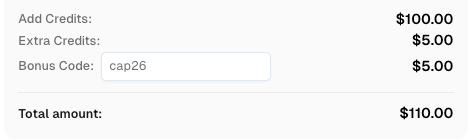
Use code
CAP26when signing up at CapSolver to receive bonus credits!
The evolution of these security measures has also introduced more complexity. Modern AI benchmarking often requires interacting with sites that have dynamic security policies. A site might be open one day and protected by a heavy reCAPTCHA wall the next. Having a flexible solution in place allows your platform to adapt to these changes without rewriting your entire scraping logic. This adaptability is what separates professional benchmarking suites from simple scripts. By automating these processes, you ensure that your LLM training data is always fresh and relevant.
When building an automation strategy, you must distinguish between the different versions of reCAPTCHA you will encounter. Each requires a unique approach for successful integration.
| Feature | reCAPTCHA v2 | reCAPTCHA v3 |
|---|---|---|
| User Interaction | Visible (Checkbox/Images) | Invisible (Background Score) |
| Validation Method | Token-based via Challenge | Score-based (0.0 to 1.0) |
| Automation Focus | Emulating human response | Maintaining high trust scores |
| Best Use Case | Forms and login pages | Analytics and background tracking |
AI benchmarking platforms often encounter both versions depending on the data source. For instance, a forum might use v2 for registration, while a news site might use v3 to monitor traffic patterns. Your automation tool must be versatile enough to handle both scenarios.
Automating reCAPTCHA v2 involves sending the site key and URL to a solver API and receiving a token in return. This token is then injected into the page's g-recaptcha-response field. This process is far more efficient than trying to solve image challenges with computer vision scripts.
According to research on web automation challenges, the primary reason for failure is often incorrect parameter extraction. You must ensure the websiteKey and websiteURL are accurately identified before making an API call. Below is a standard implementation using Python and the requests library, as specified in the CapSolver documentation.
import requests
import time

# Configuration
api_key = "YOUR_API_KEY"
site_key = "6Le-wvkSAAAAAPBMRTvw0Q4Muexq9bi0DJwx_mJ-"
site_url = "https://www.google.com/recaptcha/api2/demo"

def solve_recaptcha_v2():
    payload = {
        "clientKey": api_key,
        "task": {
            "type": 'ReCaptchaV2TaskProxyLess',
            "websiteKey": site_key,
            "websiteURL": site_url
        }
    }
    res = requests.post("https://api.capsolver.com/createTask", json=payload)
    task_id = res.json().get("taskId")

    if not task_id:
        return None

    while True:
        time.sleep(3)
        result = requests.post("https://api.capsolver.com/getTaskResult", json={"clientKey": api_key, "taskId": task_id})
        if result.json().get("status") == "ready":
return result.json().get("solution", {}).get('gRecaptchaResponse')For reCAPTCHA v3, the goal is to achieve a high score (typically 0.7 or higher). This version is increasingly common on modern AI data sources because it doesn't interrupt the user experience. However, for bots, it requires a more sophisticated approach to mimic human-like behavior or use high-reputation proxies. Unlike v2, where a token is either valid or not, v3 provides a continuous score that indicates the likelihood of a user being a bot. This means your automation strategy must be more nuanced to maintain a high trust score over time.
Industry reports from Google Cloud highlight that AI agents are becoming more integrated into the web, making score-based detection more critical. When using CapSolver for v3, you can specify the pageAction parameter, which is vital for the scoring algorithm to validate the request correctly. This parameter tells the reCAPTCHA system what the user is trying to do, such as logging in, searching, or submitting a form. Providing the correct action significantly improves the chances of receiving a high score.
Another factor to consider is the use of enterprise versions of reCAPTCHA. Many high-traffic sites use reCAPTCHA Enterprise, which offers more granular control over security policies. For AI benchmarking, this means your solver must be capable of handling enterprise-specific parameters like the s parameter or custom domain settings. CapSolver's API is designed to handle these complexities, providing a unified interface for both standard and enterprise versions. This ensures that no matter what level of security your data source uses, your benchmarking platform can continue its work without interruption. By optimizing your v3 requests, you can achieve the high throughput necessary for massive data collection tasks.
import requests
import time

api_key = "YOUR_API_KEY"
site_key = "6Le-wvkSAAAAAPBMRTvw0Q4Muexq9bi0DJwx_kl-"
site_url = "https://www.google.com"

def solve_recaptcha_v3():
    payload = {
        "clientKey": api_key,
        "task": {
            "type": 'ReCaptchaV3TaskProxyLess',
            "websiteKey": site_key,
            "websiteURL": site_url,
            "pageAction": "login"
        }
    }
    res = requests.post("https://api.capsolver.com/createTask", json=payload)
    task_id = res.json().get("taskId")

    while True:
        time.sleep(1)
        result = requests.post("https://api.capsolver.com/getTaskResult", json={"clientKey": api_key, "taskId": task_id})
        if result.json().get("status") == "ready":
return result.json().get("solution", {}).get('gRecaptchaResponse')Many developers initially try to build their own solvers using OCR or machine learning models. While this might work for simple challenges, it rarely scales for reCAPTCHA. The compute power required to solve thousands of challenges daily is immense. Furthermore, security algorithms are constantly updated, requiring constant maintenance of your custom code.
A specialized service like CapSolver provides a robust API that handles these updates for you. This allows your team to focus on the actual AI benchmarking rather than maintaining a cat-and-mouse game with security providers. According to a study on Multimodal Benchmarks, the error rate for automated solvers is significantly lower when using dedicated infrastructure compared to general-purpose AI models.
To maintain a high success rate, you should implement several best practices. First, always use high-quality proxies if you are not using a "proxyless" task type. Residential proxies are often better for reCAPTCHA v3 as they have higher reputation scores. Second, rotate your user agents to avoid fingerprinting. Modern websites can detect patterns in your browser's identity, so keeping a fresh set of headers is essential. Third, handle errors gracefully in your code to ensure one failed request doesn't crash your entire benchmarking suite. Implementing retry logic with exponential backoff is a standard industry practice.
Integrating CapSolver into your AI LLM practice ensures that your data pipelines remain healthy. By leveraging their global infrastructure, you can simulate requests from different regions, which is often necessary for global AI benchmarking. For example, if you are benchmarking an AI model's performance on localized news data, you might need to access sites from specific countries. CapSolver allows you to specify regions, ensuring you get the right content every time. This approach also helps in avoiding IP bans which are common when scraping at scale.
Furthermore, monitoring your API usage is crucial for maintaining cost-efficiency. Large-scale AI benchmarking can quickly consume thousands of requests. By using CapSolver's dashboard, you can track your success rates and identify any potential issues before they impact your research. This visibility is essential for managing the operational costs of your platform. Additionally, consider using the best AI agents available in the market to further automate your workflow. Combining advanced agents with a reliable solver creates a powerful ecosystem for any AI research team. This synergy allows for the rapid collection and processing of data, giving you a competitive edge in the fast-paced world of AI development.
Choosing the right strategy depends on your specific project requirements and budget.
| Strategy | Speed | Cost | Maintenance | Reliability |
|---|---|---|---|---|
| Manual Solving | Very Low | High (Labor) | None | High |
| Custom OCR | Medium | Medium (Compute) | Very High | Low |
| CapSolver API | High | Low | Very Low | Very High |
For most professional AI benchmarking platforms, the API-based approach is the clear winner. It offers the best balance of speed and reliability, allowing researchers to gather the data they need without technical debt.
Automating reCAPTCHA is no longer a luxury but a necessity for modern AI benchmarking. By using professional tools like CapSolver, you can overcome the hurdles of reCAPTCHA v2 and v3 efficiently. This ensures your data collection remains scalable and your AI models are trained on the most comprehensive datasets available. Start integrating these solutions today to keep your benchmarking platform ahead of the curve.
1. Is it possible to solve reCAPTCHA v3 without a proxy?
Yes, CapSolver offers "ProxyLess" task types that use their internal server proxies to handle the request, simplifying your local setup.
2. How do I find the site key for a target website?
You can find the site key by inspecting the page source and searching for the string data-sitekey or by looking at the network requests to Google's reCAPTCHA API.
3. What is the typical success rate for automated reCAPTCHA solving?
With a professional service like CapSolver, the success rate for reCAPTCHA v2 and v3 is generally above 99% when parameters are correctly configured.
4. Can I use these solutions with Playwright or Selenium?
Absolutely. You can use these scripts to obtain a token and then use your automation tool to inject it into the target webpage.
5. Are there limits to how many requests I can send?
While CapSolver is built for scale, it is always recommended to monitor your usage and implement rate limiting to stay within your project's budget.
Ethan Collins
AI Agent Workflow Engineer
Building clearer handoffs between AI agents and tools.
ABOUT THE AUTHOR
Understand reCAPTCHA v3 score range (0.0 to 1.0), its meaning, and how to improve your score. Learn how to handle low scores and optimize user experience.

Facing "reCAPTCHA Invalid Site Key" or "invalid reCAPTCHA token" errors? Discover common causes, step-by-step fixes, and troubleshooting tips to resolve reCAPTCHA verification failed issues. Learn how to fix reCAPTCHA verification failed please try again.