
🎉NEWCapSolver for AI agents-MCP, agent tools, and SDK integrations

Nikolai Smirnov
Software Development Lead
Published Jun 18, 2026
Updated Jun 18, 2026 · min read
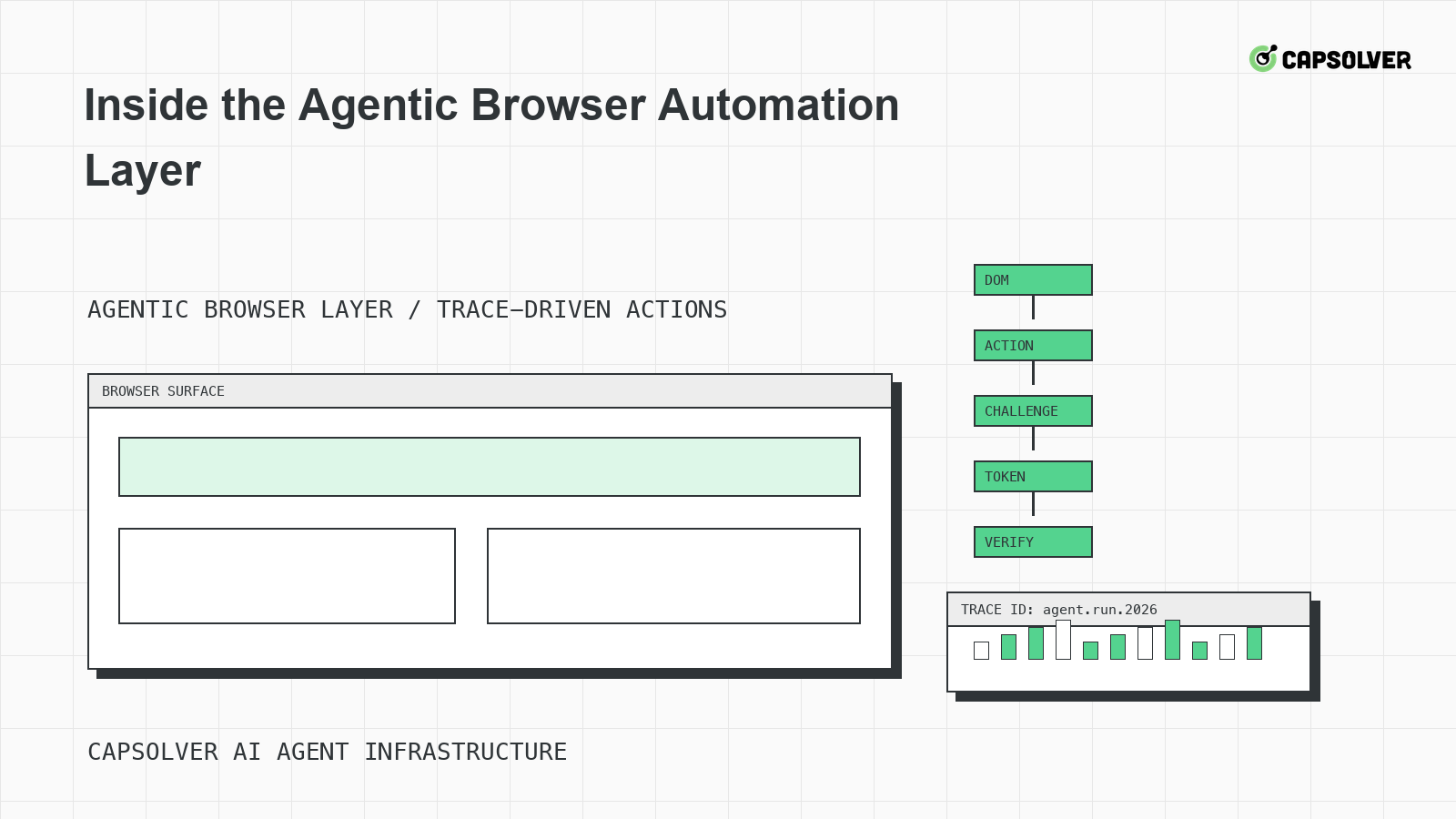
The agentic browser automation layer is where language plans become browser actions, network requests, and application side effects. CapSolver can support approved CAPTCHA challenges inside that layer, but the browser runtime must still ground actions in DOM state, keep sessions coherent, and verify backend acceptance. A model can decide that it wants to submit a form; the layer decides whether the page state makes that action valid. This article looks inside the runtime that makes agentic browser automation observable, controlled, and safe to operate.
The agentic browser automation layer should expose a small action grammar: navigate, wait for state, fill, select, click, extract, download, solve eligible challenge, and stop. Raw mouse coordinates should be a last resort. A grammar lets the runtime attach permissions, evidence, and rollback behavior to each action.
CapSolver's agentic browser overview is a useful starting point for teams defining this layer. The runtime should treat every action as a transaction with preconditions and postconditions. For example, a click on a submit button requires the form to be visible, enabled, stable, and in the correct session. The W3C WebDriver specification covers element interactability, which is the same discipline an AI browser layer needs for model-driven actions.
Planner intent is not evidence. The agentic browser automation layer should convert "submit the public request form" into a selector, current URL, visible label, form state hash, expected network request, and allowed outcome. This grounding prevents the planner from clicking a similar button on a different page after a redirect or challenge.
Take a DOM snapshot before and after protected transitions. The snapshot should include the target element path, accessible name, enabled state, iframe ancestry, relevant hidden inputs, and visible challenge widgets. It should not include private text fields unless a debug policy explicitly permits redacted capture. CapSolver's image recognition in web automation is relevant when visual state and DOM state diverge, but the browser layer should still prefer structured evidence over screenshots alone.
browser_action_evidence:
  action: "submit_form"
  selector: "button[type=submit]"
  page_state: "form_complete_challenge_visible"
  expected_request: "POST /public-intake"
  capture:
    dom_snapshot: true
    network_status: true
    redacted_storage_state: true
  stop_if:
    - "selector_changed_after_challenge"
    - "backend_returns_403"
    - "private_data_requested"
This configuration is a browser-runtime example. It does not describe a CapSolver API call. It tells the agentic browser automation layer which evidence must exist before challenge handling or form submission continues.
A CAPTCHA or traffic validation prompt should be a state in the browser runtime, not a surprise string in the agent transcript. The state should name provider family, widget frame, rendered parameters, protected request, session owner, attempt count, and eligibility decision. Static page source is not enough because JavaScript may hydrate a different widget after login, route change, or failed submit.
CapSolver's official createTask documentation explains that tasks are created for selected CAPTCHA types, and teams should use the documented task object for the specific challenge. If the required parameters are not verified in official docs, the layer should not invent them. CapSolver's CAPTCHA AI explanation can help product owners understand why challenge classification is a distinct step.
Capture widget context after the page has rendered the actual challenge. MDN's document readiness states can guide basic waits, but an agentic browser automation layer should wait for the widget and protected request, not only complete. Record iframe URLs, visible text, callback hints, form target, and network request that consumes the result. Then freeze the protected action until the challenge state resolves or stops.
Session ownership is the bridge between browser action and server acceptance. The agentic browser automation layer should not solve a challenge in one context and submit in another. It should keep cookies, storage, route, user-agent family, locale, and account state aligned until the protected request finishes.
RFC 6265's cookie storage model explains why a cookie that looks present may not apply to the request path. CapSolver's AI agent CAPTCHA blocks discussion is useful when challenge frequency points to session or route inconsistency rather than solver quality. The layer should expose session_owner and route_owner to traces so engineers can see whether the same context carried the whole protected journey.
Redeem Your CapSolver Bonus Code
Boost your automation budget instantly!
Use bonus code CAP26 when topping up your CapSolver account to get an extra 5% bonus on every recharge — with no limits.
Redeem it now in your CapSolver Dashboard
Trace evidence is the operating memory of the browser layer. A useful trace records the planner instruction, action grammar command, selector evidence, screenshot, DOM snapshot, network status, storage hash, challenge state, solver queue decision, and backend result. The trace should be compact enough to review but detailed enough to reproduce one failed transition.
When a challenge repeats, diff the traces. Did the widget parameters change? Did the same protected request return the same status? Did storage reset? Did a hidden field disappear after rerender? Did the planner submit twice? MDN describes HTTP 302 redirects as temporary redirection, which often appears in login and challenge flows. Trace diffing shows whether a loop is caused by redirects, state loss, or a rejected result.
CapSolver's breaking the CAPTCHA loop article is a useful companion for planner-state design. The runtime should stop after the configured loop threshold and produce evidence. It should not let the model request another solve just because the page still contains a widget.
Every capability should have a stop condition. The agentic browser automation layer can navigate, fill, click, extract, and handle supported challenges, but it must also stop on access refusals, private data prompts, account lock warnings, unsupported challenge types, unclear permission, and repeated backend rejection. OWASP ASVS discusses verification control categories for predictable security behavior; browser automation benefits from the same explicitness.
CapSolver's responsible web scraping security practices can help teams frame stop rules for data collection tasks. For browser agents, the important rule is simple: a model should not be rewarded for continuing after the runtime has identified a policy stop.
A protected-action test runs one known permitted workflow through the agentic browser automation layer. It should confirm action grammar, DOM grounding, challenge-state capture, session ownership, trace evidence, backend acceptance, and stop behavior. It should also confirm that a failed challenge path stops cleanly and does not submit the form twice.
Use a small matrix: normal path, challenge path, 429 path, 403 path, selector-change path, and private-data prompt. Each case should produce a typed outcome. The test passes when the trace explains what happened without reading the model's mind. That is the purpose of the agentic browser automation layer: convert intent into auditable browser actions with responsible boundaries.
Failure injection makes the agentic browser automation layer honest. Instead of waiting for production pages to change, create controlled tests that remove a selector, delay a network response, clear a cookie, return a 429, return a 403, rerender a hidden field, and show an unsupported challenge. The browser runtime should produce typed outcomes for each case. The model should not be allowed to improvise around the injected stop.
Use synthetic challenge states to test planner behavior without sending traffic to real protected services. A test page can render a placeholder widget, change form state after a delay, and return a mock backend rejection. The goal is not to imitate every provider. The goal is to verify that the agent waits for rendered state, preserves session ownership, respects budgets, and stops after repeated rejection. This regression test is especially useful after browser upgrades or prompt changes.
Trace comparison should be part of the failure-injection suite. A passing trace shows the same correlation ID from planner instruction to final outcome, one protected submit, one challenge decision, and a clear stop when the scenario requires it. A failing trace shows drift: a new context, a missing storage hash, a second submit, or a planner message that asks for another attempt after the runtime has stopped. These failures are easier to fix in a synthetic harness than in a live incident.
The agentic browser automation layer is ready for broader use when it handles injected failures as predictably as successful runs. That readiness standard is stricter than "the agent clicked through once," and it is the difference between a demo and an operable browser-agent system.
Failure injection should run after prompt changes as well as code changes. A new system prompt may encourage the agent to be more persistent, interpret a warning as a temporary obstacle, or retry a selector that the runtime already marked unsafe. The test harness should verify that runtime stop decisions override planner ambition. That gives engineers confidence that policy controls are enforced by code, not only by instruction text.
Keep the synthetic pages versioned. When a real incident reveals a new failure pattern, add a small synthetic reproduction to the suite. Over time, the agentic browser automation layer develops a library of known risks: stale widgets, detached forms, redirect loops, storage loss, and unsupported challenge states. That library is more valuable than a one-time manual checklist.
Share failure-injection results with support and compliance teams. They need plain labels, not browser internals, to understand whether a stop was caused by policy, rate pressure, session drift, or application rejection.
Those labels should appear in user-facing run summaries as well. A task owner should know whether the agent stopped because permission was unclear or because a retry budget expired. Clear summaries reduce pressure to rerun risky cases manually.
The agentic browser automation layer is not just a headless browser wrapper. It is a runtime for action grammar, DOM grounding, challenge states, session ownership, trace evidence, and stop rules. CAPTCHA support belongs inside that runtime only after the protected action is identified and the implementation details are verified. For approved browser-agent workflows that need challenge handling, CapSolver can support the CAPTCHA layer while your browser runtime controls evidence and safety.
It is the runtime that turns AI-agent plans into browser actions, captures evidence, manages sessions, handles eligible challenge states, and returns typed outcomes to the planner.
DOM grounding prevents the model from acting on stale assumptions. It ties each action to a current selector, visible state, expected request, and allowed outcome.
It should begin only after the rendered widget, protected request, session owner, and eligibility policy are identified. Static source or visual guesses are not enough.
It should produce the planner instruction, action command, selector evidence, DOM snapshot, screenshot, network status, storage hash, challenge state, queue decision, and backend result.
Nikolai Smirnov
Software Development Lead
Building dependable software for complex automation.
ABOUT THE AUTHOR
Find CapSolver MCP in the Official MCP Registry, install version 0.1.3 with uvx or pip, configure a local client, and verify the stdio tools.

Add CAPTCHA tools to Pydantic AI using the official CapSolver adapter, test tool execution locally, and handle typed inputs and structured solver results.

