🎉NEWCapSolver for AI agents-MCP, agent tools, and SDK integrations

Aloísio Vítor
Image Processing Expert
Published May 25, 2026
Updated May 25, 2026 · min read
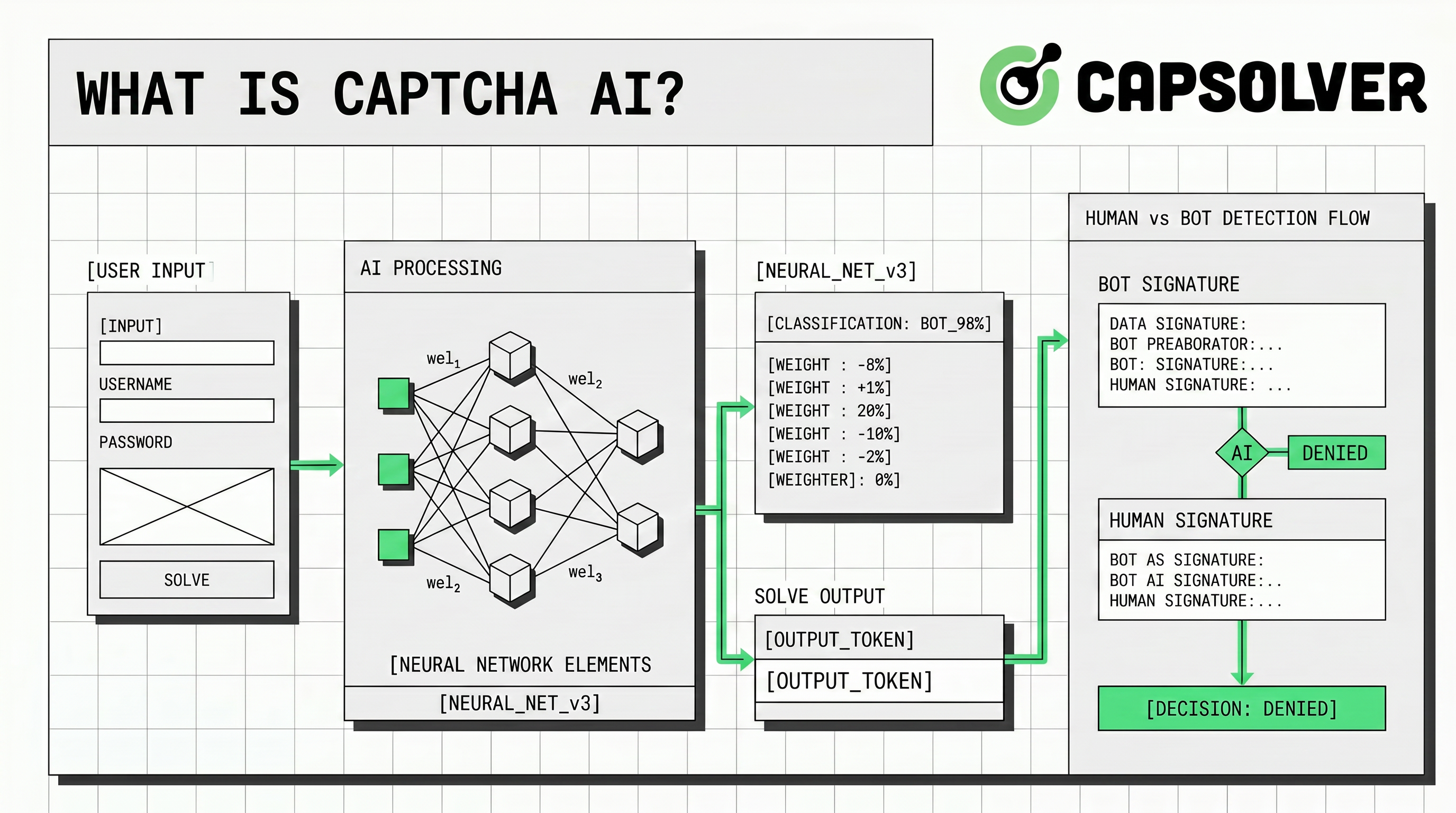
What is CAPTCHA AI? In practical engineering terms, it is the intersection of CAPTCHA challenges, machine learning, computer vision, risk scoring, and AI agents that can reason through multi-step browser workflows. Teams encounter this topic when they build QA bots, data-monitoring jobs, RPA workflows, accessibility tests, or agentic browsers that need to detect a challenge, choose a safe next step, and keep the run observable. For authorized automation teams, CapSolver helps turn CAPTCHA handling into a documented workflow rather than an improvised manual interruption.
The phrase can be confusing because it describes several different realities at once. It may refer to AI used by websites to score visitor risk, AI used by solvers to classify visual or behavioral challenges, or AI agents that manage the surrounding browser task. This guide explains what CAPTCHA AI means, how AI agents interact with CAPTCHA systems, where risk scoring fits, and how teams can use guardrails to keep automation responsible and auditable.
CAPTCHA AI is best understood as a set of capabilities rather than a single product category. At one end, it includes recognition models that classify text, images, audio, or puzzle-like prompts. At another end, it includes risk engines that evaluate interaction signals and decide whether a request appears human, automated, risky, or trusted. In the middle, it includes developer workflows that submit challenge context to a solving API, retrieve a result, and verify that the protected application accepts the outcome.
The agentic layer is what makes the topic newly important. The OpenAI Agents SDK documentation describes agents as language models equipped with instructions and tools, and it highlights primitives such as tool calls, handoffs, guardrails, sessions, tracing, and human-in-the-loop controls. In CAPTCHA-related automation, those primitives map directly to practical steps: detect the challenge, choose the right task type, call an approved tool, log evidence, and stop when policy conditions are not satisfied.
| CAPTCHA AI layer | What it does | Example in an authorized workflow |
|---|---|---|
| Recognition | Interprets visual, text, audio, or puzzle-like challenge content | Classifying a test image challenge in a controlled QA environment |
| Risk scoring | Scores interactions, actions, or sessions for likely abuse | Sending a low-risk user through a lighter verification path |
| Agent orchestration | Plans browser actions, calls tools, and adapts after failures | Retrying a staged test flow after a timeout while preserving logs |
| Governance | Applies permission, rate, privacy, and stop rules | Blocking runs outside an allowlisted domain or written test scope |
This distinction prevents a common mistake. CAPTCHA AI is not only about “solving an image.” It is also about context, policy, backend verification, and the surrounding automation system.
AI agents often operate through browsers or browser-like tools because many useful workflows depend on rendered JavaScript, logged-in sessions, dynamic pages, and multi-step forms. A traditional script usually follows fixed selectors. An agent can observe the page, revise its plan, call tools, and decide whether a step succeeded. CapSolver’s guide to AI agents in web scraping and competitive intelligence describes this as a layered workflow with planning, execution, observation, adaptation, memory, and storage.
CAPTCHAs appear when a website wants additional assurance that a request is acceptable. Sometimes the challenge is visible, such as an image task or checkbox. Sometimes it is invisible, such as a risk score or a background assessment. Either way, the agent should treat the CAPTCHA as a policy checkpoint, not simply as an error to bypass. It should identify whether the target is owned, staged, client-approved, or otherwise permitted before taking any further action.
In a well-designed agent, CAPTCHA handling belongs in the observation and adaptation layer. The agent notices a challenge, classifies the challenge family, confirms that the workflow is allowed, calls a documented service if appropriate, records the task ID and outcome, and resumes only after the application validates the result. If any condition fails, the agent should escalate to a human reviewer or stop the run.
Modern CAPTCHA systems often evaluate risk without showing the user a puzzle. The Google reCAPTCHA v3 documentation explains that reCAPTCHA v3 returns a score for each request without user friction. Google describes 1.0 as very likely a good interaction and 0.0 as very likely a bot, and it recommends that site owners verify the response token and expected action name on the backend.
This score-based model changes how teams should think about CAPTCHA AI. A system may not ask the user to select images, yet it still uses interaction context, action names, and risk thresholds to decide what happens next. A low score might trigger email verification, two-factor authentication, moderation, transaction review, or another step rather than a hard block. In other words, CAPTCHA AI is part of a broader trust decision.
For automation builders, this means the integration must preserve context. The page URL, site key, action name, browser timing, proxy policy, and backend validation all matter. A returned token or answer is not the same as success. The application’s backend still decides whether the interaction is valid.
A governed CAPTCHA AI workflow needs an explicit task lifecycle. CapSolver’s official API documentation gives developers a structured model for creating tasks and retrieving results. For an AI agent, this is valuable because a task lifecycle is easier to log, debug, and audit than manual browser intervention.
The safest architecture is to keep CAPTCHA solving behind a small internal service or tool. The agent should not scatter provider calls across many prompts or scripts. Instead, it should call one approved function that checks allowlisted domains, verifies the challenge type, submits the task, polls or receives a result, redacts sensitive values, and returns a typed outcome. CapSolver’s guide to AI agent frameworks for web automation and CAPTCHA solving is a useful internal reference for this production pattern.
async function handleCaptchaForApprovedAgentRun(context) {
  if (!context.allowedDomain || !context.writtenAuthorization) {
    return { status: 'stopped', reason: 'authorization_required' };
  }

  const task = await createCaptchaTask({
    challengeType: context.challengeType,
    pageUrl: context.pageUrl,
    siteKey: context.siteKey,
    action: context.actionName
  });

  const result = await waitForCaptchaTaskResult(task.id);
  return {
    status: result.ready ? 'ready' : 'failed',
    taskId: task.id,
    redactedEvidence: result.redactedEvidence
  };
}
This example is intentionally generic. It shows how an agent should wrap CAPTCHA handling in authorization, typed outcomes, and redacted evidence. In production, secrets should live in environment variables or a secret manager, and logs should never expose raw tokens, personal data, or full page content.
The most important question is not whether an AI agent can handle a CAPTCHA. The important question is whether it should. The OWASP Automated Threats to Web Applications project describes unwanted automated usage as software-driven behavior that diverges from accepted behavior and creates undesirable effects for web applications. Its taxonomy explicitly includes CAPTCHA Defeat and Scraping among automated threat events, which is why authorization and rate control are non-negotiable.
| Scenario | Suitable CAPTCHA AI approach | Risk control |
|---|---|---|
| Owned application QA | Use test keys where available; otherwise test a low-volume staged flow | Written test plan, staging domain, redacted logs |
| Accessibility review | Measure where challenges create excessive friction and validate approved fallback flows | Human review, limited data, documented purpose |
| Internal RPA | Use an approved account workflow and a governed solver integration | Domain allowlist, job owner, rate limit, audit trail |
| Public-data monitoring | Proceed only when site rules and data permissions allow automation | Robots and terms review, low request volume, stop conditions |
| Unknown third-party target | Do not run CAPTCHA AI automation | Require permission or redesign the workflow |
Responsible CAPTCHA AI also needs accessibility awareness. The W3C note on CAPTCHA accessibility explains that many CAPTCHA approaches can create barriers for people with disabilities and that accessibility must be considered in challenge design. For product teams, this means CAPTCHA AI should support safer verification and testing rather than add friction without review.
AI agents need explicit guardrails because they can otherwise turn a small instruction into a sequence of browser actions, retries, tool calls, and data writes. The same agentic qualities that make them useful also make them risky when permission is unclear. A good CAPTCHA AI workflow should therefore separate policy checks from task execution.
The minimum guardrail set includes domain allowlists, written authorization, job owner labels, rate limits, secret handling, token redaction, tracing, and human-in-the-loop escalation. The agent should also know when not to act. If it sees a login wall outside the approved scope, a payment step, sensitive personal data, or a website policy that disallows automation, it should stop and ask for review.
| Guardrail | What it prevents | Practical implementation |
|---|---|---|
| Domain allowlist | Accidental use on unapproved sites | Match page URL before tool execution |
| Written scope | Ambiguous or unauthorized testing | Store approval reference with each job |
| Rate limits | Excessive automated traffic | Cap requests per domain and per workflow |
| Human review | Unsafe continuation after uncertainty | Escalate when policy or page context changes |
| Tracing and logs | Unexplainable agent behavior | Save task ID, timestamp, result state, and redacted context |
These controls are not only compliance paperwork. They also improve reliability. When a run fails, the team can determine whether the problem was challenge detection, task creation, result retrieval, backend validation, or a policy stop.
Redeem Your CapSolver Bonus Code
Boost your automation budget instantly!
Use bonus code CAP26 when topping up your CapSolver account to get an extra 5% bonus on every recharge — with no limits.
Redeem it now in your CapSolver Dashboard
Teams usually ask what CAPTCHA AI is because they are trying to build or govern a real workflow. The best starting point is a short implementation checklist. First, define the target workflow and confirm permission. Second, identify the challenge family and whether an official test mode, mock, or staging bypass can replace production solving. Third, route all CAPTCHA handling through one approved service or internal tool. Fourth, log redacted evidence and backend outcomes. Fifth, review the workflow periodically because site behavior, risk scoring, and legal obligations can change.
A useful proof of concept should be small. Test one challenge type, one allowed domain, and one browser workflow. Measure whether the agent detects the challenge correctly, submits the right task fields, handles timeouts, and verifies the application outcome. Do not scale until another engineer can reproduce the result from the same runbook.
What is CAPTCHA AI? It is the combined use of AI recognition, risk scoring, agentic browser automation, and governance controls around CAPTCHA workflows. The practical value is not merely that an AI system can interpret a challenge. The real value is that an authorized workflow can detect a challenge, choose the right action, use a documented service, preserve logs, and stop when permission or policy is missing. If your team is building AI agents for QA, RPA, monitoring, or permitted data workflows, start with a small governed test and review CapSolver as the CAPTCHA-solving layer inside that controlled architecture.
CAPTCHA AI is the use of AI techniques around CAPTCHA workflows. It can include visual recognition, risk scoring, automated challenge handling, and AI agents that decide when to call a tool, retry, escalate, or stop.
AI agents usually interact with CAPTCHA systems through the browser workflow. They detect that a challenge or risk checkpoint appeared, classify the challenge type, confirm that the target is approved, call a documented tool if allowed, and continue only after the result is validated.
No. Image recognition is only one part of CAPTCHA AI. Modern workflows also include invisible risk scoring, action names, backend token verification, browser context, policy checks, and audit logs.
CAPTCHA AI is appropriate for authorized use cases such as owned QA, accessibility testing, staged environments, permitted RPA, internal monitoring, and approved public-data workflows. It should not be used where permission, site policy, or legal basis is missing.
An AI agent should check domain approval, written authorization, rate limits, data sensitivity, challenge type, logging policy, and human-review rules before it calls a CAPTCHA-solving tool. If those checks fail, the agent should stop rather than continue.
Aloísio Vítor
Image Processing Expert
Interpreting the visual signals behind web workflows.
ABOUT THE AUTHOR
Fix CAPTCHA handling that works locally but fails in a cloud AI agent. Compare browser setup, dependencies, credentials, network access, and page state.

Estimate CAPTCHA solving costs in Browser Use by separating agent runs, challenge types, billable solves, retries, and verified outcomes from browser costs.