

🎉NEWCapSolver for AI agents-MCP, agent tools, and SDK integrations

Khadija Santos
AI Agent & MCP Engineer
Published Oct 28, 2026
Updated Oct 28, 2026 · min read
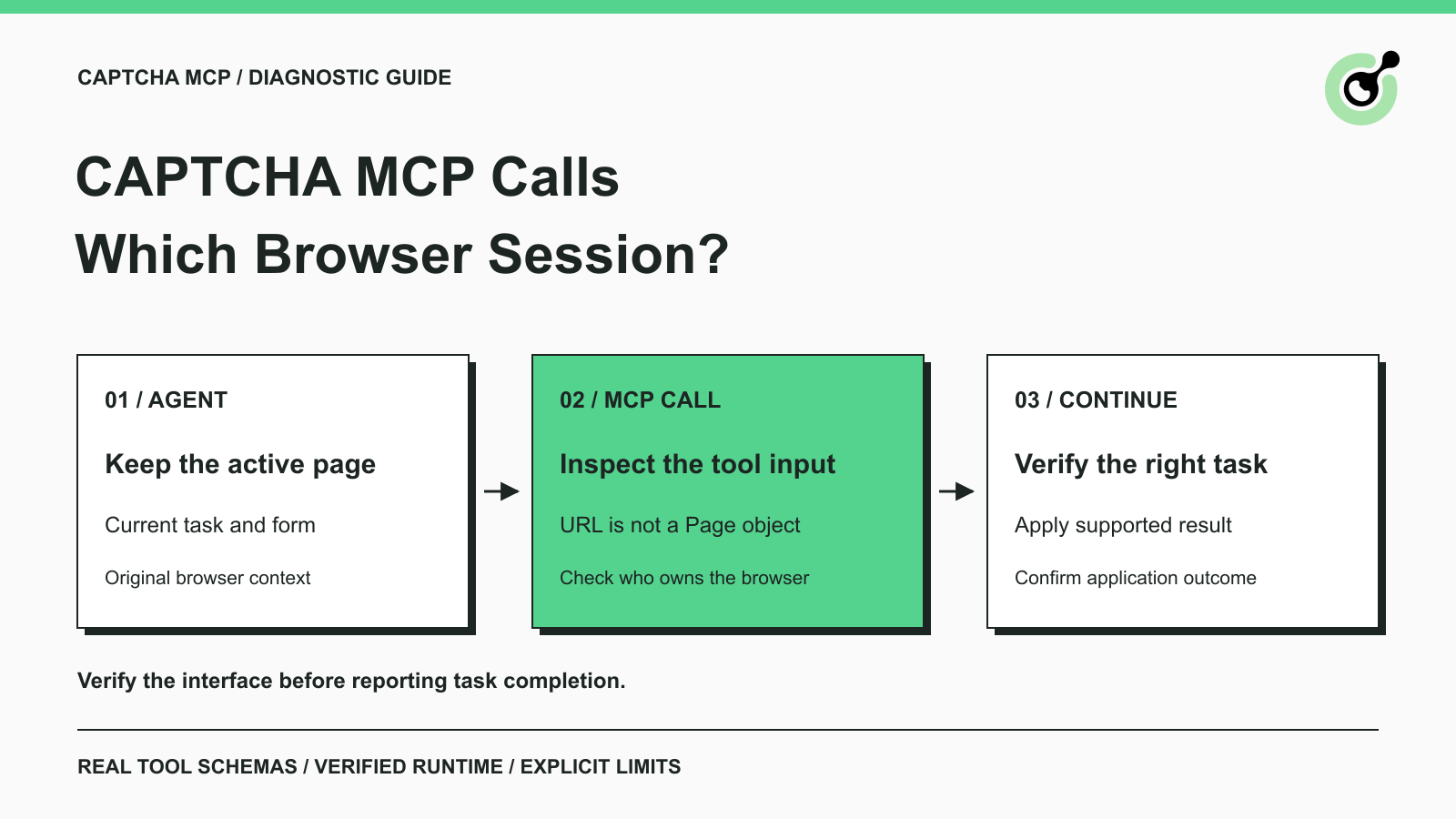
capsolver-mcp 0.1.3 interface, detect_captchas and solve_on_page accept page_url; neither exposes an existing-page or browser-session input.Your browser agent has filled a form and reached a CAPTCHA. It calls a second MCP tool with the page URL, receives a response, and returns to a tab that still looks unchanged. The missing connection may be the browser session itself.
MCP makes a tool callable; it does not make every connected server share live browser objects. The browser that prepared the form and the browser opened by a URL tool can be separate. CapSolver provides both MCP tools and a Python Core SDK, so choosing the right interface matters when a CAPTCHA appears halfway through an existing task.
This guide diagnoses that specific handoff. It includes a real MCP schema check and observations from an owned local browser fixture. No paid challenge was solved, and no production form acceptance is claimed.
The tested MCP browser tools create their own browser from a URL rather than receiving the agent's active page.
The MCP service reference describes URL-based detection and page solving. We checked the installed package's advertised schemas and browser-launch implementation, then observed its requests to a local fixture. Those checks agree on the boundary: supplying the URL does not attach the tool to an already running tab.
That distinction matters even when both pages display the same address. A form field can contain an unsent value in one tab and be empty in another. A cookie available to one browser context does not automatically appear in an unrelated context. Playwright's browser-context guidance explains the isolation between contexts.
Do not infer shared state from the two tool servers appearing in the same assistant sidebar. Their tools may be available to the same model while their browser processes remain independent.
Inspect the live schema to identify which state the tool can actually receive.
Use Python 3.12 for the reproducible check below. The tested environment contained capsolver-mcp 0.1.3, capsolver-core 0.1.1, MCP Python SDK 1.30.0, and Playwright 1.64.1. The official MCP repository identifies the server package; the MCP Python SDK supplies the client used for this diagnostic.
Run these commands with the Python interpreter that will launch the server:
python -m pip install "capsolver-mcp[browser]==0.1.3" "capsolver-core==0.1.1" "mcp==1.30.0" "playwright==1.64.1"
python -m playwright install chromium
Save this small diagnostic as inspect_mcp.py and run it with that same Python. It initializes a real stdio connection, reads the schemas, and calls the supported-types registry. It deliberately passes an empty API-key value and never calls solving or balance methods. A real paid solve requires a valid key and an authorized target; this diagnostic does not test that path.
import asyncio
import json
import sys
from mcp import ClientSession, StdioServerParameters
from mcp.client.stdio import stdio_client

async def main():
    server = StdioServerParameters(
        command=sys.executable,
        args=["-m", "capsolver_mcp"],
        env={"CAPSOLVER_API_KEY": ""},
    )
    async with stdio_client(server) as (read, write):
        async with ClientSession(read, write) as session:
            await session.initialize()
            result = await session.list_tools()
            for tool in result.tools:
                if tool.name in {"detect_captchas", "solve_on_page"}:
                    print(json.dumps({
                        "tool": tool.name,
                        "arguments": sorted(tool.inputSchema.get("properties", {})),
                        "required": tool.inputSchema.get("required", []),
                    }))
            registry = await session.call_tool("get_supported_captchas", {})
            print("registry_is_error:", bool(registry.isError))

asyncio.run(main())
For the tested version, the meaningful output was:
{"tool": "detect_captchas", "arguments": ["page_url"], "required": ["page_url"]}
{"tool": "solve_on_page", "arguments": ["autofill", "page_url", "polling_interval", "timeout"], "required": ["page_url"]}
registry_is_error: False
The absence of a session argument is a reason to inspect the implementation, not a universal claim about every MCP server. Here, package inspection confirmed a new headless browser and page for each URL-based browser call. Recheck the schema and behavior when changing versions.
The local test demonstrated a session boundary without pretending to solve a CAPTCHA.
We opened an owned HTTP fixture in a Playwright context, set a harmless fixture_session cookie, and entered a catalog query into a text field. The fixture logged whether each request carried that cookie. We then called the real MCP detect_captchas tool with the same URL.
The original browser's request included the marker cookie. The MCP browser's request did not. The original page still contained the entered query after the tool returned. Detection returned an empty list on this inert fixture; it was not a live provider challenge and the test does not measure detection coverage.
These observations establish something narrower and useful: the MCP call fetched the URL independently, while the first page stayed intact. They do not establish paid solving, token transfer, or acceptance by a target site. No production cookies, credentials, or private records were used.
For your application, reproduce the same distinction with a harmless marker on a staging page you control. Record which page the browser tool owns and which page the solver receives. Avoid recording real cookie contents or CAPTCHA tokens in diagnostic logs.
Redeem Your CapSolver Bonus Code
Boost your automation budget instantly!
Use bonus code CAP26 when topping up your CapSolver account to get an extra 5% bonus on every recharge — with no limits.
Redeem it now in your CapSolver Dashboard
Choose the handoff according to whether your application can access the active page object.
The Core SDK accepts an existing Playwright page for browser-oriented methods. The documented detect(page) and get_captcha_info(page) methods inspect that page; solve_on_page(page) performs the documented solving and fill-back sequence for supported challenges. The Core SDK reference describes these interfaces and their result fields.
Keep the page in your own application and pass the existing object at the CAPTCHA checkpoint. Creating a new page inside the handler changes the operation you are diagnosing. This is an implementation choice for applications that own their browser code, not a configuration flag that makes the URL-only MCP tool attach to a tab.
This guide verifies the MCP boundary, not a paid Core SDK solve. Before adopting a page-based solve in production, separately test the supported challenge type and the application's completion condition on an authorized target.
When a different server owns the browser, use that server's documented capabilities to inspect the current page and decide whether it can apply an external result. Do not invent a shared session_id, CDP argument, or page handle that the solver's schema does not accept.
Token-mode solving can return a result from documented challenge parameters, but your application still needs a supported way to deliver it to the original page. If the browser owner cannot do that, record the capability gap or hand the task to a person. Connecting both servers does not create the missing operation.
A URL-based tool can suit a standalone inspection where a fresh page is exactly what you intended. Name that task separately from the agent's paused form. A successful inspection of the new page should not be reported as completion of the original form.
The existing Playwright context reuse guide explains storage snapshots and live pages. The specific MCP issue here is earlier in the chain: which browser receives the call at all.
Continue the original task only after the intended page and application response confirm the next step is valid.
Keep the browser owner, current operation, and completion condition together. After a supported solve finishes, inspect the original page again. Confirm that the form or query still represents the same task, then perform the permitted submission or navigation through the browser owner's normal interface.
For a data agent, success might mean the expected record identifiers and required fields are present in the returned data. For a form workflow, success might be an application confirmation tied to the submitted inputs. An empty CAPTCHA-detection result is neither of those outcomes.
If the page navigated or the challenge changed during the call, inspect the current task before reusing any earlier result. Avoid issuing repeated paid solves merely because an unrelated tab still shows a widget. Keep unresolved states explicit instead of letting the model summarize them as success.
Treat browser ownership as part of the CAPTCHA integration contract. CapSolver can supply documented solving capabilities, while your application retains responsibility for the intended page and the final task. Start by checking the actual MCP schema, then test the handoff that your browser environment supports.
Q: Does giving a CAPTCHA MCP tool the same URL reuse my browser tab?
No, not in the tested capsolver-mcp 0.1.3 URL-based tools. The live schema and local request test showed a separate browser request.
Q: Can I pass my browser server's session ID to solve_on_page?
The tested tool schema does not accept that argument. Only use inputs advertised by the installed server; a session ID from another tool is not automatically meaningful here.
Q: Does autofill update the agent's original tab?
Do not assume that. The URL-based tool operates on the page it opens. Fill-back in that page does not establish a change in a separately owned tab.
Q: Did the example solve a real CAPTCHA?
No. It verified MCP connection, tool schemas, and browser-session separation using an inert owned fixture. Paid solving and application acceptance require separate tests.
Q: What if my browser tool cannot apply a solver result?
Use a supported page-based integration in an application that owns the browser, or pause for a human. Do not claim that two MCP connections alone supply a missing browser capability.
Khadija Santos
AI Agent & MCP Engineer
Develops and maintains CapSolver’s MCP tooling, from implementation and package releases to AI agent integrations.
ABOUT THE AUTHOR
Connect CAPTCHA solver MCP tools to Qwen Code, approve the project server, verify its connection, and choose the right token or browser workflow for your task.

Add a CAPTCHA inspection tool to Haystack, read reCAPTCHA parameters with the official SDK, and verify the connection before a separate solving step.

