
🎉NEWCapSolver for AI agents-MCP, agent tools, and SDK integrations

Emma Foster
Machine Learning Engineer
Published Oct 12, 2026
Updated Oct 12, 2026 · min read
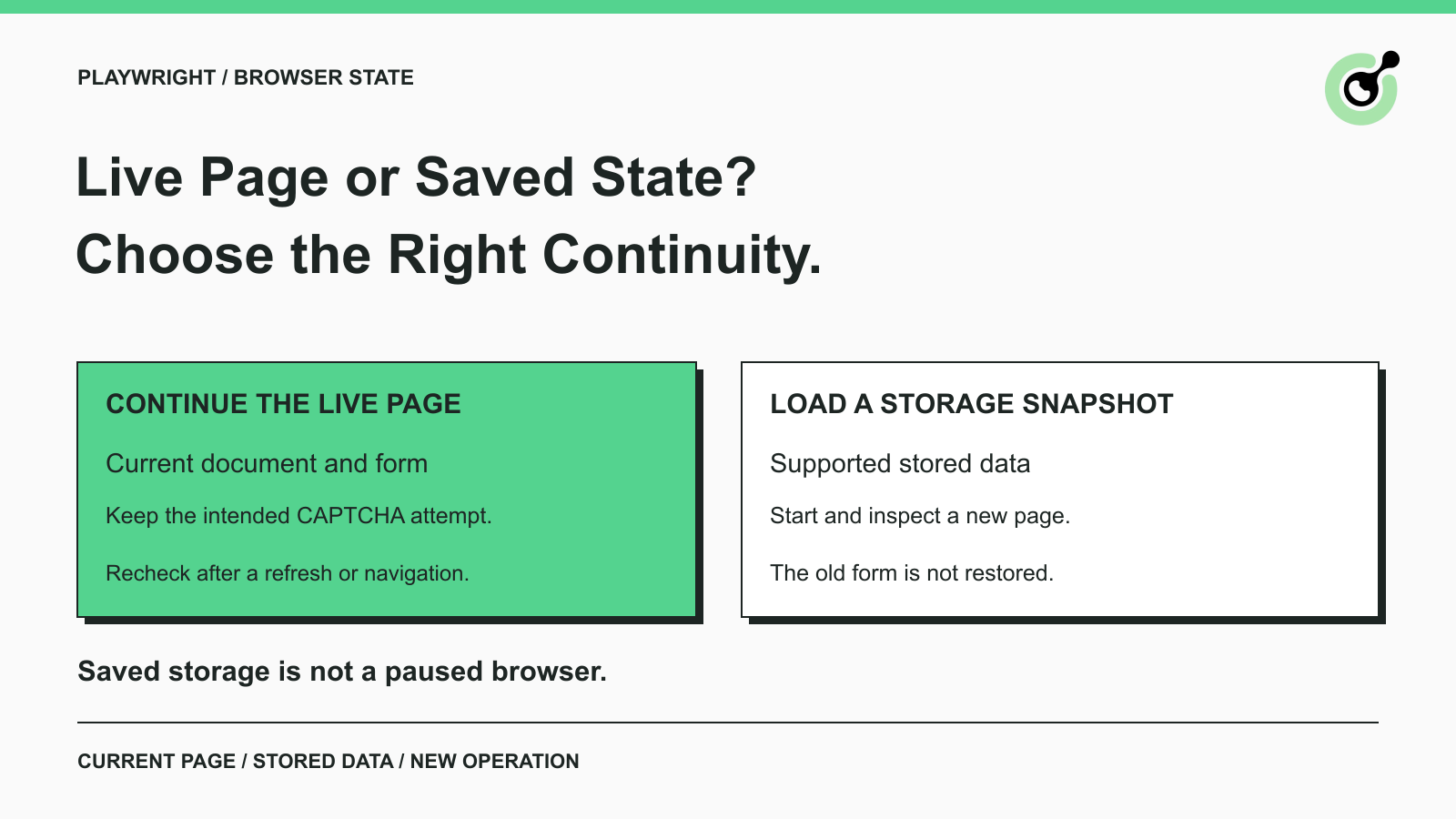
A browser agent reaches a CAPTCHA, obtains a solver result, and then opens a new page to continue. The next action fails because the agent has left the form that needed the result. Saving cookies alone does not explain or repair that sequence.
Playwright context reuse is useful when your workflow needs continuity, but “reuse the session” can describe several different operations. Keeping a live page, opening another page in the same context, and loading saved storage state are not interchangeable.
CapSolver can handle supported CAPTCHA tasks inside an authorized browser workflow. Choosing the correct browser-state approach helps your application deliver that result to the right place and check whether the original operation actually finished.
A live browser context is an active browser environment containing pages, while storage state is a snapshot of supported stored data. The snapshot does not serialize the entire running browser.
Playwright’s browser-context documentation describes contexts as isolated environments with their own cookies and storage. Pages opened within a context belong to that environment. A browser cookie can carry session-related data, but it is only one part of the page’s overall state.
The BrowserContext storage-state reference documents what the snapshot contains and its available options. Cookies and local storage are central to common uses; additional storage categories depend on the documented options and installed version. Do not assume a saved file contains every state source used by your application.
Continuing an existing page preserves the actual document and its current JavaScript execution environment while that page remains active. This is usually the clearest starting point when one agent operation has paused at a CAPTCHA and must finish the same form.
Continuity still has limits. The website may refresh the widget, expire the session, change a hidden field, or navigate the page. A live object reference cannot guarantee that an earlier challenge remains current. Inspect the page again before applying a delayed result.
A new page can use context-level cookies while holding a different document and form. That distinction is easy to miss when an agent tool describes both pages as belonging to the same “session.”
If a solver result belongs to the original page’s challenge, opening a second page is not an instruction to transfer the entire interaction. Keep track of the specific page handling the operation, and do not redirect the result merely because another tab has the same URL.
Loading saved state can prepare a new context with supported persisted data. It does not restore the old page’s DOM, unsubmitted form, active callbacks, or pending network operation.
Playwright’s authentication-state guidance explains state reuse and its security implications, and notes that session storage requires separate handling. For this comparison, the practical point is simple: a stored session is not a suspended browser process. A new page must establish its own current application state.
Choose the approach according to the operation you need to preserve and the isolation you need to maintain. Reuse is useful within a task; isolation is useful between tasks that should not share state.
| Approach | Best fit | What still needs checking |
|---|---|---|
| Continue the same live page | Finish the current authorized form or lookup | Challenge freshness and final application response |
| Open a page in the same context | A related navigation that intentionally shares cookies | New document state and the intended result destination |
| Create a context with saved state | Begin a new run from permitted persisted state | State expiry, current page setup, and any new CAPTCHA |
| Create a fresh isolated context | Independent users, scenarios, or clean test cases | Required setup and separation from earlier runs |
There is no general rule that context reuse prevents CAPTCHAs. Challenge decisions belong to the target application and provider. Treat continuity as a way to avoid losing your own workflow state, not as a promise about how the website will classify future requests.
For independent automated tests, Playwright’s isolation model has a clear benefit: one test’s cookies and storage do not silently determine the next test’s outcome. Reusing a live context across unrelated tests can hide setup requirements or make failures depend on execution order.
Within a single test or approved agent operation, recreating the context after every tool call can create the opposite problem. The workflow repeatedly discards information it still needs. Define the operation boundary first, then keep state only for that boundary.
The CAPTCHA solver belongs at the supported challenge step inside the browser operation. It does not own the complete lifecycle of every page, context, or application session around that step.
The CapSolver Core SDK reference distinguishes solving from parameters and browser-oriented operations that use a Playwright page. When choosing an integration, inspect which object or inputs it accepts and what it returns. A returned token and a browser fill operation imply different responsibilities for the calling application.
For browser-owned workflows, establish which page the integration receives. For a parameter-based task, establish how the result will reach the intended page through your application’s documented flow. Do not assume that obtaining a token updates every page in the context.
The earlier Playwright reCAPTCHA workflow article addresses the solver’s position in browser automation. This comparison adds the lifecycle decision: continue the active page for the current attempt, or start a new operation with explicitly initialized state.
An agent should also have a single owner for the page while a challenge is being handled. If another tool refreshes the form or changes its destination during the solve, the first tool’s result may no longer match the active interaction. Coordinating page ownership is an application design choice, separate from CAPTCHA recognition.
Redeem Your CapSolver Bonus Code
Boost your automation budget instantly!
Use bonus code CAP26 when topping up your CapSolver account to get an extra 5% bonus on every recharge — with no limits.
Redeem it now in your CapSolver Dashboard
A result that arrives after a relevant page change needs a fresh check against the current operation before submission. Keeping the same context does not make every earlier result current.
Imagine an agent completing a product enquiry on a company-owned staging site. It fills the form and reaches a supported challenge. While a solve is pending, a different action reloads the page. The browser still has the same context, but the document and challenge may have changed.
The agent should record the earlier attempt as superseded rather than place its result into whichever field happens to exist now. Inspect the newly loaded form, confirm that the original authorized task still applies, and decide whether a new challenge attempt is necessary. This avoids confusing browser continuity with attempt continuity.
Token lifetimes add a separate constraint. Google documents that reCAPTCHA response tokens are valid for two minutes and can be verified once. Cloudflare documents that Turnstile tokens expire after five minutes and are single-use. These provider-specific rules do not become longer because your browser context remains open.
Do not build a stockpile of completed tokens into a saved browser-state file. A stored cookie, a saved local-storage entry, and a challenge response are different artifacts with different lifecycles. For other CAPTCHA types, check their own documented result and session requirements rather than copying the reCAPTCHA or Turnstile rules.
An AI agent should continue when the current page still represents the intended operation, and restart when that operation’s state is no longer usable or must be isolated. Make the decision using observable page and application state.
Suppose an agent is checking a public record through a permitted browser path. The current page still shows the expected query, the supported challenge belongs to that page, and the result has not expired. Continuing the same page keeps the solver step associated with the lookup.
The success check should confirm the requested record or a valid no-result response. A cleared widget alone is insufficient evidence that the lookup returned the intended data. Keep the original query and the final page result together in the operation record.
Suppose a QA team must test two different enquiry-form configurations. Each test should begin from the setup specified for its scenario. A fresh context helps prevent the first test’s stored state from influencing the second.
If the team intentionally uses saved test state, document what that state represents and how it is refreshed. Use only team-controlled test identities where applicable, protect the saved file, and keep unrelated users isolated. Do not let an optimization silently change the test’s starting conditions.
If the browser process closes or the page no longer represents the task, begin from a known application state. Loading a snapshot may provide some stored data, but the workflow still needs to navigate, confirm the current form or query, and handle any challenge now present.
Avoid reporting that the paused operation “resumed” solely because a state file loaded successfully. The observable proof is that the intended application operation completed once, with the correct inputs and response.
Context reuse trades reduced setup work for a greater need to manage state ownership, lifecycle, and cleanup. The amount of time or solver cost saved depends on the application; there is no fixed saving implied by the approach.
A long-lived context needs explicit rules for who can use it and when it should close. A snapshot needs rules for storage, access, expiry, and replacement. Fresh contexts require repeated setup but make the boundary between independent scenarios easier to understand.
Choose an initial policy that your team can explain without relying on hidden browser behavior. One active operation should have a known page owner, a bounded challenge budget, and a defined completion condition. Separate unrelated users and client workloads even when sharing a browser process would appear convenient.
When diagnosing a failure, log the context identifier, page identifier, operation identifier, and whether the page navigated or refreshed. These are application-generated correlation labels, not CAPTCHA-provider parameters. Keep the actual cookies, tokens, and saved authentication material out of routine logs.
This small amount of lifecycle information answers practical questions: did the solver handle the right page, did the page change before submission, and did the application confirm the original task? It is more useful than a single boolean labelled “session reused.”
Keep the live page when finishing its current authorized CAPTCHA interaction, and use saved state deliberately when starting another operation. CapSolver supplies the supported solving step. Your browser workflow should preserve the intended page, recognize stale attempts, and verify the application outcome before reporting completion.
Q: Does Playwright storage state preserve a completed CAPTCHA?
Storage state preserves supported stored data, not a universal CAPTCHA completion state. It does not restore the old page’s live document or make expired or already-used response tokens valid again. Check the current page and the provider’s rules.
Q: Does opening a new page in the same context continue the same form?
No. The new page can share context-level cookies, but it has a separate document. Keep a challenge result associated with the form and attempt that require it rather than choosing a tab only by URL.
Q: Should every AI agent tool create a fresh browser context?
No. Related steps in one authorized operation may need the same live page, while unrelated users or independent tests need isolation. Set the context lifecycle according to the task boundary instead of the number of tool calls.
Q: Can context reuse guarantee that fewer CAPTCHAs appear?
No. The target system decides when a challenge is required. Reuse can preserve workflow state, but it is not a documented guarantee about challenge frequency, acceptance, or solver cost.
Q: Does CapSolver automatically manage my Playwright sessions?
Do not assume so. Check the interface used by your integration: parameter-based solving and page-based operations have different inputs and outputs. The application still needs to manage page ownership, state lifetime, and final completion checks.
Emma Foster
Machine Learning Engineer
Where machine learning meets practical AI tooling.
ABOUT THE AUTHOR
Build a reliable GLM-5.3 web scraping pipeline with response classification, bounded CAPTCHA handling, structured extraction, and validation.

Understand CAPTCHA MCP proxy support across the client connection, browser, and solver task, including the limits of current CapSolver MCP tools.
