🎉NEWCapSolver for AI agents-MCP, agent tools, and SDK integrations

Khadija Santos
AI Agent & MCP Engineer
Published Sep 28, 2026
Updated Sep 28, 2026 · min read
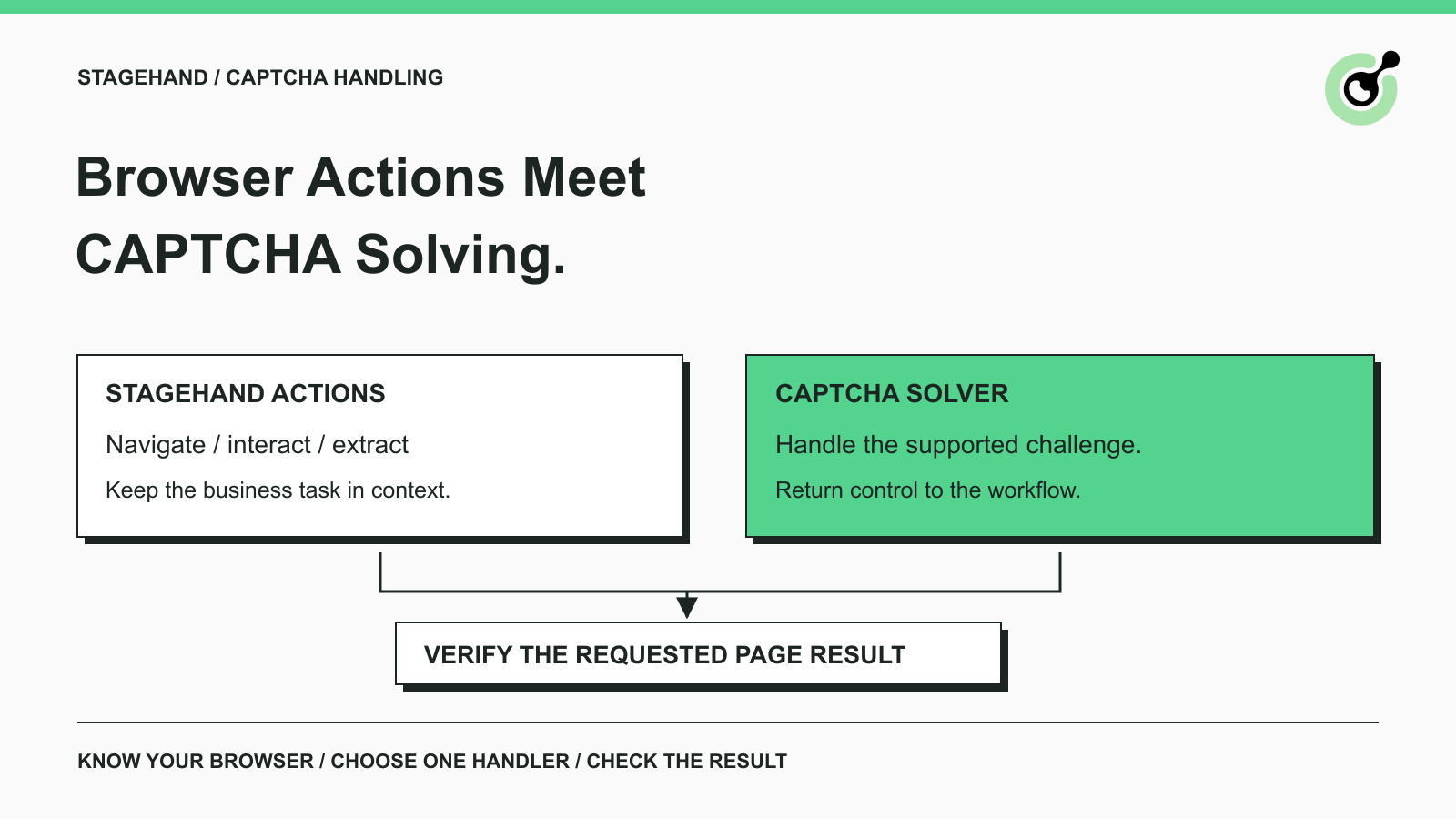
An AI agent can find a search field, enter a query, and select a result while still needing help at a CAPTCHA checkpoint. Improving the instruction to “finish the search” does not define how that checkpoint should be handled.
For teams considering CapSolver alongside Stagehand, the first decision is where CAPTCHA solving belongs. This guide compares the responsibilities and deployment choices. It is a selection guide, not a claim that a particular Stagehand-to-CapSolver adapter has been installed and tested.
Stagehand provides browser automation primitives that let an application describe interactions and extract page data.
The official Stagehand act documentation describes page interaction, while the extract documentation describes retrieving structured information. These are useful building blocks for tasks such as reading an approved product catalog or checking information in an owned application.
A typical task has an understandable business objective: open a product page and return the specified model's availability. CAPTCHA handling is a possible interruption inside that task. It should not replace the task's objective.
This distinction matters in AI web scraping. An agent can successfully extract text from the wrong page. If a verification screen is visible instead of a product listing, producing a well-shaped answer does not establish that the requested data was retrieved.
The application must therefore identify both the page state and the result it needs. “The tool returned” and “the correct product was read” are different claims.
Browser actions own navigation and interaction, while a CAPTCHA solver owns the supported challenge operation assigned to it.
| Responsibility | Browser action layer | CAPTCHA solving layer |
|---|---|---|
| Open the requested page | Navigates within the allowed task | Does not replace navigation |
| Select the intended form or record | Uses the current page context | Needs the correct challenge context |
| Handle a supported CAPTCHA | Pauses or delegates according to the workflow | Produces or applies the documented solution |
| Resume the business task | Continues after the checkpoint is resolved | Does not decide the business outcome |
| Confirm the requested result | Checks the correct page and data | Solver completion alone is insufficient |
These roles can be packaged together by a browser provider. They can also be implemented separately. Packaging changes who maintains the connection, but it does not remove the distinction between a challenge result and the requested business result.
For example, a catalog agent should return the availability of the selected model. A solver result cannot tell the application that the model, country, or variant was correct. Those checks belong to the task itself.
Avoid giving both layers uncontrolled authority to keep trying. A page action that keeps clicking while another component processes a challenge makes the workflow difficult to diagnose. Define which component is responsible during that interval.
The browser environment determines which CAPTCHA capabilities are already available and which ones your application must supply.
Stagehand's current browser configuration documentation describes managed Browserbase browsers, local browsers, and connections to an existing Chromium browser over CDP. The practical starting point is to identify which environment your actual run uses.
Do not infer the environment from the framework name. A development machine and a hosted deployment can use different browser services even when the business task looks the same.
Browserbase's CAPTCHA solving documentation says solving is enabled by default for its sessions and describes events for the start and end of the process. It also documents configuration to disable that behavior.
For a team already using this environment, inspect the session settings and documented solving behavior before adding a second provider. Establish whether the challenge is supported and whether the browser has already begun handling it.
A managed option is a reasonable first choice when its supported behavior meets your needs and you want fewer components to maintain. Evaluate it against the permitted pages you actually use. Do not assume that a feature description guarantees every challenge or every site's final acceptance.
A local browser does not acquire Browserbase's hosted capabilities merely because Stagehand controls it.
If your chosen browser environment does not provide the needed solving function, a separate integration may be appropriate. The application needs a way to identify the challenge, supply the documented inputs, receive the result, and apply it in the correct browser context.
That work should be treated as an integration project with a small acceptance test. Do not copy a hosted-session example into a local setup and assume the surrounding services exist there.
For an existing remote browser, also establish who controls the connection and browser lifetime. A solving operation attached to a different tab or abandoned session will not prove that the agent's current task can continue.
CapSolver can provide the supported CAPTCHA service behind a deliberately designed browser integration.
The CapSolver automation integration overview describes API and extension approaches for browser automation. An API approach gives application code responsibility for the documented request and result handling. An extension approach depends on an appropriate browser environment and its extension support.
Choose based on the browser you run, the challenge type, and the control you need. A product being usable in browser automation is not evidence of a native Stagehand plugin or a universal one-line setup.
The CapSolver Core SDK offers Python methods for detection, parameter reading, token solving, and browser fill-back. Its documented token-mode coverage includes reCAPTCHA v2/v3 and Turnstile; it does not click image grids or drag sliders. That scope matters when deciding whether a particular component fits your challenge.
The same documentation describes browser methods in terms of a Playwright page. Do not assume that any object named “page” in another framework is interchangeable. If your design crosses SDKs or languages, prove that the proposed connection works before presenting it as an operational integration.
A useful evaluation can still start without a large build: document the exact browser, the supported challenge, the selected CapSolver path, and the final page condition. Then test the smallest complete path in an owned or explicitly approved environment.
Redeem Your CapSolver Bonus Code
Boost your automation budget instantly!
Use bonus code CAP26 when topping up your CapSolver account to get an extra 5% bonus on every recharge — with no limits.
Redeem it now in your CapSolver Dashboard
A challenge should trigger a controlled handoff with a clear return condition.
Consider a hypothetical distributor catalog workflow. The agent must open an approved product page and report the availability of a particular part. The following sequence is a proposed design, not a record of a deployed customer integration:
This sequence leaves two useful checks after the solver: has the page moved into the expected state, and does the data belong to the requested item?
Keep the agent's instruction focused on those observable outcomes. A broad instruction to “keep trying until successful” gives no useful limit and no reliable definition of completion.
For the wider interruption pattern, the guide to why AI agent tasks get stuck on CAPTCHAs explains why repeated navigation and solving can form a loop. In a Stagehand design, the corresponding question is which component may act next and what evidence permits it to continue.
Compare the full workflow cost and integration effort, rather than treating a single solver request as the whole task.
A hosted option may reduce the number of connections your team maintains. A separate solver can provide direct control over service calls, task diagnostics, and provider choice. Neither is automatically cheaper for your workload.
Evaluate the practical costs you can observe: browser runtime, model calls, solver usage, unsuccessful attempts, and engineer time spent diagnosing failures. Do not count a challenge solved on an unusable page as a successful business result.
Also consider change ownership. When a challenge stops working, can your team identify whether the cause is browser configuration, a request field, a service failure, or application validation? An approach that exposes the necessary evidence may be easier to maintain than one selected solely for a short setup example.
Use a representative, permitted pilot rather than a performance claim from an unrelated site. Keep the browser task, expected output, and acceptance conditions consistent while evaluating alternatives.
Choose the approach that fits your existing browser environment and can demonstrate the required page outcome with the least unnecessary integration work.
Start with the managed browser's supported handling when it is already available and satisfies the task. Consider a separate CapSolver integration when you need a supported CAPTCHA capability or service control that your current environment does not provide.
Before accepting either approach, answer four practical questions:
A pilot should include a normal page, a supported challenge, and an unresolved challenge. The unresolved case is valuable: it shows whether the agent reports a useful limitation or fabricates success.
Avoid enabling multiple solving paths for the same challenge without explicit coordination. If you later introduce a fallback, define the transition and verify that the first attempt has ended before the next component takes over.
Stagehand gives an agent ways to interact with pages; CAPTCHA solving needs its own supported path and a clear place in the workflow. The browser environment determines how much of that path already exists.
Evaluate CapSolver against a specific, authorized browser task. Keep the integration small enough to verify, and accept it only when the agent reaches the correct page and returns the requested result.
Q: Does Stagehand automatically solve every CAPTCHA?
No universal guarantee follows from using Stagehand. CAPTCHA handling depends on the browser environment, its configuration, and supported challenges. Browserbase documents automatic solving for its sessions; local browsers need their own suitable path.
Q: Can I solve a CAPTCHA by changing the Stagehand prompt?
A prompt can tell the agent when to pause and which result to check, but it does not create a supported CAPTCHA solving service. The workflow still needs the appropriate browser capability or integration.
Q: Is the CapSolver Core SDK a native Stagehand plugin?
The cited Core SDK documentation describes a Python SDK and Playwright-based browser methods. It does not establish a native Stagehand plugin. Any proposed connection should be verified against the exact runtimes and interfaces involved.
Q: Should I enable a managed solver and CapSolver at the same time?
Give each challenge one active handling path. Running both without coordination can make ownership and failure diagnosis unclear. Evaluate a second provider through a deliberate handoff rather than simultaneous attempts.
Q: What proves that CAPTCHA handling worked for my agent?
The solving step must finish appropriately, and the application must then reach the intended page state and return the correct task result. A token, tool response, or provider event alone is not enough.
Khadija Santos
AI Agent & MCP Engineer
Develops and maintains CapSolver’s MCP tooling, from implementation and package releases to AI agent integrations.
ABOUT THE AUTHOR
Understand CAPTCHA MCP proxy support across the client connection, browser, and solver task, including the limits of current CapSolver MCP tools.
Keep CAPTCHA pages out of AI agent research by checking source content, using a solver when appropriate, and verifying evidence before summaries and citations.