
🎉NEWCapSolver for AI agents-MCP, agent tools, and SDK integrations

Emma Foster
Machine Learning Engineer
Published Sep 24, 2026
Updated Sep 24, 2026 · min read
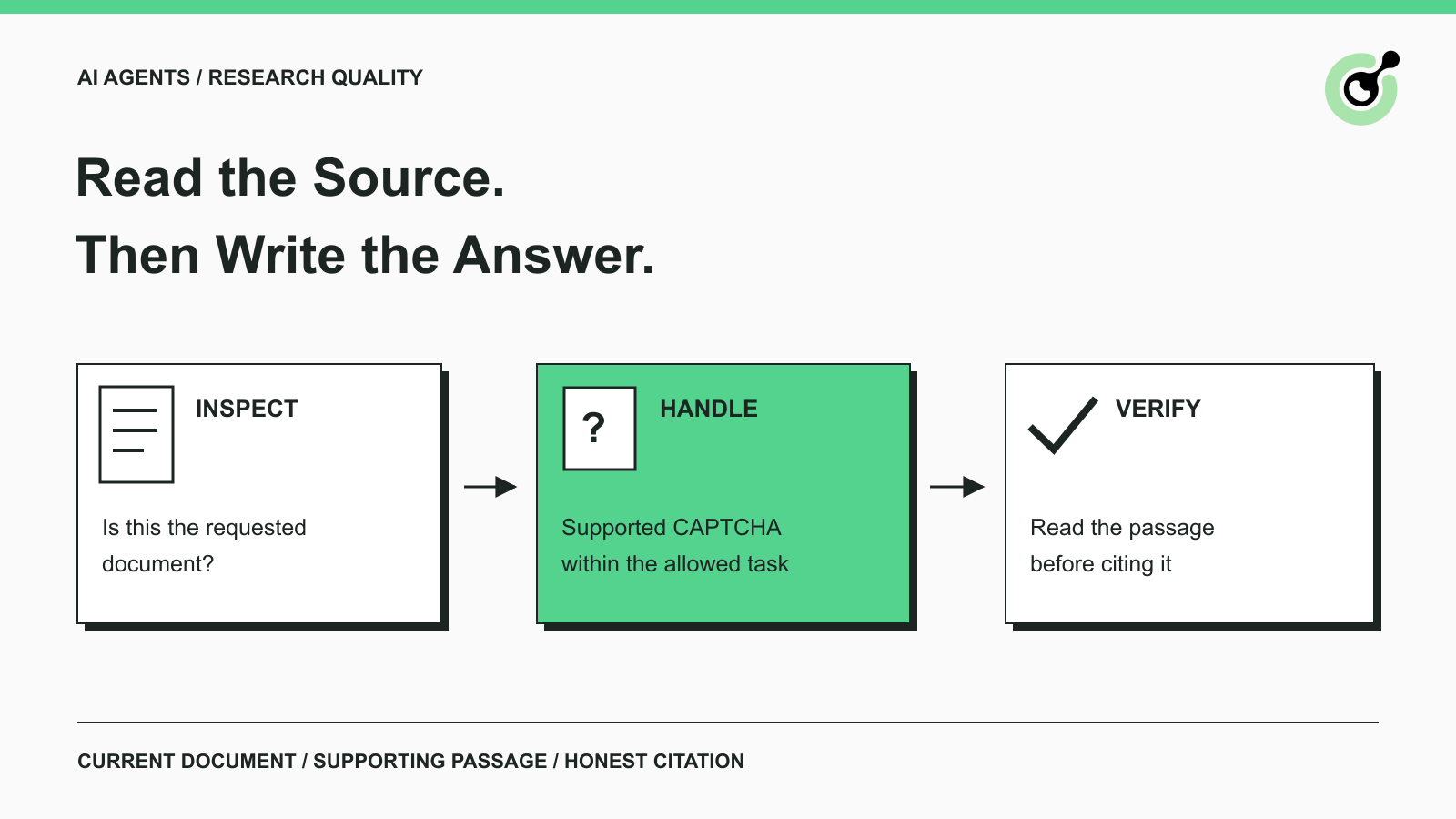
A research run becomes unreliable when the agent treats a retrieved page as evidence without checking what the page contains. CAPTCHA handling belongs inside that content-checking process.
Imagine an agent comparing suppliers' published product specifications. It opens several documents, extracts tables, and prepares a concise comparison. One source presents a verification page instead of the specification. If the agent continues using only the URL, a search snippet, or an earlier summary, the final report can look complete while one of its claims has no supporting passage.
CapSolver can handle supported CAPTCHA steps in permitted browsing workflows. The research application still needs to confirm that the source became available afterward. This guide focuses on that boundary: which content reaches the agent's notes, what makes a citation usable, and how to report a source that could not be verified.
A source check should establish that the response contains the expected document and the information required for the research question.
An HTTP 200 response describes the outcome of an HTTP request. Your research task has an additional requirement: the returned content must actually support the intended analysis. Treat HTTP status as one diagnostic signal rather than the complete acceptance rule.
Start with simple checks. Does the page title identify the expected product or report? Is the relevant table, section, or passage visible? Did navigation end at the intended source, or at an unrelated home page? If the task concerns a recent release, does the document identify the relevant version or date?
These checks are especially useful when the site renders a page shell before its content loads. A navigation can finish while the table remains absent. The agent should wait for the required content according to the browser workflow's bounded loading rules, then mark the source unavailable if the evidence still cannot be read.
For Cloudflare Challenge Pages, Cloudflare documents the cf-mitigated: challenge response header and an HTML content type. That is a provider-specific signal, not a universal CAPTCHA detector.
A login screen, missing page, unsupported document format, and application error need different handling. Sending all of them to a solver wastes effort and can obscure the actual source problem. Use the observed page and supported detection tools to identify the challenge before selecting a task.
CapSolver's Core SDK documentation separates detection, parameter reading, solving, and browser fill-back. That separation helps the application decide which stage failed without describing a failed research source as a generic model error.
A clear source status keeps missing evidence from being silently converted into an answer. The labels can be simple and do not need a complicated agent architecture.
| Research status | What the application knows | What the writer may do |
|---|---|---|
| Content verified | The relevant source passage was read and retained | Use it for claims that the passage supports |
| Challenge pending | A supported CAPTCHA interrupts the permitted source workflow | Pause extraction while the challenge step is handled |
| Content incomplete | The source opened, but the required section is missing or unreadable | Report the gap or perform a bounded content-loading check |
| Source unavailable | The workflow ended without usable source content | Exclude it as evidence and disclose the limitation where relevant |
| Alternative verified | Another suitable source supports the claim | Cite that source and explain any meaningful difference in scope |
These are suggested application labels, not CapSolver response fields. Keep them in the research system's own records. A solver task may be complete while the source status remains incomplete.
That distinction is part of data quality: the collected material must fit the question it is intended to answer. An empty pricing table should not become a zero price. A missing feature list should not become a claim that the feature is unsupported. An unreadable release note should not become evidence that no release occurred.
Give the summarizing agent the status together with the permitted content. Otherwise a later agent may receive a blank string and attempt to infer why the page was empty, losing the more useful diagnosis already made by the browser worker.
The solver belongs after a supported challenge has been identified and before the application accepts the source content for research.
Begin with the user's permitted source and task. Retain the requested document URL and the question the document is supposed to answer. If an official feed, downloadable report, or approved API already provides the needed material, use that available route directly.
When the browser encounters a supported CAPTCHA, collect the required parameters from the current page and use the documented task. The browser should remain associated with that source while the challenge is handled. Do not let a later navigation turn an earlier result into apparent evidence for a different document.
CapSolver Core's documented token-based browser flow covers reCAPTCHA v2/v3 and Turnstile; its documentation explicitly distinguishes this from clicking image grids or dragging sliders. Match the tool to the challenge rather than assuming a general browser agent can process every CAPTCHA style through the same method.
After the permitted solver step, reread the page. Confirm the relevant passage or table, extract the needed material, and attach it to the source record. If the page is still blocked or the expected content is absent, preserve that outcome and stop according to the run's limits.
For broader responsibility boundaries, the guide to CAPTCHA-solving infrastructure for AI agents provides related context. A small research assistant can apply the same basic distinction without building a separate service for every step.
Redeem Your CapSolver Bonus Code
Boost your automation budget instantly!
Use bonus code CAP26 when topping up your CapSolver account to get an extra 5% bonus on every recharge — with no limits.
Redeem it now in your CapSolver Dashboard
An evidence record should let a reviewer understand what was read and why it supports the reported claim.
Retain the requested URL and final URL, the document title, the relevant passage or table location, and the observation time. Where visible, include the document's publication date or version. A source link alone cannot tell a reviewer whether the agent read the current document or only remembered an older one.
Keep the passage narrow enough to connect it to a claim. If a supplier document lists a regional availability restriction, retain that restriction alongside the product fact. A summary that drops the qualifier can be wrong even when the page was fetched successfully.
Treat source text as information to inspect. OWASP's prompt-injection guidance describes the risks of letting untrusted content alter an application's instructions. A page that asks the agent to reveal credentials, change its task, or visit unrelated destinations should not acquire authority merely because it appeared during research.
CAPTCHA screenshots and solver responses are operational records, not source material for a product comparison. Keep them separate from research notes. Store only the diagnostic information needed to investigate a failure, and exclude API keys, response tokens, and session cookies from the report.
A document can be genuine and still fail to support the sentence the agent writes. Before accepting a citation, compare the claim with the actual passage. Does the passage discuss the same product, region, time period, and feature? Is the claim a direct statement, or an inference that should be labeled?
This review can remain lightweight. A short product comparison might need one specific passage per important feature claim. A longer market report may need several sources and an explanation of disagreements. The amount of checking should follow the consequence of the claim, not the number of URLs visited.
These hypothetical situations show how CAPTCHA handling affects the final research output. They are workflow examples, not customer case studies or measured performance results.
An agent reads permitted public specification sheets to compare dimensions and supported interfaces. One sheet is unavailable behind a challenge. After a supported solve, the agent must still find the correct product version and the relevant rows.
If the rows remain unavailable, the comparison should show that the specification was not verified. A reseller's description may be an alternative source, but it should be identified as such rather than attributed to the manufacturer.
An agent checks a publisher's release notes for changes affecting a team's workflow. The browser reaches the site, but a verification screen prevents access to the release body. The agent should not build a summary from the page's title alone.
If permitted handling makes the notes readable, retain the version and actual change descriptions. If it does not, report that the release text could not be verified. An old documentation page may provide background, but it is not evidence of what changed in the new release.
An agent compares a current policy or technical documentation page with a previous saved version. A challenge page appears during the current run. Comparing that page directly with the prior document would produce a meaningless change alert.
Keep the last verified document as a historical observation and mark the current check incomplete. Do not overwrite it with the challenge text or refresh its timestamp as though the source had been checked successfully. Once current content is available, compare the two actual documents.
An incomplete research run can still produce a useful report if the missing evidence is visible and the remaining claims are supported.
At the end of the run, distinguish verified findings from unresolved questions. Explain which requested source could not be checked and whether a different source was used. Do not label a document unavailable to everyone merely because one automated attempt failed.
Avoid repeatedly switching tools without a reasoned limit. A small source gap may justify a manual review or a later permitted attempt; it does not justify indefinite solver calls. The appropriate next step depends on the importance of the missing claim and the user's deadline.
For recurring research, measure how many required claims have usable evidence, not simply how many pages were visited. Record CAPTCHA-related gaps separately from extraction errors so the team can improve the right part of the workflow.
Keep page inspection, supported CAPTCHA handling, content extraction, and evidence review connected to the same research question. Each stage should leave a clear result for the next stage.
CapSolver can support the CAPTCHA step in authorized research browsing. The final source check remains essential: only material the agent actually obtained and verified should support its summary and citations.
Q: Can an AI agent cite a page that still shows a CAPTCHA?
It should not cite that page as evidence for unread content. The report can identify the source as unavailable, but a factual claim needs a passage that was actually obtained or a separately verified alternative.
Q: Does a successful solver result mean research can continue immediately?
The application should inspect the page again first. Confirm that the expected document and relevant section are available before admitting the content into research notes.
Q: Is a search snippet enough when the full page cannot be opened?
A snippet may help locate a source, but it should not be silently treated as the full document. If the task requires details or current evidence, obtain an appropriate source or disclose the limitation.
Q: Should challenge pages be stored in a knowledge base?
Keep them out of the normal evidence collection. If operational diagnostics require a record, store a limited, redacted entry separately so later retrieval does not confuse it with source content.
Q: Does this require a particular agent framework?
No. These source checks can be applied to any research workflow with a browser or retrieval tool. The exact CAPTCHA integration must follow the supported tools and documentation for that environment.
Emma Foster
Machine Learning Engineer
Where machine learning meets practical AI tooling.
ABOUT THE AUTHOR
Understand CAPTCHA MCP proxy support across the client connection, browser, and solver task, including the limits of current CapSolver MCP tools.

Understand Stagehand CAPTCHA handling, compare browser actions with solver services, and choose a clear approach for local browsers or hosted sessions.

