🎉NEWCapSolver for AI agents-MCP, agent tools, and SDK integrations

Ethan Collins
AI Agent Workflow Engineer
Published Apr 29, 2026
Updated Apr 29, 2026 · min read
Websites protected by Cloudflare frequently display verification pages that interrupt the browsing experience. These security checks, known as Cloudflare Challenges, serve as a frontline defense against automated threats. If you have ever encountered a page stating "Verifying you are human" or a five-second waiting screen, you have experienced a Cloudflare Challenge firsthand.
This article explains what a Cloudflare Challenge is, how the underlying detection technology functions, and why these challenges appear during normal browsing. The goal is to help readers understand the mechanics behind website security without promoting harmful practices. Developers working on legitimate automation projects will find guidance on how to handle challenges through proper channels.
Understanding Cloudflare Challenge mechanisms benefits website administrators, security professionals, and anyone curious about modern web protection systems. The information provided here focuses on educational content and ethical approaches to web security. Research from SecurityWeek highlights the importance of understanding these systems to recognize social engineering attempts that exploit user familiarity with verification pages.
A Cloudflare Challenge is a security verification mechanism that Cloudflare deploys when its systems detect potential threats to a protected website. Unlike traditional CAPTCHAs that require manual image selection, Cloudflare Challenges can operate automatically through JavaScript execution and behavioral analysis. For developers working with these challenges programmatically, understanding the underlying mechanism helps when integrating automated solutions into legitimate projects.
When Cloudflare identifies traffic that appears automated or malicious, it interrupts the request flow by presenting a challenge page. The visitor must successfully complete the verification before gaining access to the requested content. This process protects websites from scraping, credential stuffing, DDoS attacks, and other automated threats. Understanding these protection mechanisms is essential for anyone exploring CAPTCHA solutions in legitimate automation contexts.
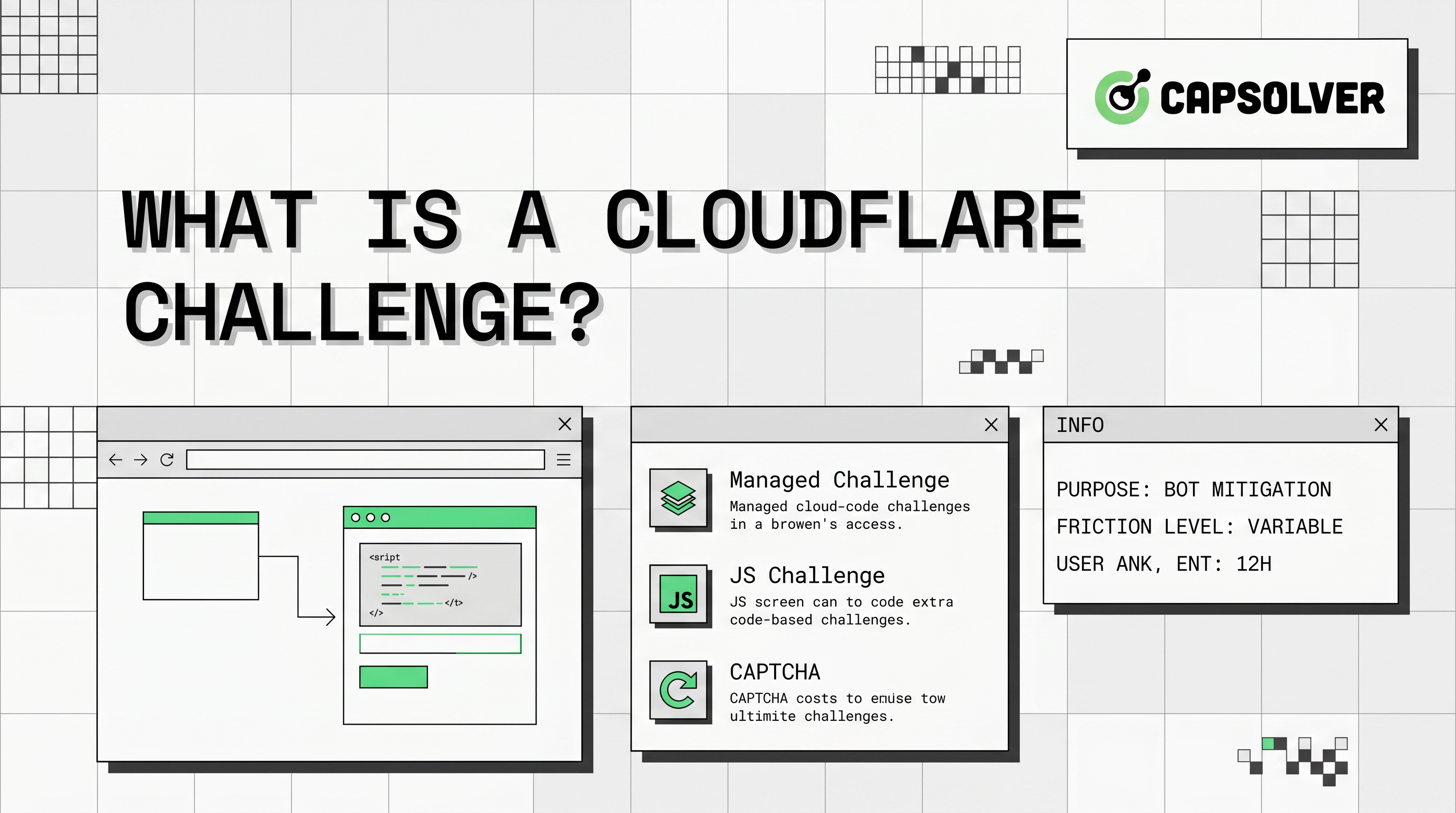
Cloudflare Challenge pages come in several forms. Some require a brief waiting period during which the system analyzes browser characteristics. Others present interactive elements that human users can complete easily but automated scripts struggle to process. The specific challenge type depends on the threat level assessed by Cloudflare's detection systems.
The challenge mechanism operates at the network edge, meaning Cloudflare evaluates traffic before it reaches the origin server. This approach reduces server load and provides faster threat response compared to traditional security measures that process requests after they pass through. For developers encountering these challenges in web scraping projects, understanding the detection logic helps plan appropriate handling strategies.
Cloudflare deploys different challenge types based on the specific security configuration and detected threat level. Understanding these variations helps website owners configure appropriate protections and helps visitors understand what they are experiencing.
The JavaScript Challenge represents the most basic form of Cloudflare verification. When triggered, this challenge executes lightweight JavaScript code in the visitor's browser to evaluate characteristics that automated requests typically cannot replicate.
The JS Challenge works by checking browser-specific behaviors and capabilities. Legitimate browsers execute JavaScript and expose standard DOM properties, while bots and scrapers often lack these capabilities or exhibit telltale signs of automation. The challenge runs silently for approximately five seconds, analyzing browser fingerprints without requiring user interaction.
This challenge type is effective against simple automated tools that lack proper browser emulation. However, sophisticated automation frameworks can simulate browser environments to pass these checks, which is why Cloudflare combines JS Challenge with additional detection layers.
Managed Challenge represents Cloudflare's more advanced verification approach. This challenge type combines multiple detection signals to assess visitor legitimacy before presenting any interactive elements.
When a visitor triggers a Managed Challenge, Cloudflare evaluates traffic against several engines. The Heuristics engine checks requests against known malicious fingerprint patterns. The JavaScript Detections engine performs additional browser analysis. The Machine Learning engine assigns a bot score from 1 to 99 based on request characteristics and behavioral patterns.
Only visitors whose traffic falls below the acceptable threshold receive interactive challenges. This approach means many legitimate users pass through without seeing any verification page, while suspicious traffic faces stricter scrutiny. Website administrators can adjust sensitivity levels through Cloudflare's dashboard to balance security and user experience.
Cloudflare Turnstile offers a privacy-focused alternative to traditional CAPTCHAs. Rather than displaying intrusive verification pages, Turnstile embeds as an invisible widget within website forms and interactive elements. This modern approach to verification provides security while maintaining user experience.
Turnstile performs verification through JavaScript-based analysis that runs automatically when visitors interact with protected page elements. The system evaluates browser characteristics, behavioral signals, and network patterns to determine visitor legitimacy without requiring manual intervention in most cases.
Website owners implement Turnstile by adding a simple widget to their forms. Visitors see a small verification indicator that processes automatically in the background. This approach provides security while minimizing friction for legitimate users, making it popular for login forms, comment sections, and registration pages.
Cloudflare employs a multi-layered detection system to identify automated traffic before presenting challenges. Understanding these mechanisms helps explain why challenges appear and how the system distinguishes between human visitors and bots.
Cloudflare's protection system relies on four primary detection engines that analyze traffic from different angles. Each engine contributes unique insights to the overall threat assessment, creating a comprehensive security posture. According to Cloudflare's official documentation, these engines work together to provide comprehensive bot management capabilities.
The Heuristics engine evaluates all requests against a database of known malicious fingerprints. This engine checks for patterns associated with known attack tools, suspicious header configurations, and other indicators of automated traffic. Requests matching these patterns receive immediate scrutiny or blocking.
The JavaScript Detections engine injects lightweight JavaScript into responses to gather additional browser information. This code runs silently in the visitor's browser, collecting data about browser capabilities, rendering behaviors, and environmental characteristics. The engine honors strict privacy standards and does not collect personally identifiable information.
The Machine Learning engine represents Cloudflare's most sophisticated detection capability. This engine uses supervised learning models trained on anonymized traffic data from billions of daily requests. It evaluates hundreds of request features to predict the probability that a visitor is human, assigning a bot score between 1 and 99.
The Anomaly Detection engine provides optional protection using unsupervised learning. This engine identifies requests that deviate significantly from normal traffic patterns for a given domain. While useful for detecting novel threats, this engine may generate false positives for domains with highly variable traffic patterns.
Cloudflare's machine learning system assigns each request a bot score ranging from 1 to 99. Lower scores indicate higher confidence that the traffic originates from automated sources, while higher scores suggest legitimate human visitors.
Requests with scores below 30 typically trigger immediate challenge or block actions. Scores between 30 and 70 may result in additional verification depending on website security settings. Scores above 70 generally receive unrestricted access without any verification prompts.
Website administrators can configure how Cloudflare responds to different score thresholds. This flexibility allows sites with varying security requirements to implement appropriate protection levels. E-commerce sites handling sensitive transactions might use stricter thresholds, while content-focused sites might prioritize user experience with more lenient settings.
Several common conditions trigger Cloudflare Challenges. Bot Fight Mode, available in Cloudflare's free plan, automatically challenges visitors identified as likely bots. This setting provides basic protection but cannot be solved through custom firewall rules.
Super Bot Fight Mode, available on paid plans, offers more granular control over bot management. Administrators can configure specific responses for different bot categories, including allowing, blocking, or challenging automated traffic. This mode can be solved using custom WAF rules for specific IP addresses.
Custom firewall rules can also trigger challenges based on specific conditions. Rules checking for particular IP ranges, user agents, geographic locations, or request patterns can invoke challenge responses. Website owners should carefully design firewall rules to avoid blocking legitimate traffic while still catching threats.
| Challenge Type | User Interaction | Detection Method | Use Case |
|---|---|---|---|
| JS Challenge | Minimal (5-second wait) | JavaScript fingerprinting | Basic bot protection |
| Managed Challenge | Variable (may include CAPTCHA) | Multi-engine analysis | High-security sites |
| Turnstile | None (invisible) | Behavioral analysis | Form protection, privacy-focused |
Understanding why challenges appear helps visitors and administrators address the root causes rather than viewing challenges as random occurrences.
Visitors encounter challenges most frequently when accessing sites from IP addresses associated with VPN services, data centers, or previously flagged networks. Cloudflare's threat intelligence includes reputation data for millions of IP addresses, and traffic from suspicious sources receives additional scrutiny.
Rapid page requests or unusual browsing patterns can also trigger challenges. Human visitors typically navigate websites at a natural pace, while automated tools often request pages much faster than normal. When request rates exceed human capabilities, Cloudflare may present verification challenges.
Browser configuration differences sometimes cause challenges for legitimate users. Visitors using older browser versions, unusual browser configurations, or privacy-focused browser settings may trigger detection systems that flag their traffic as potentially automated. Cloudflare officially supports Chrome, Firefox, Safari, and Edge on desktop and mobile platforms.
Network-level factors also influence challenge frequency. Corporate networks, shared hosting environments, and mobile networks may have IP addresses that share reputation with other users. When one user on a shared IP engages in suspicious activity, other users on the same IP may receive challenges until the reputation recovers.
Legitimate users facing frequent challenges can try several troubleshooting approaches. First, ensure the browser is updated to the latest version. Cloudflare challenges work correctly with current versions of major browsers but may fail with outdated software.
Disabling browser extensions, particularly ad blockers or privacy tools, can resolve challenges in some cases. These extensions sometimes modify browser behavior in ways that trigger detection systems. Testing with extensions disabled helps identify whether the extension is causing the issue.
Clearing browser cookies and cache may help if the challenge relates to previous suspicious activity on the same network. Cloudflare tracks visitor reputation partly through cookies, and clearing these may reset the reputation assessment.
If challenges persist, contacting the website administrator may help. Administrators can review Cloudflare Security Events logs to identify why specific visitors receive challenges and adjust settings if the challenges represent false positives.
Redeem Your CapSolver Bonus Code
Boost your automation budget instantly!
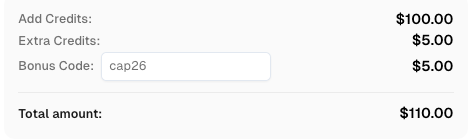
Use bonus code CAP26 when topping up your CapSolver account to get an extra 5% bonus on every recharge — with no limits.
Redeem it now in your CapSolver Dashboard
Developers working on web automation, testing, or data collection projects often encounter Cloudflare Challenges. Ethical automation requires respecting website protections while finding legitimate solutions for authorized projects.
Legitimate automation projects should always respect website terms of service and robots.txt directives. Before attempting any automated access, review the target website's policies regarding automated traffic. Many sites explicitly prohibit scraping in their terms of service.
For authorized projects, consider using official APIs when available. Many websites offer API access with proper authentication, providing structured data access without triggering challenge systems. Official APIs represent the preferred approach for data collection whenever available.
When official APIs are not available and automation is authorized, developers should implement proper request handling. This includes using residential proxies with good IP reputation, implementing realistic request delays, and properly rotating user agents. These practices reduce the likelihood of triggering challenge systems.
For developers requiring automated challenge resolution, several services provide legitimate solutions. These services use legal methods to help authorized projects handle verification challenges while respecting website security.
CapSolver provides an AI-powered solution for handling various challenge types including Cloudflare Challenges. The service offers API-based integration that allows developers to retrieve challenge solutions programmatically. This approach helps legitimate automation projects maintain productivity while respecting website security measures.
Developers integrating challenge-solving services should ensure their projects comply with applicable laws and target website terms of service. Using such services for unauthorized scraping or prohibited activities remains illegal regardless of the technical solution employed.
Cloudflare Challenges represent an essential layer of modern web security, protecting websites from automated threats while maintaining reasonable access for legitimate visitors. The system employs sophisticated detection engines including JavaScript analysis, machine learning, and behavioral evaluation to identify suspicious traffic patterns.
Understanding how Cloudflare Challenge mechanisms work helps both visitors and developers navigate these security measures effectively. Most legitimate users encounter challenges only occasionally and can resolve them through simple troubleshooting steps. Website administrators benefit from understanding trigger conditions to configure appropriate security settings.
For developers working on authorized automation projects, legitimate solutions exist that help handle challenges while respecting website security. Services like CapSolver provide tools for managing verification requirements through proper channels, enabling productivity for legitimate use cases while maintaining the integrity of web security systems.
The key takeaway is that Cloudflare Challenges exist to protect the web ecosystem from abuse. Whether you are a website owner configuring security settings or a developer building authorized automation tools, understanding these mechanisms helps you work effectively within the security framework rather than against it.
Frequent challenges typically indicate that your network IP address has a poor reputation. This can happen if you use a VPN, live in a shared network environment, or if your previous browsing triggered security systems. Try disabling VPN services, switching networks, or contacting your ISP about IP reputation issues.
Website owners can lower security settings to reduce challenge frequency, but completely disabling challenges weakens security against automated threats. Most sites maintain at least basic protection to prevent abuse. Finding the right balance between security and user experience is a configuration decision each site owner makes.
Cloudflare Challenges include traditional CAPTCHA elements but also encompass automated verification methods that do not require user interaction. Turnstile, for example, performs verification invisibly without displaying CAPTCHA challenges. The term "challenge" refers to the broader verification system, not just interactive CAPTCHA tests.
Clearing cookies may help if your previous browsing activity created a negative reputation score. Cloudflare tracks visitor behavior through cookies, and clearing them resets this reputation assessment. However, if the underlying traffic patterns remain suspicious, challenges will likely reappear.
Most JS Challenges complete within 5 seconds as the system performs automated browser analysis. Interactive challenges requiring manual completion depend on user response time. Once passed, challenges typically do not reappear for the same browsing session unless new suspicious activity is detected. For comprehensive technical details, refer to the official Cloudflare documentation on challenges.
Ethan Collins
AI Agent Workflow Engineer
Building clearer handoffs between AI agents and tools.
ABOUT THE AUTHOR
Fix the AntiCloudflareTask dynamic DNS proxy error. Learn why a 10-minute sticky session can use different exit IPs and how to verify both request paths.

Diagnose Turnstile invisible mode problems by checking script loading, execution, token delivery, and validation before adding a solver to automation.