🎉全新面向 AI Agent 的 CapSolver-MCP、agent 工具和 SDK 集成

Emma Foster
Machine Learning Engineer
已发表 Jan 19, 2026
已更新 Jan 21, 2026 · 最小阅读量
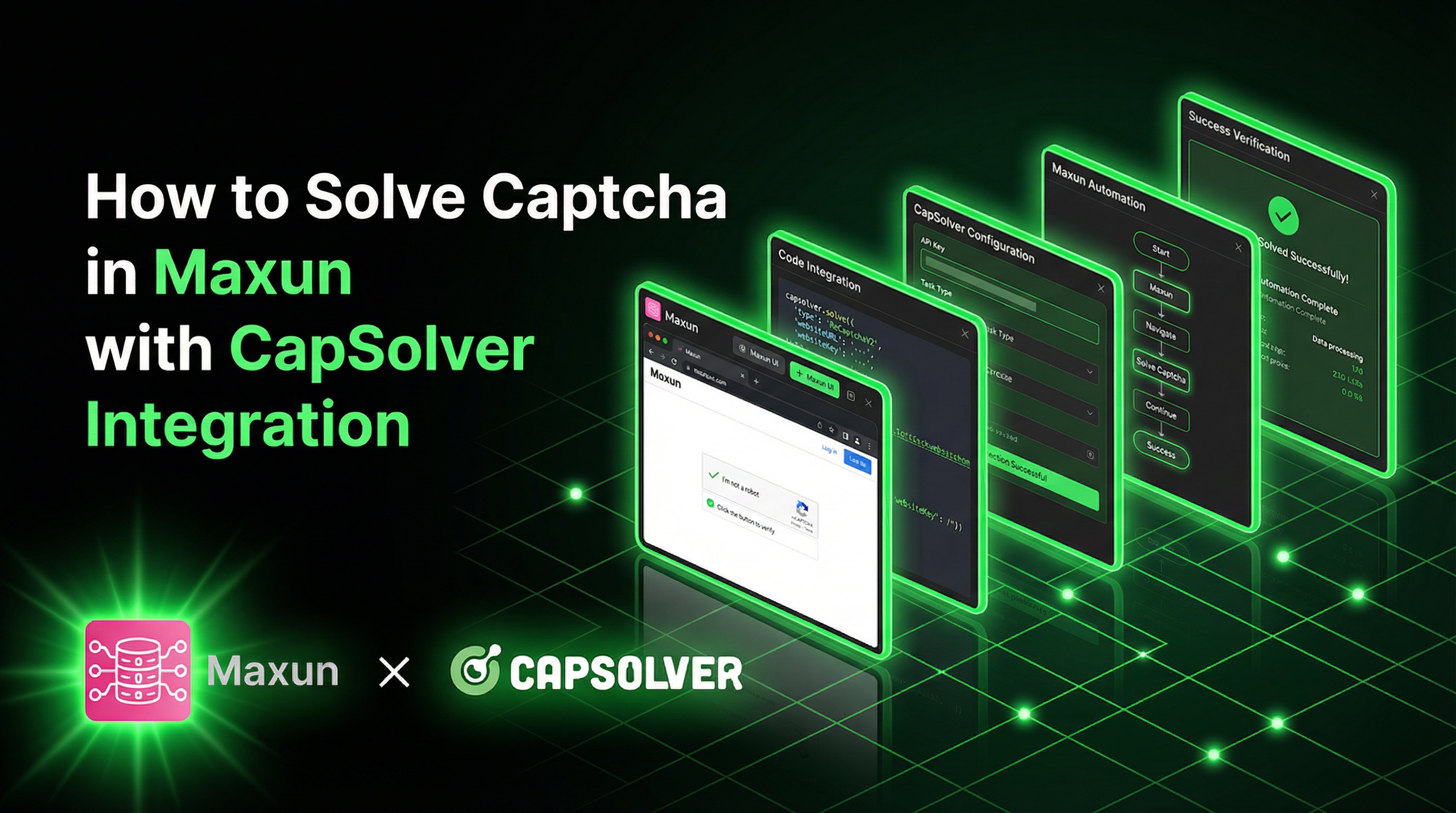
在网页数据提取领域,Maxun 正因其开源、无代码的平台特性而受到关注,它简化了团队从网页中收集数据的方式。其基于机器人的工作流和 SDK 使得开发者和非技术人员都能在无需大量工程努力的情况下构建和维护爬虫管道。
然而,许多现实中的网站都受到 CAPTCHA 的保护,这通常会成为数据提取的主要瓶颈。CapSolver 在基础设施层面有效处理这些挑战,与 Maxun 协同工作。通过集成 CapSolver,Maxun 机器人可以更可靠地在受 CAPTCHA 保护的页面上继续运行,结合了易用性与实用的、可投入生产的爬虫能力。
Maxun 是一个开源的、无代码的网页数据提取平台,允许用户通过训练机器人来爬取网站而无需编写代码。它提供了一个可视化机器人构建器、一个强大的 SDK 用于程序化控制,并支持云部署和自托管部署。
| 类 | 描述 |
|---|---|
| Extract | 使用 LLM 或 CSS 选择器构建结构化数据提取工作流 |
| Scrape | 将网页转换为干净的 Markdown、HTML 或截图 |
| Crawl | 自动发现并爬取多个页面,使用站点地图和链接 |
| Search | 执行网页搜索并从结果中提取内容(DuckDuckGo) |
Maxun 桥接了无代码的简洁性和开发者的灵活性:
CapSolver 是一个领先的 CAPTCHA 求解服务,提供人工智能驱动的解决方案来绕过各种 CAPTCHA 挑战。凭借对多种 CAPTCHA 类型的支持和闪电般的响应速度,CapSolver 可无缝集成到自动化工作流中。
CapSolver 帮助自动化工作流处理在网页爬取和浏览器自动化过程中常见的主流 CAPTCHA 和验证挑战,包括:
在构建与受保护网站交互的 Maxun 机器人时(无论是用于数据提取、价格监控 还是市场研究),CAPTCHA 挑战会成为主要障碍。以下是集成的重要性:

# 安装 Maxun SDK
npm install maxun-sdk

# 安装额外的 CapSolver 集成依赖
npm install axios# 克隆 Maxun 仓库
git clone https://github.com/getmaxun/maxun.git
cd maxun
# 使用 Docker Compose 启动
docker-compose up -d创建一个 .env 文件并配置:
CAPSOLVER_API_KEY=your_capsolver_api_key
MAXUN_API_KEY=your_maxun_api_key

# 对于 Maxun 云 (app.maxun.dev)
MAXUN_BASE_URL=https://app.maxun.dev/api/sdk

# 对于自托管 Maxun (默认)
# MAXUN_BASE_URL=http://localhost:8080/api/sdk注意:使用 Maxun 云时需要
baseUrl配置。自托管安装默认为http://localhost:8080/api/sdk。
以下是一个可重用的 TypeScript 服务,用于将 CapSolver 与 Maxun 集成:
import axios, { AxiosInstance } from 'axios';

interface TaskResult {
  gRecaptchaResponse?: string;
  token?: string;
  cookies?: Array<{ name: string; value: string }>;
  userAgent?: string;
}

interface CapSolverConfig {
  apiKey: string;
  timeout?: number;
  maxAttempts?: number;
}

class CapSolverService {
  private client: AxiosInstance;
  private apiKey: string;
  private maxAttempts: number;

  constructor(config: CapSolverConfig) {
    this.apiKey = config.apiKey;
    this.maxAttempts = config.maxAttempts || 60;

    this.client = axios.create({
      baseURL: 'https://api.capsolver.com',
      timeout: config.timeout || 30000,
      headers: { 'Content-Type': 'application/json' },
    });
  }

  private async createTask(taskData: Record<string, unknown>): Promise<string> {
    const response = await this.client.post('/createTask', {
      clientKey: this.apiKey,
      task: taskData,
    });

    if (response.data.errorId !== 0) {
      throw new Error(`CapSolver 错误: ${response.data.errorDescription}`);
    }

    return response.data.taskId;
  }

  private async getTaskResult(taskId: string): Promise<TaskResult> {
    for (let attempt = 0; attempt < this.maxAttempts; attempt++) {
      await this.delay(2000);

      const response = await this.client.post('/getTaskResult', {
        clientKey: this.apiKey,
        taskId,
      });

      const { status, solution, errorDescription } = response.data;

      if (status === 'ready') {
        return solution as TaskResult;
      }

      if (status === 'failed') {
        throw new Error(`任务失败: ${errorDescription}`);
      }
    }

    throw new Error('等待 CAPTCHA 解决超时');
  }

  private delay(ms: number): Promise<void> {
    return new Promise((resolve) => setTimeout(resolve, ms));
  }

  async solveReCaptchaV2(websiteUrl: string, websiteKey: string): Promise<string> {
    const taskId = await this.createTask({
      type: 'ReCaptchaV2TaskProxyLess',
      websiteURL: websiteUrl,
      websiteKey,
    });

    const solution = await this.getTaskResult(taskId);
    return solution.gRecaptchaResponse || '';
  }

  async solveReCaptchaV3(
    websiteUrl: string,
    websiteKey: string,
    pageAction: string = 'submit'
  ): Promise<string> {
    const taskId = await this.createTask({
      type: 'ReCaptchaV3TaskProxyLess',
      websiteURL: websiteUrl,
      websiteKey,
      pageAction,
    });

    const solution = await this.getTaskResult(taskId);
    return solution.gRecaptchaResponse || '';
  }

  async solveTurnstile(
    websiteUrl: string,
    websiteKey: string,
    action?: string,
    cdata?: string
  ): Promise<string> {
    const taskData: Record<string, unknown> = {
      type: 'AntiTurnstileTaskProxyLess',
      websiteURL: websiteUrl,
      websiteKey,
    };

    // 添加可选元数据
    if (action || cdata) {
      taskData.metadata = {};
      if (action) (taskData.metadata as Record<string, string>).action = action;
      if (cdata) (taskData.metadata as Record<string, string>).cdata = cdata;
    }

    const taskId = await this.createTask(taskData);
    const solution = await this.getTaskResult(taskId);
    return solution.token || '';
  }

  async checkBalance(): Promise<number> {
    const response = await this.client.post('/getBalance', {
      clientKey: this.apiKey,
    });

    return response.data.balance || 0;
  }
}

export { CapSolverService, CapSolverConfig, TaskResult };
★ 洞察 ─────────────────────────────────────
CapSolver 服务使用轮询模式(getTaskResult),因为 CAPTCHA 求解是异步的——API 接受任务,在其服务器上处理,并在准备就绪时返回结果。2 秒的轮询间隔在响应性和 API 速率限制之间取得了平衡。
─────────────────────────────────────────────────
由于 Maxun 的操作级别高于原始浏览器自动化,集成方法集中在机器人执行前或期间解决 CAPTCHA:
import { Extract } from 'maxun-sdk';
import { CapSolverService } from './capsolver-service';

const CAPSOLVER_API_KEY = process.env.CAPSOLVER_API_KEY!;
const MAXUN_API_KEY = process.env.MAXUN_API_KEY!;
const MAXUN_BASE_URL = process.env.MAXUN_BASE_URL || 'https://app.maxun.dev/api/sdk';

const capSolver = new CapSolverService({ apiKey: CAPSOLVER_API_KEY });
const extractor = new Extract({
  apiKey: MAXUN_API_KEY,
  baseUrl: MAXUN_BASE_URL,
});

async function extractWithRecaptchaV2() {
  const targetUrl = 'https://example.com/protected-page';
  const recaptchaSiteKey = '6LcxxxxxxxxxxxxxxxxxxxxxxxxxxxxxxxxxxxxABC';

  console.log('解决 reCAPTCHA v2...');

  // 首先解决 CAPTCHA
  const token = await capSolver.solveReCaptchaV2(targetUrl, recaptchaSiteKey);

  console.log('CAPTCHA 解决,创建提取机器人...');

  // 使用方法链创建机器人
  const robot = await extractor
    .create('产品提取器')
    .navigate(targetUrl)
    .type('#g-recaptcha-response', token)
    .click('button[type="submit"]')
    .wait(2000)
    .captureList({ selector: '.product-item' });

  // 运行机器人
  const result = await robot.run({ timeout: 30000 });

  console.log('提取完成:', result.data);
  return result.data;
}

extractWithRecaptchaV2().catch(console.error);import { Extract } from 'maxun-sdk';
import { CapSolverService } from './capsolver-service';
const CAPSOLVER_API_KEY = process.env.CAPSOLVER_API_KEY!;
const MAXUN_API_KEY = process.env.MAXUN_API_KEY!;
const MAXUN_BASE_URL = process.env.MAXUN_BASE_URL || 'https://app.maxun.dev/api/sdk';
const capSolver = new CapSolverService({ apiKey: CAPSOLVER_API_KEY });
const extractor = new Extract({
apiKey: MAXUN_API_KEY,
baseUrl: MAXUN_BASE_URL,
});
async function extractWithRecaptchaV3() {
const targetUrl = 'https://example.com/v3-protected';
const recaptchaSiteKey = '6LcxxxxxxxxxxxxxxxxxxxxxxxxxxxxxxxxxxxxDEF';
console.log('解决 reCAPTCHA v3,获取高分令牌...');
// 使用自定义页面操作解决
const token = await capSolver.solveReCaptchaV3(
targetUrl,
recaptchaSiteKey,
'submit' // 页面操作
);
console.log('获取高分令牌,创建机器人...');
// 使用方法链创建提取机器人
const robot = await extractor
.create('V3 受保护提取器')
.navigate(targetUrl)
.type('input[name="g-recaptcha-response"]', token)
.click('#submit-btn')
.wait(2000)
.captureText({ resultData: '.result-data' });
const result = await robot.run({ timeout: 30000 });
console.log('数据提取完成:', result.data);
return result.data;
}
extractWithRecaptchaV3().catch(console.error);import { Scrape } from 'maxun-sdk';
import { CapSolverService } from './capsolver-service';
const CAPSOLVER_API_KEY = process.env.CAPSOLVER_API_KEY!;
const MAXUN_API_KEY = process.env.MAXUN_API_KEY!;
const MAXUN_BASE_URL = process.env.MAXUN_BASE_URL || 'https://app.maxun.dev/api/sdk';
const capSolver = new CapSolverService({ apiKey: CAPSOLVER_API_KEY });
const scraper = new Scrape({
apiKey: MAXUN_API_KEY,
baseUrl: MAXUN_BASE_URL,
});
async function extractWithTurnstile() {
const targetUrl = 'https://example.com/turnstile-protected';
const turnstileSiteKey = '0x4xxxxxxxxxxxxxxxxxxxxxxxxxxxxGHI';
console.log('解决 Cloudflare Turnstile...');
// 使用可选元数据(操作和 cdata)解决
const token = await capSolver.solveTurnstile(
targetUrl,
turnstileSiteKey,
'login', // 可选操作
'0000-1111-2222-3333-example-cdata' // 可选 cdata
);
console.log('Turnstile 解决,创建抓取机器人...');
// 创建抓取机器人 - 对于 Turnstile,我们通常需要
// 首先通过 POST 请求提交令牌,然后抓取
const robot = await scraper.create('turnstile-scraper', targetUrl, {
formats: ['markdown', 'html'],
});
const result = await robot.run({ timeout: 30000 });
console.log('提取完成');
console.log('Markdown:', result.data.markdown?.substring(0, 500));
return result.data;
}
extractWithTurnstile().catch(console.error);Extract 类用于从特定页面元素中提取结构化数据。它支持基于 LLM 的提取(使用自然语言提示)和非 LLM 提取(使用 CSS 选择器):
import { Extract } from 'maxun-sdk';
import { CapSolverService } from './capsolver-service';

const capSolver = new CapSolverService({ apiKey: process.env.CAPSOLVER_API_KEY! });
const extractor = new Extract({
  apiKey: process.env.MAXUN_API_KEY!,
  baseUrl: process.env.MAXUN_BASE_URL || 'https://app.maxun.dev/api/sdk',
});

interface ProductData {
  name: string;
  price: string;
  rating: string;
}

async function extractProductsWithCaptcha(): Promise<ProductData[]> {
const targetUrl = 'https://example.com/products';
  const siteKey = '6LcxxxxxxxxxxxxxxxxxxxxxxxxxxxxxxxxxxxxABC';

  // 预先解决CAPTCHA
  const captchaToken = await capSolver.solveReCaptchaV2(targetUrl, siteKey);

  console.log('CAPTCHA 已解决,正在创建数据提取机器人...');

  // 使用方法链创建数据提取机器人
  const robot = await extractor
    .create('产品提取器')
    .navigate(targetUrl)
    .type('#g-recaptcha-response', captchaToken)
    .click('button[type="submit"]')
    .wait(3000)
    .captureList({
      selector: '.product-card',
      pagination: { type: 'clickNext', selector: '.next-page' },
      maxItems: 50,
    });

  // 运行数据提取
  const result = await robot.run({ timeout: 60000 });

  return result.data.listData as ProductData[];
}

extractProductsWithCaptcha()
  .then((products) => {
    products.forEach((product) => {
      console.log(`${product.name}: ${product.price}`);
    });
  })
  .catch(console.error);
★ 洞察 ─────────────────────────────────────
Maxun 的 Extract 类中的 captureList 方法会自动检测列表项中的字段并处理分页。当你指定分页类型(scrollDown、clickNext 或 clickLoadMore)时,机器人会继续提取,直到达到你的限制或没有更多页面。
─────────────────────────────────────────────────
Scrape 类将网页转换为干净的 HTML、LLM 就绪的 Markdown 或截图:
import { Scrape } from 'maxun-sdk';
import { CapSolverService } from './capsolver-service';
import axios from 'axios';

const capSolver = new CapSolverService({ apiKey: process.env.CAPSOLVER_API_KEY! });
const scraper = new Scrape({
  apiKey: process.env.MAXUN_API_KEY!,
  baseUrl: process.env.MAXUN_BASE_URL || 'https://app.maxun.dev/api/sdk',
});

interface ScrapeResult {
  url: string;
  markdown?: string;
  html?: string;
  captchaSolved: boolean;
}

async function scrapeWithCaptchaHandling(): Promise<ScrapeResult[]> {
  const urls = [
    'https://example.com/page1',
    'https://example.com/page2',
    'https://example.com/page3',
  ];

  const results: ScrapeResult[] = [];

  for (const url of urls) {
    try {
      // 对受 CAPTCHA 保护的页面,先解决 CAPTCHA 并建立会话
      const siteKey = '6LcxxxxxxxxxxxxxxxxxxxxxxxxxxxxxxxxxxxxABC'; // 如需动态获取

      console.log(`正在为 ${url} 解决 CAPTCHA...`);
      const captchaToken = await capSolver.solveReCaptchaV2(url, siteKey);

      // 提交 CAPTCHA 以获取会话 Cookie
      const verifyResponse = await axios.post(`${url}/verify`, {
        'g-recaptcha-response': captchaToken,
      });

      // 为已认证的页面创建抓取机器人
      const robot = await scraper.create(`scraper-${Date.now()}`, url, {
        formats: ['markdown', 'html'],
      });

      const result = await robot.run({ timeout: 30000 });

      results.push({
        url,
        markdown: result.data.markdown,
        html: result.data.html,
        captchaSolved: true,
      });

      // 清理 - 使用后删除机器人
      await robot.delete();

    } catch (error) {
      console.error(`抓取 ${url} 失败:`, error);
      results.push({ url, captchaSolved: false });
    }
  }

  return results;
}

scrapeWithCaptchaHandling().then(console.log).catch(console.error);Crawl 类通过站点地图和链接跟随自动发现并抓取多个页面:
import { Crawl } from 'maxun-sdk';
import { CapSolverService } from './capsolver-service';
import axios from 'axios';

const capSolver = new CapSolverService({ apiKey: process.env.CAPSOLVER_API_KEY! });
const crawler = new Crawl({
  apiKey: process.env.MAXUN_API_KEY!,
  baseUrl: process.env.MAXUN_BASE_URL || 'https://app.maxun.dev/api/sdk',
});

interface PageResult {
  url: string;
  title: string;
  text: string;
  wordCount: number;
}

async function crawlWithCaptchaProtection(): Promise<PageResult[]> {
  const startUrl = 'https://example.com';
  const siteKey = '6LcxxxxxxxxxxxxxxxxxxxxxxxxxxxxxxxxxxxxABC';

  // 预先解决域名访问的 CAPTCHA
  console.log('正在为域名访问解决 CAPTCHA...');
  const captchaToken = await capSolver.solveReCaptchaV2(startUrl, siteKey);

  // 提交 CAPTCHA 以建立会话(与站点相关)
  await axios.post(`${startUrl}/verify`, {
    'g-recaptcha-response': captchaToken,
  });

  // 创建具有域名作用域配置的爬虫机器人
  const robot = await crawler.create('site-crawler', startUrl, {
    mode: 'domain',           // 爬取范围: 'domain', 'subdomain' 或 'path'
    limit: 50,                // 最大爬取页面数
    maxDepth: 3,              // 跟随链接的深度
    useSitemap: true,         // 解析 sitemap.xml 中的 URL
    followLinks: true,        // 提取并跟随页面链接
    includePaths: ['/blog/', '/docs/'],  // 要包含的正则表达式模式
    excludePaths: ['/admin/', '/login/'], // 要排除的正则表达式模式
    respectRobots: true,      // 遵守 robots.txt
  });

  // 执行爬取
  const result = await robot.run({ timeout: 120000 });

  // result 中的每页包含: 元数据、html、文本、字数、链接
  return result.data.crawlData.map((page: any) => ({
    url: page.metadata.url,
    title: page.metadata.title,
    text: page.text,
    wordCount: page.wordCount,
  }));
}

crawlWithCaptchaProtection()
  .then((pages) => {
    console.log(`已爬取 ${pages.length} 页`);
    pages.forEach((page) => {
      console.log(`- ${page.title}: ${page.url} (${page.wordCount} 字)`);
    });
  })
.catch(console.error);对于需要在访问内容前验证 CAPTCHA 的网站,请使用预认证工作流:
import axios from 'axios';
import { Extract } from 'maxun-sdk';
import { CapSolverService } from './capsolver-service';

const capSolver = new CapSolverService({ apiKey: process.env.CAPSOLVER_API_KEY! });
const extractor = new Extract({
  apiKey: process.env.MAXUN_API_KEY!,
  baseUrl: process.env.MAXUN_BASE_URL || 'https://app.maxun.dev/api/sdk',
});

interface SessionCookies {
  name: string;
  value: string;
  domain: string;
}

async function preAuthenticateWithCaptcha(
  loginUrl: string,
  siteKey: string
): Promise<SessionCookies[]> {
  // 步骤 1: 解决 CAPTCHA
  const captchaToken = await capSolver.solveReCaptchaV2(loginUrl, siteKey);

  // 步骤 2: 提交 CAPTCHA 令牌以获取会话 Cookie
  const response = await axios.post(
    loginUrl,
    {
      'g-recaptcha-response': captchaToken,
    },
    {
      withCredentials: true,
      maxRedirects: 0,
      validateStatus: (status) => status < 400,
    }
  );

  // 步骤 3: 从响应中提取 Cookie
  const setCookies = response.headers['set-cookie'] || [];
  const cookies: SessionCookies[] = setCookies.map((cookie: string) => {
    const [nameValue] = cookie.split(';');
    const [name, value] = nameValue.split('=');
    return {
      name: name.trim(),
      value: value.trim(),
      domain: new URL(loginUrl).hostname,
    };
  });

  return cookies;
}

async function extractWithPreAuth() {
  const loginUrl = 'https://example.com/verify';
  const targetUrl = 'https://example.com/protected-data';
  const siteKey = '6LcxxxxxxxxxxxxxxxxxxxxxxxxxxxxxxxxxxxxABC';

  // 预认证以获取会话 Cookie
  const sessionCookies = await preAuthenticateWithCaptcha(loginUrl, siteKey);

  console.log('会话已建立,正在创建数据提取机器人...');

  // 使用方法链创建数据提取机器人
  // 注意:使用 setCookies() 传递已认证的会话 Cookie
  const robot = await extractor
    .create('已认证提取器')
    .setCookies(sessionCookies)
    .navigate(targetUrl)
    .wait(2000)
    .captureText({ content: '.protected-content' });

  // 运行数据提取
  const result = await robot.run({ timeout: 30000 });

  return result.data;
}

extractWithPreAuth().then(console.log).catch(console.error);
★ 洞察 ─────────────────────────────────────
预认证模式将 CAPTCHA 解决与数据提取分离。这在 Maxun 中特别有用,因为它处于更高层次的抽象——而不是将令牌注入 DOM,你首先建立已认证的会话,然后让 Maxun 的机器人在该会话内工作。
─────────────────────────────────────────────────
处理多个并发机器人执行中的 CAPTCHA:
import { Scrape } from 'maxun-sdk';
import { CapSolverService } from './capsolver-service';

const capSolver = new CapSolverService({ apiKey: process.env.CAPSOLVER_API_KEY! });
const scraper = new Scrape({
  apiKey: process.env.MAXUN_API_KEY!,
  baseUrl: process.env.MAXUN_BASE_URL || 'https://app.maxun.dev/api/sdk',
});

interface ExtractionJob {
  url: string;
  siteKey?: string;
}

interface ExtractionResult {
  url: string;
  data: { markdown?: string; html?: string };
  captchaSolved: boolean;
  duration: number;
}

async function processJob(job: ExtractionJob): Promise<ExtractionResult> {
  const startTime = Date.now();

  let captchaSolved = false;

  // 如果提供了 siteKey,则解决 CAPTCHA
  if (job.siteKey) {
    console.log(`正在为 ${job.url} 解决 CAPTCHA...`);
    const token = await capSolver.solveReCaptchaV2(job.url, job.siteKey);
    captchaSolved = true;
    // 令牌将用于在抓取前建立会话
  }

  // 创建并运行抓取机器人
  const robot = await scraper.create(`scraper-${Date.now()}`, job.url, {
    formats: ['markdown', 'html'],
  });

  const result = await robot.run({ timeout: 30000 });

  // 使用后清理机器人
  await robot.delete();

  return {
    url: job.url,
    data: {
      markdown: result.data.markdown,
      html: result.data.html,
    },
    captchaSolved,
    duration: Date.now() - startTime,
  };
}

async function runParallelExtractions(
  jobs: ExtractionJob[],
  concurrency: number = 5
): Promise<ExtractionResult[]> {
  const results: ExtractionResult[] = [];
  const chunks: ExtractionJob[][] = [];

  // 将任务拆分为块以控制并发
  for (let i = 0; i < jobs.length; i += concurrency) {
    chunks.push(jobs.slice(i, i + concurrency));
  }

  for (const chunk of chunks) {
    const chunkResults = await Promise.all(chunk.map(processJob));
    results.push(...chunkResults);
  }

  return results;
}

// 示例用法
const jobs: ExtractionJob[] = [
  { url: 'https://site1.com/data', siteKey: '6Lc...' },
  { url: 'https://site2.com/data' },
  { url: 'https://site3.com/data', siteKey: '6Lc...' },
  // ...更多任务
];

runParallelExtractions(jobs, 5)
  .then((results) => {
    const solved = results.filter((r) => r.captchaSolved).length;
    console.log(`完成 ${results.length} 次提取,解决 ${solved} 个 CAPTCHA`);

    results.forEach((r) => {
      console.log(`${r.url}: ${r.duration}ms`);
    });
  })
.catch(console.error);async function solveWithRetry<T>(
solverFn: () => Promise<T>,
maxRetries: number = 3
): Promise<T> {
let lastError: Error | undefined;
for (let attempt = 0; attempt < maxRetries; attempt++) {
try {
return await solverFn();
} catch (error) {
lastError = error as Error;
console.warn(`尝试 ${attempt + 1} 失败: ${lastError.message}`);
// 指数退避
await new Promise((resolve) =>
setTimeout(resolve, Math.pow(2, attempt) * 1000)
);
}
}
throw new Error(`最大重试次数已超过: ${lastError?.message}`);
}
// 使用
const token = await solveWithRetry(() =>
capSolver.solveReCaptchaV2(url, siteKey)
);async function ensureSufficientBalance(minBalance: number = 1.0): Promise<void> {
const balance = await capSolver.checkBalance();
if (balance < minBalance) {
throw new Error(
`CapSolver 余额不足: $${balance.toFixed(2)}。请充值。`
);
}
console.log(`CapSolver 余额: $${balance.toFixed(2)}`);
}
// 在开始提取任务前检查余额
await ensureSufficientBalance(5.0);interface CachedToken {
token: string;
timestamp: number;
}
class TokenCache {
private cache = new Map<string, CachedToken>();
private ttlMs: number;
constructor(ttlSeconds: number = 90) {
this.ttlMs = ttlSeconds * 1000;
}
private getKey(domain: string, siteKey: string): string {
return `${domain}:${siteKey}`;
}
get(domain: string, siteKey: string): string | null {
const key = this.getKey(domain, siteKey);
const cached = this.cache.get(key);
if (!cached) return null;
if (Date.now() - cached.timestamp > this.ttlMs) {
this.cache.delete(key);
return null;
}
return cached.token;
}
set(domain: string, siteKey: string, token: string): void {
const key = this.getKey(domain, siteKey);
this.cache.set(key, { token, timestamp: Date.now() });
}
}
const tokenCache = new TokenCache(90);
async function getCachedOrSolve(
url: string,
siteKey: string
): Promise<string> {
const domain = new URL(url).hostname;
const cached = tokenCache.get(domain, siteKey);
if (cached) {
console.log('使用缓存的令牌');
return cached;
}
const token = await capSolver.solveReCaptchaV2(url, siteKey);
tokenCache.set(domain, siteKey, token);
return token;
}Maxun 通过环境变量和 SDK 选项支持配置:
| 设置 | 描述 | 默认值 |
|---|---|---|
MAXUN_API_KEY |
你的 Maxun API 密钥 | - |
MAXUN_BASE_URL |
Maxun API 基础 URL | http://localhost:8080/api/sdk(自托管)或 https://app.maxun.dev/api/sdk(云服务) |
CAPSOLVER_API_KEY |
你的 CapSolver API 密钥 | - |
CAPSOLVER_TIMEOUT |
请求超时时间(毫秒) | 30000 |
CAPSOLVER_MAX_ATTEMPTS |
最大轮询次数 | 60 |
import { Extract, Scrape, Crawl, Search } from 'maxun-sdk';
import { CapSolverService } from './capsolver-service';

// 对于 Maxun 云服务(app.maxun.dev)
const MAXUN_BASE_URL = 'https://app.maxun.dev/api/sdk';

// 对于自托管 Maxun(默认)
// const MAXUN_BASE_URL = 'http://localhost:8080/api/sdk';

// 配置 Maxun SDK 模块
const extractor = new Extract({
  apiKey: process.env.MAXUN_API_KEY!,
  baseUrl: MAXUN_BASE_URL,
});
const scraper = new Scrape({
  apiKey: process.env.MAXUN_API_KEY!,
  baseUrl: MAXUN_BASE_URL,
});
const crawler = new Crawl({
  apiKey: process.env.MAXUN_API_KEY!,
  baseUrl: MAXUN_BASE_URL,
});
const searcher = new Search({
  apiKey: process.env.MAXUN_API_KEY!,
  baseUrl: MAXUN_BASE_URL,
});

// 配置 CapSolver
const capSolver = new CapSolverService({
apiKey: process.env.CAPSOLVER_API_KEY!,
  timeout: 30000,
  maxAttempts: 60,
});将 CapSolver 与 Maxun 集成可以创建一个强大的网络数据提取解决方案。虽然 Maxun 的基于机器人的架构抽象了底层浏览器自动化,但 CapSolver 提供了必要的能力来绕过 CAPTCHA 挑战,否则这些挑战会阻止您的数据提取流程。
成功集成的关键在于理解 Maxun 的抽象级别高于传统的浏览器自动化工具。除了直接的 DOM 操作用于 CAPTCHA 令牌注入,集成重点在于:
无论您是构建价格监控系统、市场研究流程还是数据聚合平台,Maxun + CapSolver 的组合都能提供生产环境所需的可靠性和可扩展性。
准备开始了吗? 注册 CapSolver 并使用优惠码 MAXUN 在首次充值时获得额外 6% 的奖励!
Maxun 是一个开源的无代码网络数据提取平台,使用户能够训练机器人在不编写代码的情况下抓取网站。它具有可视化机器人构建器、强大的 TypeScript/Node.js SDK,并支持云部署和自托管部署。
CapSolver 通过预认证模式与 Maxun 集成。您可以通过 CapSolver 的 API 在运行 Maxun 机器人之前解决 CAPTCHA,然后将生成的令牌或会话 Cookie 传递给您的提取流程。这种方法与 Maxun 的更高抽象级别非常契合。
CapSolver 支持多种 CAPTCHA 类型,包括 reCAPTCHA v2、reCAPTCHA v3、Cloudflare Turnstile、Cloudflare Challenge(5s)、AWS WAF、GeeTest v3/v4 等。
CapSolver 提供基于解决的 CAPTCHA 类型和数量的具有竞争力的定价。访问 capsolver.com 查看当前定价详情。使用优惠码 MAXUN 可在首次充值时获得 6% 的奖励。
Maxun 的 SDK 是用 TypeScript 编写的,并在 Node.js 18+ 上运行。它提供了现代的、类型安全的 API 用于程序化机器人控制,并可集成到任何 Node.js 应用程序中。
Maxun 是开源的,自托管是免费的。Maxun 还提供具有额外功能和托管基础设施的云服务。请查看他们的定价页面以获取详细信息。
网站密钥 通常可以在页面的 HTML 源代码中找到。查找:
.g-recaptcha 元素上的 data-sitekey 属性.cf-turnstile 元素上的 data-sitekey 属性可以,Maxun 支持机器人配置中的 Cookie 和自定义请求头。您可以将通过 CAPTCHA 解决获得的会话 Cookie 传递给认证您的数据提取机器人。
Maxun 在更高抽象级别上运行。虽然 Playwright 和 Puppeteer 提供了底层浏览器控制,但 Maxun 专注于可重复使用的基于机器人的工作流,这些工作流可以通过可视化或程序化方式创建。这使得在大规模构建和维护提取流程时更加容易。
更多集成指南:
Playwright & Puppeteer
对于在提取过程中出现(而非初始页面加载时)的 CAPTCHA,您可能需要在机器人工作流中实现检测机制,并在检测到时触发 CAPTCHA 解决。考虑使用 Maxun 的 webhook 或回调功能来暂停和恢复提取。
Emma Foster
Machine Learning Engineer
Where machine learning meets practical AI tooling.
关于作者