
🎉NEWCapSolver for AI agents-MCP, agent tools, and SDK integrations

Emma Foster
Machine Learning Engineer
Published Aug 23, 2024
Updated Aug 23, 2024 · min read
reCAPTCHA Enterprise is Google’s advanced, score-based security system designed to detect and block automated traffic, making it particularly challenging for web scraping projects. Unlike traditional CAPTCHAs, it evaluates user behavior and assigns a risk score. This guide explains how reCAPTCHA v3 Enterprise works, how to identify it via the enterprise.js script, and how tools like CapSolver can be integrated—optionally with proxies—to reliably obtain valid tokens and keep scraping workflows efficient and scalable.
When I first encountered reCAPTCHA Enterprise in my web scraping projects, I quickly realized how challenging it could be. Navigating these advanced security measures was no easy feat, but through trial and error, I developed strategies that have made all the difference. In this guide, I’ll share my approach to overcoming reCAPTCHA Enterprise challenges, ensuring that your scraping tasks can proceed without a hitch. Let me walk you through the techniques that have worked best for me.
reCAPTCHA Enterprise is a sophisticated service from Google designed to protect websites from fraud and scraping activities. It employs an adaptive risk engine to evaluate user interactions and prevent unauthorized access.
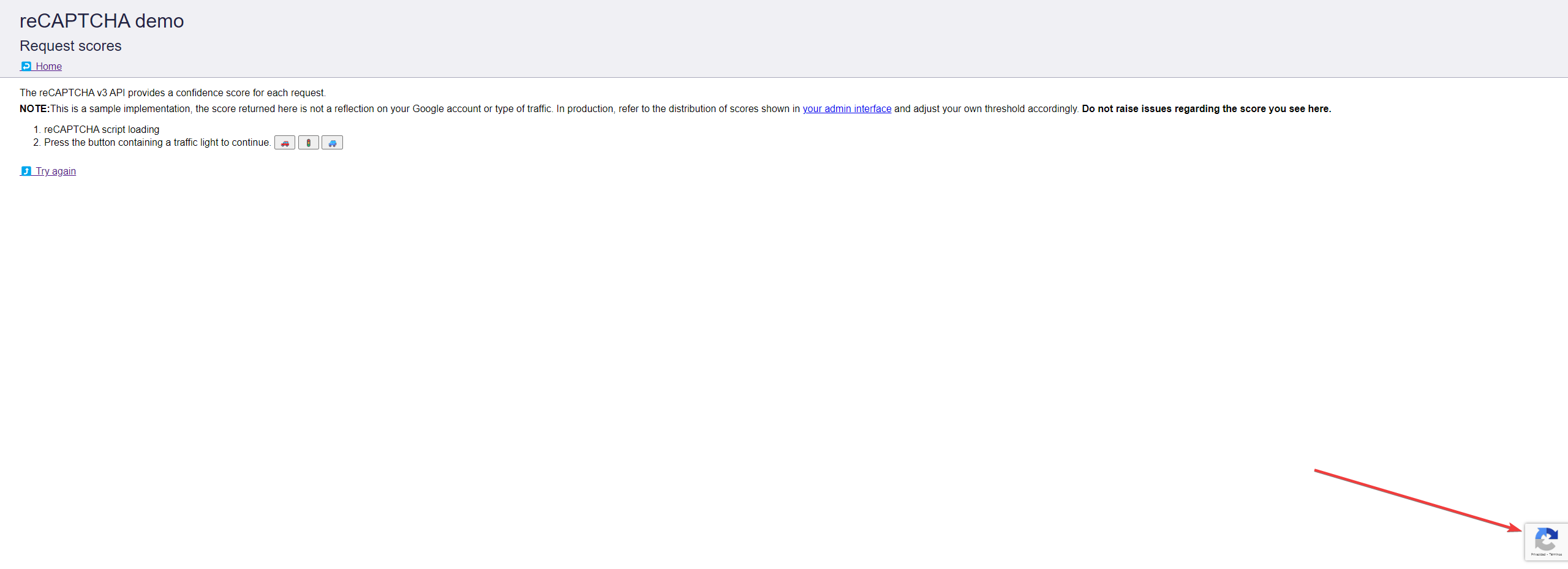
reCAPTCHA v3 Enterprise looks like:
Struggling with the repeated failure to completely solve the irritating captcha?
Discover seamless automatic captcha solving with Capsolver AI-powered Auto Web Unblock technology!
Boost your automation budget instantly!
Use bonus code CAPN when topping up your CapSolver account to get an extra 5% bonus on every recharge — with no limits.
Redeem it now in your CapSolver Dashboard
.
In my interactions with reCAPTCHA Enterprise, I've observed that it analyzes various metrics such as the user’s platform, browser environment, and navigation behavior. This analysis produces a bot score ranging from 0 to 1. Scores near 0 indicate high-risk activities, while those closer to 1 suggest legitimate user behavior.
reCAPTCHA Enterprise uses a scoring system to detect bot-like activities. It filters requests by allowing low-risk scores to proceed while blocking high-risk ones. This ensures that only genuine users gain access, while automated scripts and web scrapers are effectively prevented from accessing the site.
From what I've seen, reCAPTCHA Enterprise does not rely on traditional CAPTCHAs like visual puzzles. Instead, it responds to high-risk scores with various protective measures. These can include displaying physical CAPTCHAs, banning IP addresses, requesting two-factor authentication, or redirecting to honeypots. Automated scripts that don’t achieve the required bot score are blocked before they can reach the target data.
Certainly! Here’s a revised version of the paragraph:
One distinctive feature of reCAPTCHA v3 Enterprise is its unique script named enterprise.js. Websites using reCAPTCHA v3 Enterprise need to include this specific script for proper functionality, making its presence a strong indicator of the service being employed.
You can locate the enterprise.js script within the website's source code, usually embedded in a <script> HTML tag. The src attribute in this tag will direct you to the JavaScript file’s location. For reCAPTCHA v3 Enterprise, the script will be found at one of these URLs:
https://recaptcha.net/recaptcha/enterprise.js
https://google.com/recaptcha/enterprise.js
In the website's HTML, the script tag will look like this:
<script src="https://recaptcha.net/recaptcha/enterprise.js" async defer></script>or
<script src="https://google.com/recaptcha/enterprise.js" async defer></script>The async and defer attributes ensure that the script loads asynchronously and doesn’t hinder the webpage’s loading speed and performance.
So in my web scraping projects, I've found CapSolver to be an incredibly effective tool for overcoming the challenges posed by reCAPTCHA Enterprise, especially when dealing with reCAPTCHA v3 Enterprise. Here's my approach to using CapSolver to solve reCAPTCHA v3 Enterprise:
Before diving into the implementation, make sure you have the following:
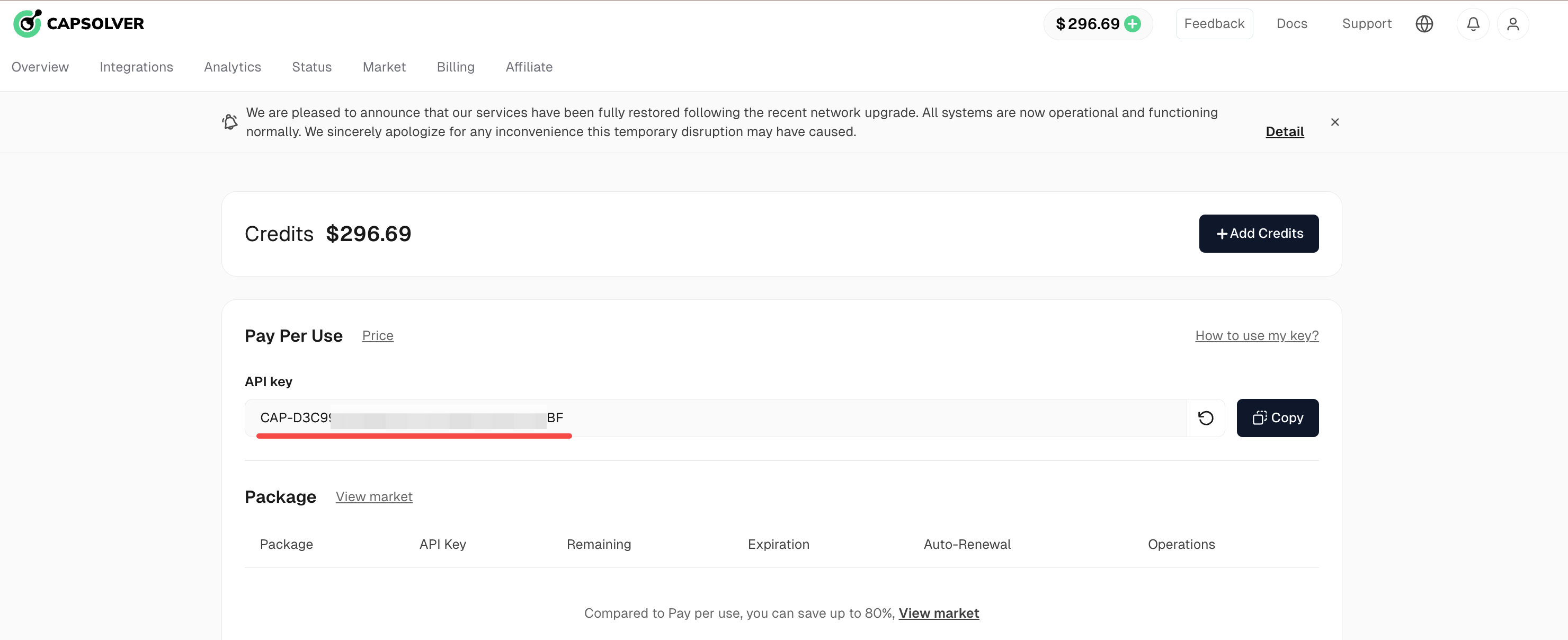
First, I always ensure that I have the necessary packages installed. The primary package we need is capsolver. You can install it using pip:
pip install capsolverNow, let's look at how to implement CapSolver to solve reCAPTCHA v3 Enterprise challenges. I'll provide two versions of the code: one using a proxy and another without.
Here's the Python script I use when I want to solve reCAPTCHA v3 Enterprise with a proxy:
import capsolver
from urllib.parse import urlparse

# Configuration
PROXY = "http://username:password@ip:port"
capsolver.api_key = "YourApiKey"
PAGE_URL = ""
PAGE_KEY = ""
PAGE_ACTION = ""

def solve_recaptcha_v3_enterprise(url, key, pageAction):
    solution = capsolver.solve({
        "type": "ReCaptchaV3EnterpriseTask",
        "websiteURL": url,
        "websiteKey": key,
        "pageAction": pageAction,
        "proxy": PROXY
    })
    return solution

def main():
    print("Solving reCaptcha v3 Enterprise")
    solution = solve_recaptcha_v3_enterprise(PAGE_URL, PAGE_KEY, PAGE_ACTION)
    print("Solution:", solution)

    token = solution["gRecaptchaResponse"]
    print("Token Solution:", token)

if __name__ == "__main__":
main()For scenarios where I don't need or want to use a proxy, I use this slightly modified version:
import capsolver
from urllib.parse import urlparse

# Configuration
capsolver.api_key = "YourApiKey"
PAGE_URL = ""
PAGE_KEY = ""
PAGE_ACTION = ""

def solve_recaptcha_v3_enterprise(url, key, pageAction):
    solution = capsolver.solve({
        "type": "ReCaptchaV3EnterpriseTaskProxyless",
        "websiteURL": url,
        "websiteKey": key,
        "pageAction": pageAction
    })
    return solution

def main():
    print("Solving reCaptcha v3 Enterprise")
    solution = solve_recaptcha_v3_enterprise(PAGE_URL, PAGE_KEY, PAGE_ACTION)
    print("Solution:", solution)

    token = solution["gRecaptchaResponse"]
    print("Token Solution:", token)

if __name__ == "__main__":
main()When using these scripts, I always make sure to update the following variables:
PROXY: If using the proxy version, I update this with my proxy details in the format http://username:password@ip:port.capsolver.api_key: I insert my CapSolver API key here.PAGE_URL: I set this to the URL of the website where I'm solving the reCAPTCHA.PAGE_KEY: I update this with the specific reCAPTCHA site key.PAGE_ACTION: I set this to the pageAction of the reCAPTCHA challenge.To find the correct values for PAGE_KEY and PAGE_ACTION, I often refer to Capsolver's blog post on identifying reCAPTCHA v3 values.
This method has proven highly effective in my scraping projects for several reasons:
If you're also dealing with reCAPTCHA v2 Enterprise challenges, you might find the following blog post helpful. It provides insights and strategies for solving reCAPTCHA v2 Enterprise, which can be useful for tackling similar CAPTCHA systems:
How to Solve reCAPTCHA v2 Enterprise
Navigating reCAPTCHA Enterprise, particularly reCAPTCHA v3 Enterprise, can be a daunting task in the realm of web scraping. However, by leveraging advanced solutions like CapSolver, you can significantly simplify this process.
From my experience, integrating CapSolver into your scraping workflow not only enhances efficiency but also ensures higher success rates in solving these sophisticated security measures. Whether you choose to use proxies or opt for a direct approach, CapSolver provides the tools and flexibility needed to handle reCAPTCHA challenges effectively.
Remember, while CapSolver is a powerful ally, maintaining best practices in web scraping and ensuring compliance with legal standards is crucial. By combining effective tools with ethical practices, you can achieve your scraping goals without compromising on integrity.
For more information on CapSolver and to get started with overcoming CAPTCHA challenges, visit CapSolver’s website.
reCAPTCHA Enterprise uses an adaptive risk analysis engine that assigns a bot score based on user behavior and environment signals, rather than relying solely on visible challenges. This makes it more flexible for site owners and more difficult for automated scripts to bypass.
No. Most of the time, reCAPTCHA v3 Enterprise operates invisibly in the background. Only when a request is deemed high risk may additional protections be triggered, such as visual CAPTCHAs, IP blocks, or further verification steps.
A reliable indicator is the presence of the enterprise.js script in the website’s source code. If the page loads this script from Google or recaptcha.net, it strongly suggests that reCAPTCHA v3 Enterprise is in use.
Proxies help distribute requests and reduce correlation signals such as IP reputation and request frequency. This can improve success rates and lower the likelihood of blocks when solving reCAPTCHA Enterprise challenges at scale.
Emma Foster
Machine Learning Engineer
Where machine learning meets practical AI tooling.
ABOUT THE AUTHOR
Understand reCAPTCHA v3 score range (0.0 to 1.0), its meaning, and how to improve your score. Learn how to handle low scores and optimize user experience.

Facing "reCAPTCHA Invalid Site Key" or "invalid reCAPTCHA token" errors? Discover common causes, step-by-step fixes, and troubleshooting tips to resolve reCAPTCHA verification failed issues. Learn how to fix reCAPTCHA verification failed please try again.


