🎉NEWCapSolver for AI agents-MCP, agent tools, and SDK integrations

Khadija Santos
AI Agent & MCP Engineer
Published Sep 29, 2026
Updated Sep 29, 2026 · min read
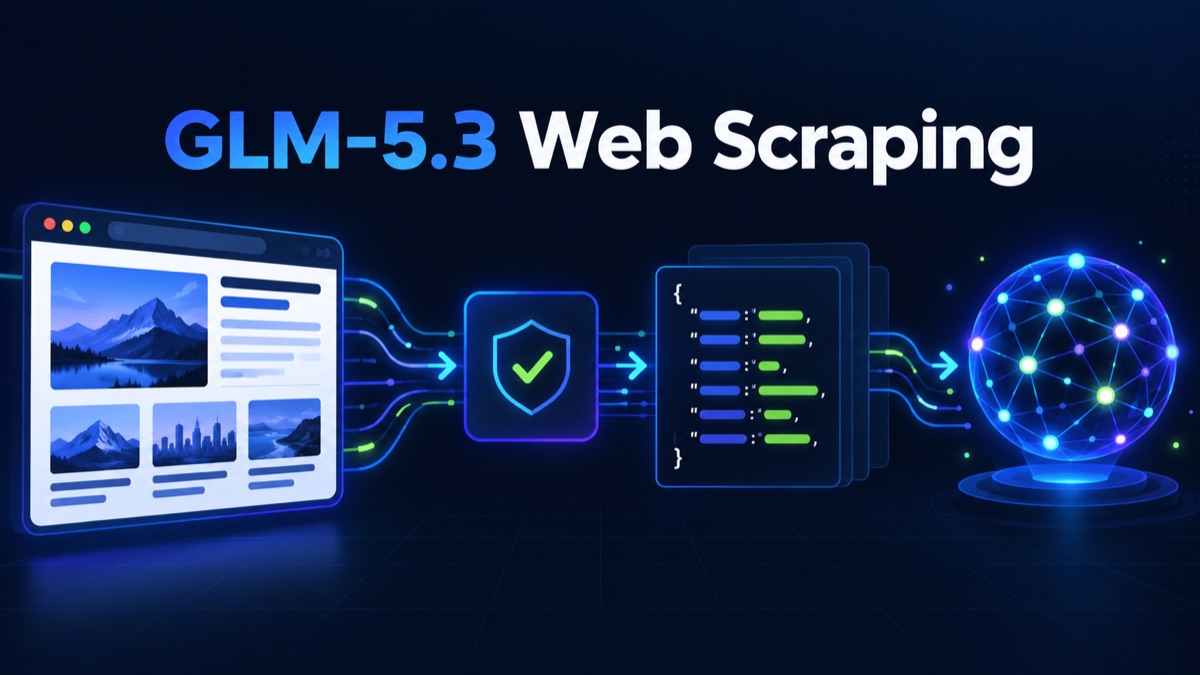
Large language models can turn inconsistent web content into useful records, but they do not remove the operational work required to obtain trustworthy page data. A production pipeline still needs permission checks, request limits, browser execution when JavaScript is required, explicit handling for verification checkpoints, and deterministic validation before a record reaches a database.
GLM-5.3 is useful at the interpretation layer. Its API-compatible workflow can classify rendered content, map text into a schema, explain why a field is missing, and help normalize differences between pages. For authorized automation that encounters a supported verification task, CapSolver can be placed before extraction while the application retains control of the page session and verifies the final result.
This guide presents a generic architecture rather than instructions for a particular website. Use it only for public or otherwise authorized data and stop when a workflow reaches login, payment, personal-data, or permission boundaries outside its approved scope.
A robust GLM-5.3 web scraping system uses a sequence of small stages. Each stage produces a typed result that the next stage can verify.
| Stage | Responsibility | Expected output | Stop condition |
|---|---|---|---|
| Permission gate | Check target, data scope, rate, and purpose | Approved job definition | Scope is not authorized |
| Access layer | Fetch or render the page | Status, headers, final URL, HTML or screenshot | Login, payment, private data, or denied access |
| Response classifier | Identify content, empty shell, rate limit, or verification page | Named page state | Unknown or unsupported state |
| Verification adapter | Submit one documented task when permitted | Ready, processing, or terminal error | Deadline or attempt budget reached |
| GLM extraction | Convert permitted content into a strict schema | Candidate JSON record | Output is invalid or unsupported by evidence |
| Deterministic validation | Check types, required fields, duplicates, and source evidence | Accepted record or explicit rejection | Any business rule fails |
| Storage | Perform idempotent write | Stable record ID and trace link | Source key already exists without a new version |
The most important boundary is between access and interpretation. If a model receives the HTML of a challenge page, it may confidently describe that page as the target content. Classify the response before prompting the model.
The orchestration example uses Python 3.11 or later and the requests package. Keep credentials in environment variables and never include them in source code, prompts, logs, screenshots, or committed configuration.
python -m venv .venv
source .venv/bin/activate
pip install requests

export ZAI_API_KEY="replace-with-your-z-ai-key"
export CAPSOLVER_API_KEY="replace-with-your-capsolver-key"
The official Z.ai API documentation uses the chat-completions endpoint at https://api.z.ai/api/paas/v4/chat/completions. Confirm the current model identifier in the GLM-5 repository or your Z.ai console before deployment; this guide uses glm-5.3-flash as an environment-configurable default.
Do not ask the model to “extract everything important.” Define the fields, allowed null behavior, and evidence requirements before collecting a page.
from dataclasses import dataclass
from datetime import datetime, timezone
from typing import Any

@dataclass(frozen=True)
class ExtractionJob:
    source_url: str
    allowed_host: str
    required_fields: tuple[str, ...]
    max_input_chars: int = 40_000

def validate_record(job: ExtractionJob, record: dict[str, Any]) -> dict[str, Any]:
    missing = [name for name in job.required_fields if not record.get(name)]
    if missing:
        raise ValueError(f"missing_required_fields:{','.join(missing)}")
    if record.get("source_url") != job.source_url:
        raise ValueError("source_url_mismatch")
    record["validated_at"] = datetime.now(timezone.utc).isoformat()
    return record
The model is allowed to return null only when the schema explicitly permits it. Required values must be confirmed against page evidence by ordinary code.
The access layer should return a small state object rather than only a string of HTML. The classifier can use status codes, final URL, content type, expected selectors, and known checkpoint markers.
from enum import Enum

class PageState(str, Enum):
    CONTENT = "content"
    JAVASCRIPT_REQUIRED = "javascript_required"
    RATE_LIMITED = "rate_limited"
    LOGIN_REQUIRED = "login_required"
    VERIFICATION = "verification"
    UNKNOWN = "unknown"

def choose_action(state: PageState) -> str:
    return {
        PageState.CONTENT: "extract",
        PageState.JAVASCRIPT_REQUIRED: "render_in_authorized_browser",
        PageState.RATE_LIMITED: "back_off",
        PageState.LOGIN_REQUIRED: "stop_for_operator",
        PageState.VERIFICATION: "evaluate_supported_task",
        PageState.UNKNOWN: "stop_for_review",
    }[state]
HTTP 403 and HTTP 429 should not enter a generic retry loop. A refused request requires a permission and configuration review. A rate-limited request requires a global concurrency reduction and respect for any server-provided retry window.
CapSolver's official API uses createTask to submit a documented task. Asynchronous tasks are checked with getTaskResult. The application must select the task type from the current task documentation and pass only the fields required for that permitted checkpoint.
import os
import time
import requests

CAPSOLVER_BASE = "https://api.capsolver.com"

def solve_supported_task(task: dict, *, timeout_seconds: int = 45) -> dict:
    api_key = os.environ["CAPSOLVER_API_KEY"]
    created = requests.post(
        f"{CAPSOLVER_BASE}/createTask",
        json={"clientKey": api_key, "task": task},
        timeout=15,
    ).json()
    if created.get("errorId") != 0:
        raise RuntimeError(created.get("errorCode", "create_task_failed"))
    if created.get("status") == "ready":
        return created["solution"]

    task_id = created.get("taskId")
    if not task_id:
        raise RuntimeError("missing_task_id")

    deadline = time.monotonic() + timeout_seconds
    while time.monotonic() < deadline:
        time.sleep(3)
        result = requests.post(
            f"{CAPSOLVER_BASE}/getTaskResult",
            json={"clientKey": api_key, "taskId": task_id},
            timeout=15,
        ).json()
        if result.get("errorId") != 0:
            raise RuntimeError(result.get("errorCode", "task_failed"))
        if result.get("status") == "ready":
            return result["solution"]
        if result.get("status") not in {"idle", "processing"}:
            raise RuntimeError("unexpected_task_status")

    raise TimeoutError("verification_task_deadline_exceeded")
The caller should allow only one bounded attempt by default. The returned solution must be applied through the documented integration path in the same browser context that detected the checkpoint. If the page does not transition to the expected state, return a failure or request human review.
Redeem Your CapSolver Bonus Code
Boost your automation budget instantly!
Use bonus code CAP26 when topping up your CapSolver account to get an extra 5% bonus on every recharge — with no limits.
Redeem it now in your CapSolver Dashboard
Once the page is confirmed as content, remove navigation noise, scripts, hidden elements, repeated banners, and unrelated page chrome. Preserve headings, labels, tables, and source references. Do not send browser cookies, authorization headers, personal data, or raw session traces to the model.
import json
import os
import requests

ZAI_ENDPOINT = "https://api.z.ai/api/paas/v4/chat/completions"

def extract_with_glm(job: ExtractionJob, normalized_text: str) -> dict:
    prompt = {
        "source_url": job.source_url,
        "required_fields": list(job.required_fields),
        "rules": [
            "Return one JSON object and no prose.",
            "Use only evidence present in page_text.",
            "Do not infer a missing required value.",
            "Include source_url exactly as provided.",
        ],
        "page_text": normalized_text[: job.max_input_chars],
    }
    response = requests.post(
        ZAI_ENDPOINT,
        headers={
            "Authorization": f"Bearer {os.environ['ZAI_API_KEY']}",
            "Content-Type": "application/json",
        },
        json={
            "model": os.getenv("GLM_MODEL", "glm-5.3-flash"),
            "messages": [
                {"role": "system", "content": "Extract evidence-backed structured data."},
                {"role": "user", "content": json.dumps(prompt, ensure_ascii=False)},
            ],
            "temperature": 0,
        },
        timeout=60,
    )
    response.raise_for_status()
    content = response.json()["choices"][0]["message"]["content"]
    return json.loads(content)
Treat the example as an adapter boundary. Confirm current request options and structured-output features in the official Z.ai documentation before production use. If the model wraps JSON in Markdown or returns text outside the contract, reject the response rather than attempting to repair it silently.
Two different validations are required.
First, validate the browser outcome. Confirm that the final URL, expected heading, target container, and absence of a new error match the intended workflow. A successful task response alone is not proof that the page continued.
Second, validate the extracted record. Check required strings, numeric ranges, dates, normalized URLs, duplicate keys, and evidence snippets. For high-impact fields, compare the value with a deterministic selector or a second independent representation of the page.
def run_extraction(job: ExtractionJob, state: PageState, page_text: str) -> dict:
    action = choose_action(state)
    if action != "extract":
        raise RuntimeError(f"page_not_ready_for_model:{action}")
    candidate = extract_with_glm(job, page_text)
    return validate_record(job, candidate)
This final gate prevents a challenge page, model hallucination, or partial render from entering the dataset as a successful scrape.
Record a trace ID, source URL, final URL, page state, content hash, model name, prompt version, schema version, validation outcome, and processing time. Store task IDs and error codes for short-lived operational debugging, but do not store solution tokens, secrets, or unrelated session data.
Apply one budget across the entire job. Count HTTP attempts, browser navigations, verification attempts, GLM calls, input characters, and elapsed time. When the budget is exhausted, return a typed failure instead of allowing one component to restart the workflow.
A useful metric set includes:
| Symptom | Likely cause | Correct action |
|---|---|---|
| GLM returns details about a verification page | Response was not classified before prompting | Stop the model call and fix page-state detection |
| JSON parses but required fields are empty | Prompt or source evidence is incomplete | Reject the record and inspect the normalized content |
| Task is ready but page remains blocked | Browser context or task parameters do not match | Compare URL, session, user agent, timing, and documented requirements |
| Cost rises while accepted records stay flat | Browser or model escalation is too broad | Add deterministic filters and per-job budgets |
| Duplicate rows appear after retries | Storage is not idempotent | Upsert by stable source key and content version |
| HTTP 429 repeats | Concurrency is controlled per worker, not globally | Introduce a shared rate budget and honor retry guidance |
GLM-5.3 can make web data extraction more flexible, but reliability comes from the surrounding system. Keep access control, rendering, page-state classification, verification handling, schema validation, and storage as explicit stages. Use the model only after the application has confirmed that it is looking at the intended content.
For an authorized browser workflow with a supported verification task, CapSolver can provide the documented task boundary. The application remains responsible for permission, session continuity, bounded retries, secret handling, and proof that the original workflow completed.
Q: Can GLM-5.3 replace a browser in web scraping?
No. It can interpret text, screenshots, or normalized records, but a browser or HTTP client still owns navigation, rendering, state, permissions, and final result verification.
Q: Should raw HTML be sent directly to GLM-5.3?
Usually not. Classify the response first, remove scripts and repeated layout noise, preserve meaningful labels and structure, and limit the input to data needed by the extraction schema.
Q: When should the workflow call CapSolver?
Only after detecting a supported task in a permitted workflow. Use the current documented task type, preserve the required browser context, set a deadline, and verify that the page actually continued.
Q: Does valid JSON mean the extracted record is correct?
No. JSON syntax does not prove factual accuracy. Required fields, types, URLs, dates, numeric ranges, duplicates, and source evidence must still be checked in code.
Q: What should happen when the page state is unknown?
Stop and request review. Do not send unknown content to the model or retry through additional browser and verification steps.
Q: Can this design be used for private or restricted data?
The design does not create permission. Use it only for public or otherwise authorized data, minimize collected information, and follow applicable terms, contracts, and law.
Khadija Santos
AI Agent & MCP Engineer
Develops and maintains CapSolver’s MCP tooling, from implementation and package releases to AI agent integrations.
ABOUT THE AUTHOR
Understand CAPTCHA MCP proxy support across the client connection, browser, and solver task, including the limits of current CapSolver MCP tools.
Understand Stagehand CAPTCHA handling, compare browser actions with solver services, and choose a clear approach for local browsers or hosted sessions.