Why Your Multi-Accounting Strategy Needs Both Environment Isolation and AI Bypass

Ethan Collins
Pattern Recognition Specialist
26-Feb-2026

Running hundreds of accounts across e-commerce platforms and social networks used to be a simple game of rotating IP addresses. Today, the stakes have shifted. Did you know that top-tier anti-bot systems now analyze over 3,000 data pointsโfrom your GPUโs clock speed to the way you scrollโto link your identities? Even if you use a high-quality proxy, a single "leaky" browser fingerprint or an unsolved security challenge can trigger a chain reaction of permanent bans.
This article examines why modern multi-accounting requires a two-layered defense: environment isolation to hide your hardware profile and AI bypass tools to prove your humanity. We will break down how to bridge the gap between technical anonymity and operational efficiency using the combined power of AdsPower and CapSolver.
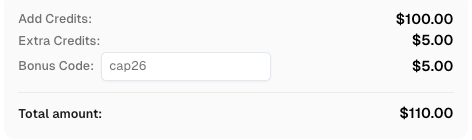
Use code
CAP26when signing up at CapSolver to receive bonus credits!
Instead of constantly reacting to account suspensions, you will learn how to build a resilient, automated infrastructure that protects your revenue and frees you to focus on growth rather than troubleshooting blocks.
The Evolution of Account Detection
Modern websites do not just check your IP address. They use a combination of passive and active methods to determine if a user is legitimate.
- Passive Tracking: This involves browser fingerprinting. Websites collect data on your operating system, screen resolution, GPU rendering (Canvas/WebGL), and even installed fonts. If multiple accounts share the same fingerprint, they are linked instantly.
- Active Verification: Even with a clean identity, platforms deploy challenges like Cloudflare Turnstile bypass requests or reCAPTCHA. These are designed to catch automated scripts that cannot "think" or interact like a human.
If you use an anti-detect browser without a solver, you will get stuck at login screens. If you use a solver without an anti-detect browser, your accounts will be banned for having identical fingerprints.
Layer 1: Environment Isolation via AdsPower
Environment isolation is the process of creating a unique digital silo for every account. AdsPower serves as the technical foundation for this isolation.
Instead of trying to hide your data, AdsPower provides a unique, consistent profile for each account. This ensures that Amazon, Facebook, or Google sees each login as coming from a completely different physical device.
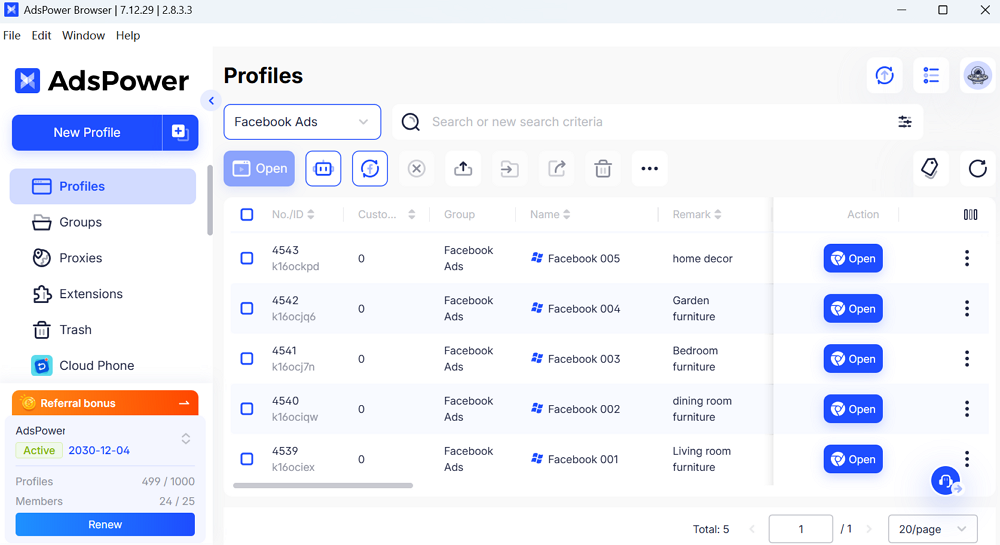
Key Benefits of Browser Isolation:
- Fingerprint Customization: You can adjust specific parameters like WebRTC, User-Agent, and hardware IDs for every profile.
- Team Access Control: Managers can share specific profiles with team members or VAs without revealing master passwords, keeping the login environment stable.
- Local API and RPA: These tools allow for the automation of repetitive tasks, such as warming up cookies or checking order statuses, across hundreds of profiles simultaneously.
Layer 2: The AI Bypass via CapSolver
The second layer of advanced anti-bot protection is the interactive challenge. This is where AI bypass technology becomes essential. Even a perfectly isolated browser profile will eventually face a CAPTCHA.
CapSolver uses machine learning to resolve these challenges automatically. By integrating this into your workflow, you ensure that your automation does not stop when a security gate appears.
Why AI Bypassing is Necessary:
- Maintaining High Trust Scores: Successfully passing a CAPTCHA validates your profile's reputation. Failing a challenge or getting "stuck" signals to the platform that the user is a bot.
- Handling Invisible Challenges: Many modern sites use "invisible" challenges like reCAPTCHA v3 or Cloudflare Turnstile. These run in the background and require an AI solver to provide a high "humanity score" without the user ever seeing a puzzle.
- Operational Speed: Manually solving puzzles for 50 accounts is impossible to scale. AI solvers handle these tasks in seconds, allowing for 24/7 operations.
How to Integrate the Two-Layer Defense
Building a professional multi-accounting stack requires connecting AdsPower browser and Capsolver into a single workflow.
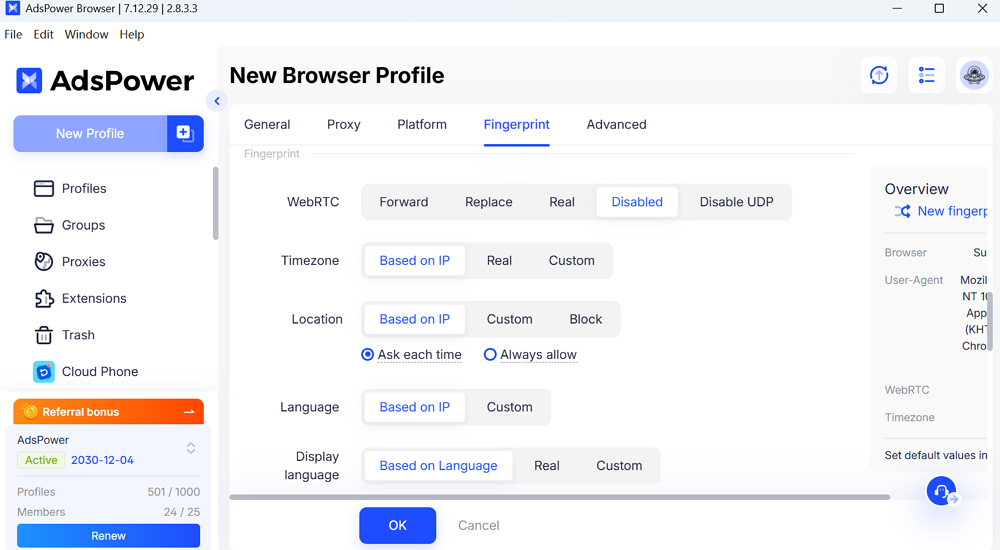
- Configure the Environment: Set up your profiles in AdsPower. Ensure you use a dedicated residential proxy for each profile so the IP location matches the browser's timezone and language settings.

- Enable the Solver: Install the CapSolver browser extension or use their API within your AdsPower RPA scripts.
- Automate Human Patterns: Use AdsPower's RPA to perform natural actionsโsuch as scrolling through a news feed or visiting common websitesโbefore logging into your target accounts.
- Monitor Performance: Regularly check the "success rate" of your login attempts. If a specific profile faces frequent challenges, adjust its fingerprint or refresh its cookies to maintain a high trust score.
Conclusion
Scaling multiple e-commerce operations or marketing networks requires more than just high-quality content; it requires a stable infrastructure. By using AdsPower to create isolated environments and CapSolver to handle interactive security checks, you build a system that is both private and functional. This setup allows you to focus on growing your business while the software handles the complexities of digital identity and bot protection.
FAQs
Can I manage multiple accounts using only a VPN?
No. A VPN only changes your IP address. It does nothing to stop browser fingerprinting, which allows platforms to see that you are using the same computer for every account. You must use an anti-detect browser like AdsPower for true isolation.
Is it difficult to connect CapSolver to AdsPower?
Integration is straightforward. You can either use the CapSolver browser extension within each AdsPower profile. Additionally, you can call the AdsPower API and CapSolver API in your scripts to automatically resolve problems during workflow execution.
Will using these tools guarantee my accounts won't be banned?
While no tool can offer a 100% guarantee, this dual-layered approach is currently the industry standard for risk reduction. By combining technical isolation with human-like interaction, you significantly lower the probability of triggering platform security alerts.
Compliance Disclaimer: The information provided on this blog is for informational purposes only. CapSolver is committed to compliance with all applicable laws and regulations. The use of the CapSolver network for illegal, fraudulent, or abusive activities is strictly prohibited and will be investigated. Our captcha-solving solutions enhance user experience while ensuring 100% compliance in helping solve captcha difficulties during public data crawling. We encourage responsible use of our services. For more information, please visit our Terms of Service and Privacy Policy.
More

What is Agentic RAG? The AI Transformation from Intelligent Q&A to Autonomous Decision-Making
Explore the evolution from Basic RAG to Graph RAG and Agentic RAG. Learn how enterprises use AI-driven retrieval, reasoning, and automation to reduce hallucinations, integrate data, and enable intelligent workflows with tools like CapSolver.

Ethan Collins
09-Apr-2026

Elevating Enterprise Automation: LLM-Powered Infrastructure for Seamless CAPTCHA Recognition & Operational Efficiency
Discover how LLM-powered AI Automation Infrastructure revolutionizes CAPTCHA recognition, enhancing business process efficiency and reducing manual intervention. Optimize your automated operations with advanced verification solutions.

Ethan Collins
30-Mar-2026

Scaling Data Collection for LLM Training: Solving CAPTCHAs at Scale
Learn how to scale data collection for LLM training by solving CAPTCHAs at scale. Discover automated strategies to build high-quality datasets for AI models.

Lucas Mitchell
27-Mar-2026

How to Solve CAPTCHA in Vibium Without Extensions (reCAPTCHA, Turnstile, AWS WAF)
Learn how to solve CAPTCHAs in Vibium using the CapSolver API. Supports reCAPTCHA v2/v3, Cloudflare Turnstile, and AWS WAF with full code examples in JavaScript, Python, and Javaโno browser extension needed.

Lucas Mitchell
26-Mar-2026

How to Solve CAPTCHA in OpenBrowser Using CapSolver (AI Agent Automation Guide)
Solve CAPTCHA in OpenBrowser using CapSolver. Automate reCAPTCHA, Turnstile, and more for AI agents easily.

Ethan Collins
26-Mar-2026

How to Solve Any CAPTCHA in HyperBrowser Using CapSolver (Full Setup Guide)
Solve any CAPTCHA in HyperBrowser using CapSolver. Automate reCAPTCHA, Turnstile, AWS WAF, and more easily.

Ethan Collins
26-Mar-2026