🎉NEWCapSolver for AI agents-MCP, agent tools, and SDK integrations

Ethan Collins
AI Agent Workflow Engineer
Published Mar 24, 2026
Updated Mar 26, 2026 · min read
AI browser agents are reshaping how developers interact with the web. From scraping data to automating workflows, these agents navigate pages, fill forms, and extract information without human intervention. But when a CAPTCHA appears, the agent stalls.
HyperBrowser offers cloud-based browser infrastructure purpose-built for AI agents, with native CAPTCHA solving for Turnstile and reCAPTCHA. But the web has more than two CAPTCHA types. AWS WAF, GeeTest, enterprise reCAPTCHA variants, and other anti-bot challenges remain unsolved by native tooling alone.
CapSolver fills that gap. By uploading the CapSolver Chrome extension directly to HyperBrowser via its extension API, you get comprehensive CAPTCHA coverage across every session, every CAPTCHA type, and every scale, without changing your automation code.
HyperBrowser is a cloud browser infrastructure platform designed specifically for AI agents. It provides managed browser sessions with native Chrome DevTools Protocol (CDP) access, proxy support, and anti-detection capabilities out of the box.
HyperBrowser removes the operational burden of browser automation. Instead of managing Chromium binaries, headless configurations, proxy rotation, and anti-fingerprinting, you get a clean API that returns a WebSocket URL. Connect your Playwright or Puppeteer script and start automating.
CapSolver is a leading CAPTCHA solving service that provides AI-powered solutions for bypassing various CAPTCHA challenges. With support for multiple CAPTCHA types and fast response times, CapSolver integrates seamlessly into automated workflows.
Before setting up the integration, make sure you have:
@hyperbrowser/sdk and playwright-core installednpm install @hyperbrowser/sdk playwright-coreCAP-XXXXXXXXXXXXXXXXXXXXXXXXXXXXXXXX)Download the CapSolver Chrome extension and configure it with your API key:
CapSolver.Browser.Extension-chrome-vX.X.X.zipmkdir -p capsolver-extension
unzip CapSolver.Browser.Extension-chrome-v*.zip -d capsolver-extension/capsolver-extension/assets/config.js and set your API key:export const defaultConfig = {
apiKey: 'CAP-XXXXXXXXXXXXXXXXXXXXXXXXXXXXXXXX', // your key here
useCapsolver: true,
// ... rest of config
};ls capsolver-extension/manifest.json
# Should existHyperBrowser's extension upload API requires a ZIP file. Package the configured extension:
cd capsolver-extension && zip -r ../capsolver-extension.zip . && cd ..This creates capsolver-extension.zip in your project root, ready for upload.
Use the HyperBrowser SDK to upload the extension ZIP. This only needs to be done once -- the returned extensionId is reusable across all sessions.
import { Hyperbrowser } from "@hyperbrowser/sdk";

const client = new Hyperbrowser({
  apiKey: process.env.HYPERBROWSER_API_KEY,
});

// Upload the CapSolver extension (one-time operation)
const ext = await client.extensions.create({
  filePath: "capsolver-extension.zip",
});

console.log("Extension ID:", ext.id);
// Save this ID -- you'll reuse it for every sessionTip: Store the
ext.idin your environment variables or config. You only need to re-upload if you change the extension version or API key.
Create a HyperBrowser session that loads the CapSolver extension:
const session = await client.sessions.create({
  extensionIds: [ext.id],
  useProxy: true, // Requires paid plan — omit for free tier
  solveCaptchas: false, // Using CapSolver instead of native solving
});

console.log("Session ID:", session.id);
console.log("WebSocket URL:", session.wsEndpoint);Note: Set solveCaptchas: false when using CapSolver to avoid conflicts between the two solving mechanisms. If you want both as a fallback chain, see the "When to Use Native vs CapSolver" section below.
Connect Playwright to the HyperBrowser session via the WebSocket endpoint:
import { chromium } from "playwright-core";

const browser = await chromium.connectOverCDP(session.wsEndpoint);
const context = browser.contexts()[0];
const page = context.pages()[0] || await context.newPage();

// Navigate to a CAPTCHA-protected page
await page.goto("https://www.google.com/recaptcha/api2/demo");

// Wait for CapSolver extension to detect and solve the CAPTCHA
await page.waitForTimeout(30000);

// Submit the form
await page.click("#recaptcha-demo-submit");
await page.waitForLoadState("networkidle");

// Verify success
const result = await page.textContent("body");
console.log("Result:", result);
// Expected: contains "Verification Success"

await browser.close();
await client.sessions.stop(session.id);Here is a complete end-to-end script that uploads the extension, creates a session, solves a CAPTCHA, and verifies the result:
import { Hyperbrowser } from "@hyperbrowser/sdk";
import { chromium } from "playwright-core";

const HYPERBROWSER_API_KEY = process.env.HYPERBROWSER_API_KEY!;
const CAPSOLVER_EXTENSION_ID = process.env.CAPSOLVER_EXTENSION_ID; // Optional: reuse existing

async function main() {
  const client = new Hyperbrowser({ apiKey: HYPERBROWSER_API_KEY });

  // Step 1: Upload extension (or reuse existing ID)
  let extensionId = CAPSOLVER_EXTENSION_ID;

  if (!extensionId) {
    const ext = await client.extensions.create({
      filePath: "capsolver-extension.zip",
    });
    extensionId = ext.id;
    console.log("Uploaded extension:", extensionId);
  }

  // Step 2: Create session with CapSolver extension
  const session = await client.sessions.create({
    extensionIds: [extensionId],
    useProxy: true, // Requires paid plan — omit for free tier
    solveCaptchas: false,
  });

  console.log("Session started:", session.id);

  // Step 3: Connect Playwright
  const browser = await chromium.connectOverCDP(session.wsEndpoint);
  const context = browser.contexts()[0];
  const page = context.pages()[0] || await context.newPage();

  try {
    // Step 4: Navigate to reCAPTCHA demo
    console.log("Navigating to reCAPTCHA demo...");
    await page.goto("https://www.google.com/recaptcha/api2/demo");

    // Step 5: Wait for CapSolver to solve the CAPTCHA
    console.log("Waiting for CapSolver to solve CAPTCHA...");
    await page.waitForTimeout(30000);

    // Step 6: Submit the form
    console.log("Submitting form...");
    await page.click("#recaptcha-demo-submit");
    await page.waitForLoadState("networkidle");

    // Step 7: Check result
    const bodyText = await page.textContent("body");

    if (bodyText?.includes("Verification Success")) {
      console.log("CAPTCHA solved successfully!");
    } else {
      console.log("Verification result:", bodyText?.slice(0, 200));
    }
  } finally {
    await browser.close();
    await client.sessions.stop(session.id);
    console.log("Session stopped.");
  }
}

main().catch(console.error);
Run it:
HYPERBROWSER_API_KEY=your_key npx tsx captcha-test.tsHere is the full flow from extension upload to CAPTCHA solve:
  One-Time Setup
  ═══════════════════════════════════════════════════════

  capsolver-extension/           HyperBrowser Cloud
  ├── manifest.json    ──ZIP──►  POST /extensions
  ├── assets/config.js           │
  └── background.js              ▼
                                 extensionId: "ext_abc123"
                                 (stored, reusable)

  Per-Session Flow
  ═══════════════════════════════════════════════════════

  Your Script                    HyperBrowser Cloud
  ─────────────────────────────────────────────────────
  sessions.create({       ──►    Spin up cloud Chromium
    extensionIds: [id],          │
    useProxy: true               ├── Load CapSolver extension
  })                             ├── Apply proxy + stealth
                                 ▼
                          ◄──    wsEndpoint (WebSocket URL)

  playwright.connectOverCDP()    Connect to cloud browser
       │
       ▼
  page.goto(target_url)   ──►   Chromium loads the page
                                 ┌─────────────────────────────┐
                                 │  Page with CAPTCHA widget    │
                                 │                              │
                                 │  CapSolver Extension:        │
                                 │  1. Content script detects   │
                                 │     CAPTCHA type on page     │
                                 │  2. Service worker calls     │
                                 │     CapSolver API            │
                                 │  3. Solution token received  │
                                 │  4. Token injected into      │
                                 │     hidden form field        │
                                 └─────────────────────────────┘
                                      │
  page.waitForTimeout(30s)            │ (solving happens here)
       │                              │
       ▼                              ▼
  page.click("Submit")    ──►   Form submits WITH valid token
                                      │
                          ◄──         ▼
Google demo: "Verification Success!"The CapSolver Chrome extension approach has a key advantage over API-based solving: the extension runs inside the browser context itself. This means:
createTask() / getTaskResult() / inject logic -- it's all handled by the extension// Comprehensive: CapSolver extension
const session = await client.sessions.create({
extensionIds: [capsolverExtId],
solveCaptchas: false,
useProxy: true, // Requires paid plan — omit for free tier
});For maximum reliability, you can enable both. Native solving handles Turnstile/reCAPTCHA at no extra cost, and CapSolver catches everything else:
// Belt and suspenders: both enabled
const session = await client.sessions.create({
  extensionIds: [capsolverExtId],
  solveCaptchas: true, // Native handles Turnstile/reCAPTCHA
  useProxy: true, // Requires paid plan — omit for free tier
  // CapSolver extension catches AWS WAF, GeeTest, etc.
});Note: When both are enabled for the same CAPTCHA type (e.g., reCAPTCHA), whichever solves first wins. In practice this works fine -- there is no conflict.
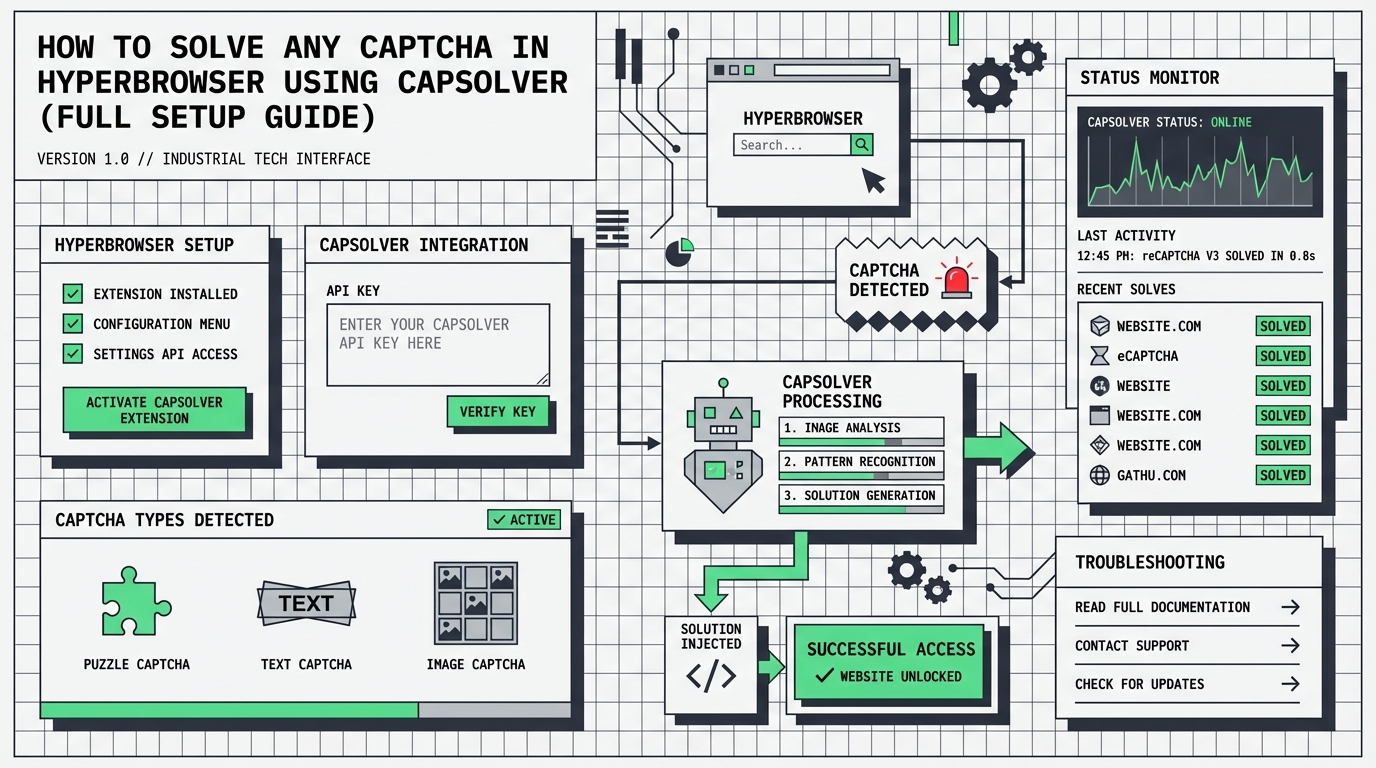
If you prefer not to use the browser extension — or need finer control over the solve flow — you can use the CapSolver REST API directly. This works with any HyperBrowser session, no extension upload required.
createTask on the CapSolver APIgetTaskResult until the token is readyimport { Hyperbrowser } from "@hyperbrowser/sdk";
import { chromium } from "playwright-core";
const HYPERBROWSER_API_KEY = process.env.HYPERBROWSER_API_KEY!;
const CAPSOLVER_API_KEY = process.env.CAPSOLVER_API_KEY!;
async function solveCaptchaViaAPI(
pageUrl: string,
siteKey: string
): Promise<string> {
// Create task
const createRes = await fetch("https://api.capsolver.com/createTask", {
method: "POST",
headers: { "Content-Type": "application/json" },
body: JSON.stringify({
clientKey: CAPSOLVER_API_KEY,
task: {
type: "ReCaptchaV2TaskProxyLess",
websiteURL: pageUrl,
websiteKey: siteKey,
},
}),
});
const { taskId, errorDescription } = await createRes.json();
if (!taskId) throw new Error(`createTask failed: ${errorDescription}`);
// Poll for result
for (let i = 0; i < 40; i++) {
await new Promise((r) => setTimeout(r, 3000));
const resultRes = await fetch("https://api.capsolver.com/getTaskResult", {
method: "POST",
headers: { "Content-Type": "application/json" },
body: JSON.stringify({ clientKey: CAPSOLVER_API_KEY, taskId }),
});
const result = await resultRes.json();
if (result.status === "ready") {
return result.solution.gRecaptchaResponse;
}
}
throw new Error("Solve timeout");
}
async function main() {
const client = new Hyperbrowser({ apiKey: HYPERBROWSER_API_KEY });
// No extension needed — just a plain session
const session = await client.sessions.create({
solveCaptchas: false,
});
const browser = await chromium.connectOverCDP(session.wsEndpoint);
const context = browser.contexts()[0];
const page = context.pages()[0] || await context.newPage();
try {
await page.goto("https://www.google.com/recaptcha/api2/demo");
// Detect sitekey from DOM
const siteKey = await page.evaluate(() => {
const el = document.querySelector(".g-recaptcha[data-sitekey]");
return el?.getAttribute("data-sitekey") ?? "";
});
console.log("Sitekey:", siteKey);
// Solve via CapSolver API
const token = await solveCaptchaViaAPI(page.url(), siteKey);
console.log("Token received, length:", token.length);
// Inject token
await page.evaluate((t) => {
const textarea = document.querySelector(
'textarea[name="g-recaptcha-response"]'
);
if (textarea) (textarea as HTMLTextAreaElement).value = t;
}, token);
// Submit
await page.click("#recaptcha-demo-submit");
await page.waitForLoadState("networkidle");
const body = await page.textContent("body");
console.log(
body?.includes("Verification Success")
? "CAPTCHA solved via API!"
: body?.slice(0, 200)
);
} finally {
await browser.close();
await client.sessions.stop(session.id);
}
}
main().catch(console.error);| Extension | API | |
|---|---|---|
| Setup | Upload ZIP once, reuse ID | No setup — just API key |
| Detection | Automatic (content script) | Manual (query DOM for sitekey) |
| Token injection | Automatic | Manual (evaluate JS) |
| Control | Opaque — extension handles everything | Full control over every step |
| Best for | Set-and-forget automation | Custom solve logic, retry strategies |
Symptom: CAPTCHA is not solved; page behaves as if no extension is present.
Possible causes:
client.extensions.create() is being passed correctlymanifest.json is at the root of the ZIP, not nested in a subfolder)assets/config.js has a valid CapSolver API key before zippingFix:
# Verify ZIP structure -- manifest.json should be at the root
unzip -l capsolver-extension.zip | head -20
# Should show: manifest.json (NOT capsolver-extension/manifest.json)Symptom: Page loads, but CAPTCHA remains unsolved after waiting.
Possible causes:
waitForTimeout to 45-60 secondsSymptom: chromium.connectOverCDP() throws a connection error.
Fix: Ensure the session is still active. Sessions have a timeout (default varies by plan). Create a fresh session if the previous one expired:
try {
  const browser = await chromium.connectOverCDP(session.wsEndpoint);
} catch (err) {
  console.log("Session expired, creating new one...");
  const newSession = await client.sessions.create({
    extensionIds: [extensionId],
    useProxy: true, // Requires paid plan — omit for free tier
  });
  const browser = await chromium.connectOverCDP(newSession.wsEndpoint);
}Symptom: The CapSolver extension works when loaded locally in Chrome, but fails in HyperBrowser sessions.
Possible causes:
config.js not included in ZIP -- Double-check the ZIP includes the modified assets/config.jsapi.capsolver.com. Ensure the HyperBrowser session's network allows outbound HTTPSThe extension upload is a one-time operation. Store the returned extensionId and reuse it across all sessions:
// Upload once
const ext = await client.extensions.create({ filePath: "capsolver-extension.zip" });
const CAPSOLVER_EXT_ID = ext.id;

// Reuse in every session
for (const url of targetUrls) {
  const session = await client.sessions.create({
    extensionIds: [CAPSOLVER_EXT_ID],
    useProxy: true, // Requires paid plan — omit for free tier
  });
  // ... automate
  await client.sessions.stop(session.id);
}CAPTCHAs are more likely to appear (and harder to solve) when requests come from datacenter IPs. HyperBrowser's built-in proxies help:
const session = await client.sessions.create({
  extensionIds: [extensionId],
  useProxy: true, // Requires paid plan — omit for free tier. Residential proxies reduce CAPTCHA frequency
});Different CAPTCHA types take different amounts of time to solve:
| CAPTCHA Type | Typical Solve Time | Recommended Wait |
|---|---|---|
| reCAPTCHA v2 (checkbox) | 5-15 seconds | 30 seconds |
| reCAPTCHA v2 (invisible) | 5-15 seconds | 25 seconds |
| reCAPTCHA v3 | 3-10 seconds | 20 seconds |
| Cloudflare Turnstile | 3-10 seconds | 20 seconds |
| AWS WAF | 5-15 seconds | 30 seconds |
| GeeTest v3/v4 | 5-20 seconds | 30 seconds |
Tip: When in doubt, use 30 seconds. It's better to wait a bit longer than to submit too early.
Each CAPTCHA solve costs credits. Add balance checking to your automation to avoid interruptions:
import axios from "axios";

async function checkBalance(apiKey: string): Promise<number> {
  const response = await axios.post("https://api.capsolver.com/getBalance", {
    clientKey: apiKey,
  });
  return response.data.balance || 0;
}

const balance = await checkBalance(process.env.CAPSOLVER_API_KEY!);
if (balance < 1) {
  console.warn("Low CapSolver balance! Top up at capsolver.com");
}Always stop sessions when done to avoid unnecessary charges:
try {
  // ... your automation code
} finally {
  await browser.close();
  await client.sessions.stop(session.id);
}If you rotate your CapSolver API key, you need to update config.js, re-zip, and re-upload:
# Update the key in config.js, then:
cd capsolver-extension && zip -r ../capsolver-extension.zip . && cd ..
Then upload the new ZIP and update your stored extensionId.
HyperBrowser and CapSolver together provide the most comprehensive CAPTCHA-solving setup available for AI browser automation:
The integration is straightforward: ZIP the CapSolver extension, upload it once via the HyperBrowser SDK, and attach it to any session. No code-level CAPTCHA detection, no token injection, no API polling. The extension handles everything inside the browser context.
Whether you're building web scrapers, AI agents, or automated testing pipelines, this combination means CAPTCHAs are no longer a blocker -- regardless of type.
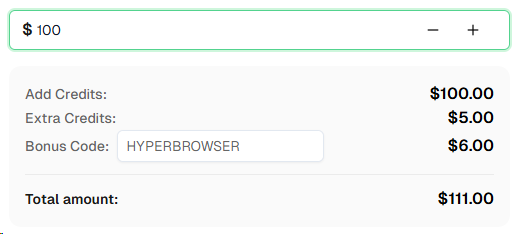
Ready to get started? Sign up for CapSolver and use bonus code HYPERBROWSER for an extra 6% bonus on your first recharge!
HyperBrowser is a cloud browser infrastructure platform for AI agents. It provides managed, isolated browser sessions with native CDP access, so you can connect Playwright, Puppeteer, or Selenium to cloud-hosted Chromium instances. It includes built-in proxies, anti-detection, and native CAPTCHA solving for Turnstile and reCAPTCHA.
HyperBrowser has a first-class extension API. You ZIP your Chrome extension directory, upload it via client.extensions.create(), and receive an extensionId. Pass that ID to client.sessions.create() and the extension is loaded into the cloud browser session automatically.
CapSolver supports reCAPTCHA v2 (checkbox and invisible), reCAPTCHA v3, reCAPTCHA Enterprise, Cloudflare Turnstile, Cloudflare 5-second Challenge, AWS WAF, GeeTest v3/v4, and more. The Chrome extension automatically detects the CAPTCHA type and solves it.
CapSolver offers competitive pricing based on CAPTCHA type and volume. Visit capsolver.com for current pricing. Use code HYPERBROWSER for a 6% bonus on your first recharge.
No. Upload the extension once and reuse the returned extensionId across all sessions. You only need to re-upload if you change the CapSolver API key inside the extension or update the extension version.
Yes. HyperBrowser supports Playwright, Puppeteer, and Selenium. Replace the Playwright connectOverCDP call with Puppeteer's equivalent:
import puppeteer from "puppeteer-core";

const browser = await puppeteer.connect({
  browserWSEndpoint: session.wsEndpoint,
});
The CapSolver extension works identically regardless of which automation framework you use to connect.
HyperBrowser offers a free tier with limited sessions. Paid plans unlock more sessions, longer timeouts, and additional features. Visit hyperbrowser.ai for current pricing.
Ethan Collins
AI Agent Workflow Engineer
Building clearer handoffs between AI agents and tools.
ABOUT THE AUTHOR
Discover how AI agents transform web scraping and competitive intelligence. Learn about automated data collection, anti-bot challenges, and CAPTCHA solutions for scalable workflows.

Discover the key differences between AI agent vs chatbot. Learn how agentic AI outperforms traditional AI in automation, decision-making, and complex workflows.