🎉NEWCapSolver for AI agents-MCP, agent tools, and SDK integrations

Lucas Mitchell
Automation Engineer
Published Apr 30, 2026
Updated Apr 30, 2026 · min read
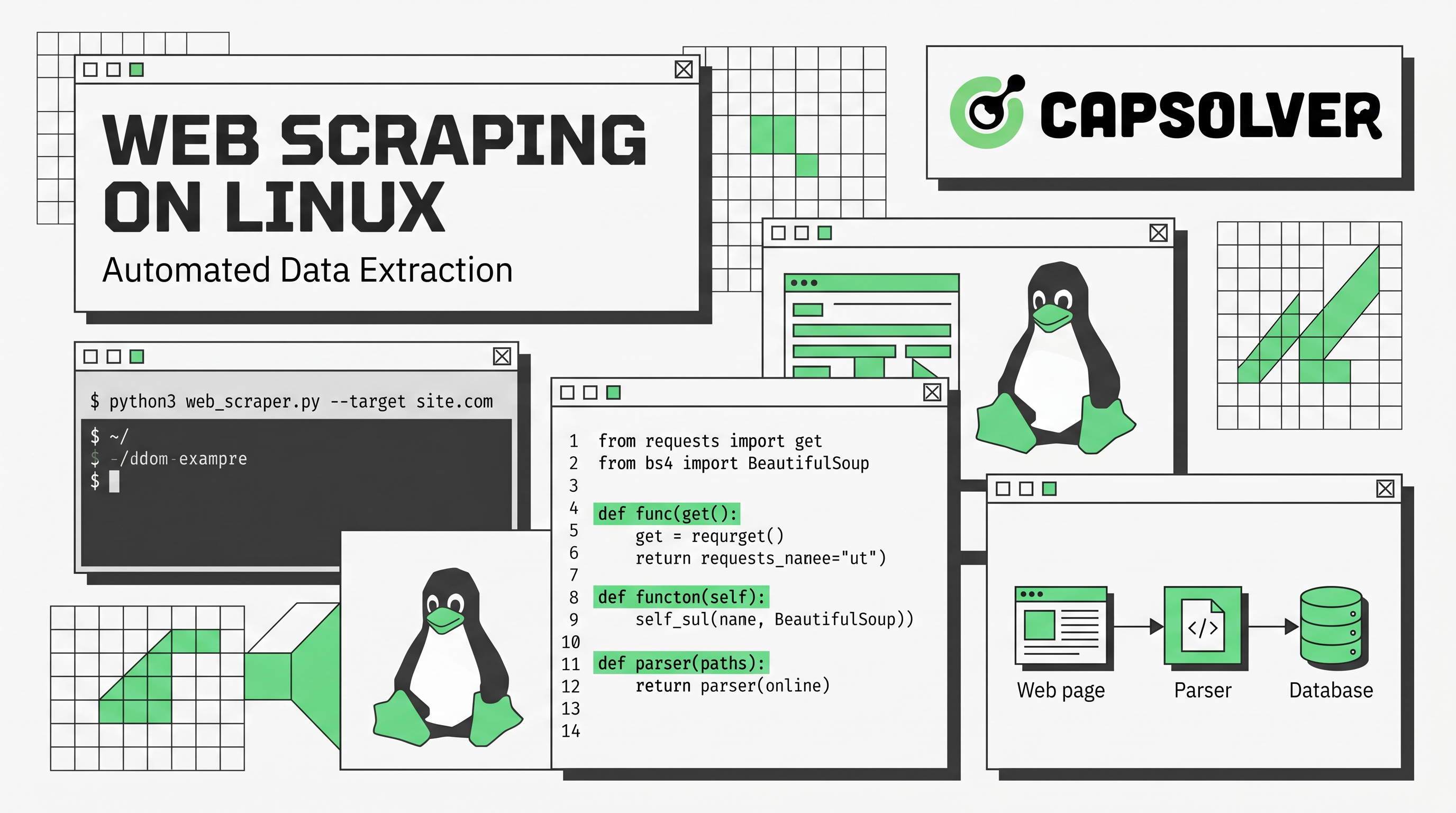
robots.txt, rate-limit requests, and comply with applicable data protection laws.Linux is the platform of choice for developers running web scraping at scale. Its native cron scheduling, minimal resource overhead, and mature Python ecosystem make it far more practical than Windows or macOS for long-running, automated data extraction pipelines. This guide walks through environment setup, tool selection, proxy configuration, CAPTCHA handling, and pipeline architecture — a practical reference for developers building web scraping on Linux in 2025.
Linux powers over 80% of web servers worldwide, according to W3Techs server OS statistics. That dominance is not accidental — Linux offers a set of native capabilities that make it the most practical environment for web scraping on Linux at any scale.
Key advantages for scraping workloads:
apt, pip, and conda keep dependency management clean and reproducible.wget, curl, grep, sed, and awk handle lightweight scraping tasks directly from the terminal, as documented by Linux.com's web scraping guide.Most cloud VPS providers — AWS EC2, DigitalOcean, Linode — default to Ubuntu or Debian, making Linux the natural deployment target for any serious data extraction pipeline.
Before writing a single line of scraping code, set up a clean, isolated environment.
Most modern Linux distributions ship with Python 3. Verify your version:
python3 --version
pip3 --version
If pip is missing:
sudo apt update && sudo apt install python3-pip -yIsolating dependencies prevents version conflicts across projects:
python3 -m venv scraper-env
source scraper-env/bin/activatepip install requests beautifulsoup4 scrapy playwright lxml
playwright install chromiumpip install pandas sqlalchemy psycopg2-binary fake-useragentThis baseline covers static page scraping, JavaScript rendering, and data storage — the three pillars of any web scraping on Linux workflow.
Selecting the right tool depends on the target site's complexity and your throughput requirements. The table below summarizes the main Python scraping tools used in Linux environments.
| Tool | Best For | JS Rendering | Speed | Learning Curve |
|---|---|---|---|---|
| Requests | Simple HTTP requests, static pages | ✗ | Fast | Low |
| BeautifulSoup | HTML/XML parsing (paired with Requests) | ✗ | Fast | Low |
| Scrapy | Large-scale, recurring crawls | ✗ (via plugin) | Very Fast | Medium |
| Playwright | Dynamic, JS-heavy pages | ✓ | Medium | Medium |
| Selenium | Legacy automation, JS pages | ✓ | Slow | Medium |
Requests + BeautifulSoup is the standard entry point for web scraping on Linux. It handles the majority of static pages with minimal setup and is the fastest path from zero to working scraper.
Scrapy is the right choice for production-grade, recurring data extraction pipelines. It handles cookies, sessions, compression, authentication, caching, and robots.txt out of the box, and its middleware architecture supports custom proxy rotation and CAPTCHA handling. Scrapy is one of the most widely adopted Python scraping frameworks, with over 52,000 GitHub stars as of 2025 (Scrapy on GitHub). For a broader overview of how these tools compare in real-world scenarios, see web scraping tools explained.
Playwright is the modern replacement for Selenium when JavaScript rendering is required. It runs headless Chromium natively on Linux, supports async execution, and is significantly faster for dynamic content. For a detailed comparison of browser automation approaches, nodriver vs traditional browser automation tools covers the trade-offs in depth.
Proxy rotation is essential for any serious web scraping on Linux setup. Without it, your scraper's IP will be rate-limited or blocked after a relatively small number of requests. Static residential proxies — IP addresses assigned by ISPs — are particularly effective because they simulate genuine user behavior, reducing the likelihood of detection, as noted by Linux Security's guide on ethical scraping.
| Type | Detection Risk | Cost | Best For |
|---|---|---|---|
| Datacenter | High | Low | Speed-sensitive, low-protection targets |
| Residential | Low | Medium | Sites with moderate bot detection |
| Rotating Residential | Very Low | Higher | High-volume, continuous pipelines |
import requests

proxies = {
    "http": "http://username:password@proxy-host:port",
    "https": "http://username:password@proxy-host:port",
}

response = requests.get("https://example.com", proxies=proxies)
print(response.status_code)In settings.py:
ROTATING_PROXY_LIST = [
    "http://proxy1:port",
    "http://proxy2:port",
]
Use the scrapy-rotating-proxies middleware for automatic pool management.
fake-useragent.time.sleep(random.uniform(1, 3)).For a curated list of proxy providers that work well with web scraping on Linux, best proxy services for web scraping is a useful starting point.
CAPTCHA challenges are the most common blocker in production web scraping on Linux. Sites deploy reCAPTCHA v2/v3, hCaptcha, Cloudflare Turnstile, and other challenges specifically to interrupt automated data extraction pipelines. reCAPTCHA v2 alone is used by over 5 million websites globally, according to CapSolver's reCAPTCHA v2 integration guide.
Solving CAPTCHAs manually is not scalable. The practical solution is to integrate a programmatic CAPTCHA-solving API directly into your scraping workflow. CapSolver is an AI-powered service that resolves reCAPTCHA, hCaptcha, Cloudflare Turnstile, GeeTest, AWS WAF, and other challenge types via a REST API, typically returning a valid token within 1–5 seconds — without human intervention.
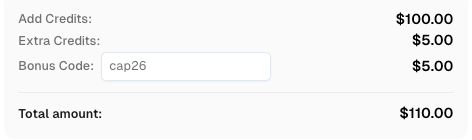
Redeem Your CapSolver Bonus Code
Boost your automation budget instantly!
Use bonus code CAP26 when topping up your CapSolver account to get an extra 5% bonus on every recharge — with no limits.
Redeem it now in your CapSolver Dashboard
createTask endpoint.The following example is based on CapSolver's official API documentation:
import requests
import time

# Your CapSolver API key
API_KEY = "YOUR_CAPSOLVER_API_KEY"
WEBSITE_URL = "https://example.com"
WEBSITE_KEY = "YOUR_RECAPTCHA_SITE_KEY"

def create_task():
    payload = {
        "clientKey": API_KEY,
        "task": {
            "type": "ReCaptchaV2TaskProxyLess",
            "websiteURL": WEBSITE_URL,
            "websiteKey": WEBSITE_KEY,
        }
    }
    response = requests.post(
        "https://api.capsolver.com/createTask",
        json=payload
    )
    return response.json().get("taskId")

def get_task_result(task_id):
    payload = {
        "clientKey": API_KEY,
        "taskId": task_id,
    }
    while True:
        response = requests.post(
            "https://api.capsolver.com/getTaskResult",
            json=payload
        )
        result = response.json()
        if result.get("status") == "ready":
            return result["solution"]["gRecaptchaResponse"]
        time.sleep(2)

task_id = create_task()
token = get_task_result(task_id)
print("CAPTCHA token:", token)
This token is then injected into the form's g-recaptcha-response field, allowing your scraper to proceed past the CAPTCHA gate. For proxy-based tasks, switch the task type to ReCaptchaV2Task and add your proxy details to the payload.
CapSolver supports two task modes:
ReCaptchaV2TaskProxyLess — uses CapSolver's own infrastructure; simpler setup.ReCaptchaV2Task — uses your own proxy; better for sites with strict geo-restrictions.For the full list of supported task types — including reCAPTCHA v3, Cloudflare Turnstile, and AWS WAF — see the CapSolver task types documentation.
A production-ready web scraping on Linux setup is more than a single script. It is a pipeline with distinct, composable stages.
[Scheduler: cron]
    → [Scraper: Scrapy / Playwright]
    → [Proxy Layer: rotating residential]
    → [CAPTCHA Handler: CapSolver API]
    → [Parser: BeautifulSoup / lxml]
    → [Storage: SQLite / PostgreSQL]
→ [Export: CSV / JSON / REST API]Edit your crontab to run a scraping job every hour:
crontab -eAdd the following line:
0 * * * * /home/user/scraper-env/bin/python /home/user/scraper/run.py >> /home/user/scraper/logs/scrape.log 2>&1For small projects, SQLite is sufficient:
import sqlite3

conn = sqlite3.connect("data.db")
cursor = conn.cursor()
cursor.execute(
    "CREATE TABLE IF NOT EXISTS products (name TEXT, price TEXT, url TEXT)"
)
cursor.execute(
    "INSERT INTO products VALUES (?, ?, ?)", (name, price, url)
)
conn.commit()
conn.close()
For larger pipelines, PostgreSQL with SQLAlchemy provides better concurrency and query performance.
Always log scraping activity. Use Python's built-in logging module:
import logging

logging.basicConfig(
    filename="scrape.log",
    level=logging.INFO,
    format="%(asctime)s %(levelname)s %(message)s"
)
logging.info("Scrape started")
Structured logging makes it far easier to debug failures in long-running web scraping on Linux jobs — especially when proxy errors and CAPTCHA timeouts are involved.
Web scraping on Linux is a powerful capability, but it must be used responsibly.
robots.txt — always review https://example.com/robots.txt before scraping. Respect Disallow directives.Responsible scraping is not just an ethical consideration — it is increasingly a legal one. Frameworks around automated data collection continue to evolve, and building compliance into your pipeline from the start is far cheaper than retrofitting it later.
Web scraping on Linux gives developers a stable, scriptable, and cost-effective foundation for data extraction at any scale. The combination of Python scraping tools like Scrapy and Playwright, a well-configured proxy layer, and a programmatic CAPTCHA-solving service covers the full range of challenges you will encounter in production. Start with a clean virtual environment, choose your tools based on the target site's complexity, and build your pipeline incrementally — scheduling, storage, and error handling included.
If CAPTCHA challenges are blocking your scraping workflow, get started with CapSolver and integrate AI-powered CAPTCHA solving into your pipeline in minutes.
Q1: What is the best Python library for web scraping on Linux?
It depends on the use case. For static pages, Requests combined with BeautifulSoup is the fastest and simplest option. For large-scale, recurring crawls, Scrapy is the industry standard. For JavaScript-heavy pages, Playwright is the recommended choice on Linux.
Q2: How do I run a web scraper automatically on Linux?
Use cron jobs. Edit your crontab with crontab -e and add a line specifying the schedule and the path to your Python script. This runs your scraper at any interval without manual intervention.
Q3: How do I handle CAPTCHAs in a web scraping pipeline?
Integrate a CAPTCHA-solving API such as CapSolver. Your scraper sends the site URL and site key to the API, receives a solved token, and injects it into the request. This process is fully automated and adds only a few seconds of latency per CAPTCHA encounter.
Q4: Are proxies necessary for web scraping on Linux?
For small, infrequent scraping tasks, proxies may not be required. For large-scale or continuous data extraction pipelines, rotating proxies are essential to avoid IP-based rate limiting and blocks.
Q5: Is web scraping on Linux legal?
Web scraping itself is generally legal when applied to publicly accessible data. However, you must respect the target site's robots.txt, terms of service, and applicable data protection laws. Scraping personal data or copyrighted content without authorization carries legal risk.
Lucas Mitchell
Automation Engineer
Helping browser automation recover and continue.
ABOUT THE AUTHOR
Learn scalable Rust web scraping architecture with reqwest, scraper, async scraping, headless browser scraping, proxy rotation, and compliant CAPTCHA handling.
Learn the best techniques to scrape job listings without getting blocked. Master Indeed scraping, Google Jobs API, and web scraping API with CapSolver.