🎉NEWCapSolver for AI agents-MCP, agent tools, and SDK integrations

Sora Fujimoto
AI Solutions Architect
Published Mar 25, 2026
Updated Mar 25, 2026 · min read

TL;Dr:
Google reCAPTCHA v2 is the most recognizable security barrier on the modern web, designed to distinguish humans from automated scripts. For developers building web scrapers, SEO monitoring tools, or automated testing suites, encountering these challenges is inevitable. This guide provides a comprehensive walkthrough on how to solve reCAPTCHA v2 using Python and specialized APIs. We will explore the technical nuances of the reCAPTCHA protocol, compare different solving strategies, and provide production-ready code snippets. Whether you are dealing with the "I'm not a robot" checkbox or complex image grids, mastering this automation is essential for maintaining high-performance data extraction workflows. By the end of this article, you will have a deep understanding of how to integrate these solutions into your existing Python projects seamlessly.
Before diving into the code, it is crucial to understand how reCAPTCHA v2 operates. It primarily functions through a client-side widget that generates a unique token upon successful validation. This token is then sent to the website's backend for verification via a secret key. According to BuiltWith, reCAPTCHA is currently deployed on millions of active domains, making it a standard for bot mitigation.
The challenge typically appears in two forms:
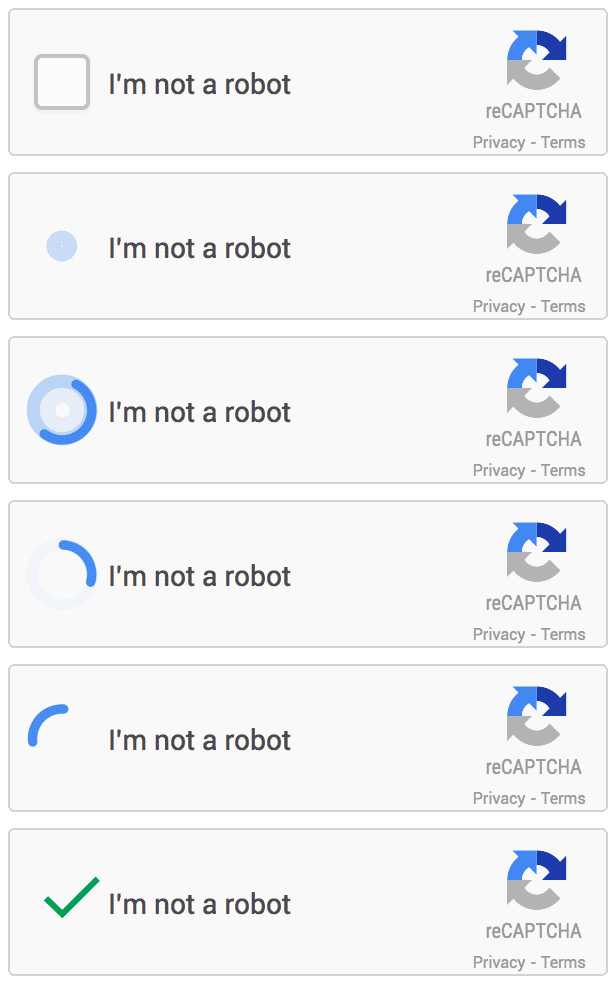
For automated systems, manually interacting with these elements is inefficient. Instead, developers use API-based solvers that programmatically handle the challenge and return the necessary g-recaptcha-response token. This token is the key to proving "humanity" to the target server.
While some attempt to use OCR or basic machine learning to solve these challenges, the success rate is often low due to Google's constant updates. Research from W3C suggests that traditional CAPTCHAs can pose significant accessibility issues, highlighting the need for seamless automation in business processes. Using a dedicated service like CapSolver offers several advantages:
The complexity of reCAPTCHA v2 has increased over the years. Google now uses advanced risk analysis engines that look at IP reputation, cookies, and mouse movements. A professional API service stays ahead of these changes, ensuring your scripts don't break when Google updates its algorithms.
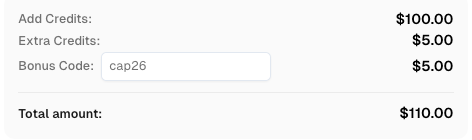
Use code
CAP26when signing up at CapSolver to receive bonus credits!
The following table compares the most common methods for handling reCAPTCHA v2 in Python automation.
| Feature | Manual Solving | OCR / ML Scripts | CapSolver API |
|---|---|---|---|
| Success Rate | 100% (Human) | < 30% (Unstable) | > 99% (Stable) |
| Speed | Very Slow | Moderate | Fast (1-5s) |
| Scalability | None | Low | High |
| Maintenance | High (Labor) | Very High (Code) | Low (API) |
| Cost | High | Moderate | Low |
To begin, you will need a CapSolver account and your API key. This process involves two main task types: ReCaptchaV2Task (requires your own proxy) and ReCaptchaV2TaskProxyless (uses CapSolver's built-in proxies).
First, ensure you have the necessary Python package installed. Open your terminal and run the following command:
pip install capsolverThis library simplifies the interaction with the CapSolver API, allowing you to focus on your core automation logic rather than raw HTTP requests.
Using your own proxy is recommended for high-security targets like marketplaces or Google Search. This ensures the request appears to come from a consistent IP address.
import capsolver

# Configuration
# The format should be http://username:password@host:port
PROXY = "http://username:password@host:port"
capsolver.api_key = "YOUR_CAPSOLVER_API_KEY"
PAGE_URL = "https://www.google.com/recaptcha/api2/demo"
PAGE_KEY = "6Le-wvkSAAAAAPB9Wv9E68LhS98nS50_8GZ0CLm"

def solve_recaptcha_v2(url, key):
    solution = capsolver.solve({
        "type": "ReCaptchaV2Task",
        "websiteURL": url,
        "websiteKey": key,
        "proxy": PROXY
    })
    return solution

def main():
    print("Solving reCAPTCHA v2 with Proxy...")
    solution = solve_recaptcha_v2(PAGE_URL, PAGE_KEY)
    if solution:
        print("Solution Token:", solution.get('gRecaptchaResponse'))

if __name__ == "__main__":
main()For less protected sites, the proxyless method is faster and easier to set up as it utilizes CapSolver's infrastructure.
import capsolver

# Configuration
capsolver.api_key = "YOUR_CAPSOLVER_API_KEY"
PAGE_URL = "https://www.google.com/recaptcha/api2/demo"
PAGE_KEY = "6Le-wvkSAAAAAPB9Wv9E68LhS98nS50_8GZ0CLm"

def solve_recaptcha_v2_proxyless(url, key):
    solution = capsolver.solve({
        "type": "ReCaptchaV2TaskProxyless",
        "websiteURL": url,
        "websiteKey": key,
    })
    return solution

def main():
    print("Solving reCAPTCHA v2 (Proxyless)...")
    solution = solve_recaptcha_v2_proxyless(PAGE_URL, PAGE_KEY)
    if solution:
        print("Solution Token:", solution.get('gRecaptchaResponse'))

if __name__ == "__main__":
main()When using the API, you might encounter additional parameters that can fine-tune the solving process. For instance, the enterprisePayload is used for reCAPTCHA Enterprise versions, which often include extra security layers. Understanding these nuances is what separates a basic script from a production-grade automation tool.
Another critical aspect is the pageAction. While more common in v3, some v2 Enterprise implementations use it to categorize user behavior. Always ensure you are capturing the correct sitekey and URL, as 90% of integration errors stem from mismatched credentials.
When dealing with sophisticated anti-bot systems, simply getting a token might not be enough. You must ensure your automation mimics human behavior. This includes using high-quality residential proxies and managing browser fingerprints. For more advanced techniques, you can explore how to fix common reCAPTCHA issues in web scraping to improve your success rates. A study from ACM Digital Library also shows that different reCAPTCHA versions have varying levels of difficulty for automated systems, making a robust API crucial.
Residential proxies are particularly effective because they use IP addresses assigned to real households, making them much harder for Google to flag as bots. If you are running large-scale operations, rotating these proxies is a best practice to avoid rate limiting.
Additionally, understanding the "s" parameter can be vital for certain implementations. You can learn more about this in the guide on how to identify and obtain reCAPTCHA “s” parameter data.
Most developers use reCAPTCHA solvers alongside frameworks like Selenium, Playwright, or Puppeteer. Once you receive the gRecaptchaResponse token from the API, you must inject it into the hidden g-recaptcha-response textarea on the target page and trigger the callback function if necessary.
Here is a conceptual example of how to inject the token using Selenium:
# Assuming 'driver' is your Selenium WebDriver instance
# and 'token' is the response from CapSolver
driver.execute_script(f'document.getElementById("g-recaptcha-response").innerHTML="{token}";')
driver.execute_script('onSuccess();') # Replace with the actual callback function name
This ensures the website recognizes the challenge as completed. For a broader look at available tools, check out the best reCAPTCHA solver 2026 for automation.
In a production environment, you must account for potential failures. Network timeouts, invalid sitekeys, or temporary API outages can occur. Implementing a robust retry logic with exponential backoff is essential.
import time

def solve_with_retry(url, key, max_retries=3):
    for i in range(max_retries):
        try:
            return solve_recaptcha_v2_proxyless(url, key)
        except Exception as e:
            print(f"Attempt {i+1} failed: {e}")
            time.sleep(2 ** i)
    return None
This approach ensures that minor glitches don't crash your entire data pipeline.
Automating reCAPTCHA v2 is a critical skill for modern web development and data science. By using a robust API like CapSolver, you can overcome these hurdles with minimal effort and maximum reliability. The combination of Python's flexibility and CapSolver's AI-driven recognition ensures that your automation workflows remain uninterrupted. As bot detection technology evolves, staying updated with the latest solving techniques is essential for any professional developer. Whether you are scraping competitive pricing data or automating routine tasks, the ability to solve reCAPTCHA v2 efficiently is a significant competitive advantage.
1. How long does a reCAPTCHA token last?
Most tokens expire within 120 seconds. It is best to use the token immediately after it is generated by the API to ensure it remains valid for the server-side check.
2. Can I use datacenter proxies for reCAPTCHA v2?
While they may work on some sites, high-security targets often flag datacenter IPs. Residential or ISP proxies are recommended for better stability and higher success rates.
3. What is the difference between v2 and v3?
reCAPTCHA v2 requires user interaction (like clicking a checkbox), while v3 is invisible and assigns a score based on user behavior. v2 is often used as a fallback when v3 scores are too low.
4. Is it legal to solve reCAPTCHA automatically?
Automating CAPTCHA solving is generally used for legitimate purposes like web scraping public data or automated testing. Always ensure you comply with the target website's terms of service and local regulations.
5. How can I get a bonus on my CapSolver account?
You can use the bonus code CAPN when topping up to receive an extra 5% bonus on your recharge. This is a great way to maximize your automation budget.
Sora Fujimoto
AI Solutions Architect
Connecting agents, browsers, and APIs into one workflow.
ABOUT THE AUTHOR
Understand reCAPTCHA v3 score range (0.0 to 1.0), its meaning, and how to improve your score. Learn how to handle low scores and optimize user experience.

Facing "reCAPTCHA Invalid Site Key" or "invalid reCAPTCHA token" errors? Discover common causes, step-by-step fixes, and troubleshooting tips to resolve reCAPTCHA verification failed issues. Learn how to fix reCAPTCHA verification failed please try again.