🎉NEWCapSolver for AI agents-MCP, agent tools, and SDK integrations

Lucas Mitchell
Automation Engineer
Published Apr 09, 2026
Updated Apr 09, 2026 · min read
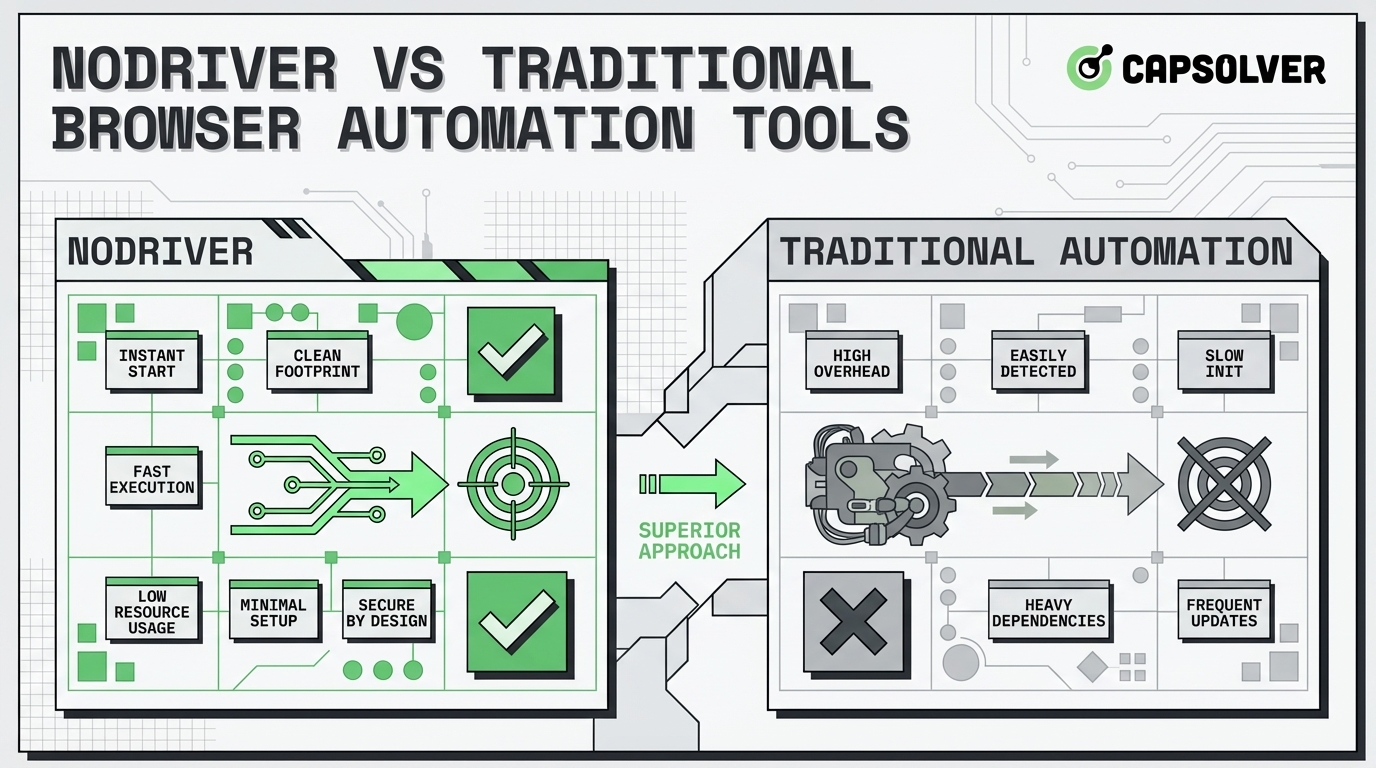
Modern web data extraction has moved beyond simple HTTP requests. As websites implement more advanced security, the choice of Python browser automation tools becomes critical. Traditional frameworks like Selenium and Puppeteer have long dominated the field, but they often struggle with detection and overhead. Enter NODRIVER—a modern, asynchronous solution designed to overcome headless browser limitations. This article explores the technical nuances of NODRIVER compared to traditional tools, focusing on CDP implementation, performance, and why it has become the preferred undetected chromedriver alternative for developers seeking efficiency and reliability in their asynchronous web scraping projects. By understanding the core differences in architecture, developers can build more resilient scrapers that respect compliance and deliver high-quality data.
Browser automation has undergone several generational shifts. Initially, tools relied on the WebDriver protocol, which acted as a bridge between the code and the browser. While effective for testing, this bridge introduced latency and detectable signatures.
Selenium is the quintessential example of a WebDriver-based tool. It supports multiple languages and browsers, but its architecture is inherently synchronous. This means each command must wait for the previous one to complete, which can be a bottleneck in large-scale asynchronous web scraping. Furthermore, WebDriver leaves specific JavaScript properties (like navigator.webdriver) that are easily identified by security systems. This leads to frequent blocks and the constant need for maintenance. For a deeper dive into how traditional tools handle interactive challenges, you might find our article on Selenium vs Puppeteer for CAPTCHA Solving insightful.
Tools like Puppeteer and Playwright shifted the paradigm by using the Chrome DevTools Protocol (CDP). This allows for more direct control over the browser's internals. However, even these modern tools can be detected if not configured correctly. The protocol itself is powerful, providing access to network events, console logs, and performance metrics. But standard CDP implementation in these tools often leaves "footprints" that sophisticated security can detect. NODRIVER takes this a step further by stripping away the automation layers that typical "stealth" versions of these tools still retain. By using a raw WebSocket connection to the browser's debugging port, NODRIVER minimizes the metadata that reveals the presence of an automated script. This approach ensures that your Python browser automation remains as close to a human-driven session as possible, significantly reducing the risk of being flagged by advanced security measures.
One of the most significant headless browser limitations is the way it handles rendering and resource loading. Many security systems look for inconsistencies in font rendering, canvas fingerprinting, and the presence of specific plugins. Traditional tools often fail to spoof these attributes convincingly. When you use asynchronous web scraping, the timing of these requests can also be a giveaway. NODRIVER addresses these headless browser limitations by providing a cleaner environment where the browser behaves naturally. Instead of trying to "patch" a detected environment, it creates an environment that was never detectable to begin with. This makes it a far more reliable undetected chromedriver alternative for developers who need to scrape data at scale without constant maintenance of their automation scripts. Understanding various Web Scraping Anti-Detection Techniques is crucial for sustained success.
NODRIVER is not just another wrapper; it is a complete rethink of how Python browser automation should work. By leveraging Python's asyncio, it provides a native way to handle multiple browser instances without the heavy resource consumption of traditional threading.
Many developers previously relied on undetected-chromedriver to patch Selenium's flaws. However, maintaining patches against frequent Chrome updates is a cat-and-mouse game. NODRIVER avoids this by not using a driver at all. It communicates directly with the browser via WebSockets, ensuring that the environment remains indistinguishable from a standard user session. This native CDP implementation is its core strength. It allows for a level of invisibility that is hard to achieve with any other Python browser automation library currently available.
One of the primary headless browser limitations is the "headless" flag itself. Many sites can detect when a browser is running without a GUI. NODRIVER manages these flags more effectively than traditional tools, often outperforming even the most tuned Playwright or Puppeteer setups in terms of invisibility. By focusing on the underlying protocol, NODRIVER can manipulate the browser's state in ways that appear completely organic to the target website.
| Feature | NODRIVER | Selenium | Playwright | Puppeteer |
|---|---|---|---|---|
| Primary Language | Python | Multi-language | Multi-language | Node.js |
| Architecture | Async CDP | WebDriver | CDP / Custom | CDP |
| Speed | Very High | Moderate | High | High |
| Stealth Level | Exceptional | Low (without patches) | Moderate | Moderate |
| Setup Complexity | Low | Moderate | Moderate | Moderate |
| Async Support | Native (asyncio) | Limited | Native | Native |
In a traditional scraping setup, opening ten browser tabs might require ten different threads, each consuming significant memory. With NODRIVER's asynchronous web scraping capabilities, you can manage hundreds of concurrent operations within a single event loop. This efficiency is critical for projects that require real-time data or large-scale historical extraction.
When scaling your operations, you will inevitably encounter interactive challenges designed to verify human presence. Even with the best Python browser automation, these hurdles can stop a script in its tracks. This is where CapSolver becomes an essential part of your stack. By automating the resolution of these challenges, you ensure your asynchronous web scraping pipeline remains uninterrupted. For instance, when your NODRIVER script encounters a complex verification, you can use the CapSolver API to handle it seamlessly. Scaling isn't just about running more browsers; it's about making sure those browsers don't get stuck. A single stuck browser instance can consume CPU and memory, eventually crashing your entire asynchronous web scraping infrastructure.
Integrating a service like CapSolver into your NODRIVER workflow is straightforward. When your script detects a verification challenge, it can pause the interaction, send the necessary parameters to the CapSolver API, and then resume once the solution is returned. This synergy between a powerful undetected chromedriver alternative and a reliable challenge solver is what separates amateur scraping from professional-grade data collection. By using asynchronous web scraping, you can even handle multiple challenges across different browser instances simultaneously, ensuring that your overall throughput remains high even when individual pages are heavily protected. This approach effectively bypasses the most common headless browser limitations related to interactive security checks. For more detailed strategies on Automating CAPTCHA Solving in Headless Browsers, refer to our dedicated guide.
To understand the power of CDP implementation, let's look at a basic setup. Note that NODRIVER's syntax is designed to be intuitive for Python developers familiar with asyncio. This example demonstrates how to start a browser session and interact with a page while maintaining a high level of stealth.
import nodriver as uc
import asyncio
import requests

# Example of how you might integrate CapSolver in a real workflow
def solve_challenge(site_url, site_key):
    api_key = "YOUR_CAPSOLVER_API_KEY"
    payload = {
        "clientKey": api_key,
        "task": {
            "type": 'ReCaptchaV2TaskProxyLess',
            "websiteKey": site_key,
            "websiteURL": site_url
        }
    }
    res = requests.post("https://api.capsolver.com/createTask", json=payload)
    task_id = res.json().get("taskId")
    # Poll for result... (Simplified for this example)
    return "SOLVED_TOKEN"

async def main():
    # Start the browser with advanced CDP implementation
    # NODRIVER handles the complex browser initialization for you
    browser = await uc.start()

    # Navigate to your target URL
    page = await browser.get('https://www.example.com')

    # Perform interactions without typical headless browser limitations
    # You can wait for specific elements or just a set amount of time
    await page.wait(2)

    # Get the page content or interact with elements
    content = await page.get_content()
    print(f"Page Title: {await page.title()}")

    # In a real-world scenario, you might encounter a challenge here.
    # If a verification appears, you would call your solver function.
    # token = solve_challenge('https://www.example.com', 'SITE_KEY')
    # await page.evaluate(f'document.getElementById("g-recaptcha-response").innerHTML="{token}";')

    # Always ensure the browser is stopped to free up resources
    await browser.stop()

if __name__ == '__main__':
    # Use the NODRIVER built-in loop for convenience
    uc.loop().run_until_complete(main())
Note: This code follows the standard implementation patterns for NODRIVER and integrates well with external services like CapSolver for handling interactive elements. The CDP implementation ensures that every command is sent directly to the browser, bypassing the detection-prone WebDriver protocol.
When building your Python browser automation scripts, it's essential to follow best practices to ensure long-term stability. First, always handle exceptions. Browsers can crash, network connections can drop, and websites can change their structure. Second, use realistic delays. Even with a perfect undetected chromedriver alternative, human-like timing is crucial. Third, rotate your identifiers. While NODRIVER handles many fingerprinting issues, rotating your IP address and user-agent string adds another layer of security. Finally, always monitor your success rates. If you notice a drop in data quality, it might be time to update your CDP implementation or re-evaluate your challenge-solving strategy with a service like CapSolver. These practices, combined with the power of asynchronous web scraping, will make your automation infrastructure robust and scalable.
While NODRIVER is excellent at avoiding initial detection, some websites use behavioral analysis that triggers interactive verifications regardless of the tool used. For these cases, CapSolver provides a robust API that integrates directly into your automation workflow. This ensures that your Python browser automation remains productive even when faced with the toughest security. For a specific example of integration, see How to Solve Captcha in Pydoll with CapSolver.
According to recent industry analysis on ScrapingBee, the shift toward driverless automation is a response to the increasing sophistication of web security. Furthermore, ZenRows highlights that using an undetected chromedriver alternative like NODRIVER is now a standard practice for high-frequency data collection. These external resources validate the importance of modern CDP implementation in today's landscape.
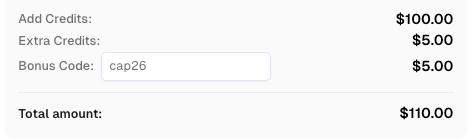
Use code
CAP26when signing up at CapSolver to receive bonus credits!
Choosing the right tool for Python browser automation depends on your project's scale and the target site's security. While traditional tools like Selenium and Playwright are excellent for testing, NODRIVER stands out as a specialized undetected chromedriver alternative for high-stakes asynchronous web scraping. Its direct CDP implementation removes the typical headless browser limitations, providing a cleaner, faster, and more invisible automation experience. By combining NODRIVER with the powerful solving capabilities of CapSolver, developers can build resilient and scalable data extraction systems that adhere to the highest standards of efficiency and reliability. Ensuring compliance and using tools responsibly remains the cornerstone of any successful automation project.
Yes, NODRIVER is significantly faster because it removes the WebDriver middleman and uses native asynchronous web scraping via Python's asyncio.
While no tool is 100% invisible, NODRIVER's CDP implementation avoids the common markers used to identify traditional Python browser automation tools.
Currently, NODRIVER focuses on Chromium-based browsers to provide the most robust undetected chromedriver alternative and deepest CDP implementation.
We recommend using CapSolver to handle any interactive verifications that may arise during your automation process.
The most common headless browser limitations include missing browser features, detectable JavaScript properties, and inconsistent rendering, all of which NODRIVER aims to minimize.
Lucas Mitchell
Automation Engineer
Helping browser automation recover and continue.
ABOUT THE AUTHOR
Learn scalable Rust web scraping architecture with reqwest, scraper, async scraping, headless browser scraping, proxy rotation, and compliant CAPTCHA handling.
Learn the best techniques to scrape job listings without getting blocked. Master Indeed scraping, Google Jobs API, and web scraping API with CapSolver.