🎉NEWCapSolver for AI agents-MCP, agent tools, and SDK integrations

Lucas Mitchell
Automation Engineer
Published Sep 24, 2026
Updated Sep 24, 2026 · min read
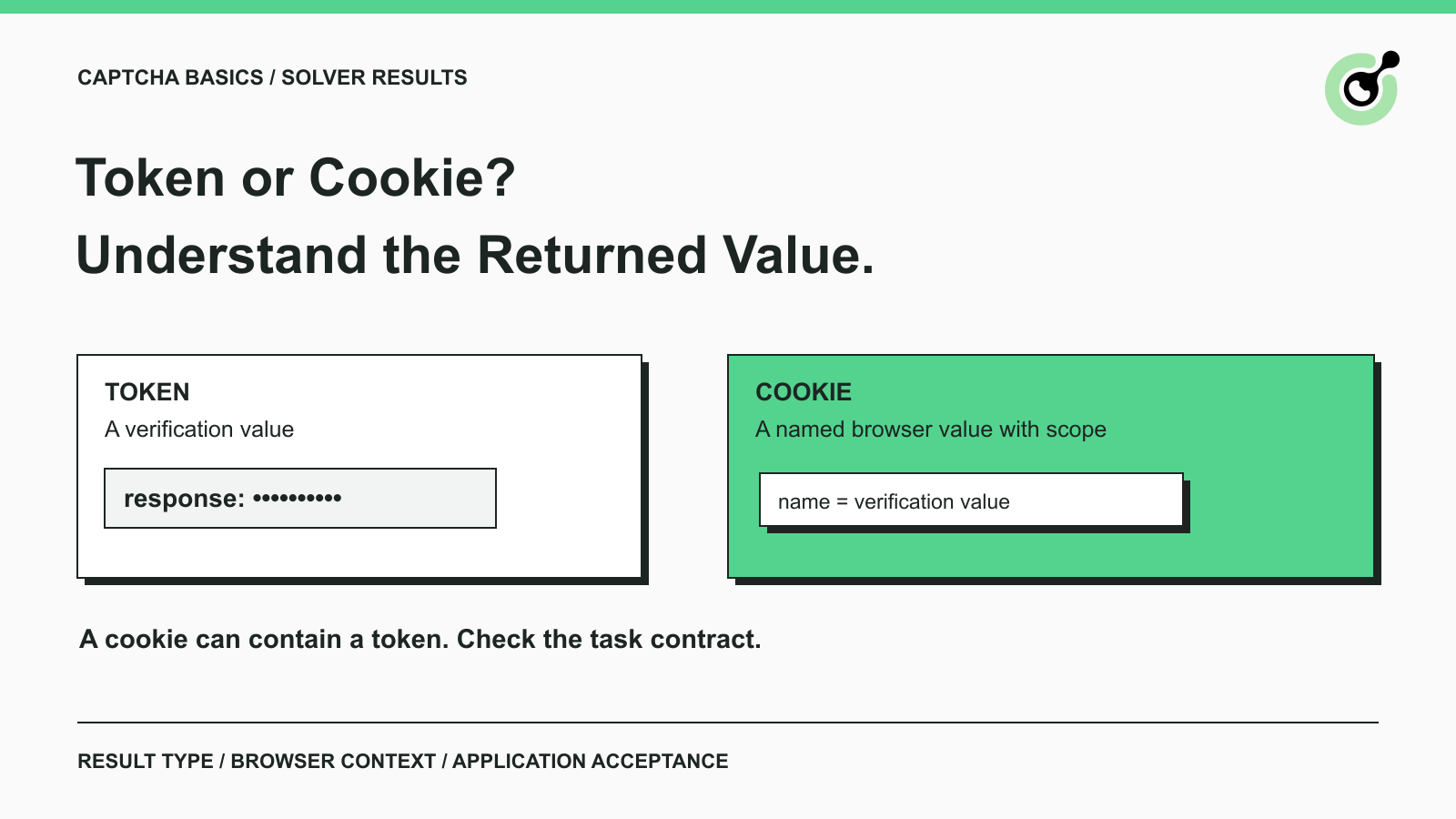
A CAPTCHA token carries verification information, while a cookie provides a way to store a value and send it with matching browser requests. Those concepts can overlap: a token may be delivered inside a cookie.
This distinction matters when a developer receives a successful solver response but the browser still shows the original page. The returned value may be valid for one integration step while the next step expects a different result or browser context. CapSolver exposes task-specific results, so understanding the response format belongs near the start of an integration. This guide explains the common result types, how to read them, and what to check before treating the workflow as complete. It applies to your own applications and other automation you are permitted to run.
In a CAPTCHA workflow, a response token is usually an opaque value produced for verification. Your application should use it according to the relevant provider's contract. Its length or appearance does not tell you whether it belongs to reCAPTCHA, Turnstile, or a different system.
Do not confuse that response with your solver API key. The API key authorizes calls to the solver service. The response token belongs to a particular CAPTCHA operation. Neither replaces the credentials or permissions required by the business application.
A browser cookie is a named value associated with a site and relevant attributes. Those attributes influence where and when the browser sends it. A cookie might contain application session state, preferences, or verification-related information.
That means token versus cookie is not a choice between two universally competing technologies. First identify the challenge and the receiving application's requirements. Then determine whether the documented result is a form response, a cookie value, or something else.
Different task families return different kinds of information, and your integration should preserve those differences.
| Challenge or task | Typical result to recognize | What still needs checking |
|---|---|---|
| reCAPTCHA token task | A response such as gRecaptchaResponse |
The application receives and validates the appropriate response |
| Turnstile token task | A token value in the documented solution |
The site's server validates it and processes the intended action |
| AWS WAF task | A documented cookie result |
The permitted browser workflow uses the expected session context |
| Image-to-text task | Recognized text | The text belongs to the current image and the application accepts it |
| Vision Engine task | Module-specific recognition data | The application performs the matching image interaction |
This table describes result categories, not a promise that one adapter can use every field in the same way. A function that extracts only token will not automatically handle a response named gRecaptchaResponse, text recognition, or a cookie result.
The same distinction applies to an agent tool. Its success message should say what the tool actually returned. Recognition completed and application accepted the form represent different observations, even if both occur during the same browser task.
reCAPTCHA and Turnstile response tokens belong to validation flows that the website's server must complete. Receiving a token from a solver is one part of that flow.
CapSolver's reCAPTCHA v2 task documentation shows the result under solution.gRecaptchaResponse. It also describes conditional cookie-related fields, so the actual configuration and returned object matter more than an assumption that every reCAPTCHA result is identical.
Google documents that a reCAPTCHA response token is valid for two minutes and can be verified once. A long pause between solving and submission can therefore change the outcome. A previously accepted token is not a reusable fixture for later tests.
For an application you own, inspect the server's verification decision alongside the browser result. For an external application you are authorized to automate, check the observable business result without claiming access to server-side evidence you do not have.
The CapSolver Turnstile task documents its own request and result fields. Use that contract rather than substituting fields from a reCAPTCHA example.
Cloudflare's Turnstile validation guide requires server-side validation and describes tokens as single-use, with a five-minute validity period. A visible widget state alone cannot prove that your server enforced the check correctly.
Avoid solving far ahead of the action that needs the response. Prepare the permitted task, obtain the response at the appropriate point, and confirm the receiving application's result. Do not turn a failed submission into an unlimited loop of new solver calls.
Redeem Your CapSolver Bonus Code
Boost your automation budget instantly!
Use bonus code CAP26 when topping up your CapSolver account to get an extra 5% bonus on every recharge — with no limits.
Redeem it now in your CapSolver Dashboard
A verification cookie records provider-specific state within a browser context. It does not grant general access to unrelated sites, accounts, or protected actions.
Cloudflare documents cf_clearance as a cookie associated with its clearance mechanisms. Its clearance documentation also explains that Turnstile can support pre-clearance when configured for it. You should not assume that every successful Turnstile token operation creates that cookie.
If the page presents a Cloudflare Challenge rather than a standalone Turnstile widget, start by identifying the actual mechanism. The guide to identifying Turnstile and Cloudflare Challenge pages covers that earlier decision. A mismatch there can send the integration toward the wrong result type.
Treat clearance as scoped state with its own conditions. It is not evidence that a user is signed in, that a restricted document is accessible, or that later application requests cannot be rejected.
AWS describes its verification token as being stored in the aws-waf-token cookie. This is a concrete example of a token and a cookie participating in the same design.
CapSolver's AWS WAF task reference documents the solver's result shape. Keep the service response and the browser's storage behavior conceptually separate: one tells you what the solver returned; the other determines how the permitted application workflow carries the value.
You do not need to decode the value to decide whether your integration uses the right field. You need the current task documentation, the matching browser context, and evidence that the intended request was accepted.
Read a solver response in stages so that an accepted API request cannot be mistaken for a completed application action.
First check whether task creation succeeded. An error at that point requires attention to the supplied task or service response. A task identifier only means that a task exists; it is not the CAPTCHA answer.
Next follow the selected task's documented completion flow. CapSolver's task result reference describes asynchronous results, while some recognition tasks return their result directly from task creation. Avoid forcing every task family through a single assumed polling path.
Then inspect the expected solution field. Is the value a CAPTCHA response, a cookie, recognized text, or coordinates? A missing field is useful diagnostic evidence. Replacing it with an empty string or passing the whole object into a form hides the mismatch.
Finally verify the business operation. For a permitted form test, look for the expected confirmation and associated test record. For a read-only data task, confirm that the requested content is present. Record uncertainty if the page changed but the expected result cannot be established.
Consider a hypothetical test that requests a product availability report. The solver returns a response, but the browser navigates to a generic home page. The solver step may have completed, yet the report was never obtained. Reporting “CAPTCHA solved; target report missing” gives the next engineer a more useful starting point than reporting the whole run as successful.
Most result-handling mistakes come from treating different stages or result types as interchangeable.
Using the wrong response field. Keep each adapter tied to its documented task type. Review actual field names without copying sensitive values into issue trackers.
Using a stale response. Navigation, a refreshed challenge, or a long operator delay may make an earlier result inappropriate. Recheck the current page and the provider's validity rules before continuing.
Treating a cookie as portable across workers. Browser state should remain under explicit ownership. Moving an opaque value into an unrelated context is not a substitute for a supported session workflow.
Checking only the solver dashboard. The dashboard can help investigate service tasks, but it cannot replace evidence from your application's final action. Keep task status and business outcome separately visible in your report.
Logging the complete solution. Record the task identifier, result category, timestamps, and a redacted error description when needed. Full response tokens and session cookies generally do not belong in ordinary debugging output.
When diagnosing a failure, preserve the sequence of events rather than only the last error. A task created before navigation, a result returned afterward, and a form submitted in a different tab describe a very different problem from a request rejected during task creation. That timeline can reveal where to investigate without collecting the secret values themselves.
Choose the solver task from the challenge you actually observed, then implement the response contract for that task. Keep the browser's responsibilities and the application's acceptance checks explicit. This produces clearer integration code and more useful failure reports than treating every returned string as the same kind of answer.
Use CapSolver with the current task documentation for permitted CAPTCHA handling. Start with one representative workflow, establish what completion looks like, and expand only after that outcome is observable.
Q: Is a CAPTCHA token the same as a cookie?
No. A token is a value used by a verification system, while a cookie is a way to store and transmit a named value in a browser context. A cookie can contain a token, as AWS WAF demonstrates.
Q: Can I choose a cookie instead of a token for any CAPTCHA?
No. The challenge provider and the task contract determine the expected result. Changing the result format in your own code does not change what the receiving application accepts.
Q: Does a Turnstile token automatically provide Cloudflare clearance?
No. Turnstile response validation and Cloudflare clearance are distinct mechanisms. Turnstile pre-clearance depends on configuration; do not assume every token operation produces a clearance cookie.
Q: Why does the page still fail after the solver returns a result?
Check the result field, freshness, challenge parameters, browser context, and final application response. A solver result alone cannot confirm that the browser performed the correct action or that the application accepted it.
Q: Should I save tokens and cookies for future runs?
Do not build a general cache of CAPTCHA answers. Follow each provider's validity and session requirements, protect any necessary browser state, and avoid reusing single-use responses.
Lucas Mitchell
Automation Engineer
Helping browser automation recover and continue.
ABOUT THE AUTHOR
Troubleshoot slow CAPTCHA API requests with clear checks for task creation, result polling, errors, token expiry, and the final browser action after solving.

Solve an image CAPTCHA in Node.js with the documented ImageToTextTask request, local Base64 encoding, direct text results, and a small tested client.