ImageToTextTask vs VisionEngine: Choose an Image CAPTCHA Solver

Lucas Mitchell
Automation Engineer
TL;DR
- Choose an image CAPTCHA task by its documented input and output, rather than by the fact that the challenge contains a picture.
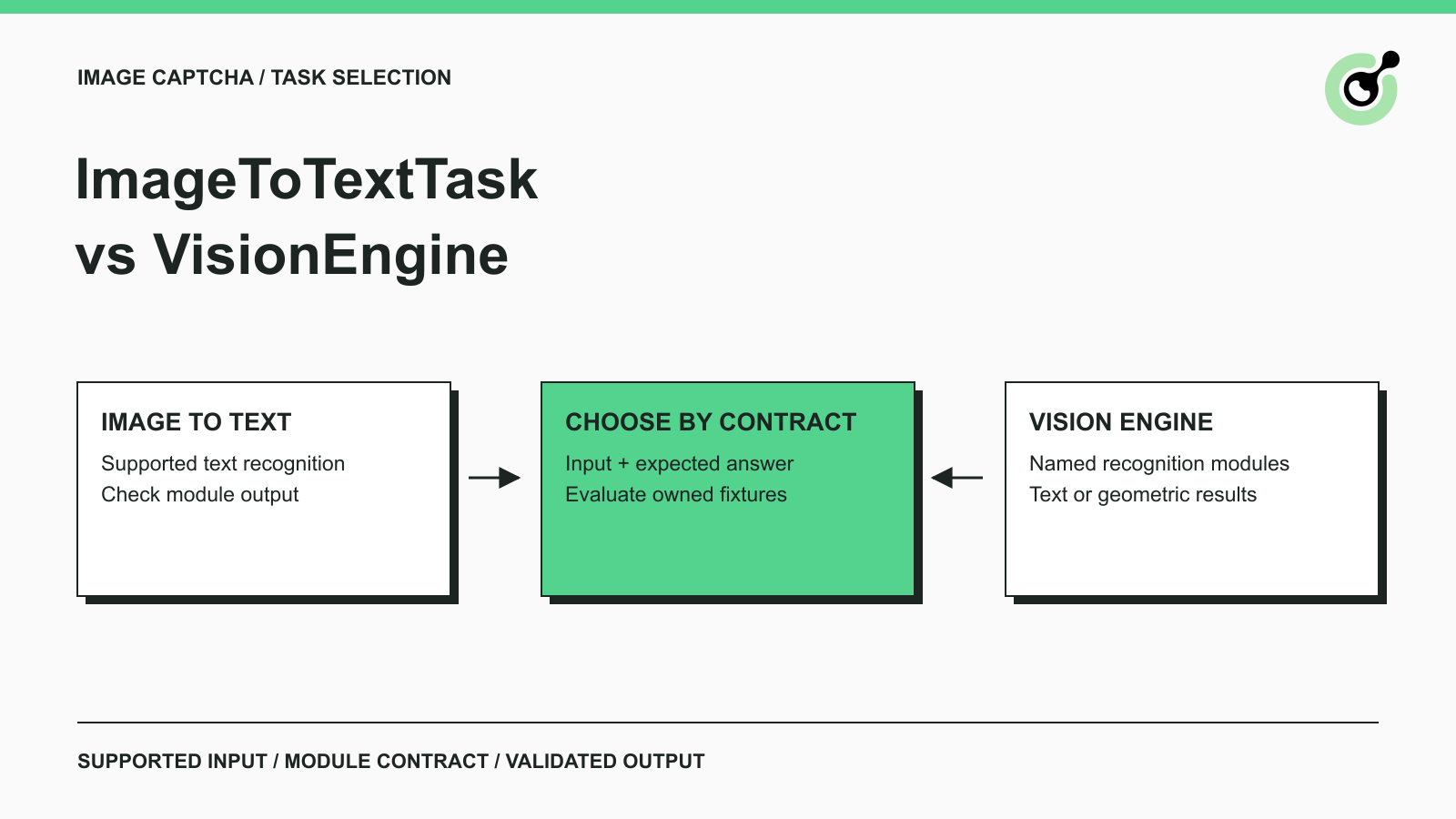
- ImageToTextTask is the starting point for supported text recognition; VisionEngine provides named modules with different result shapes.
- VisionEngine is not exclusively geometric: its documented
ocr_gifexample returns text. - Both task families return recognition results directly from
createTask; do not add a polling stage by default. - Validate recognition separately from the application's use of the answer, especially when coordinates, image dimensions, or refreshed challenges are involved.
What is the difference between ImageToTextTask and VisionEngine?
ImageToTextTask and VisionEngine are image recognition task families with different request fields and module-specific responses. The correct choice depends on the challenge format your authorized application supports and the answer your application needs next.
In CapSolver, selecting the right family means more than changing the task name. A parser expecting recognized characters cannot safely consume a distance or an angle. Conversely, a geometric answer is unnecessary when the application's next step simply compares a recognized string with a known test fixture.
Optical character recognition, or OCR, extracts text from an image. That helps explain one category of CAPTCHA recognition, but “image CAPTCHA” is broader than OCR. A challenge can ask for text, a position, or another supported visual relationship.
This guide compares documented contracts and evaluation choices. Its scenarios concern owned CAPTCHA fixtures and permitted QA. It does not present a generic script for interacting with arbitrary websites or claim that a recognition result completes a browser challenge by itself.
Compare the task contracts before choosing
The task contract determines which image data you send and how you interpret the result.
| Comparison | ImageToTextTask | VisionEngine |
|---|---|---|
| Primary request image field | body |
image |
| Task selection | ImageToTextTask, with documented module options |
VisionEngine plus a supported named module |
| Output to expect | Text or module-specific answers | Module-specific text or geometric results |
| Result delivery | Direct createTask response | Direct createTask response |
| Main integration question | Does the selected recognition mode match the expected answer? | Does the exact module match the image format and output contract? |
| Unsafe assumption | Every response is one text string | Every image can use the same module or parser |
The ImageToTextTask reference documents Base64 image content in body, without newlines or a data-URI prefix. Its examples distinguish text from module-specific answers. Read the selected module's response instead of flattening every successful result into a single string.
The VisionEngine reference documents named modules: examples include slider_1 returning distance, rotation modules returning angle, and botdeflector returning points. The ocr_gif example returns text. The general property table lists imageBackground as required, while several module examples omit it. Resolve that difference against the exact module example and confirm any remaining ambiguity before implementation.
These examples establish supported contracts, not universal image understanding. A task name is not permission to invent a module, add a free-form prompt, or expect a response type that the selected module does not document.
When should you start with ImageToTextTask?
Start with ImageToTextTask when the supported challenge's useful answer is recognized text and the documented module fits your input.
Suppose your team maintains a legacy contact form and has a permitted test set of character images. The evaluation question is specific: can the recognition path return the characters expected by the fixture? You can compare the returned string with the test label without involving browser coordinates or pointer movement.
Define the application's text rules before evaluating the solver. Does your own form distinguish uppercase and lowercase? Does it preserve leading zeroes? Does it accept spaces? Those are properties of the application you control. They should not be silently changed by a generic result-cleaning function.
For example, a fixture labelled “007A” should remain a string throughout comparison. Treating its result as a number would make the application parser responsible for an avoidable error. This is an illustrative validation example, not a reported solver output.
Keep empty results and wrong response shapes distinguishable. A missing expected field is an integration problem to inspect. A correctly shaped but incorrect answer belongs in recognition evaluation. Combining both into one “accuracy” number hides whether the task choice or the image recognition needs attention.
When does VisionEngine deserve evaluation?
Evaluate VisionEngine when a documented module matches the challenge format and its returned structure is the information your application needs.
For a controlled image test, an angle and a point list represent different assertions. An angle can be compared with the fixture's expected orientation. A point list needs its own interpretation rules. Neither should pass through a parser that was written for character recognition.
Prepare a module-specific adapter with a deliberately narrow responsibility: accept the documented result shape, validate it, and hand the interpreted answer to the owned application. Do not make that adapter decide which unrelated browser control to operate. Keeping recognition interpretation separate makes failures easier to reproduce with stored fixtures.
The presence of an OCR module also prevents a simplistic rule such as “text always means ImageToTextTask.” For animated text input, inspect the documented supported format and module before choosing. The answer format alone does not establish that two tasks accept the same inputs or perform equally well on them.
If no documented module matches the challenge, record it as unsupported or unresolved. Changing request labels until an API accepts the payload is not a reliable evaluation method. Acceptance of a request does not establish that its recognition model fits the image.
Redeem Your CapSolver Bonus Code
Boost your automation budget instantly!
Use bonus code CAP26 when topping up your CapSolver account to get an extra 5% bonus on every recharge — with no limits.
Redeem it now in your CapSolver Dashboard

How should image preparation affect the comparison?
Image preparation should preserve the evidence each candidate task needs, so the evaluation measures task fit rather than accidental preprocessing differences.
Base64 is a representation of bytes. The RFC 4648 Base64 specification defines that encoding; it does not establish that the encoded file is the right image for a recognition module. A payload can be syntactically encoded and still contain a stale challenge, the wrong crop, or an unsupported image format.
For each owned fixture, retain a reference to the original image and note any transformation made before submission. Examples include resizing, flattening an animation, or changing a crop. Avoid silently applying the same transformation to every task family: removing animation frames may change the information available to a task intended for animated input.
If an evaluated module needs foreground and background images, make sure they belong to the same fixture instance. Combining a foreground from one refresh with a background from another creates an input mismatch. That failure should not be counted as evidence that a valid module is inaccurate.
Use synthetic or approved test images without unrelated personal information. A screenshot of an entire support page may contain more than the challenge. Limiting the submitted image to the permitted input makes the test clearer and reduces unnecessary data exposure.
Why are coordinate results harder to integrate than text?
Coordinate results require agreement about the image and layout reference frame before the application can use them correctly.
A point measured against an original image is not automatically a point in a browser viewport. The browser bounding-rectangle definition describes a rectangle relative to the viewport and includes an element's border and padding. That is different from assuming the displayed element exactly matches the raw image dimensions.
In an owned QA harness, test coordinate interpretation as a separate component. Record the dimensions of the fixture, the dimensions actually presented to the solver, and the application representation used to evaluate the answer. If those representations differ, the application needs an explicit, tested mapping appropriate to its own interface.
Do not use a successful recognition response as proof that such a mapping is correct. A useful test can compare the interpreted result with a labelled fixture before any browser action occurs. A second test can verify that the owned component consumes that interpreted result as intended.
This separation also helps with refreshed challenges. If the UI replaces an image while recognition is running, the answer still belongs to the original fixture. Your application should discard that stale association instead of applying the result to the replacement image.
How can you compare accuracy and operating cost fairly?
A fair comparison groups results by supported challenge family and counts completed application outcomes separately from valid API responses.
Begin with a representative, permissioned fixture set. Include the image variations your application actually produces, such as its normal dimensions and expected character range. Keep a labelled holdout set for evaluation so adjustments to preprocessing are not judged only on the same examples that motivated them.
Record these categories separately:
| Evaluation category | What it tells you |
|---|---|
| Input rejected | Request or format needs attention |
| Expected response shape returned | Parser contract is satisfied |
| Answer matches fixture | Recognition meets the fixture's criterion |
| Owned application accepts the answer | Integration preserves the result's intended meaning |
| Result arrives after fixture replacement | Timing or lifecycle made the answer unusable |
Do not compare unrelated tasks using one headline accuracy score. A text fixture and a geometric fixture test different outputs. Where two documented options genuinely fit the same input family, hold the fixture set and success definition constant.
For cost, measure total evaluation spend against successful, relevant outcomes and account for engineering work. A parser that requires frequent manual investigation can cost time even when task charges are modest. No universal price or performance winner is established by the API field names alone.
These are evaluation recommendations, not benchmark results. Run them against your permitted application before making an accuracy, speed, or savings claim.
What should a final task-selection checklist contain?
A task-selection checklist should identify the supported input, expected answer, delivery behavior, and application acceptance test.
For each supported CAPTCHA family, document the selected task and module, image preparation rules, expected solution field, and what happens if the response has another shape. Assign an owner for reviewing those assumptions when your application changes its CAPTCHA implementation.
Keep accessibility review separate from recognition evaluation. The W3C discussion of CAPTCHA inaccessibility explains barriers created by challenge mechanisms. Adding a solver to an automated QA flow does not demonstrate that the public form offers an accessible experience. The site owner still needs to evaluate appropriate user alternatives.
For a broader explanation of the recognition layer, see how an image recognition API fits custom CAPTCHA automation. Return to this comparison when choosing the precise task contract.
Start with a supported CapSolver task, a small labelled test set, and a parser that preserves the documented result. Expand coverage only after each new input family has its own clear acceptance criteria.
FAQ
Q: Is VisionEngine a replacement for ImageToTextTask?
VisionEngine is not a universal replacement. Choose the task whose documented module supports the input and provides the result your application expects. Different response shapes and image requirements can require different adapters.
Q: Does VisionEngine always return coordinates?
VisionEngine does not always return coordinates. Its module examples include geometric results and an OCR example returning text. Read the selected module's response contract rather than inferring it from the task-family name.
Q: Do these task families need getTaskResult polling?
Both linked task-family references describe results returned directly through createTask. A shared API wrapper should preserve that direct solution instead of automatically starting a polling loop.
Q: Can a recognized answer prove a CAPTCHA form works?
A recognized answer proves neither correct result routing nor form completion. Validate the answer against a fixture, then check that the owned application consumes it for the intended challenge and reaches the expected outcome.
More
The Other CAPTCHASep 15, 2026
CAPTCHA Solver Polling vs Webhooks: How to Choose a Result Flow
Choose CAPTCHA solver polling or webhooks using task status, receiver requirements, result freshness, and the documented CapSolver API completion flow.
The Other CAPTCHASep 09, 2026
Selenium CAPTCHA Integration Security: Protect Keys and Sessions
Learn how to protect keys, sessions, logs, and test environments in Selenium CAPTCHA integrations, with practical review checks for authorized automation.