
🎉NEWCapSolver for AI agents-MCP, agent tools, and SDK integrations

Emma Foster
Machine Learning Engineer
Published Nov 19, 2026
Updated Nov 19, 2026 · min read
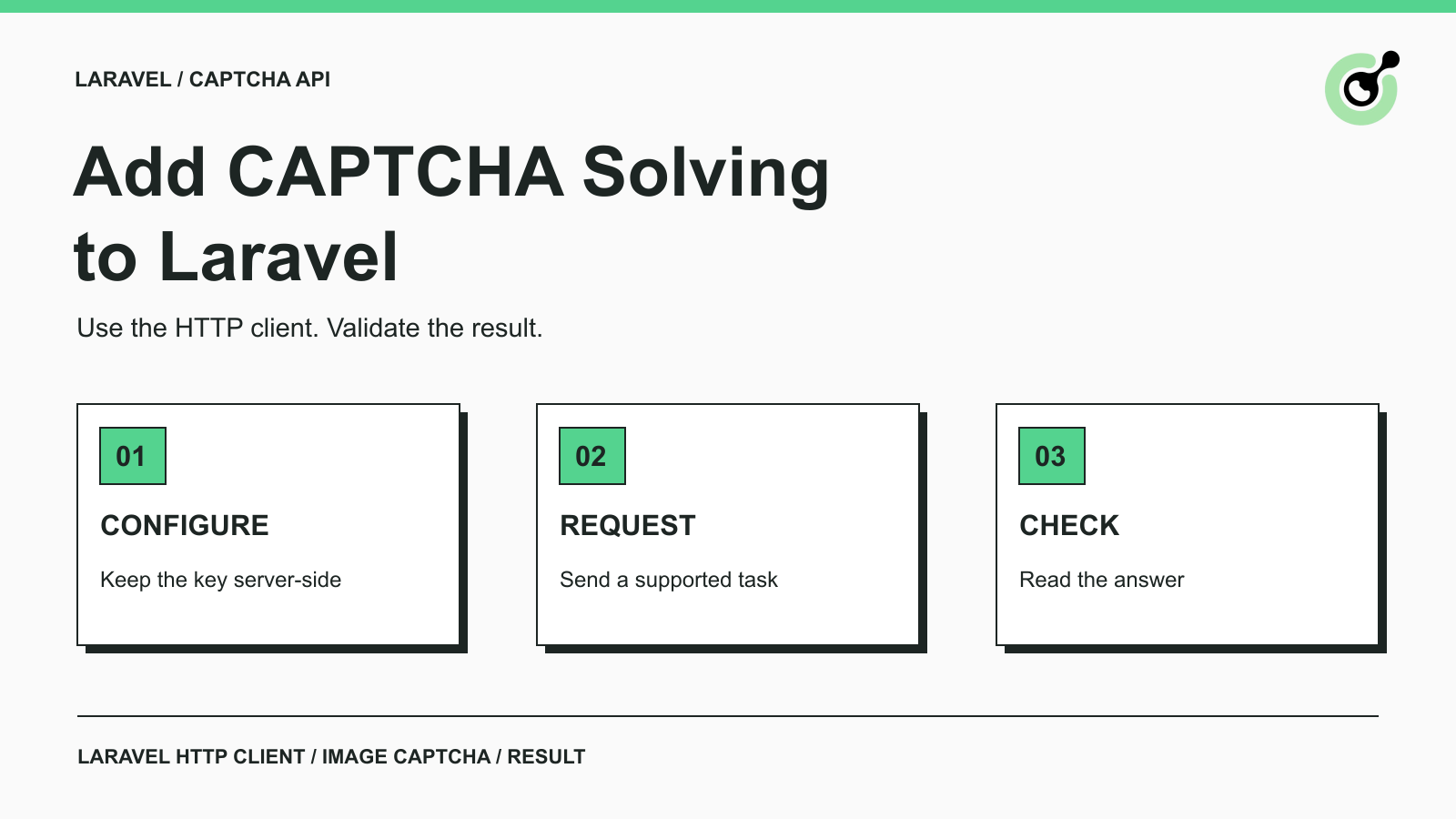
ImageToTextTask; that task returns its recognition result directly from createTask.errorId, then validate solution.text before using it.A CAPTCHA solver gives a Laravel application a server-side step for handling a supported challenge in an authorized workflow. Laravel is a PHP web application framework: it can run application code, console commands, and background work. Its HTTP client sends API requests; it does not render a browser page or operate a CAPTCHA widget.
For example, an internal operations tool may receive an image challenge during an approved document retrieval task. The application sends the image to the solver, checks the returned text, and passes that answer to the relevant step in its existing workflow. The application still owns session handling, result validation, and the decision to continue.
This guide uses CapSolver with Laravel's native HTTP client. The example stops at recognizing an owned local test image, making the request and result easy to inspect before connecting them to a larger application. It is not a guide to installing CAPTCHA protection on your own forms.
Start with a working Laravel application, a CapSolver account with available balance, and a local PNG or JPEG image that you own or are authorized to process. Put the image at storage/app/fixture.png for the command below. Choose a simple text image whose expected answer you can check yourself.
Run the commands from your Laravel project root. The integration uses the framework's HTTP client, so no separate solver SDK is required. PHP must be able to establish a verified HTTPS connection to the API.
The task used here is ImageToTextTask. Its body contains the image's Base64 data, without a data-URI prefix. The common module returns recognized text. Unlike asynchronous task flows, this recognition task returns its result in the createTask response; the example does not poll getTaskResult.
Store the API key in the application's environment and expose it through a configuration file. Add this entry to your server's .env, replacing the placeholder locally:
CAPSOLVER_API_KEY=YOUR_CAPSOLVER_API_KEYCreate config/capsolver.php:
<?php

return ['api_key' => env('CAPSOLVER_API_KEY')];
The command will read config('capsolver.api_key'). Laravel's configuration guidance explains why environment values belong in configuration files, particularly when configuration is cached. If your deployment uses a configuration cache, rebuild it through your normal deployment process after changing the key.
Keep .env out of version control and do not pass the key to frontend JavaScript. Avoid logging the outbound request body: its clientKey field is a credential, and its image field may contain data you do not want in general application logs.
Add the following closure command to routes/console.php, retaining any other commands already in that file. Laravel supports closure-based Artisan commands; this keeps the first integration small enough to run and inspect directly.
The command validates the local input, sends one request, and prints a nonempty text result only after the response checks pass. Its PNG/JPEG restriction and timeout values are example application choices, not a complete list of vendor limits.
<?php

use Illuminate\Support\Facades\Artisan;
use Illuminate\Support\Facades\Http;
use Illuminate\Http\Client\ConnectionException;

Artisan::command('captcha:read {path}', function () {
    $key = config('capsolver.api_key');
    $path = $this->argument('path');
    if (! is_string($key) || $key === '') {
        $this->error('Set CAPSOLVER_API_KEY on the server.');
        return 1;
    }
    if (! is_file($path) || ! is_readable($path)) {
        $this->error('Supply a readable local image file.');
        return 1;
    }
    if (! in_array(mime_content_type($path), ['image/png', 'image/jpeg'], true)) {
        $this->error('This example accepts PNG and JPEG files.');
        return 1;
    }
    $image = file_get_contents($path);
    if ($image === false) {
        $this->error('Could not read the image.');
        return 1;
    }
    try {
        $response = Http::acceptJson()->connectTimeout(10)->timeout(60)
            ->post('https://api.capsolver.com/createTask', [
                'clientKey' => $key,
                'task' => [
                    'type' => 'ImageToTextTask',
                    'module' => 'common',
                    'body' => base64_encode($image),
                ],
            ]);
    } catch (ConnectionException $exception) {
        $this->error('Connection failed or timed out. Check before resubmitting.');
        return 1;
    }
    if (! $response->successful()) {
        $this->error('Solver HTTP error: '.$response->status());
        return 1;
    }
    $data = $response->json();
    if (! is_array($data) || ($data['errorId'] ?? null) !== 0) {
        $this->error('Solver API error: '.($data['errorCode'] ?? 'INVALID_RESPONSE'));
        return 1;
    }
    $text = $data['solution']['text'] ?? null;
    if (($data['status'] ?? null) !== 'ready' || ! is_string($text) || $text === '') {
        $this->error('No ready text result was returned.');
        return 1;
    }
    $this->line($text);
    return 0;
})->purpose('Read an authorized image CAPTCHA with the solver API');
The HTTP-status check matters because Laravel does not automatically throw exceptions for every HTTP error response. The API-level check is separate: a successful HTTP response must still contain the expected errorId, task status, and result field.
The command deliberately avoids automatic task-creation retries. A connection timeout can leave you uncertain whether the service received the original request. Inspect the failure before resubmitting, particularly when moving the operation into a queue with its own retry policy.
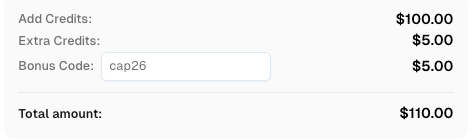
Redeem Your CapSolver Bonus Code
Boost your automation budget instantly!
Use bonus code CAP26 when topping up your CapSolver account to get an extra 5% bonus on every recharge — with no limits.
Redeem it now in your CapSolver Dashboard
Run the command once against your local fixture:
php artisan captcha:read storage/app/fixture.pngFor an image containing 583729, the expected output is:
583729Compare the returned text with the actual image, including letter case and ambiguous characters. A nonempty string proves that the request produced a result; it does not establish accuracy for every future image. Use the destination's acceptance response as a separate check when you connect this step to a permitted application workflow.
If PHP reports a certificate-file or trust-store error, fix the CA bundle configured for that runtime before retrying. Keep TLS certificate verification enabled. The command's connection-error message is intentionally brief; investigate infrastructure diagnostics separately without dumping credentials or the request body.
Keep input failures, transport failures, API errors, and downstream rejection as different outcomes. This distinction prevents a missing file from becoming a paid API retry and prevents an application validation error from being counted as a solver outage.
| Result | Next action |
|---|---|
| API key is missing | Correct the server configuration before making a request |
| File is missing or unsupported by this example | Fix the input; no solver request is needed |
| Connection fails or times out | Inspect network and TLS configuration; check before resubmitting |
| HTTP or API error | Record the status or error code and follow the relevant API guidance |
| Text is returned | Compare it with the image and validate the next application step |
When adapting the command to a queue job, keep secrets out of serialized job payloads and read them through configuration at execution time. Define the job's retry behavior explicitly. Return an unresolved outcome to the calling workflow when you cannot establish that a result was accepted.
For broader operational troubleshooting, our dynamic DNS proxy error explanation explains a different session-related failure. That example concerns proxy consistency, not image recognition; do not apply its task parameters to this command.
Choose a task based on the challenge you actually have, rather than sending every CAPTCHA to an image-recognition endpoint. An image-to-text result is a string. It cannot replace the token expected by a reCAPTCHA or Turnstile integration.
Use the supported API task types to identify the relevant contract. Browser execution, widget parameters, and destination submission remain separate responsibilities. Complete the small image workflow first, then build and test the specific supported task your application needs.
Laravel's native HTTP client is enough for a small, inspectable solver integration. Keep the request server-side, use the documented task schema, and validate both the result and the next application step. CapSolver can then sit at the CAPTCHA step of an authorized workflow without taking over the rest of the application.
Q: Do I need a Laravel CAPTCHA solver package?
No. This example uses Laravel's built-in HTTP client to call the API directly. A separate wrapper is optional and should be checked against the current task contract before use.
Q: Does this add CAPTCHA protection to my Laravel login form?
No. This command recognizes an authorized image challenge through a solver API. Adding CAPTCHA protection to your own form is a different integration with the CAPTCHA provider's validation service.
Q: Do I need to poll getTaskResult for this example?
No. ImageToTextTask returns its recognition result directly from createTask. Other task types may use a different result flow, so follow the documentation for the selected task.
Q: Can this code solve reCAPTCHA or Turnstile as written?
No. This code sends an ImageToTextTask and expects text. reCAPTCHA and Turnstile use different task parameters and token results; changing only the task name is insufficient.
Q: Should I retry automatically after a timeout?
Do not blindly create the same task again. A timeout can occur after the request reached the service, so inspect the failure and define a bounded retry policy before adding automated retries.
Emma Foster
Machine Learning Engineer
Where machine learning meets practical AI tooling.
ABOUT THE AUTHOR
Compare headless and headed CAPTCHA workflows with a controlled image test, real API results, and form acceptance checks. Learn what the results prove.
Add a CAPTCHA solver to Cypress with a Node task, keep API keys outside browser code, and verify an owned image-CAPTCHA form with a tested JavaScript example.