
🎉NEWCapSolver for AI agents-MCP, agent tools, and SDK integrations

Emma Foster
Machine Learning Engineer
Published Nov 18, 2026
Updated Nov 18, 2026 · min read
Cypress is a browser-testing project used to exercise web applications and check their behavior. Its official FAQ covers how tests interact with an application and wait for expected behavior. It is relevant here because CAPTCHA-protected forms have both a browser interaction and a server-side acceptance result to test.
A solver is useful for a bounded integration check when your authorized workflow already depends on image recognition. It is not a requirement for every Cypress suite. Routine application tests can use controlled verification responses; keep a separate live check for the specific solver path you intend to support.
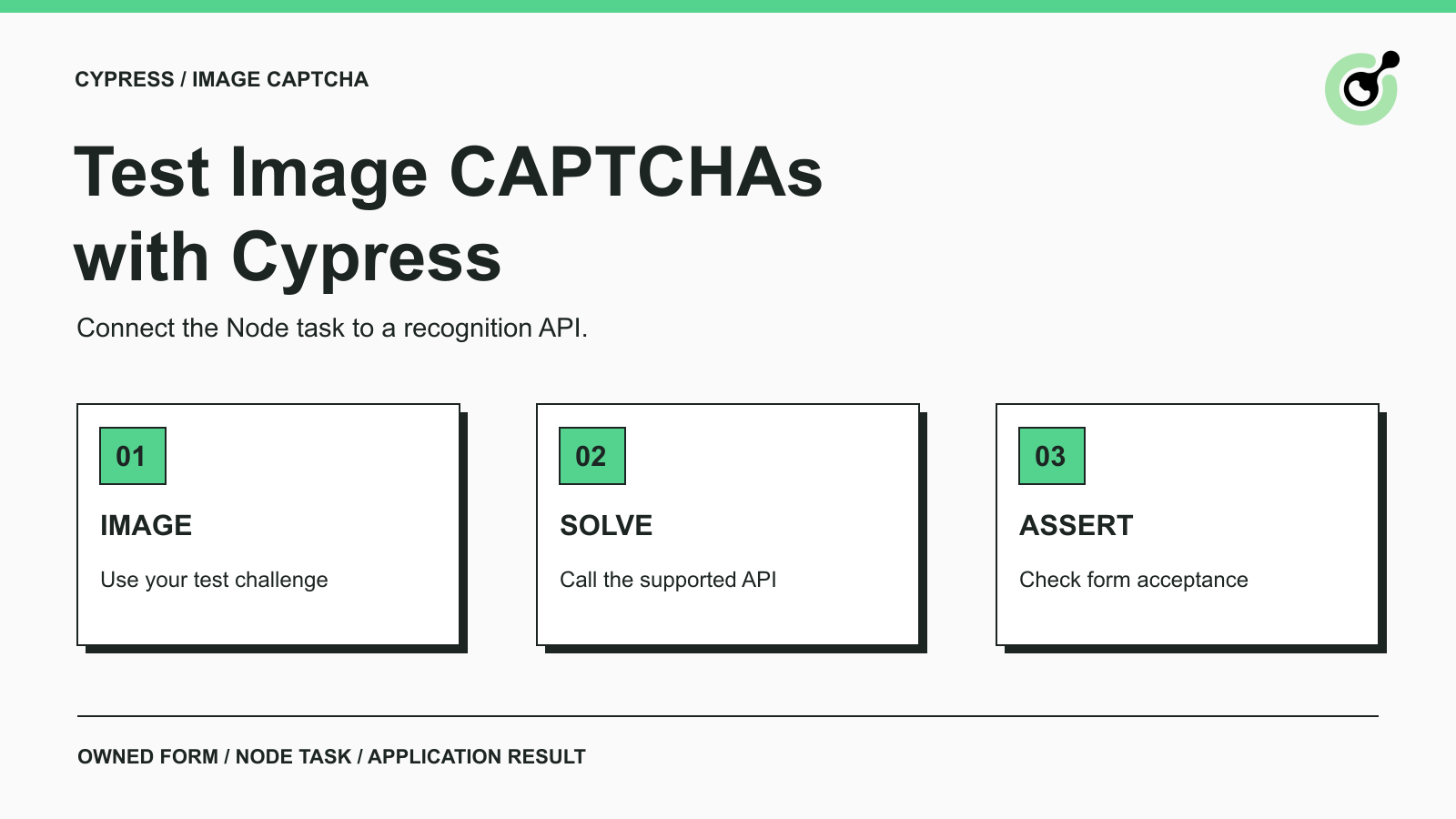
In this example, CapSolver receives an image through its documented ImageToTextTask API. Cypress enters the returned text into the owned form and verifies the form's result. The API does not click the page, preserve its challenge session, or assert success for the test.
The CAPTCHA glossary explains the verification concept. This tutorial uses a simple numeric image to isolate the integration mechanics. It does not establish support for a third-party website or a different challenge type.
The executed environment used Node.js 24.16.0, Cypress 15.21.0, and Cypress's bundled Electron 138. Version 15.21.0 was available locally and was verified before running the tests; it is the tested version here, not a claim about the latest release.
Create a project with Cypress 15.21.0 and Sharp 0.34.5 installed. Sharp generates a PNG for the local test fixture. The reproducible project files are listed below: server.cjs, cypress.config.cjs, and cypress/e2e/captcha.cy.js. Keep the application server running in one terminal and execute Cypress from the project directory in another.
Store your solver API key in a local text file outside the project. Set the Node process environment variable CAPSOLVER_TEST_KEY_FILE to that file's absolute path. The example also has a local macOS fallback path, /private/tmp/capsolver-test-key; on Windows or other systems, explicitly set your own path. Restrict access to the file and exclude it from source control and shared artifacts.
The key is read by the Node task. It is never returned to the browser test, placed in Cypress.env(), or included in the example source. Do not paste a key into a browser console or into a test that runs inside the page.
This fixture generates a numeric image, retains the expected answer on the server, and associates it with an HTTP-only challenge cookie. The page receives the image, not the answer as a text field or JavaScript variable. Submitting an incorrect answer returns Rejected; an exact current answer returns Accepted.
Save the following as server.cjs and start it with Node before launching Cypress. Binding to 127.0.0.1 keeps the fixture local. This small server is test scaffolding, not a production CAPTCHA implementation.
const http=require('node:http');const crypto=require('node:crypto');const sharp=require('sharp');
const challenges=new Map();
const server=http.createServer(async(req,res)=>{
 if(req.method==='GET' && req.url==='/'){
  const token=crypto.randomBytes(16).toString('hex'); const answer=String(crypto.randomInt(100000,999999));
  challenges.set(token,answer);
  const png=await sharp(Buffer.from(`<svg xmlns="http://www.w3.org/2000/svg" width="260" height="90"><rect width="260" height="90" fill="white"/><text x="15" y="62" font-family="Arial" font-size="48" fill="black">${answer}</text></svg>`)).png().toBuffer();
  res.writeHead(200,{'Content-Type':'text/html','Set-Cookie':`challenge=${token}; HttpOnly; SameSite=Strict`,'Cache-Control':'no-store'});
  res.end(`<html><body><h1>Owned CAPTCHA QA fixture</h1><img id="captcha" alt="Numeric test challenge" src="data:image/png;base64,${png.toString('base64')}"><form><label>Answer<input id="answer" name="answer"></label><button>Submit</button></form><p id="result"></p><script>document.querySelector('form').onsubmit=async e=>{e.preventDefault();const r=await fetch('/verify',{method:'POST',headers:{'Content-Type':'application/json'},body:JSON.stringify({answer:document.querySelector('#answer').value})});document.querySelector('#result').textContent=await r.text();};</script></body></html>`);return;
 }
 if(req.method==='POST' && req.url==='/verify'){
  let body=''; for await(const chunk of req)body+=chunk;
  const token=(req.headers.cookie||'').match(/challenge=([a-f0-9]+)/)?.[1];
  let value;try{value=JSON.parse(body).answer;}catch{res.writeHead(400);res.end('Bad request');return;}
  const expected=challenges.get(token);const accepted=challenges.has(token) && expected===value;console.log(JSON.stringify({kind:'validation',expected,submitted:value,hasSession:!!token,accepted}));challenges.delete(token);
  res.writeHead(accepted?200:422,{'Content-Type':'text/plain'});res.end(accepted?'Accepted':'Rejected');return;
 }
 res.writeHead(404);res.end('Not found');
});server.listen(18761,'127.0.0.1',()=>console.log('Owned QA fixture listening on 127.0.0.1:18761'));
Notice that the server consumes a challenge when an answer is submitted. That makes an old answer unsuitable for a later attempt and helps reveal accidental reuse. A real application may use different lifecycle rules; adapt the test to that application's documented behavior.
Cypress's cy.task documentation defines the boundary: the test runs in the browser, while the registered handler runs in Node.js. Arguments and return values cross that boundary as serialized data.
Save this configuration as cypress.config.cjs. The payload uses CapSolver's documented clientKey, task.type, and image body fields. The custom code around the request handles timeouts and response validation; it is an application adapter, not an official Cypress–CapSolver package.
const { defineConfig } = require('cypress');
const fs = require('node:fs');
module.exports = defineConfig({
  video: false, screenshotOnRunFailure: false, allowCypressEnv: false,
  e2e: { baseUrl: 'http://127.0.0.1:18761', supportFile: false,
    setupNodeEvents(on) {
      on('task', {
        async solveImage(body) {
          const keyPath=process.env.CAPSOLVER_TEST_KEY_FILE || '/private/tmp/capsolver-test-key';
          if (!fs.existsSync(keyPath)) throw new Error('Missing local solver key file; no live solve was attempted');
          const clientKey=fs.readFileSync(keyPath,'utf8').trim();
          if (!clientKey) throw new Error('Empty solver key file');
          const response=await fetch('https://api.capsolver.com/createTask',{
            method:'POST',headers:{'Content-Type':'application/json'},
            body:JSON.stringify({clientKey,task:{type:'ImageToTextTask',body}}),
            signal:AbortSignal.timeout(30000)
          });
          if(!response.ok) throw new Error(`Solver HTTP ${response.status}`);
          const data=await response.json();
          if(data.errorId!==0) throw new Error(`Solver task failed: ${data.errorCode || data.errorId}`);
          if(typeof data.solution?.text!=='string' || !data.solution.text) throw new Error('No recognized text returned');
          fs.appendFileSync('solve-evidence.jsonl',JSON.stringify({timestamp:new Date().toISOString(),taskType:'ImageToTextTask',status:data.status,solutionText:data.solution.text})+'\n');
          return data.solution.text;
        },
        keyAvailable() { return fs.existsSync(process.env.CAPSOLVER_TEST_KEY_FILE || '/private/tmp/capsolver-test-key'); }
      });
    }
  }
});
The image body is Base64 without the data-URI prefix. ImageToTextTask returns its recognition result directly, so this example does not add a polling loop. If you change to a different CAPTCHA task, follow that task's own response contract rather than copying this synchronous flow unchanged.
The handler records only a timestamp, task type, status, and recognized text from this synthetic fixture. It does not record the API key or raw request. In your own environment, decide whether recognized text is suitable for logs and remove that diagnostic record when it is not needed.
Redeem Your CapSolver Bonus Code
Boost your automation budget instantly!
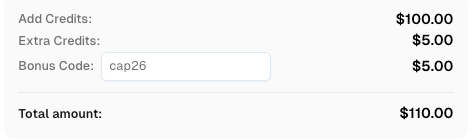
Use bonus code CAP26 when topping up your CapSolver account to get an extra 5% bonus on every recharge — with no limits.
Redeem it now in your CapSolver Dashboard
Save the following as cypress/e2e/captcha.cy.js. The first test confirms that a wrong answer is rejected. The second exercises the Node task boundary. The third reads the current challenge image, calls the real solver, enters the returned value, and checks the application's acceptance.
describe('Owned image CAPTCHA form', () => {
  it('rejects an incorrect answer at the application boundary', () => {
    cy.visit('/');
    cy.get('#answer').type('incorrect');
    cy.get('button').click();
    cy.get('#result').should('have.text','Rejected');
  });
  it('runs the Node task boundary without exposing the solver key', () => {
    cy.task('keyAvailable').then(value => expect(value).to.be.a('boolean'));
  });
  it('submits a live solver result for the current challenge', function () {
    cy.task('keyAvailable').then(available => {
      if(!available) this.skip();
      cy.visit('/');
      cy.get('#captcha').should('have.attr','src').then(src => {
        const body=src.split(',')[1];
        return cy.task('solveImage',body,{timeout:40000,log:false});
      }).then(text => {
        cy.get('#answer').type(text,{log:false,parseSpecialCharSequences:false});
        cy.get('button').click();
        cy.get('#result').should('have.text','Accepted');
      });
    });
  });
});
From this project directory, run node node_modules/cypress/bin/cypress run --browser electron. The live case deliberately becomes pending when the key file is absent; a green run with a pending case is not evidence that the paid API integration worked. For a live integration gate in CI, require that case to run and check that no relevant tests were skipped.
The input command disables special-character parsing so recognized text is entered literally. The Cypress type reference documents this option. Neither the test nor the handler silently changes letter case or strips characters to force a pass.
The example is intentionally numeric. CapSolver's image-CAPTCHA integration guide states that Image To Text recognition does not support case sensitivity. A mixed-case challenge with exact case matching needs a separate capability decision before you reuse this workflow.
The final run on 18 November 2026 completed three tests with three passes, no failures, and no pending tests. The live solver returned the same six-digit value held by the fixture's server, and the application returned Accepted. The wrong-answer test separately confirmed Rejected.
An earlier live attempt received a recognition result but failed the application assertion. That attempt did not record the expected and submitted values, so its exact cause was not established. The subsequent run added that evidence and confirmed a matching result. No recognition transformation was added to make the values agree.
These observations establish that the request, Cypress task, browser input, session, and application assertion can work together in this controlled example. They do not establish an accuracy rate, a service-level guarantee, or behavior on a production site. Keep the failed run in your evaluation history; do not report only successful attempts when measuring a solver.
Start with the failing boundary. A missing key file prevents a live request. An HTTP error indicates that the request did not complete normally. A nonzero API error means the handler must not treat the response as recognized text. A returned string followed by Rejected requires an application-level investigation.
For that last case, check the original image, the returned text, the actual submitted value, and whether the challenge cookie is still associated with the current form. If the page refreshes its challenge, reacquire the image. Do not keep submitting an answer from an earlier challenge or hide repeated paid calls inside an unrestricted retry loop.
An assertion that the API returned a string is useful but incomplete. Keep the final form assertion so that a broken selector, expired challenge, or wrong answer produces a visible test failure.
Use this pattern for a small, explicit solver integration check in an application you control. Keep credentials in Node, match the image task to its documented capability, and verify the receiving form's result. CapSolver provides the recognition step; Cypress makes the complete tested outcome visible.
Q: Does Cypress include a built-in CAPTCHA solver?
This example does not depend on one. It uses Cypress's general-purpose Node task mechanism to call a separate recognition API.
Q: Can I use this code for reCAPTCHA or Cloudflare challenges?
Not as written. This code submits an image to ImageToTextTask and enters recognized text. Other challenge types require their own documented inputs, outputs, and application integration.
Q: Why does the live test show as pending without a key?
The example explicitly skips the paid call when its key file is absent. Pending means that live integration was not tested; it must not be counted as a successful solve.
Q: Is one accepted challenge enough to claim high accuracy?
No. It confirms a functional path for that example. Evaluate representative inputs and retain rejected attempts before making any statistical claim.
Q: Is this an official Cypress integration package?
No. It is a tested adapter using the official Cypress task API and the documented CapSolver ImageToTextTask endpoint. The local form is original QA scaffolding.
Emma Foster
Machine Learning Engineer
Where machine learning meets practical AI tooling.
ABOUT THE AUTHOR
Learn how to handle CAPTCHA in purchase order automation, preserve approved order data, verify supplier acknowledgements, and avoid duplicate submissions.

Use a practical CAPTCHA production checklist to verify browser state, solver tasks, retries, errors, and final application results before scaling automation.