
🎉NEWCapSolver for AI agents-MCP, agent tools, and SDK integrations

Lucas Mitchell
Automation Engineer
Published Aug 26, 2026
Updated Aug 26, 2026 · min read
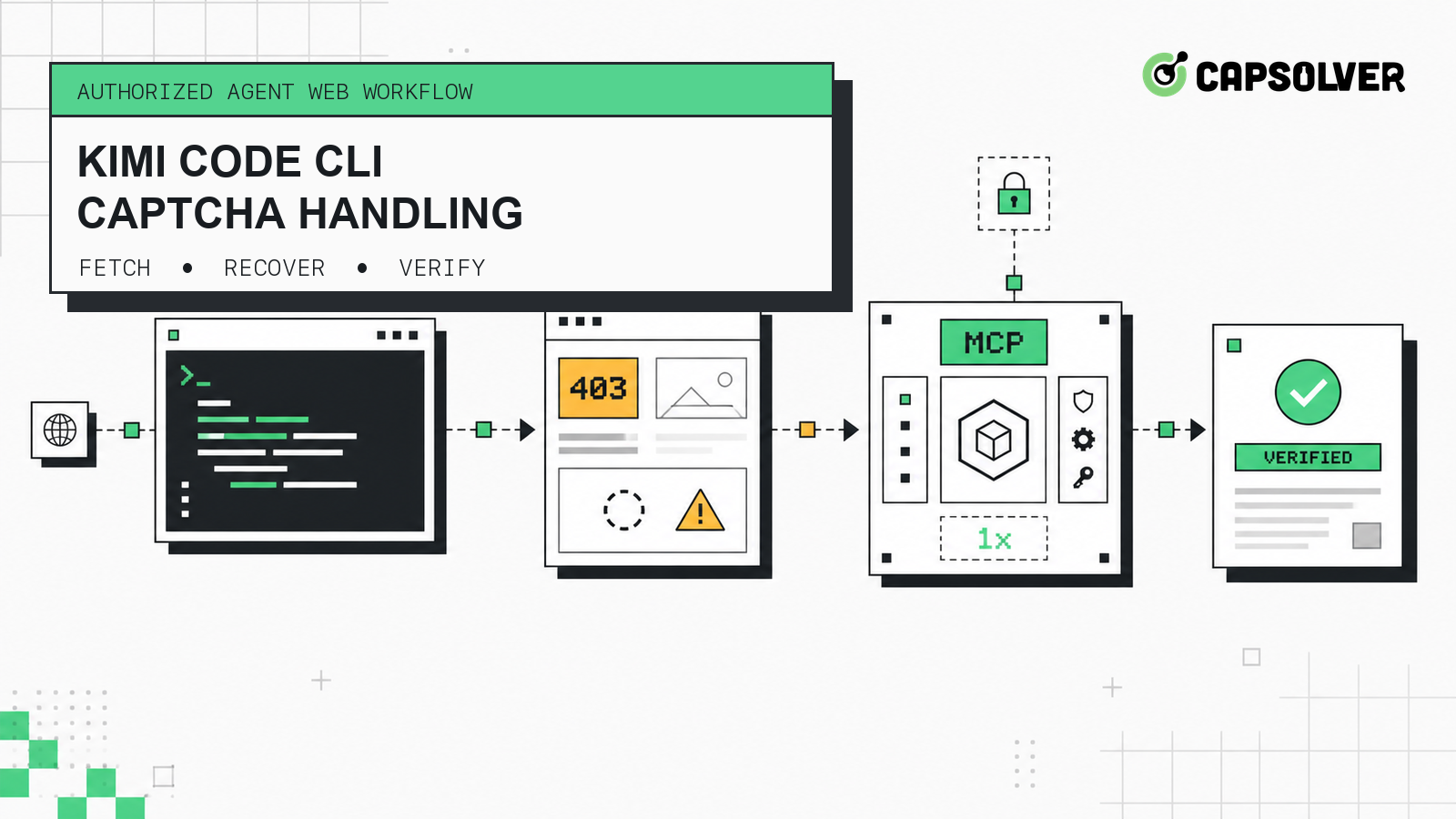
FetchURL can retrieve web content, but a workflow still needs to reject a 403 error, empty output, a challenge page, or content that lacks expected evidence before calling the step successful.Kimi Code CLI can read files, run shell commands, fetch web pages, and use MCP tools. That makes it useful for coding tasks that depend on public or user-authorized web content. The difficult case is not always a hard network failure. A request can return an error containing 403, a nearly empty body, or a challenge page that looks like content to a loosely validated agent.
A reliable workflow should classify that result before it enters the agent's context. When the failure is a supported CAPTCHA in an authorized environment, CapSolver can sit behind an MCP boundary as one controlled recovery capability. It should not become an unlimited retry mechanism or a substitute for permission.
CAPTCHA handling in Kimi Code CLI means detecting that web retrieval did not produce the expected evidence, routing an authorized and supported challenge to a controlled tool, then validating the page again. It does not mean treating every fetch failure as a CAPTCHA or letting the model repeat tool calls until something changes.
The official Kimi Code repository lists web-page fetching, MCP, Skills, and Plugins among the CLI's capabilities. Its built-in tools reference defines FetchURL with one url input and page content as its output. HTML is converted to body text, while plain text and Markdown are passed through.
That contract is deliberately small. It does not promise that the returned text is the intended document, nor does it define a structured { status, text } response. If a host wrapper exposes HTTP status or transport errors, normalize them in an adapter. Then validate both transport evidence and content semantics before the agent consumes the result.
| Boundary | Input | Output | Stop condition |
|---|---|---|---|
| Fetch adapter | URL and expected evidence | Normalized status, text, and error | Invalid URL, terminal HTTP status, or policy rejection |
| Result validator | Normalized fetch result | accepted, recoverable, or terminal |
Unsupported or ambiguous failure |
| MCP recovery | Authorized URL, challenge evidence, attempt number | Structured recovery result | Missing permission, unsupported challenge, terminal tool error, or timeout |
| Verification fetch | Same URL and evidence rules | Verified content or failure evidence | Expected content still absent after one attempt |
This separation gives the model a narrow decision space. It may request a recovery only after the validator has produced a recoverable state; the controller, not the model, enforces the budget.
Use this pattern only for pages and test environments you own or are authorized to automate. Technical access does not grant permission to read private, restricted, sensitive, or unauthorized data. Review the target's terms, applicable policies, data handling rules, and rate limits before enabling any recovery path.
You need:
capsolver-core package.capsolver-core and capsolver-mcp packages from the CapSolver MCP service guide..kimi-code/mcp.json.Kimi's official MCP configuration guide supports user-level and project-level mcp.json files. Project configurations require trust, and individual MCP tool calls can require approval. Keep that approval boundary: avoid broad wildcard rules, review the server command, and allow only the tools the workflow needs.
The isolated validation for this article used Kimi Code CLI 0.38.0, capsolver-core 0.1.0, and capsolver-mcp 0.1.0 on Python 3.12. On 26 August 2026, an unconstrained install selected MCP 2.1.1, while the current CapSolver MCP package imported the MCP 1.x FastMCP module. Pinning mcp<2 produced MCP 1.29.1 and restored the documented command in this isolated fixture.
Treat that pin as a dated compatibility workaround, not a permanent requirement. Check the current official packages and remove it when their dependency bounds support MCP 2.x.
CapSolver can be connected through Kimi Code's standard MCP configuration; this is a generic MCP connection, not a claim of a native Kimi integration. Create an isolated environment and install the documented packages:
python3.12 -m venv .venv-capsolver-mcp
.venv-capsolver-mcp/bin/python -m pip install \
  "mcp<2" \
  "capsolver-core @ git+https://github.com/capsolver/capsolver-core-python.git" \
  "capsolver-mcp @ git+https://github.com/capsolver/capsolver-mcp.git"
.venv-capsolver-mcp/bin/capsolver-mcp --help
Set CAPSOLVER_API_KEY through your CI secret store or local process environment. Then use a project .kimi-code/mcp.json such as:
{
  "mcpServers": {
    "capsolver": {
      "command": "/absolute/path/to/.venv-capsolver-mcp/bin/python",
      "args": ["-m", "capsolver_mcp"],
      "startupTimeoutMs": 10000,
      "toolTimeoutMs": 30000,
      "enabledTools": [
        "detect_captchas",
        "solve_captcha",
        "solve_on_page",
        "get_balance",
        "get_supported_captchas"
      ]
    }
  }
}
Launch Kimi from a process where your secret manager has already supplied CAPSOLVER_API_KEY; the MCP subprocess inherits that environment. Kimi also supports an env object for an MCP server, but writing a real key into a project file risks source-control exposure. Use a protected runtime configuration if your deployment cannot inherit process secrets.
Kimi prefixes discovered tools with the server name, so the model sees names such as mcp__capsolver__detect_captchas. The local handshake for this guide confirmed discovery of all five documented tools. It intentionally stopped before calling one because no real credential or authorized challenge fixture was supplied.
Before a workflow starts, call get_supported_captchas or enforce a versioned allowlist in your controller. For this Agent workflow, keep the allowlist to reCAPTCHA v2, reCAPTCHA v3 and its Enterprise variant, and Cloudflare Turnstile. If detection produces anything else, stop for human review.
Redeem Your CapSolver Bonus Code
Boost your automation budget instantly!
Use bonus code CAP26 when topping up your CapSolver account to get an extra 5% bonus on every recharge — with no limits.
Redeem it now in your CapSolver Dashboard
Validate a fetch result before it reaches retrieval memory, a summarizer, or a coding decision. A reliable classifier checks several independent signals:
The following tested JavaScript is an adapter-level example. Its { status, text } object is a normalized application contract, not the raw FetchURL schema:
const CHALLENGE_MARKERS = [
  /verify you are human/i,
  /captcha/i,
  /cf-chl-/i,
  /g-recaptcha/i,
  /cf-turnstile/i,
];

export function classifyFetchResult(result, expectedTerms = []) {
  const status = Number(result?.status ?? 0);
  const text = String(result?.text ?? "").trim();

  if (status === 403) {
    return { kind: "recoverable", reason: "http_403", status };
  }
  if (status < 200 || status >= 400) {
    return { kind: "terminal", reason: "unexpected_http_status", status };
  }
  if (text.length < 80) {
    return { kind: "recoverable", reason: "empty_or_thin_content", status };
  }
  if (CHALLENGE_MARKERS.some((marker) => marker.test(text))) {
    return { kind: "recoverable", reason: "challenge_page", status };
  }

  const missingTerms = expectedTerms.filter(
    (term) => !text.toLowerCase().includes(term.toLowerCase()),
  );
  if (missingTerms.length > 0) {
    return { kind: "recoverable", reason: "expected_content_missing", status, missingTerms };
  }

  return { kind: "accepted", reason: "expected_content_present", status };
}
Tune thresholds and markers against an owned fixture, not against arbitrary third-party pages. A marker match is evidence to inspect, not permission to proceed. Record the URL origin, status class, content hash, matched rule, and trace ID, but redact page data and credentials from logs.
For broader diagnosis, the MCP CAPTCHA error guide explains how to separate transport, detection, solving, and injection failures. Kimi's MCP boundary should receive that structured classification instead of an unbounded natural-language instruction such as “keep trying.”
A bounded controller should have only four terminal outcomes: accepted, recovered and verified, stopped, or human required. It should never infer success merely because an MCP call returned without throwing.
export async function runBoundedRecovery({
  fetchPage,
  recoverThroughMcp,
  url,
  expectedTerms,
  authorized,
  maxRecoveryAttempts = 1,
}) {
  const evidence = [];
  let recoveryAttempts = 0;

  const first = await fetchPage(url);
  const firstCheck = classifyFetchResult(first, expectedTerms);
  evidence.push({ stage: "initial_fetch", check: firstCheck });

  if (firstCheck.kind === "accepted") {
    return { state: "accepted", recoveryAttempts, evidence };
  }
  if (firstCheck.kind === "terminal") {
    return { state: "stopped", stopReason: firstCheck.reason, recoveryAttempts, evidence };
  }
  if (!authorized) {
    return { state: "human_required", stopReason: "authorization_required", recoveryAttempts, evidence };
  }
  if (maxRecoveryAttempts < 1) {
    return { state: "stopped", stopReason: "recovery_budget_exhausted", recoveryAttempts, evidence };
  }

  recoveryAttempts += 1;
  const recovery = await recoverThroughMcp({
    url,
    reason: firstCheck.reason,
    attempt: recoveryAttempts,
  });
  evidence.push({ stage: "mcp_recovery", result: recovery });

  if (recovery?.status !== "recovered") {
    return {
      state: recovery?.retryable ? "human_required" : "stopped",
      stopReason: recovery?.errorCode ?? "recovery_failed",
      recoveryAttempts,
      evidence,
    };
  }

  const second = await fetchPage(url);
  const secondCheck = classifyFetchResult(second, expectedTerms);
  evidence.push({ stage: "verification_fetch", check: secondCheck });

  if (secondCheck.kind === "accepted") {
    return { state: "recovered_and_verified", recoveryAttempts, evidence };
  }

  return {
    state: "human_required",
    stopReason: "verification_failed_after_recovery",
    recoveryAttempts,
    evidence,
  };
}
The recoverThroughMcp adapter is where an approved orchestration layer invokes the documented CapSolver tool. Its input should include the authorized URL, detected challenge evidence, and attempt number. Its output should normalize success, a redacted error code, and retryability. Keep service-specific task inputs inside that adapter and verify them against the current official docs rather than asking the model to invent fields.
The controller's second fetch is mandatory. Validate it with the same expected terms and content rules as the first request. A token or tool response is an intermediate result; the page content is the acceptance evidence.
Stop without a tool call when authorization is absent, the URL leaves the approved origin set, or the validator returns a terminal transport error. Stop after the tool call when the challenge is unsupported, the service reports a non-retryable error, the time budget expires, or the balance check fails. Require a human after the single recovery attempt if the verification fetch is still thin, challenged, or missing expected content.
These rules also prevent context pollution. Only accepted page content should enter the Kimi task history or downstream retrieval store. Keep failed bodies in a quarantined evidence record with short retention and redaction.
Observability should explain why a step changed state without exposing secrets or full page bodies. Emit one structured event per transition:
{
  "traceId": "retrieval-7f2c",
  "stage": "verification_fetch",
  "origin": "authorized.example",
  "classification": "expected_content_missing",
  "recoveryAttempts": 1,
  "finalState": "human_required"
}
Useful fields include the normalized status class, validator rule, content length, redacted content hash, MCP tool name, elapsed time, attempt count, and final state. Never log the API key, a complete challenge token, sensitive page data, or a secret-bearing MCP configuration.
Set alerts on human-required rate, verification-failure rate, and tool timeouts. A rising 403 rate may indicate a changed access policy, a broken fetch adapter, or a challenge; it is not enough evidence on its own to classify the cause. For general protocol context, see what MCP means in AI systems.
Use this design for public, owned, or explicitly authorized automation. Honor terms, access controls, robots directives where applicable, rate limits, data minimization, and retention requirements. Do not use a CAPTCHA tool to access private or restricted content or to continue after a site has clearly withdrawn permission.
Keep a target allowlist, an owner for each authorization record, an expiration date, and a kill switch. Apply low request rates and cache accepted public content when permitted. Require a new approval when the workflow changes origin, purpose, data category, or execution frequency.
The MCP layer should use the minimum tool set and least-privilege approvals. The CapSolver guide for AI agents describes the supported Agent workflow; your controller remains responsible for permission, attempt limits, output validation, and stopping.
Reliable Kimi Code CLI CAPTCHA handling starts with rejecting false success. Normalize FetchURL evidence, test for expected content, authorize the target, permit one supported recovery, then fetch and verify again. Anything ambiguous or still challenged should stop for human review.
The generic MCP boundary keeps Kimi's web workflow separate from service details, while the state machine controls retries and records evidence. If your authorized Agent workflow needs a documented CAPTCHA recovery layer, evaluate CapSolver with an owned fixture before enabling it in production.
Q: Does Kimi Code CLI have a native CapSolver integration?
No. This guide uses Kimi Code's documented generic MCP configuration to connect the CapSolver MCP server; it does not claim a native integration or official partnership.
Q: Does FetchURL return an HTTP status and body object?
Not according to the documented built-in tool contract. FetchURL takes a URL and returns page content; a host adapter must normalize available transport errors or status information before applying the example classifier.
Q: Should every Kimi Code FetchURL 403 trigger CAPTCHA recovery?
No. A 403 can have several causes, including policy or authorization failure. Classify the response, confirm permission, detect a supported challenge, and stop when the cause is ambiguous.
Q: Which challenge types belong in this Agent workflow?
Keep the allowlist to the currently documented reCAPTCHA v2, reCAPTCHA v3 including Enterprise, and Cloudflare Turnstile capabilities. Confirm runtime support and stop on any unrecognized type.
Q: How many CAPTCHA recovery attempts should an agent make?
This pattern permits one recovery attempt followed by one verification fetch. If verification fails, the workflow stops and requests human review instead of repeating the tool call.
Q: Can the model decide that recovery succeeded from the MCP response alone?
No. Treat the MCP response as an intermediate result; repeat the authorized fetch and validate the expected page evidence before accepting content.
Lucas Mitchell
Automation Engineer
Helping browser automation recover and continue.
ABOUT THE AUTHOR
Estimate CAPTCHA solving costs in Browser Use by separating agent runs, challenge types, billable solves, retries, and verified outcomes from browser costs.

Set up CapSolver MCP in Claude Code, check the available CAPTCHA tools, and choose token or page solving for a supported, authorized browser task.

