
🎉NEWCapSolver for AI agents-MCP, agent tools, and SDK integrations

Ethan Collins
AI Agent Workflow Engineer
Published Sep 18, 2024
Updated Sep 17, 2024 · min read

curl_cffi is a Python library that provides efficient, low-level bindings to the libcurl library using CFFI (C Foreign Function Interface). This allows you to perform HTTP requests with high performance and fine-grained control, similar to the curl command-line tool but within Python. It's particularly useful for web scraping tasks that require speed and advanced configurations.
Features:
libcurl for fast HTTP requests.Before you dive into using curl_cffi, ensure you have the following installed:
On Ubuntu/Debian systems, you might need to install libcurl development headers:
sudo apt-get install libcurl4-openssl-devInstall curl_cffi using pip:
pip install curl_cffiHere's a basic example of how to use curl_cffi to perform a GET request:
from curl_cffi import requests

# Perform a GET request
response = requests.get('https://httpbin.org/get')

# Check the status code
print(f'Status Code: {response.status_code}')

# Print the response content
print('Response Body:', response.text)Let's scrape a webpage to extract information. We'll use Quotes to Scrape to get all the quotes along with their authors.
from curl_cffi import requests
from bs4 import BeautifulSoup

# URL to scrape
url = 'http://quotes.toscrape.com/'

# Perform a GET request
response = requests.get(url)

# Parse the HTML content using BeautifulSoup
soup = BeautifulSoup(response.content, 'html.parser')

# Find all quote elements
quotes = soup.find_all('div', class_='quote')

# Extract and display the quotes and authors
for quote in quotes:
    text = quote.find('span', class_='text').get_text()
    author = quote.find('small', class_='author').get_text()
    print(f'{text} — {author}')
Output:
“The world as we have created it is a process of our thinking. It cannot be changed without changing our thinking.” — Albert Einstein
“It is our choices, Harry, that show what we truly are, far more than our abilities.” — J.K. Rowling
... (additional quotes)In this section, we'll explore how to integrate CapSolver with curl_cffi to bypass captchas. CapSolver is an external service that helps in solving various types of captchas, including ReCaptcha V2, which are commonly used on websites.
We will demonstrate solving ReCaptcha V2 using CapSolver and then scraping the content of a page that requires solving the captcha first.
import os
import capsolver
from curl_cffi import requests

# Consider using environment variables for sensitive information
capsolver.api_key = os.getenv("CAPSOLVER_API_KEY", "Your CapSolver API Key")
PAGE_URL = os.getenv("PAGE_URL", "https://example.com")  # URL of the page with the captcha
PAGE_KEY = os.getenv("PAGE_SITE_KEY", "SITE_KEY")        # Site key for the captcha

def solve_recaptcha_v2(url, site_key):
    solution = capsolver.solve({
        "type": "ReCaptchaV2TaskProxyless",
        "websiteURL": url,
        "websiteKey": site_key,
        "proxy": PROXY
    })
    return solution['solution']['gRecaptchaResponse']

def main():
    print("Solving reCaptcha V2...")
    captcha_solution = solve_recaptcha_v2(PAGE_URL, PAGE_KEY)
    print("Captcha Solved!")

if __name__ == "__main__":
    main()
Note: Replace PAGE_URL with the URL of the page containing the captcha and PAGE_SITE_KEY with the site key of the captcha. You can find the site key in the HTML source of the page, usually within the <div> containing the captcha widget.
If you need to route your requests through a proxy, curl_cffi makes it straightforward:
from curl_cffi import requests

# Define the proxy settings
proxies = {
    'http': 'http://username:password@proxyserver:port',
    'https': 'https://username:password@proxyserver:port',
}

# Perform a GET request using the proxy
response = requests.get('https://httpbin.org/ip', proxies=proxies)

# Print the response content
print('Response Body:', response.text)You can manage cookies using the CookieJar from Python's http.cookiejar module:
from curl_cffi import requests
from http.cookiejar import CookieJar

# Create a CookieJar instance
cookie_jar = CookieJar()

# Create a session with the cookie jar
session = requests.Session()
session.cookies = cookie_jar

# Perform a GET request
response = session.get('https://httpbin.org/cookies/set?name=value')

# Display the cookies
for cookie in session.cookies:
print(f'{cookie.name}: {cookie.value}')You can send custom headers and perform POST requests with curl_cffi:
from curl_cffi import requests

# Define custom headers
headers = {
    'User-Agent': 'Mozilla/5.0 (compatible)',
    'Accept-Language': 'en-US,en;q=0.5',
}

# Data to send in the POST request
data = {
    'username': 'testuser',
    'password': 'testpass',
}

# Perform a POST request
response = requests.post('https://httpbin.org/post', headers=headers, data=data)

# Print the JSON response
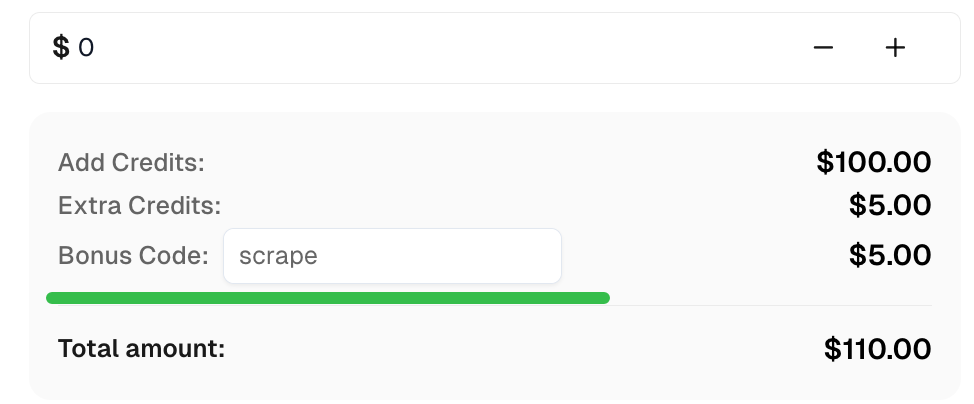
print('Response JSON:', response.json())Claim your Bonus Code for top captcha solutions at CapSolver: scrape. After redeeming it, you will get an extra 5% bonus after each recharge, unlimited times.
With curl_cffi, you can efficiently perform web scraping tasks while having detailed control over your HTTP requests. Integrating it with CapSolver allows you to bypass captchas like ReCaptcha V2 , enabling access to content that would otherwise be difficult to scrape.
Feel free to expand upon these examples to suit your specific scraping needs. Always remember to respect the terms of service of the websites you scrape and adhere to legal guidelines.
Happy scraping!
Ethan Collins
AI Agent Workflow Engineer
Building clearer handoffs between AI agents and tools.
ABOUT THE AUTHOR
Build a reliable GLM-5.3 web scraping pipeline with response classification, bounded CAPTCHA handling, structured extraction, and validation.

Understand CAPTCHA MCP proxy support across the client connection, browser, and solver task, including the limits of current CapSolver MCP tools.
