🎉NEWCapSolver for AI agents-MCP, agent tools, and SDK integrations

Emma Foster
Machine Learning Engineer
Published Oct 14, 2026
Updated Oct 14, 2026 · min read
A CAPTCHA integration can ask for a page URL, sitekey, account key, and sometimes a proxy. Seeing a task name ending in ProxyLess raises a practical question: can you leave the proxy out, or does your whole application need a different network setup?
For a supported CapSolver task, proxyless means that you do not supply the solver's proxy details. Your browser, HTTP client, and target page still have their own connection and application state. Understanding that distinction helps you choose a task without buying unnecessary infrastructure or changing unrelated browser settings. This guide explains the choice for permitted CAPTCHA workflows, such as an owned form test or an approved public-data lookup.
A proxyless CAPTCHA task delegates the solving connection to the service instead of asking you to provide proxy credentials.
CapSolver's reCAPTCHA v2 task reference describes ReCaptchaV2TaskProxyLess as using the server's built-in proxy. The word therefore does not mean that no proxy exists anywhere. It tells the developer which connection details they need to supply.
For comparison, a proxy generally acts as an intermediary for a connection. In a CAPTCHA workflow, several components may make connections, and configuring one component does not automatically configure the others.
Think of a permitted product lookup in a browser. The browser opens a page, the application sends a supported challenge to a solver, and the application uses the returned result. The solver task can be proxyless while the browser still uses an organization's existing network configuration. Those choices concern different operations.
The useful question is consequently specific: does this CAPTCHA task require a proxy from me? “Does this project use proxies?” is too broad to answer the integration question.
The difference is who provides the proxy information for the documented solving task.
| Question | Proxyless task | Task requiring your proxy |
|---|---|---|
| Who supplies the solver connection details? | The solving service | Your application supplies the documented proxy input |
| Do you include your proxy credentials? | Not required by the proxyless contract | Required when the selected task says so |
| Does this configure your browser? | No automatic browser configuration | A task field is still separate from browser configuration |
| How do you choose? | Use a supported proxyless task for the observed challenge | Use the documented task when its requirements call for your proxy |
CapSolver's proxy parameter guide explains the general convention and emphasizes checking the individual task documentation. Avoid treating the suffix as a universal naming formula. A task can support one mode, several modes, or a different kind of input altogether.
For example, image recognition begins with image data, while a token task uses the parameters of a particular widget. Removing ProxyLess from a name cannot turn one task family into another or create a supported task that does not exist.
A supplied proxy is also not a general quality setting. Adding one introduces credentials, availability, and connection requirements. Use it for a documented need, then evaluate the actual outcome of your permitted application flow.
Check each challenge's reference page for the exact task name and required fields.
Two documented examples are ReCaptchaV2TaskProxyLess for the corresponding reCAPTCHA flow and AntiTurnstileTaskProxyLess for supported Turnstile solving. The Turnstile task documentation says that a caller-supplied proxy is not needed for that task.
These examples are useful starting points, not a promise that every CAPTCHA product has matching proxyless and supplied-proxy versions. Nor does a Turnstile task describe every kind of Cloudflare response. Identify the actual challenge before selecting the request contract.
If your page uses Enterprise reCAPTCHA, read the Enterprise options on the task page. Do not assume that changing a name alone supplies the extra context of an Enterprise deployment. Likewise, invisible reCAPTCHA v2 still needs its appropriate task parameters; proxyless does not identify the version for you.
Keep task selection in one clear place in your integration notes. Record the observed challenge, exact task name, and reference used. That small record helps a teammate distinguish an intentional choice from a copied example that belonged to another page.
Use the documented task with current page inputs, then handle its result through the approved application flow.
Start from the form or lookup you are permitted to automate. Confirm the CAPTCHA family and version. A visible badge, an empty response field, or the absence of a checkbox is not enough to infer every required parameter.
For supported widgets, CapSolver's parameter detection instructions explain how to inspect the challenge with its browser extension. Review what the detector reports alongside the task reference, especially when the page initializes the widget only after an interaction.
Keep the account key separate from the public page parameters. The CapSolver key authorizes the API call; the page URL and sitekey describe the challenge to be solved.
Use the current full page URL where requested. If a task requires additional context, obtain it from that page instead of borrowing values from a demo or a different website. Do not invent a proxy field merely because an SDK accepts a general options object.
Follow the createTask interface for submission. For an asynchronous task, retain the returned task ID and use the documented result method for that same task.
A successful creation response means the request was accepted for processing. It does not mean your browser has completed the form. Keep the task result separate from the surrounding application result so each failure has a clear owner.
Pass the solution through the target application's intended integration. Then check the outcome that matters: the submitted test form, permitted search result, or requested public record.
This sequence is a configuration guide, not a universal browser script. The correct result-consumption step depends on the application. A generic token cannot tell your automation which form to submit or which page response to accept.
Redeem Your CapSolver Bonus Code
Boost your automation budget instantly!
Use bonus code CAP26 when topping up your CapSolver account to get an extra 5% bonus on every recharge — with no limits.
Redeem it now in your CapSolver Dashboard
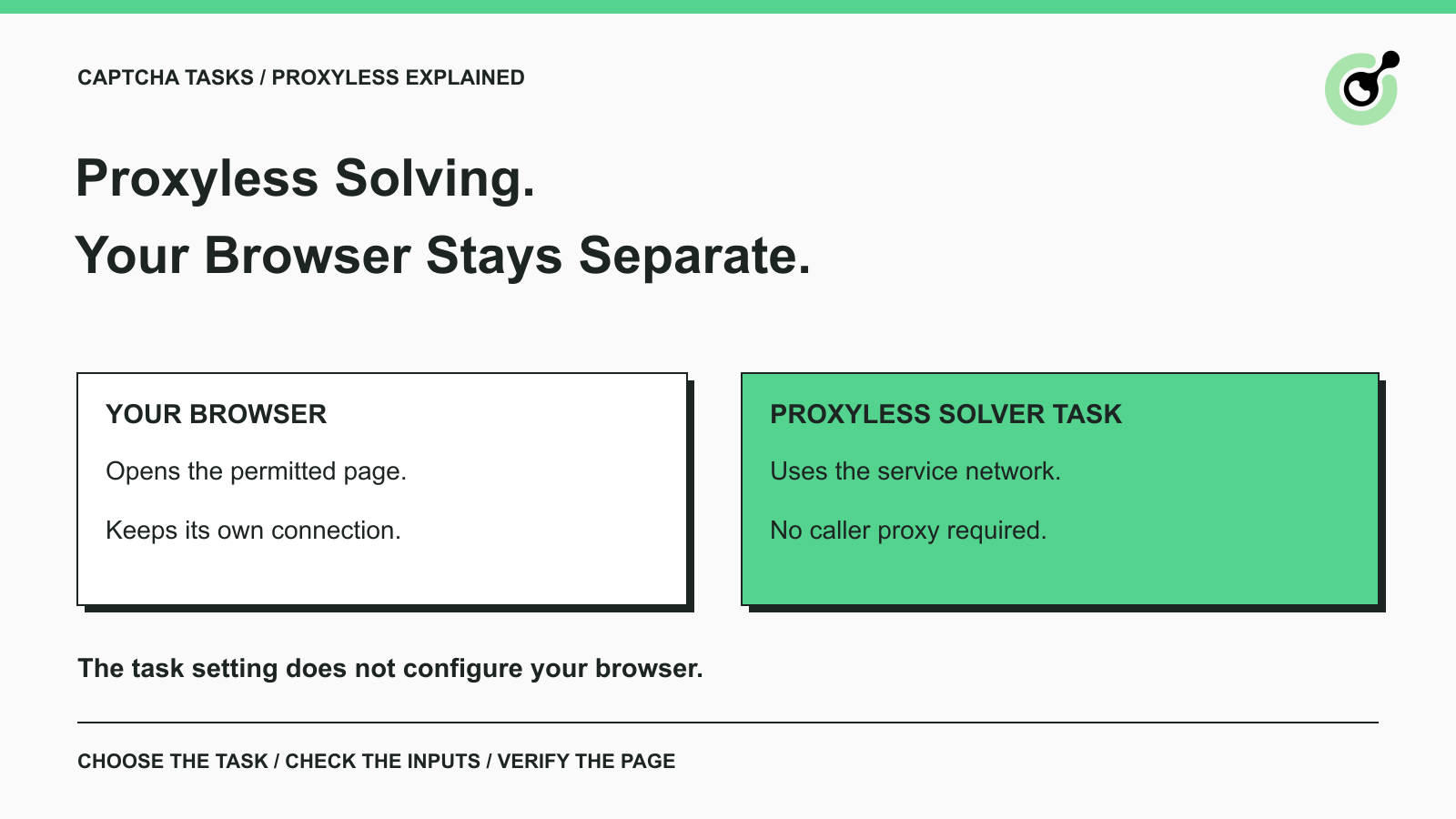
Selecting a proxyless solver task does not itself reconfigure your browser's network path.
This matters when your browser already uses a proxy, runs on a remote worker, or connects through a corporate gateway. Its ability to load the page and the solver's ability to process a task are separate checks. A browser navigation failure should be investigated where the browser connects.
Similarly, an HTTP client's transport proxy is not automatically the task's proxy parameter. One setting controls how the client sends a request; the other is part of the selected solver contract. The existing MCP proxy-support guide examines those connection boundaries for agent tools in more detail.
When documenting a workflow, name the component involved: browser, API client, or solving task. “The proxy is configured” leaves too much unanswered. A precise description prevents someone from changing the browser to repair an unrelated task-input error.
A returned result can fail at the application stage for reasons that task mode alone does not explain.
Start by checking the challenge type, current page URL, sitekey, additional required parameters, and the result's destination. Confirm that the application used the result for the same operation that requested it. If the page changed during the attempt, inspect the current state before using an earlier solution.
Token lifetime matters too. Google's reCAPTCHA verification rules specify a two-minute validity window and single use. Cloudflare's Turnstile validation guidance specifies a five-minute window and single use. Those limits concern consumption of a token; they are not promised solving times.
If the task itself returns an error, use the CapSolver error reference and retain the actual code. An invalid account key, incorrect task input, and rejected page submission are different problems. Replacing proxyless with another mode without identifying the failure can hide the original cause.
Some task scenarios do have documented IP requirements. Where the current task reference or a source-specific support diagnosis requires your proxy, follow that requirement. Do not conclude that every rejected token proves an IP mismatch, or that adding a proxy guarantees acceptance.
Choose proxyless when it is a documented option that fits the intended task, then verify the complete permitted operation.
For an initial evaluation, use one representative page and keep the inputs consistent. Note whether the failure happened before task creation, while obtaining a solution, or when the application consumed it. This gives you a useful basis for a configuration change.
Avoid judging the choice from a single success label. The relevant result is whether the correct page operation completed. Also avoid an indefinite loop of newly created tasks when the same input or submission problem remains unresolved.
If support assistance is needed, provide the task type, relevant task ID, page context you are allowed to share, and redacted error details. Keep API keys and proxy passwords out of the report. A focused example is easier to investigate than a broad claim that “proxyless does not work.”
Proxyless simplifies the solver request by removing the need to supply proxy details for a supported task. It leaves challenge identification and application result handling with your workflow.
Use CapSolver with the task that matches the current CAPTCHA, provide its documented inputs, and check the final form or page response. That is the practical test of a useful integration.
Q: Does proxyless mean the service uses no proxies?
No. CapSolver documents its reCAPTCHA v2 ProxyLess option as using the server's built-in proxy. The caller does not supply that proxy's details.
Q: Can my browser use a proxy while the solver task is proxyless?
Those are separate configurations. Follow the chosen task's requirements and verify the intended page operation instead of assuming that one setting controls both connections.
Q: Should I remove the ProxyLess suffix to use my own proxy?
Use only an exact task name supported by the current reference. Do not manufacture a new task name by editing the suffix.
Q: Is proxyless solving always better or cheaper?
No universal performance or cost ranking follows from the mode name. Choose a supported task that fits the required inputs and assess the actual application result.
Q: Does a proxyless token automatically submit my form?
No. Your application must use the result through its intended flow and check whether the requested operation completed.
Emma Foster
Machine Learning Engineer
Where machine learning meets practical AI tooling.
ABOUT THE AUTHOR
Solve image CAPTCHAs in Python with CapSolver ImageToTextTask. Prepare Base64 input, read the returned text, and fix common image and submission errors.

Understand CAPTCHA tokens, cookies, and solver results, including reCAPTCHA, Turnstile, expiry, browser context, and the checks that confirm completion.