🎉NEWCapSolver for AI agents-MCP, agent tools, and SDK integrations

Khadija Santos
AI Agent & MCP Engineer
Published Sep 29, 2026
Updated Sep 29, 2026 · min read
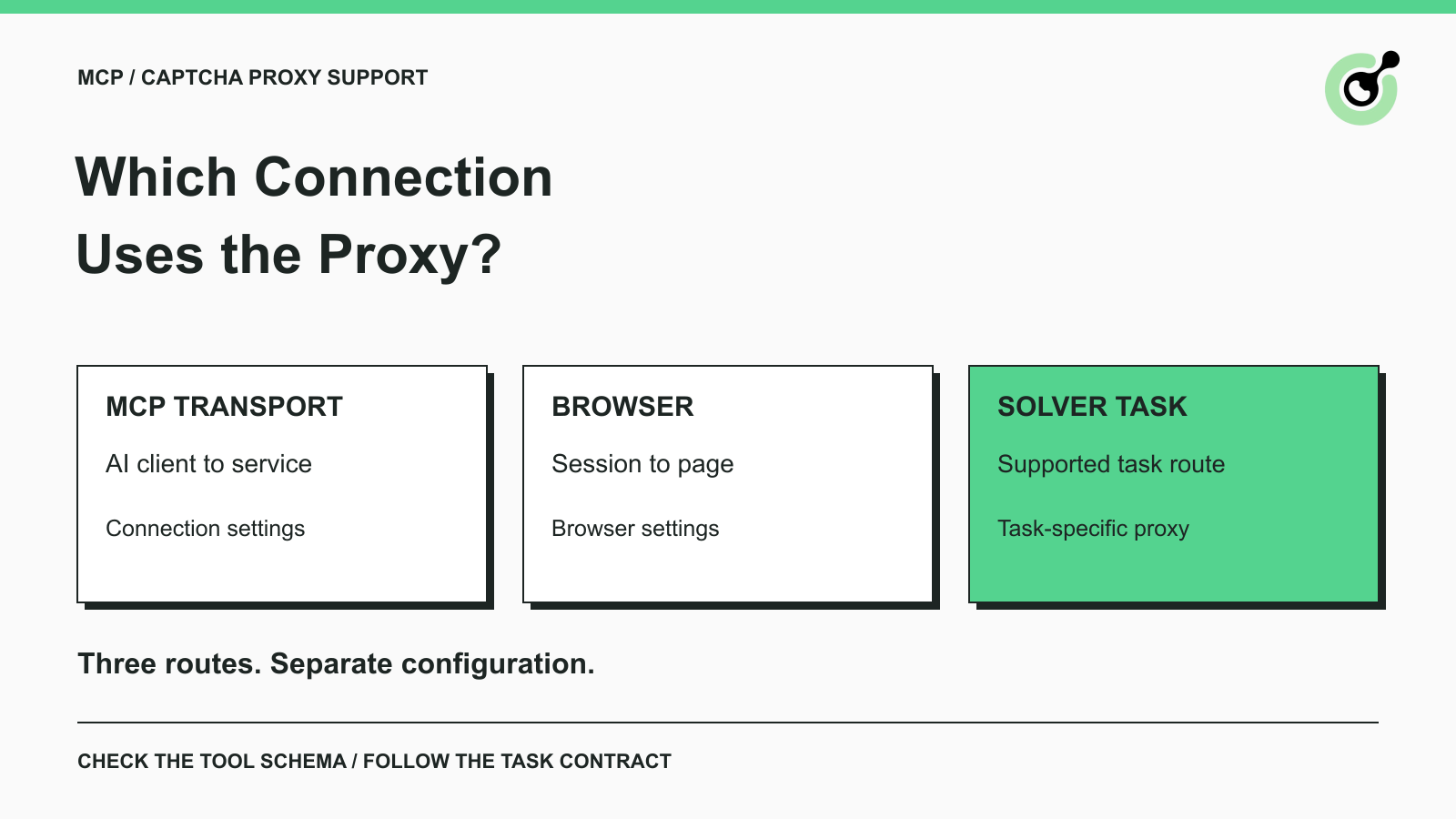
solve_captcha implementation accepts a proxy argument, but individual CAPTCHA task rules still apply.detect_captchas and solve_on_page tool signatures do not expose a browser proxy argument.An AI agent team may already have an approved outbound proxy and still be unsure where to configure it for CAPTCHA handling. One setting connects the AI client to a service. Another controls a browser's navigation. A third is part of a supported CAPTCHA task. Calling all three “the MCP proxy” makes troubleshooting unnecessarily difficult.
CapSolver exposes solving tools through MCP, but that protocol does not turn the agent, browser, and remote solver into one network connection. This guide compares the connection paths and the current documented tool boundaries. It is a configuration decision guide, not a claim that a particular corporate proxy, browser session, or credentialed solving workflow has been tested end to end.
CAPTCHA MCP proxy support means that a particular component exposes a way to route its own connection through a proxy. The component and the connection both need to be named.
A proxy is an intermediary for network communication. That broad definition does not tell you which process uses it or whether a tool argument is forwarded to a browser, an API client, or a remote solving task.
The MCP transport specification distinguishes local standard input/output communication from Streamable HTTP. A local stdio connection is communication with a process; it is not an HTTP request to a remote MCP endpoint. The launched process can still make separate network requests while performing its work.
For remote MCP, the client-to-server HTTP connection is another route to inspect. An enterprise gateway can affect that route without changing how the server's browser reaches a web page. Successful MCP tool discovery proves that discovery worked; it does not prove target-page access or a successful solve.
The right proxy setting belongs to the process responsible for the connection you need to control. Use this comparison to identify that owner.
| Connection | What travels over it | Where to inspect configuration |
|---|---|---|
| AI client to remote MCP service | Protocol messages and tool requests | Client transport and approved network configuration |
| Browser to the permitted target page | Navigation and page resources | The actual browser runtime or hosting service |
| Solver task using a supported proxy | Task-specific solving traffic | The selected solver tool and CAPTCHA task contract |
There is also the service's outbound API connection to CapSolver. Its HTTP client behavior is a deployment concern separate from passing a task-level proxy value. Do not assume that an environment variable supported by one networking library is honored by every component in the stack.
A useful team note names the process and endpoint for each route. For example: the local client launches the MCP process; that process connects to the solving API; a separate browser runs the application's QA session. Those statements immediately expose why a browser proxy setting might have no effect on the API call.
Keep the note descriptive. It should not contain proxy passwords, account credentials, or usable CAPTCHA tokens. The team needs enough information to identify a failing route without turning the architecture document into a secret store.
The current official implementation exposes proxy on solve_captcha, while the browser tools expose a different set of arguments. This distinction is visible in the official MCP server implementation reviewed for this guide.
solve_captcha accepts the CAPTCHA type, page URL, site key, and additional optional parameters including proxy. The implementation passes that value into the CAPTCHA information used by the core solver.
That is evidence of a tool parameter, not a promise that every underlying task uses a supplied proxy. Follow the selected task's current requirements. Also distinguish the MCP tool's parameter naming and accepted format from a raw API payload; copying a direct API example into an MCP tool call without checking its schema can produce a different request from the one you intended.
The CapSolver MCP service guide is the appropriate starting point for the supported service and available tools. Check the schema advertised by your installed service, because an installed package can differ from a repository revision or an older article.
In the reviewed implementation, detect_captchas takes a page URL. solve_on_page takes a page URL and options for autofill and waiting. Neither tool signature exposes a browser proxy argument.
The browser helper launches a browser, opens the supplied URL, and closes that session after the operation. These tools therefore should not be described as automatically attaching to an agent's already-open browser tab. A successful solve in that separate browser does not establish that the agent's original form has received a token.
If your task depends on an existing browser context or a configured browser network path, resolve that requirement explicitly before choosing the tool. Adding an invented browser_proxy field to a prompt is not an integration method. A custom browser integration requires its own supported interface and verification.
The CAPTCHA task reference should determine whether a supplied proxy is required, supported, or unnecessary. The task name alone is a useful clue, but the current parameter contract is the deciding evidence.
CapSolver's proxy usage reference explains task-level proxy configuration. For a concrete example, the reCAPTCHA v2 task reference distinguishes ProxyLess options from the Enterprise task that requires the caller's proxy.
Turnstile has a different contract. The Turnstile task reference specifies AntiTurnstileTaskProxyLess and says the caller does not need to supply a proxy. A generic proxy argument in the MCP wrapper does not override that task-specific documentation.
For a team selecting a route, ask what the supported task requires and what network controls the organization needs. Do not select a proxy merely because the workflow contains a CAPTCHA. An unnecessary setting can add another variable without addressing the original failure.
The older proxy setup article provides background on direct API usage. For current task names and fields, use the live task documentation rather than copying an older example unchanged.
Redeem Your CapSolver Bonus Code
Boost your automation budget instantly!
Use bonus code CAP26 when topping up your CapSolver account to get an extra 5% bonus on every recharge — with no limits.
Redeem it now in your CapSolver Dashboard
A corporate proxy introduces a network requirement for the relevant process, not a universal solver option. Consider a hypothetical QA team whose AI client runs on a managed laptop while its test browser runs on a separate worker.
The laptop's remote MCP connection can succeed while the worker cannot load the approved test page. Conversely, the worker can navigate normally while the MCP service cannot reach the solving API. These are different incidents, even if the agent summarizes both as “CAPTCHA tool failed.”
The team should first identify which process produced the error. Then check the corresponding destination and the network policy that applies to it. If the response is HTTP 407, the HTTP proxy authentication reference identifies it as a proxy authentication requirement. That response is not a CAPTCHA solution and should not trigger a new solve request.
For a local stdio service, investigate process startup separately from outbound connectivity. A missing executable, an unavailable runtime, and a remote network failure are not interchangeable causes. Keep client startup logs and tool execution errors distinct so the person investigating does not change a task parameter to fix a process-launch problem.
Verification should establish one boundary at a time, ending with the actual permitted application result. A tool listing or a returned token is useful evidence for its own stage, but neither proves the whole workflow.
Start with the service your client actually loads. Confirm its package version or deployed revision and inspect its advertised tools. The MCP tools specification describes tool discovery and input schemas; use that contract rather than assuming a natural-language instruction adds a supported parameter.
Next, verify that the intended browser can reach the approved page under its configured network conditions. Do not substitute a separate browser opened by an MCP helper unless that is the browser your workflow is designed to use.
Then inspect the chosen CAPTCHA task and the inputs it receives. Check the page URL, site key, task type, and task-specific proxy requirement. Keep this configuration review separate from a live solver test: a valid-looking payload does not establish that the credentials, destination, or solving result work.
For a permitted live test, retain the actual task outcome and the subsequent application result. If a real run is unavailable, record that limitation instead of describing a documentation review as a successful connection. This guide provides the selection criteria; it does not supply fabricated execution output.
Record the service revision, tool name, failing connection stage, relevant redacted error, and intended page operation. Note whether the failure happened before a task was submitted, during solving, or after the result returned.
A request that never reached a solver should not count as a solver-quality failure. A token returned to a separate browser should not count as a successful update to the agent's own form. Those distinctions let a team improve the right part of its workflow without adding repeated calls or speculative configuration.
Choose proxy settings by connection ownership: client transport, browser navigation, and supported solver task. Confirm the current tool schema and the selected task reference before passing parameters between those layers.
Use CapSolver for the documented CAPTCHA-solving step, and keep the agent's browser and network configuration explicit. The result is a workflow your team can diagnose by stage instead of treating every connection error as another unsolved challenge.
Q: Does CapSolver MCP support a proxy parameter?
The reviewed official solve_captcha implementation exposes a proxy argument. Its effect still depends on the underlying CAPTCHA task. Check your installed service's schema and that task's current documentation.
Q: Does that parameter configure the browser proxy too?
No. A solver task argument does not configure an independent browser's network path. The reviewed browser tools do not expose a browser proxy argument in their signatures.
Q: Do the MCP browser tools use my agent's existing tab?
The reviewed implementation opens a separate browser session from the supplied page URL and closes it afterward. Do not assume that the result changes an already-open agent tab or preserves that tab's application state.
Q: Does Turnstile require a caller-supplied proxy?
The current CapSolver Turnstile reference documents AntiTurnstileTaskProxyLess and says a proxy is not required. Follow that task-specific contract even when a general wrapper exposes additional optional parameters.
Q: What should I check when the connection returns HTTP 407?
Check authentication for the proxy on the failing connection. Identify which client or process received the response before changing configuration; requesting another CAPTCHA solution does not resolve proxy authentication.
Khadija Santos
AI Agent & MCP Engineer
Develops and maintains CapSolver’s MCP tooling, from implementation and package releases to AI agent integrations.
ABOUT THE AUTHOR
Understand Stagehand CAPTCHA handling, compare browser actions with solver services, and choose a clear approach for local browsers or hosted sessions.
Keep CAPTCHA pages out of AI agent research by checking source content, using a solver when appropriate, and verifying evidence before summaries and citations.