
🎉NEWCapSolver for AI agents-MCP, agent tools, and SDK integrations

Khadija Santos
AI Agent & MCP Engineer
Published Nov 03, 2026
Updated Nov 03, 2026 · min read
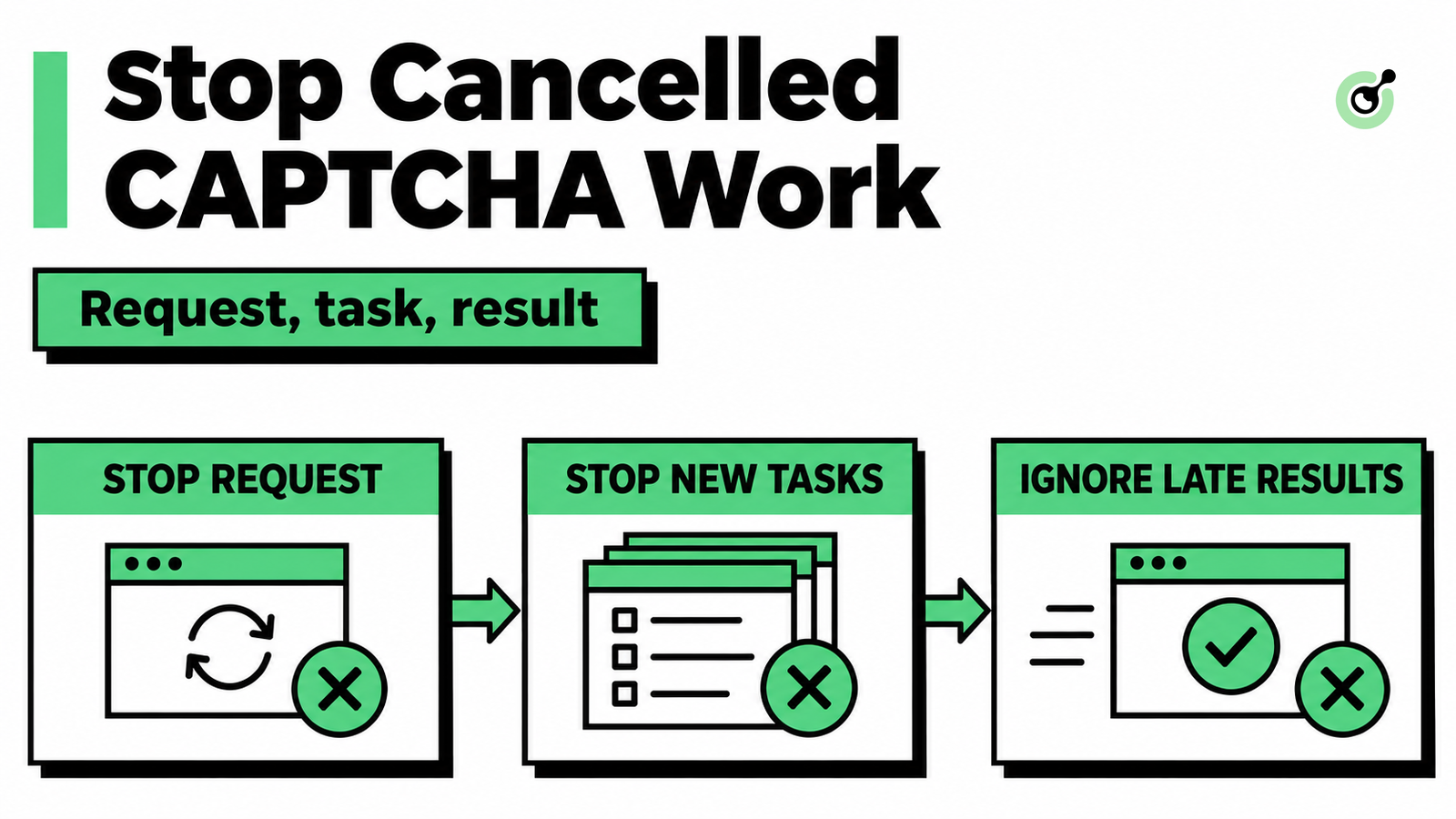
An operator stops an AI agent, but a CAPTCHA request is still running. Seconds later the solver returns a result. If the program treats every returned token as permission to continue, a cancelled workflow can still act on the page. The practical problem is not just interrupting a wait: the application must prevent new submissions and make sure an old result cannot restart work.
CapSolver can be the solver step in that workflow. Its task-creation API and MCP interface have different identifiers from the surrounding agent run. A reliable stop action keeps those layers distinct and records what actually stopped, rather than showing a blanket “cancelled” label for systems it no longer controls.
Cancellation has a different meaning for the agent run, the MCP request, and the solver task. Treat each as its own state transition.
| Layer | What your application can request or enforce | What it does not establish |
|---|---|---|
| Agent run | Stop planning, dispatch, and browser actions | That an external request was withdrawn |
| MCP request | Send the applicable cancellation signal for an in-progress request | That every server can interrupt all underlying work |
| Solver task | Track the provider's documented task state | That closing a client deletes the task or refunds its cost |
A CAPTCHA token is a result used within a particular verification flow. It should not become a reason to resume an agent run the user already cancelled. The caller's current authorization and page state still matter when the result arrives.
Use an application run ID for the user's job, an MCP request ID for the tool invocation, and the provider task ID where that interface exposes one. A solver taskId is not the value to insert into an MCP cancellation notification unless it also happens to be the actual protocol request ID—which your design should never assume.
If a higher-level tool hides the provider task ID, record that limitation. Do not fabricate one by extracting arbitrary numbers from the response, and do not imply you can inspect a remote task that the interface does not expose.
The first cancellation action should mark the application run inactive before waiting for network cleanup. Every dispatch boundary should check that state.
Consider an agent that has detected a reCAPTCHA widget and queued a solver call. If the user cancels before dispatch, the application should discard that queued call. It should not create a paid task simply because the action had already been planned. If dispatch is already underway, record that the request may have crossed the boundary and continue with request-level cancellation where supported.
This ordering also applies to retries. A retry scheduler must check current run state when a retry becomes due. Removing a job from the visible chat UI without invalidating its scheduled work leaves a path for new CAPTCHA submissions after cancellation.
Give the interface precise language: “Run stopped; no new solver calls will be started” is different from “Provider task cancelled.” The second statement requires evidence from the provider's documented behavior.
MCP cancellation refers to a request on the current protocol connection. The MCP cancellation specification describes notifications/cancelled, including a requestId and an optional reason.
Use the MCP client's supported cancellation path rather than constructing messages with guessed IDs. The notification applies to a request previously issued in the same direction that is still believed to be in progress. Initialization is not a cancellable request under the cited specification.
The receiving side is expected to stop associated processing where possible, but a cancellation can race with a completed response or arrive after work has become impossible to interrupt. A notification is not an acknowledgement that remote processing stopped.
Python developers should also distinguish task cancellation from stopping a worker thread. The Python asyncio cancellation documentation describes cooperative cancellation of asynchronous tasks. Cancelling the coroutine waiting for a blocking SDK call is not a guarantee that the underlying network call or external solver work has stopped.
Redeem Your CapSolver Bonus Code
Boost your automation budget instantly!
Use bonus code CAP26 when topping up your CapSolver account to get an extra 5% bonus on every recharge — with no limits.
Redeem it now in your CapSolver Dashboard
A late result must pass a current-run check immediately before it can trigger a browser action. Checking only when the request starts is too early.
A small generation marker makes that rule visible. The following local example invalidates the marker on cancellation and rejects the old result. It is an application-state example, not an MCP transport implementation or a remote solver cancellation method.
from dataclasses import dataclass

@dataclass
class Run:
    generation: int = 1
    cancelled: bool = False

    def cancel(self):
        self.cancelled = True
        self.generation += 1

    def may_apply(self, result_generation):
        return not self.cancelled and result_generation == self.generation

run = Run()
request_generation = run.generation
assert run.may_apply(request_generation)
run.cancel()
assert not run.may_apply(request_generation)
print('Late result discarded; no claim of remote task cancellation')
Run the example with Python 3.12 as python cancel_gate.py. It checks the active case and the cancelled case, then prints that the late result was discarded. It performs no network calls and does not submit a CAPTCHA task.
In a concurrent application, keep the state update and the final action decision coordinated. A check followed by an unrelated await can reopen the race: the run may be cancelled while the program waits, then proceed with a stale decision. Use your application's serialization or locking strategy so cancellation cannot be overlooked between validation and action dispatch.
An active run is necessary but not sufficient. The browser could have navigated to another page or replaced the widget while solving was underway. Associate the result with the relevant browser checkpoint and reject it if that context is no longer current.
This does not mean trying the old token against every new page. It means treating an obsolete result as obsolete and deciding whether the user's active task needs a fresh, permitted attempt.
An already-created task may continue even after your agent stops waiting. The task-result documentation describes retrieving results for a known task ID; it does not document a general cancelTask operation.
Do not invent that endpoint, promise cancellation refunds, or treat a closed HTTP connection as proof that the service reversed the submission. If your application needs post-cancellation accounting, design a separate bounded reconciliation process using documented interfaces. Keep it independent from browser continuation, and avoid logging returned tokens as accounting evidence.
A useful record contains the application run ID, cancellation time, whether dispatch had started, the known provider task ID if available, and whether the browser action was suppressed. Store only what your support or accounting workflow needs. A “late result ignored” event can be sufficient without retaining the result itself.
The MCP tools contract also separates tool execution from the consuming application's behavior. A completed tool result does not decide whether a cancelled agent should perform another action.
Test cancellation before dispatch, while waiting, and just before applying a result. These are separate cases with different failure modes.
Before dispatch, verify that no solver invocation is sent. During a request, verify that the supported client cancellation path runs and that no automatic retry follows. For a late result, verify that the application rejects the obsolete run marker and performs no browser action. Finally, start a new run and confirm the old result cannot be attached to it.
If your issue happens earlier—before any tool invocation—the connected tool not called guide covers that separate diagnosis. Cancellation handling begins once work is queued or in progress.
With CapSolver, keep the promise narrow and useful: stop new solver work from the agent, stop waiting where supported, suppress obsolete results, and report the external task state accurately.
Q: Does cancelling an MCP call automatically cancel the CAPTCHA task?
No such guarantee follows from the MCP cancellation signal. The server may already have submitted work to the provider, whose documented task behavior must be handled separately.
Q: Can I use the solver task ID as the MCP cancellation request ID?
No. Use the actual MCP request ID managed by your client. The solver task ID belongs to a different API layer.
Q: Should a late token resume the agent automatically?
No. A cancelled run must reject late results before any browser continuation. A new run needs its own current task and page context.
Q: Does stopping the local wait mean the request was free?
No. Local cancellation does not establish billing or refund behavior. Use the provider's documented policies and actual task records rather than inferring charges from client state.
Khadija Santos
AI Agent & MCP Engineer
Develops and maintains CapSolver’s MCP tooling, from implementation and package releases to AI agent integrations.
ABOUT THE AUTHOR
Fix CAPTCHA tools that connect but never run. Check discovery, agent visibility, required inputs, approvals, and executor dispatch before changing solver settings.

Keep parallel browser agents from mixing CAPTCHA results. Map task IDs to page owners, reject stale responses, and test routing before applying a solution.