
🎉NEWCapSolver for AI agents-MCP, agent tools, and SDK integrations

Ethan Collins
AI Agent Workflow Engineer
Published Nov 02, 2026
Updated Nov 02, 2026 · min read
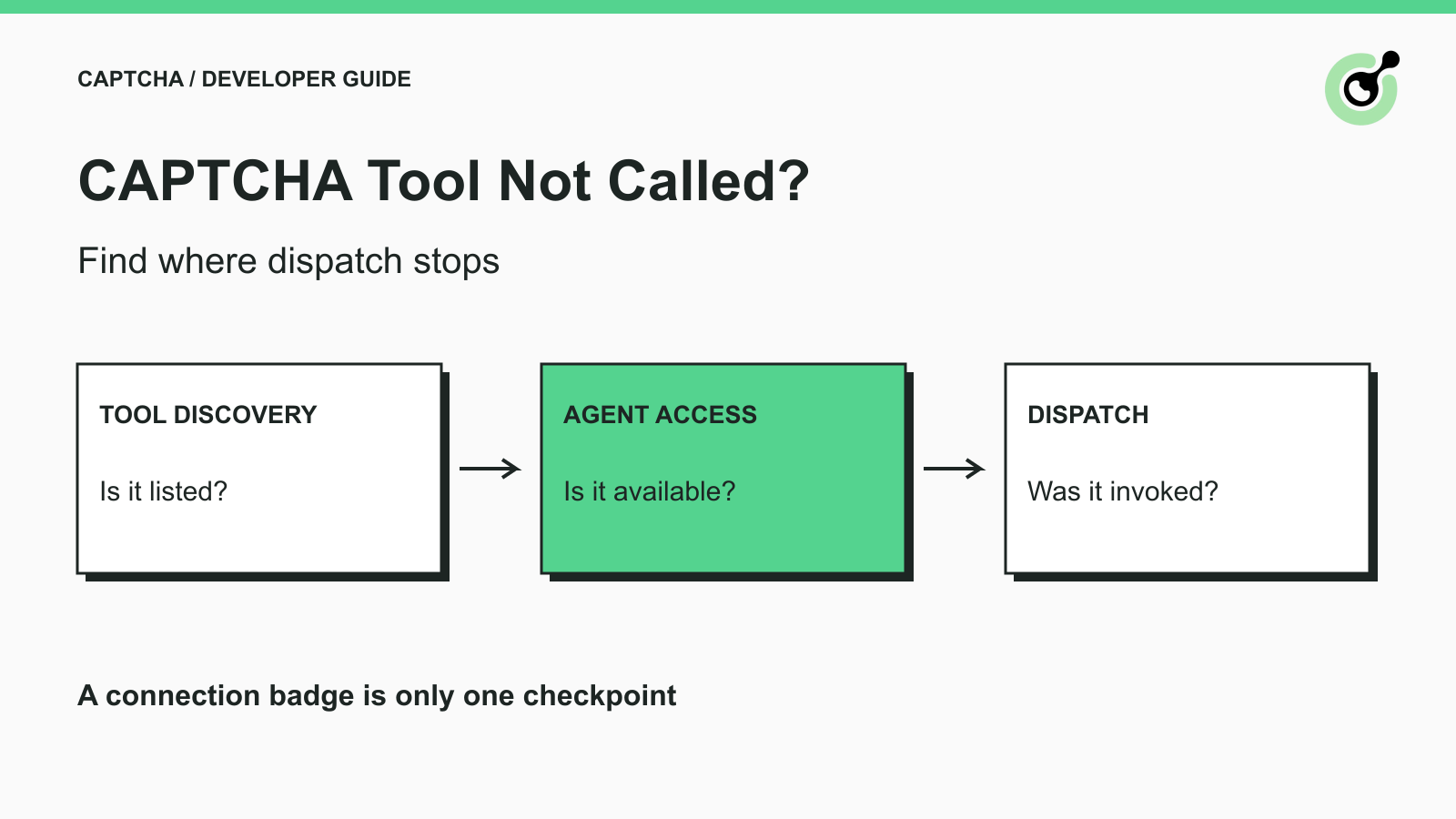
Your AI agent reports that a CAPTCHA is blocking a permitted task. The solver server appears connected, yet the agent keeps describing the problem or clicking the page without issuing a solver call. Changing the solver's retry count will not help if no request reaches it.
CapSolver exposes CAPTCHA capabilities through its MCP service. The practical question is where the call stops between that service and the agent's executor. This guide follows that path in order, using a non-solving registry call to separate connection problems from agent-dispatch problems.
The example scenario is an owned QA form whose current CAPTCHA has already been identified. The goal is to make the intended tool available and callable, then verify whether the agent actually requests it. This is different from diagnosing a tool that ran and returned an error.
Confirm the absence of an actual invocation before treating the problem as a solver failure.
A sentence such as “I will solve the CAPTCHA” is model output. It is not an execution receipt. Look for the host's tool-call event and, separately, the executor's corresponding dispatch. If the application exposes a trace, inspect the selected tool name and the stage reached without exporting secrets or complete page content.
The MCP tools specification defines discovery and invocation as separate operations. A client can list tools without calling any of them. The same distinction applies when an agent application sits on top of that client.
Start by answering a concrete question: did the application send the expected invocation to the intended server? If yes, this is no longer a “tool never called” problem. Continue with the actual response, validation failure, or runtime error instead.
Read the current tool list from the running server rather than relying on a screenshot of an earlier connection.
The official MCP service reference documents tools including solve_captcha, detect_captchas, solve_on_page, get_balance, and get_supported_captchas. Compare the running server's list with the capability you expect to use.
If a name is missing, inspect the package version and process that the host started. Multiple environments can contain different installations. A connection indicator establishes that something connected; it does not identify every feature that process provides.
If discovery fails entirely, inspect startup and the connection lifecycle first. The MCP lifecycle specification describes initialization before normal operations. Adding more task instructions to the conversation does not repair a server that cannot initialize.
Call get_supported_captchas through the client or the host's available tool-testing interface before asking a model to select a paid operation.
This registry call lets you check whether the executor can reach the server and receive a tool result. In a real local check with the official server, discovery and the registry operation succeeded without a valid solving credential. That result proves the tested connection and registry execution, not paid solving or model selection.
If the direct call fails, fix that stage before revising the agent prompt. If it succeeds but the model still never requests the solver, focus on the tool set presented to the active agent and the task context.
Confirm that the relevant tool is enabled for the agent handling this conversation or workflow step.
Applications may distinguish configured servers from tools exposed to a specific agent. Check the host's actual tool settings, any application-defined filtering, and the tool descriptions provided to the model. Do not assume every host uses the same menu labels or filter configuration.
The correct observation is the active agent's available tools at the failing step. A tool may be visible elsewhere in the application but absent from that agent's request. Review the integration code or supported inspection surface rather than inferring availability from a global settings screen.
Also check namespacing. Some clients qualify a server's tool name. Use the actual advertised and registered identity in your application. Guessing a suffix or constructing a new name can cause an executor lookup failure even when the underlying server is healthy.
The mcp-use direct-call documentation is one concrete example of selecting a session and invoking its tools. Other hosts have their own dispatch mechanisms; their connection and agent registration should be checked independently.
Redeem Your CapSolver Bonus Code
Boost your automation budget instantly!
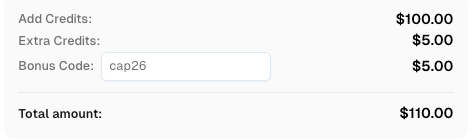
Use bonus code CAP26 when topping up your CapSolver account to get an extra 5% bonus on every recharge — with no limits.
Redeem it now in your CapSolver Dashboard
Describe the permitted CAPTCHA operation and provide real page evidence so the agent can decide which tool applies.
A generic instruction to “continue browsing” may not identify what is preventing progress. For an owned QA form, useful context includes the current page, the detected CAPTCHA family, and whether the application has collected the parameters required by the selected tool.
Keep the tool's role narrow. get_supported_captchas is for capability discovery. solve_captcha uses task parameters. The browser-facing operations require their documented browser prerequisites. Choosing a tool because its name sounds relevant is not enough to establish that it controls the intended page.
If the sitekey or page URL is missing, return to parameter collection. The CAPTCHA parameter identification guide explains the inputs that connect a solver task to a real challenge. A plausible-looking value generated by a model is not a substitute.
For a controlled test, ask the agent to perform only the harmless registry operation and inspect whether the application records the resulting call. This removes page parameters and account credit from that one diagnostic step. It does not guarantee that the model will subsequently choose a paid tool correctly.
A requested tool call that never reaches the server is an executor or host problem, rather than a model-selection problem.
Use a short sequence of observations instead of one broad “connected” status:
| Last confirmed stage | What to inspect next |
|---|---|
| Server starts | Initialization and tool discovery |
| Tools are discovered | Tools exposed to the active agent |
| Agent requests a named call | Approval state and executor dispatch |
| Server receives the call | Argument validation and execution result |
| Solver returns a result | Browser application and task verification |
Preserve the host's approval flow. A pending approval is a valid paused state; it should not be bypassed to make a diagnostic pass. Likewise, a tool disabled for the current task should remain disabled until the task is actually authorized.
If an executor rejects arguments before sending them, compare those arguments with the installed schema. Do not relabel a local schema error as an API outage. That distinction prevents unnecessary account changes and repeated solver requests.
Retest the specific boundary you changed before returning to a complete browser workflow.
After correcting an interpreter path, repeat discovery. After correcting registration, inspect the active tool set. After correcting a tool identity, make one direct call. After correcting page inputs, test one permitted solving operation with the appropriate credential.
Keep test expectations separate. The registry should return capability information. An intentionally incomplete call should fail validation. A paid solving call should produce its documented outcome. A browser task should reach its own completion condition.
The CAPTCHA glossary describes the challenge itself, while these checks concern the software path that reaches a solver. A visible challenge does not tell you whether the agent's dispatch path is functioning.
Once a real call occurs, use the guide to structured CAPTCHA tool results to interpret the returned outcome. Keeping pre-call and post-call diagnosis separate makes the next action clearer.
Treat discovery, agent availability, requested invocation, and executor dispatch as observable steps. CapSolver can supply the solving capability once the application's tool path reaches it; a connection badge alone does not establish that path.
Q: Why does the host say connected when no CAPTCHA tool runs?
Connection and invocation are different stages. The server may be connected while its tools are absent from the active agent, awaiting approval, or never selected.
Q: Should I force a solving call to check the connection?
Start with a harmless registry operation. A paid solve introduces credentials and page parameters that are unnecessary for the first connection check.
Q: Does writing a tool name in the prompt register it?
No. The host or application must expose a real executable tool. Text describing a tool does not implement its executor.
Q: What if the agent requests the tool but the server receives nothing?
Inspect the host's approval state, tool identity, argument validation, and dispatch path. The model has already reached the selection stage.
Q: Should I remove approval checks to make the test pass?
No. Complete the normal approval process for an authorized operation and record pending approval as a separate state.
Ethan Collins
AI Agent Workflow Engineer
Building clearer handoffs between AI agents and tools.
ABOUT THE AUTHOR
Keep parallel browser agents from mixing CAPTCHA results. Map task IDs to page owners, reject stale responses, and test routing before applying a solution.

Choose a CAPTCHA API or MCP for your AI agent by comparing task control, tool discovery, result handling, and browser responsibilities before you integrate.