

🎉NEWCapSolver for AI agents-MCP, agent tools, and SDK integrations

Anh Tuan
Data Science Expert
Published Oct 26, 2026
Updated Oct 26, 2026 · min read
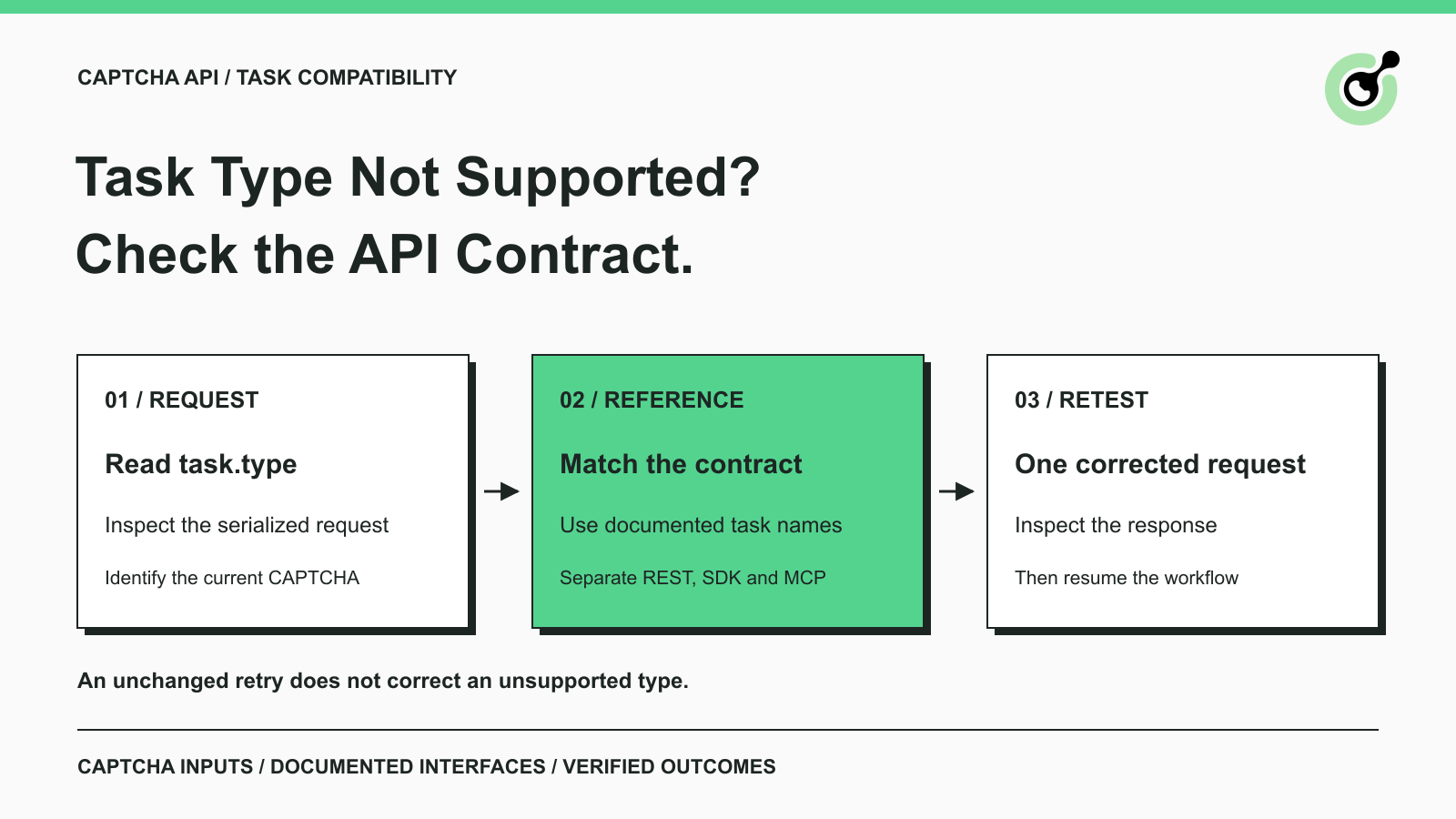
ERROR_TASK_NOT_SUPPORTED means the submitted CAPTCHA type is incorrect or is not supported by the service.task.type sent on the wire, not just the label shown in a framework configuration.A CAPTCHA integration can fail before recognition begins. The API receives a request, examines its task type, and rejects an operation it does not support. In that situation, changing the site's public key, waiting longer, or increasing retry counts may leave the actual problem untouched.
CapSolver documents ERROR_TASK_NOT_SUPPORTED separately from invalid task data and unsuccessful recognition. The useful troubleshooting path is to compare the request your application actually sends with the contract for the service and integration surface you are using.
ERROR_TASK_NOT_SUPPORTED identifies a task-type compatibility problem; it does not establish that the CAPTCHA image was difficult or that a returned token expired.
The official error-code reference defines this condition as an incorrect or unsupported CAPTCHA type. Preserve both errorCode and errorDescription when reviewing the failure. A generic application message such as “solver failed” loses the distinction needed to choose a fix.
Start with three facts: which endpoint received the request, what exact type string it received, and which CAPTCHA family was present on the page. These are the minimum pieces needed to compare implementation with documentation.
An API parameter is part of a service contract. A plausible name is not necessarily a supported name. Capitalization, spelling, suffixes, and family-specific variants should come from the reference rather than from a naming pattern inferred from another provider.
Inspect the outbound request after your SDK, configuration layer, or middleware has transformed it.
A settings screen may say “reCAPTCHA v2,” while the final JSON contains a different string. An environment variable may still hold a retired value. A wrapper may map a friendly name into a task identifier that no longer matches the service it calls. Read the effective value rather than assuming the initial configuration reached the API unchanged.
For a browser-based client, the Chrome Network panel explains how to inspect a request and response. For server-side code, use a narrowly scoped diagnostic record with secrets removed. Avoid logging API keys, session cookies, complete tokens, or unrelated form data.
Record the method, destination host and path, task type, field names, and the response's code and description. Include a task ID only if the service actually returned one. A failure at task creation may leave you with no valid identifier to poll.
Valid JSON syntax does not prove that a task is supported. The JSON specification describes a data format; the API reference defines the allowed meaning of its fields.
That distinction helps when a validator says the request is well formed but the API still rejects it. A syntactically correct string can still name an unsupported operation. Conversely, malformed data deserves its own diagnosis instead of being treated as the same error.
Match the current CAPTCHA family and variant before selecting a replacement task type.
Use the task-type overview to locate the correct family, then open that family's detailed reference. For example, the reCAPTCHA v2 task reference lists the accepted v2 task names and their fields. Copy the identifier from the relevant entry rather than constructing it from memory.
Check the real page again if the application recently changed its CAPTCHA integration. A historical configuration may describe a previous provider or variant. A widget's appearance alone is not enough to prove that the old task still applies.
Also check the boundary between a token task and a recognition task. One may return a token for an application flow, while another answers an image-recognition request. Treating those as interchangeable because both involve CAPTCHA can produce the wrong request contract.
Do not experiment with random task names until one is accepted. That obscures the original failure and can produce a different operation from the one your application needs.
Redeem Your CapSolver Bonus Code
Boost your automation budget instantly!
Use bonus code CAP26 when topping up your CapSolver account to get an extra 5% bonus on every recharge — with no limits.
Redeem it now in your CapSolver Dashboard
Keep each integration surface's names in the interface that defines them.
A REST request sends a task object. An SDK may expose methods and normalized detection values. An MCP client calls named tools with their own input schema. A name returned by one layer is not automatically a valid task.type at another layer.
For example, the Core SDK reference explains its browser and solving methods. When using that SDK, follow its documented parameters. When constructing a REST request directly, use the REST task reference. When using MCP, inspect the tool's schema instead of placing the tool name in a REST task field.
This matters during migrations. Replacing a package or changing an API host can leave older configuration values in place. Even services with similar response envelopes can support different task identifiers and optional fields. Compare the source and destination contracts explicitly.
An unsupported feature should remain unsupported until the provider documents a supported route. Do not silently substitute a different challenge family to make a request pass validation.
Validate one corrected request before allowing the same configuration to reach every worker.
First stop the automatic repetition of the known incompatible request. Then change the specific mismatch you identified and run a bounded check. Review the returned status and fields before enabling the wider workflow again.
The HTTP guidance on retrying non-idempotent requests is relevant when a network failure leaves an operation's outcome uncertain. Do not assume a new task-creation request is interchangeable with retrieving the result of an existing task. Compatibility errors and transport uncertainty need different handling.
If the corrected request is accepted, continue according to that task's documented response flow. Some operations return a result directly; others require result retrieval. Do not invent a task ID or start polling simply because your previous integration always did so.
For repeated request-pressure problems, use the separate CAPTCHA API troubleshooting reference to identify the actual returned condition. An unsupported type, rate limit, and account error are not different labels for one failure.
Send a compact, redacted reproduction that shows the apparent contract mismatch.
Include the documentation URL you followed, the exact task type, the endpoint, the SDK or wrapper version if one is involved, and the full error code and description. Add the request time with its timezone and a task ID if available.
Explain what changed: a package upgrade, a provider migration, a new CAPTCHA family, or a deployment configuration change. This gives support a narrower starting point than an entire application log.
Do not send account secrets or a full authenticated browser capture by default. The goal is to show the unsupported operation and the relevant request shape. If more evidence is needed, provide it through the appropriate support process.
The existing unsolvable-error guide covers a different stage: a recognized task that did not produce a solution for that attempt. Use it only when that is the error you received.
Repair the task contract first, then test a bounded request and inspect its result. CapSolver's current task reference should be the source of accepted names and required fields. Keeping those names explicit makes migrations and support investigations easier to review.
Q: Will retrying fix ERROR_TASK_NOT_SUPPORTED?
An unchanged retry does not correct an unsupported or incorrect task type. Check the contract and effective request before resubmitting.
Q: Is this the same as ERROR_CAPTCHA_UNSOLVABLE?
No. The unsupported-task error concerns the requested type. The unsolvable error concerns an attempt that did not recognize the CAPTCHA. Read the exact response before choosing a fix.
Q: Can I use an SDK detection name as task.type?
Only if the REST reference explicitly lists that value. Detection labels, SDK method names, and MCP tool names are separate interface concepts.
Q: Why did the error appear after changing providers?
A provider change may leave a task identifier or mapping that belongs to the previous service. Compare the final serialized request with the destination provider's current reference.
Q: Should I change the sitekey first?
Not automatically. First determine whether the task type is supported. Then validate the family-specific fields, including the page URL and sitekey, against the documented contract.
Anh Tuan
Data Science Expert
Turning task outcomes into actionable insights.
ABOUT THE AUTHOR
Fix ERROR_IP_BANNED by stopping repeated bad CAPTCHA API requests, finding the first error, checking related codes, and resuming with a controlled test.

Compare CAPTCHA image recognition and token solving, understand their inputs and outputs, and choose the right API workflow for your authorized automation.

