
🎉NEWCapSolver for AI agents-MCP, agent tools, and SDK integrations

Emma Foster
Machine Learning Engineer
Published Oct 20, 2026
Updated Oct 20, 2026 · min read
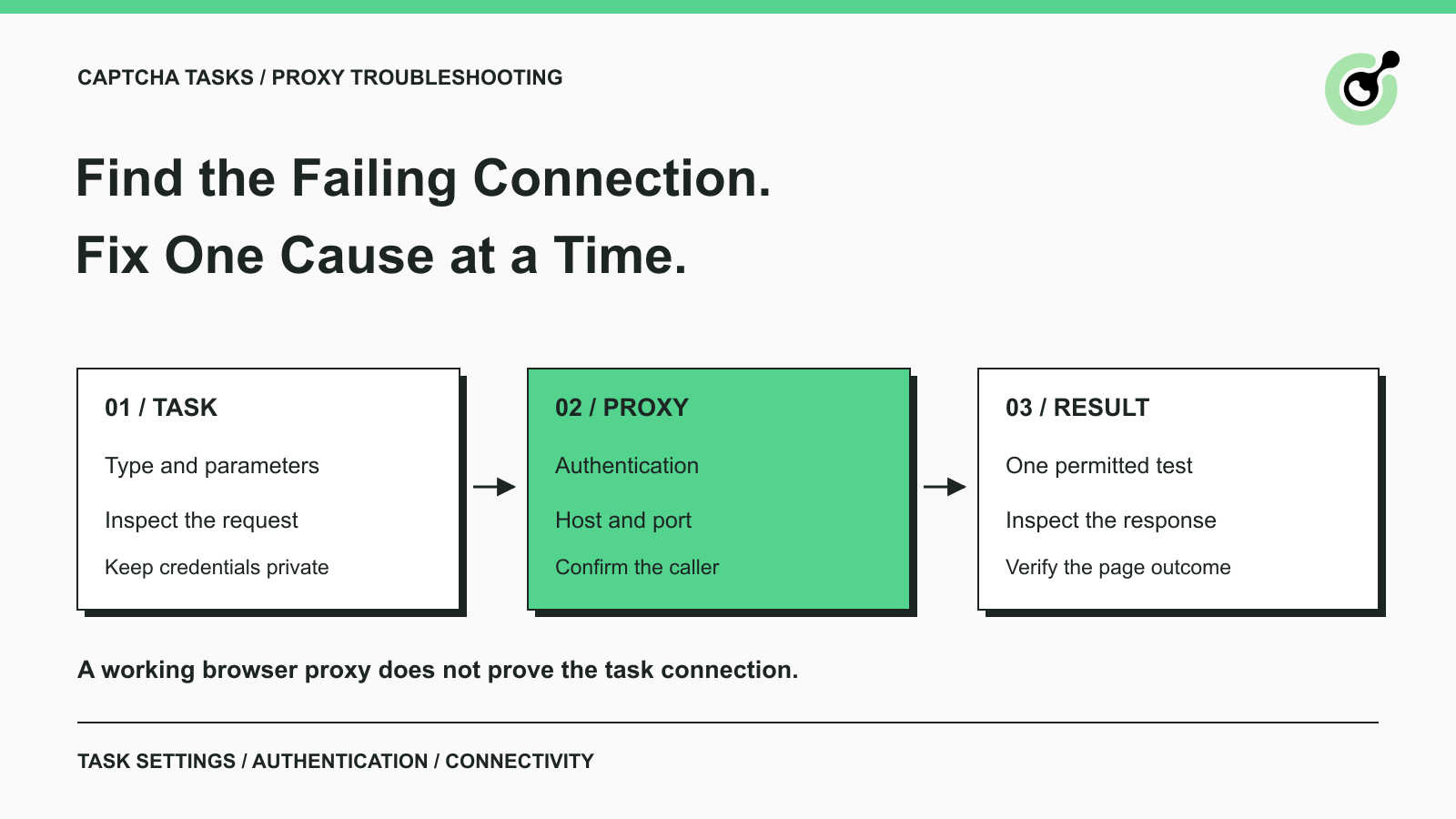
A CAPTCHA request fails after you add a proxy, but the same proxy appears to work in your browser. The most useful next step is to compare the two connections. They may use different credentials, reach different destinations, or originate from different machines. Repeating the request without checking those differences can produce more errors without explaining the first one.
CapSolver accepts proxy settings for supported CAPTCHA tasks. Those settings must match the task interface and an accessible, properly authenticated proxy. This guide walks through the common failure points for an existing, authorized integration. It focuses on what to inspect and what each result means, without requiring another custom troubleshooting script.
A CapSolver proxy error should be diagnosed at the connection that produced it, rather than from a generic message such as “CAPTCHA failed.”
A proxy forwards traffic on behalf of another client. In a browser workflow, your browser may use a proxy to load the page, while a CAPTCHA task supplies separate proxy settings to the solving service. Your program also needs its own connection to the CapSolver API.
Draw those connections on paper if necessary: application to API, browser to website, and solver task through its configured proxy. A success on one connection does not demonstrate that the others work.
Save the HTTP status, the operation being attempted, and the response body after removing secrets. For an API response, inspect errorId, errorCode, and errorDescription, as described in the CapSolver error reference. Keep the task ID if one was returned.
Use the following distinctions to choose the next check:
| Observation | Investigate first | Avoid concluding |
|---|---|---|
| Your client cannot reach the API | Application network, DNS, and outbound access | The target website rejected a CAPTCHA |
| Proxy returns HTTP 407 | Proxy credentials or caller-IP authorization | The CapSolver API key is necessarily wrong |
| API reports invalid task data | Exact task type and submitted fields | The proxy service is necessarily unavailable |
| Connection stalls or times out | Host, port, network path, and response timing | A longer solver wait will repair the connection |
API reports ERROR_PROXY_BANNED |
The reported target-side rejection and permitted access arrangements | Repeated requests will clear the restriction |
| Task returns a result but the page still fails | Session continuity and application validation | Proxy connectivity alone proves completion |
These are diagnostic starting points. The response details and the component that emitted them determine which branch applies.
The task's current documentation determines whether a proxy is required and which fields the endpoint accepts.
For example, the reCAPTCHA v2 task guide documents both proxyless and proxy-based variants. Do not assume that the parameters used by one variant automatically configure another. Also distinguish the browser's network settings from the task object sent to CapSolver.
The official proxy parameter guide documents structured fields such as proxyType, proxyAddress, proxyPort, proxyLogin, and proxyPassword, as well as supported combined proxy formats. Use one documented representation and compare the final serialized request with that reference. Avoid supplying two competing configurations while debugging.
Inspect the request produced by your application, not only the configuration file you intended it to load.
A deployment can still contain an old password, an empty environment variable, or the wrong endpoint. A connection string copied into one library may also need a different representation when placed in a CAPTCHA task. Check the protocol, host, port, and authentication fields independently.
Keep secret values out of screenshots and general logs. For a configuration comparison, “password present” and a secret-version identifier are usually more useful than exposing the password itself. If credentials contain reserved characters, follow the encoding rules of the interface consuming them; do not apply the same transformation blindly to separate fields and URL-style strings.
A working browser proxy is evidence about that browser connection only.
Playwright, for example, has its own browser proxy configuration. Setting it does not automatically populate the proxy fields in a separate CapSolver API request. Conversely, supplying a proxy inside a CAPTCHA task does not configure a browser you launched elsewhere.
Compare the effective settings on both sides when your task requires them to be consistent. Change one configuration at a time so the result remains interpretable.
HTTP 407 means the proxy requires authentication that the request has not successfully supplied.
The HTTP 407 definition distinguishes proxy authentication from authentication at the destination server. A valid CapSolver account key cannot repair a wrong proxy password because they authenticate different services.
Check the credential pair in the proxy's own dashboard or management interface. Confirm that the subscription or traffic allocation is active and that the endpoint belongs to those credentials. If a username includes provider-specific region or session options, compare its complete value with the provider's generated configuration.
For an IP-authorized proxy, identify the machine that makes the connection. Authorizing your office or laptop IP does not authorize a remote solving service. CapSolver publishes the current caller IPs for this arrangement in its proxy documentation. Check that live list when configuring access rather than copying an old list from another article.
Only add an explicitly required caller to the proxy's access rules. There is no need to remove authentication or open access broadly to establish whether the correct caller is authorized.
Redeem Your CapSolver Bonus Code
Boost your automation budget instantly!
Use bonus code CAP26 when topping up your CapSolver account to get an extra 5% bonus on every recharge — with no limits.
Redeem it now in your CapSolver Dashboard
A connection timeout means the operation did not complete within a time limit; it does not identify the underlying cause by itself.
Use a small permitted check to determine how far the request progresses. Can the caller resolve the proxy host? Can it reach the configured port? Does proxy authentication complete? Does the proxy return a response from the approved destination? A successful public-IP check can help establish proxy connectivity, but it does not prove that the target page or CAPTCHA task will succeed.
A 504 Gateway Timeout has a narrower meaning: a gateway did not receive a timely response from its upstream server. Keep that separate from a client-side connection exception or a CapSolver task timeout.
Run diagnostics from the environment involved in the failure whenever that environment is under your control.
A local test cannot confirm a cloud worker's outbound firewall rules. If the failing connection originates within the solving service, use the task's error details and the proxy provider's connection records rather than assuming a laptop test reproduces it. Preserve timestamps so the two services can investigate the same attempt.
The proxy troubleshooting reference provides additional connectivity and authentication checks. Apply the checks relevant to your arrangement; a proxy product's endpoint or username format is not a universal format for every provider.
Pause a failing batch and reproduce the problem with one task. Check the host and port against the current service configuration, then correct a demonstrated mismatch or request a narrowly scoped network change from the administrator.
Do not disable security controls broadly or keep increasing concurrency to test whether the error disappears. A single well-recorded failure is easier to investigate than many overlapping attempts with different settings.
Session continuity becomes the next question when the proxy connects successfully but the workflow depends on requests using a consistent exit.
A session identifier is an input to a proxy provider's routing system. The provider's documented behavior determines how long that routing stays stable and what happens if a node becomes unavailable. A configured sticky duration therefore needs to be checked against the actual connection behavior.
Do not confuse the proxy gateway's resolved address with the exit IP observed by the destination. They describe different points in the route. Ask the provider which observation or diagnostic endpoint represents the exit address for the connection you are testing.
For the specific AntiCloudflareTask message about dynamic DNS and changing IPs, follow the separate dynamic DNS proxy error guide. That article explains the session-ID issue in detail. Do not extend its diagnosis to every proxy error: a wrong password and a dynamic gateway are different problems.
If the target has explicitly rejected the proxy IP, stop repeated attempts and review the approved access arrangement with the site owner or relevant provider. A solver result is not permission to ignore an access restriction.
A successful fix should be demonstrated by the intended application operation, not just by the disappearance of one error message.
After making one documented correction, create one fresh task when appropriate and retain its response. For asynchronous tasks, follow the task-result documentation to distinguish processing, completion, and errors. Then check whether the permitted page or application action completed.
If the problem remains, send support a compact report containing the task type, task ID if available, approximate time and timezone, exact sanitized error, proxy protocol, authentication method, and the checks already performed. Explain whether the failure occurs locally, in a cloud worker, or in the solver task.
Share credentials only through an appropriate private support mechanism if support specifically needs them. Avoid posting API keys, proxy passwords, cookies, or solution tokens in public issue trackers.
This sequence gives CapSolver and your proxy provider a concrete failure to investigate. The useful outcome is a corrected connection and verified application result, with enough evidence to recognize the same issue next time.
Q: Why does my proxy work in Chrome but fail in a CapSolver task?
The task may use different credentials, formatting, or caller-IP authorization from Chrome. Compare the task's actual parameters and the proxy's access rules before assuming the two connections are equivalent.
Q: Does a proxyless task use the proxy configured in my browser?
Do not assume that it does. A browser proxy and a solver task are separate configurations. Check the documentation for the exact task variant and integration you use.
Q: Will a longer timeout fix HTTP 407?
No. HTTP 407 requires correcting proxy authentication or caller authorization. Waiting longer does not supply missing credentials.
Q: Does a sticky session guarantee that the exit IP never changes?
No universal guarantee follows from the label alone. Check the provider's session policy, failure behavior, and observed exit IP. Use the dedicated dynamic DNS guide when that exact AntiCloudflareTask error appears.
Q: What should I send support about a proxy error?
Send the task ID if available, time, task type, sanitized error, protocol, authentication method, and a summary of your checks. Keep secrets out of ordinary logs and public screenshots.
Emma Foster
Machine Learning Engineer
Where machine learning meets practical AI tooling.
ABOUT THE AUTHOR
Diagnose ERROR_CAPTCHA_UNSOLVABLE in CapSolver. Check the error stage, current task inputs, safe retries, and the evidence to send when a solve keeps failing.

Understand proxyless CAPTCHA tasks, when a supplied proxy is needed, and how to choose the correct CapSolver task for your browser or API workflow.

