
🎉NEWCapSolver for AI agents-MCP, agent tools, and SDK integrations

Khadija Santos
AI Agent & MCP Engineer
Published Oct 22, 2026
Updated Oct 22, 2026 · min read
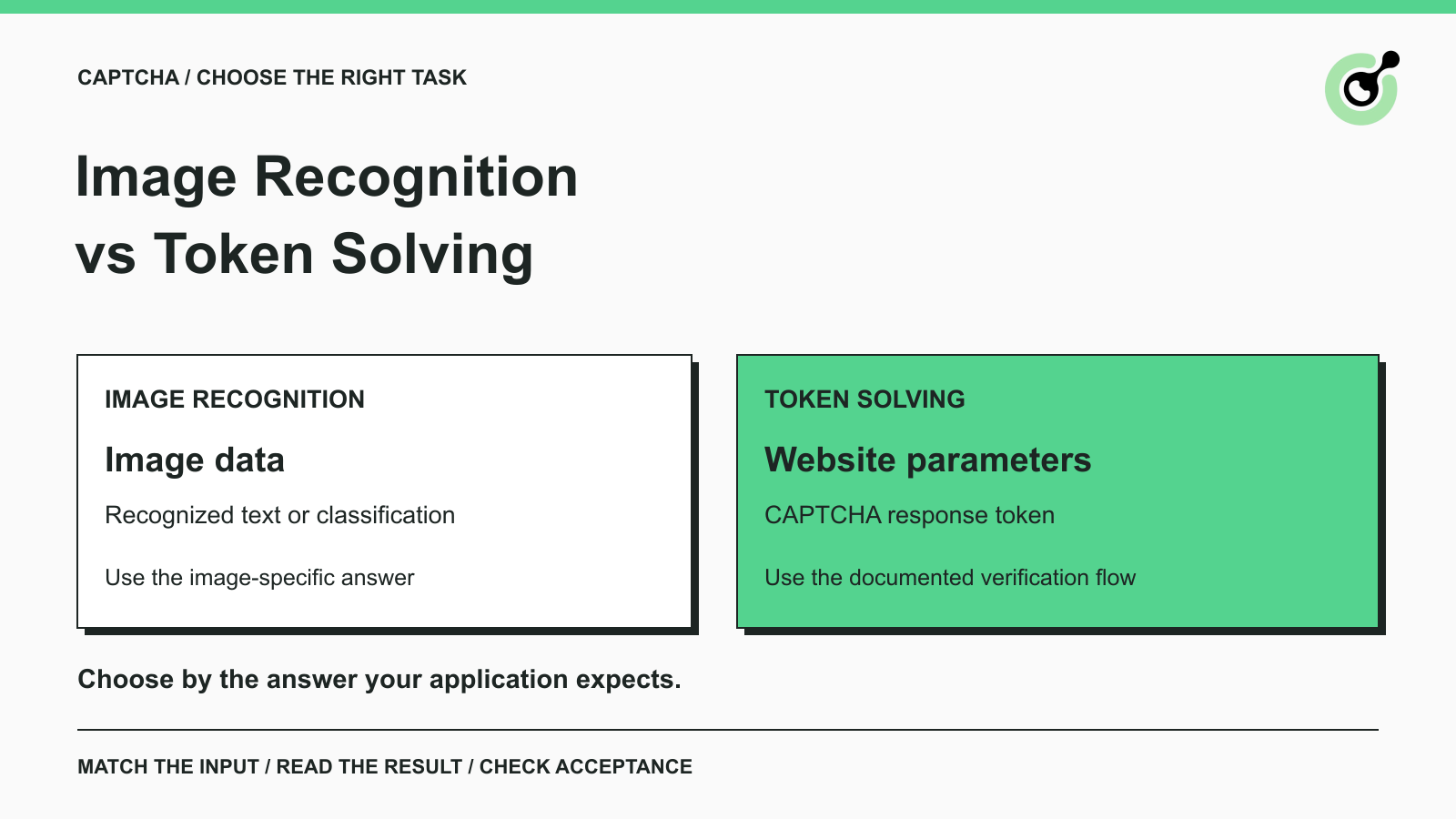
ImageToTextTask accepts image data and returns recognized text directly; a reCAPTCHA token task uses website parameters and has a different result contract.Choosing between CAPTCHA image recognition and token solving starts with a practical question: what does the next step in your application expect? A text field might need the characters shown in an image. A reCAPTCHA integration expects a response token. Sending the first result to the second interface will not work, even when both operations are described as “solving a CAPTCHA.”
CapSolver documents separate recognition and token tasks. This guide compares their inputs, outputs, and integration responsibilities so you can choose an appropriate starting point for authorized testing or automation. It does not rank providers or assume that every CAPTCHA can be handled through the same request.
Image recognition produces an answer about image content, while token solving produces a response value for a supported verification system.
Those are API-level distinctions. They do not establish which underlying model a service uses or whether a browser is involved internally. For integration work, the useful distinction is the information you submit and the result you receive.
A CAPTCHA can have several visible forms. Some ask a person to read distorted characters; others display an image selection challenge; still others work without an image puzzle. The presence of an image alone does not tell you what the application will accept as completion.
| Decision point | Image recognition | Token solving |
|---|---|---|
| Typical input | Image bytes encoded as text, plus task-specific instructions | Website URL, site key, and task-specific parameters |
| Typical output | Recognized characters or classification results | A CAPTCHA response token |
| What the caller must provide | The correct image for the current challenge | The correct CAPTCHA type and current page parameters |
| What remains afterward | Use the answer in the intended application step and check acceptance | Deliver the token through the intended integration and check acceptance |
| Common mismatch | Treating classification output as a verification token | Sending a token to a field that expects image characters |
This comparison describes common task contracts, not a universal schema. Read the documentation for the exact task before building a shared result parser.
Choose image recognition when your workflow has an image and needs a defined answer about its contents.
For example, an authorized test of an application with a text CAPTCHA may already have access to the displayed image. The next step expects its characters. An OCR task can supply that text, while the application test remains responsible for entering it and checking the result.
The official ImageToText task reference requires a body containing the image's Base64-encoded content. A website URL is optional for this task. Supplying a site key without the image does not satisfy that input requirement.
Base64 represents binary data using text characters. It is an encoding, not an image enhancement step. A badly cropped or outdated CAPTCHA remains unsuitable after encoding.
For ImageToTextTask, use the image content without line breaks or a data:image/...;base64, prefix, as the task reference specifies. Keep unrelated page content and personal information out of the image submitted to the service.
The following request body follows the official schema with an explicit placeholder for the image. It is a schema example, not an executed solve: replace the key and image value before using it with POST https://api.capsolver.com/createTask.
{
  "clientKey": "YOUR_API_KEY",
  "task": {
    "type": "ImageToTextTask",
    "body": "BASE64_IMAGE_CONTENT"
  }
}
This task returns its recognition result directly. Inspect the error fields before reading solution.text; do not add a polling loop just because another CAPTCHA task needs one.
Image classification answers a question about an image rather than transcribing characters. CapSolver documents reCAPTCHA image classification as a separate task with image and question inputs.
A classification response is not a completed reCAPTCHA verification. If you choose a recognition interface, your application still needs a compatible challenge workflow. Do not assume that a list of selected image regions can be inserted wherever an application expects a response token.
For a first integration, write down the expected output before choosing a task name. “Read the characters” and “obtain a reCAPTCHA response” are different requirements, even when both begin with a screenshot in a support ticket.
Choose token solving when the application uses a supported CAPTCHA integration and the required output is its response token.
The reCAPTCHA v2 task reference describes website parameters such as websiteURL and websiteKey. These identify the page and CAPTCHA integration. They are not substitutes for each other, and the public site key is not your CapSolver API key.
This second schema example shows the basic shape of a reCAPTCHA v2 proxyless task. It is not an executed request and does not include every optional parameter a particular integration may need.
{
  "clientKey": "YOUR_API_KEY",
  "task": {
    "type": "ReCaptchaV2TaskProxyLess",
    "websiteURL": "https://www.yourwebsite.com",
    "websiteKey": "YOUR_RECAPTCHA_SITE_KEY"
  }
}
Use your permitted page's actual values and the task type documented for that CAPTCHA version. A v2, v3, or Enterprise integration should not be selected by trial and error with unrelated task names.
With the asynchronous createTask flow, save the returned task ID and obtain that task's result through getTaskResult. Read the documented solution field for the selected task. Avoid writing one parser that assumes every successful response contains the same field.
Redeem Your CapSolver Bonus Code
Boost your automation budget instantly!
Use bonus code CAP26 when topping up your CapSolver account to get an extra 5% bonus on every recharge — with no limits.
Redeem it now in your CapSolver Dashboard
Both workflows need an application-level check after the solver returns its result.
For a text CAPTCHA, that might mean confirming that the intended form accepted the characters for the same challenge. If the image refreshed while the request was running, an answer for the previous image is no longer the result your current form needs.
For token integrations, a nonempty string does not establish that the application accepted the request. Google's reCAPTCHA verification documentation describes the website's server-side token verification step. The website's private verification secret belongs on its server; a solver user should not need to obtain someone else's secret.
Cloudflare likewise requires server-side validation of Turnstile responses. These provider checks are separate from the solver reporting that a task is ready. If you operate the application, inspect its validation result. If you are testing another permitted workflow, check its documented success outcome without claiming visibility into its private backend.
The distinction also helps when debugging. Record whether the failure occurred during image capture, task creation, result retrieval, result delivery, or application acceptance. A screenshot of the final error alone may not identify which step needs attention.
For more detail about returned values, see the explanation of CAPTCHA tokens and cookies. Neither an OCR answer nor a response token automatically establishes a persistent browser session.
Choose the smallest supported interface that supplies the result your existing workflow can consume.
Use a text-recognition task when the challenge is a text image and you can obtain the current image legitimately. Confirm the image capture, encoding, returned text, and form response as separate steps. This is a direct fit for OCR; adding a website token task would not address the input field's requirement.
Use the corresponding token task when you have the documented parameters and a legitimate integration path. Do not turn the presence of an image puzzle into a requirement to maintain a separate image classification workflow. Start from the CAPTCHA product and response contract.
Have the agent identify the supported challenge and available integration context before requesting a solver action. A screenshot alone does not prove that the agent has the right image input, site key, callback, or result-delivery path. Stop for missing information instead of having the model invent values.
For an established browser workflow, a documented browser integration may handle more of that interaction. This guide's comparison does not replace an integration test with the specific client or browser you intend to use.
Compare compatibility, implementation effort, and verified application outcomes before comparing the headline price of individual tasks.
Compatibility comes first: a low-cost response is not useful if it has the wrong format for the application. Next, account for the work your team must maintain, such as image capture, challenge state, result retrieval, and final acceptance checks. These responsibilities differ between workflows even when both use an HTTP API.
Evaluate a small, authorized sample that reflects the CAPTCHA type you actually need. Keep the source conditions consistent enough to understand failures. Record task errors and application rejection separately, and avoid treating a provider's ready status as your end-to-end success rate.
Do not infer speed, recognition accuracy, or cost superiority from this classification alone. Those are measurements for a particular task and integration, not consequences of the words “image” or “token.”
The expected answer gives you the clearest starting point: image characters, classification output, or a verification response token.
Check that answer against the current task documentation, supply the corresponding inputs, and define how your application will confirm completion. CapSolver provides separate interfaces for these needs; choosing deliberately reduces avoidable input and output mismatches.
Try CapSolver with a supported CAPTCHA type in an authorized workflow. Begin with one confirmed task contract before expanding your implementation.
Q: Is CAPTCHA image recognition the same as token solving?
No. Recognition returns information about an image, such as text or classification results. Token solving returns a response for a supported CAPTCHA integration. Select the interface based on what the application expects next.
Q: Can an OCR result be used as a reCAPTCHA token?
No. Recognized characters are not a reCAPTCHA response token. They belong to different input and verification contracts.
Q: Does every CAPTCHA task need polling?
No. CapSolver documents a direct result for ImageToTextTask, while asynchronous token tasks use a task ID and result retrieval. Follow the selected task's documented flow rather than applying one loop to all responses.
Q: Which method is better for an AI agent?
The better method is the one that matches the challenge and the agent's actual integration. An agent that can capture an image is not automatically able to complete a token-based workflow. Verify the required inputs and result-delivery step.
Q: Does a successful solver response mean my application succeeded?
No. The application must still accept the answer or token and complete the intended action. Check that outcome separately and keep the automation within the access you are permitted to use.
Khadija Santos
AI Agent & MCP Engineer
Develops and maintains CapSolver’s MCP tooling, from implementation and package releases to AI agent integrations.
ABOUT THE AUTHOR
Fix ERROR_IP_BANNED by stopping repeated bad CAPTCHA API requests, finding the first error, checking related codes, and resuming with a controlled test.
Troubleshoot CapSolver proxy errors by checking task parameters, authentication, connectivity, and session settings before retrying a CAPTCHA request.

