Selenium vs Puppeteer for CAPTCHA Solving: 2026 Comparison Guide

Sora Fujimoto
AI Solutions Architect
TL;DR
- The Selenium vs Puppeteer for CAPTCHA solving decision depends on language stack, browser-control model, extension support, team skills, and the CAPTCHA workflow approved by the site owner.
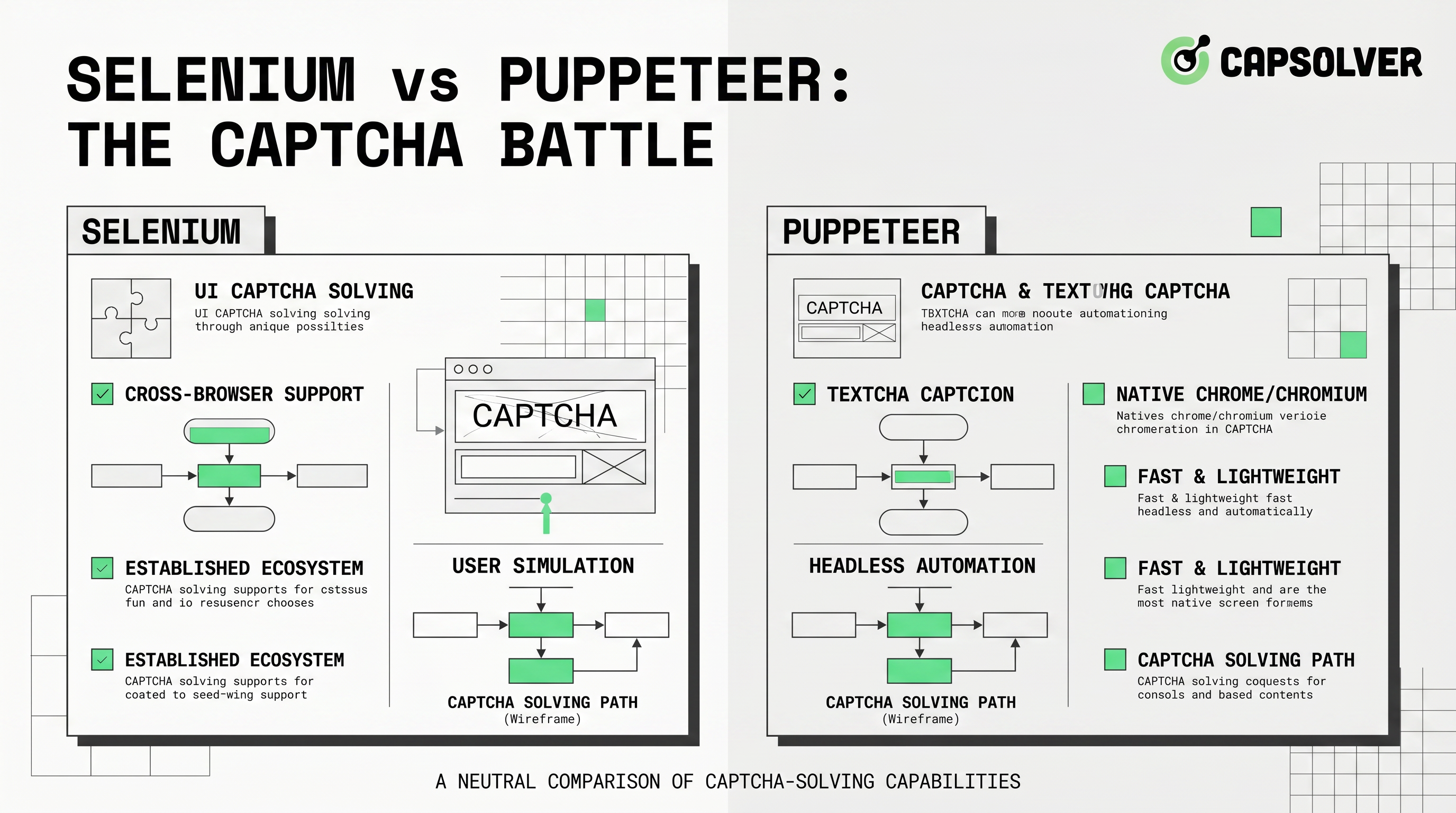
- Selenium is usually stronger for cross-browser QA and WebDriver-based test suites, while Puppeteer is often simpler for Chromium-first automation and JavaScript-native scripts.
- Both tools need explicit waits, isolated browser profiles, secret-safe configuration, and backend validation when the CAPTCHA type uses tokens or scores.
- CapSolver can support both Selenium and Puppeteer workflows when the automation target is owned, staged, or explicitly authorized.
- The best choice is not the tool that appears to remove workflow friction fastest, but the one that creates reliable, reviewable, and compliant automation evidence.
Introduction
Selenium vs Puppeteer for CAPTCHA solving is a practical comparison for teams that run QA automation, RPA, synthetic monitoring, or approved data workflows. Both tools can control a browser, but they differ in protocol design, language fit, browser support, extension setup, and debugging style. CAPTCHA solving adds another layer because the automation must respect permission boundaries and validate outcomes carefully.
CapSolver provides integration paths for both tools, including a Selenium CAPTCHA solver integration and a Puppeteer CAPTCHA solver integration. This guide compares the tools from the perspective of responsible CAPTCHA automation, not from the perspective of unauthorized access. The correct workflow is always limited to owned, staged, or explicitly approved targets.
The core difference: WebDriver ecosystem versus Chromium automation
Selenium is built around the WebDriver ecosystem. The W3C WebDriver specification defines a remote-control interface that lets out-of-process programs instruct browsers and discover DOM state. That makes Selenium a natural fit for organizations that already have multi-language test suites, cross-browser requirements, and established QA infrastructure.
Puppeteer is a JavaScript library focused on browser automation for Chrome and Chromium-family workflows. The official Puppeteer documentation describes it as a high-level API for controlling Chrome, Firefox, and Chrome for Testing over DevTools Protocol or WebDriver BiDi. In practice, many teams choose Puppeteer when their automation logic is already JavaScript-heavy and the target workflow is Chromium-first.
| Comparison factor | Selenium | Puppeteer |
|---|---|---|
| Primary fit | Cross-browser QA and mature WebDriver test suites | Chromium-first automation and JavaScript-native scripts |
| Common language stack | Python, Java, C#, JavaScript, Ruby and others | JavaScript and TypeScript first |
| Extension setup | ChromeOptions and browser-specific capabilities | Launch arguments and persistent browser contexts |
| Debugging style | WebDriver logs, test runner reports, screenshots | DevTools-style traces, console events, screenshots |
| CAPTCHA workflow | Strong when integrated into QA suites and backend checks | Strong when page instrumentation and JS event control matter |
The choice should start with the system that must be maintained after the first proof of concept. A one-off script can look easy in either tool, but a production QA workflow needs stable locators, secrets management, retry policy, evidence retention, and a clear owner.
CAPTCHA solving changes the comparison
CAPTCHA is not just a UI element. It is part of a risk-control system that may involve site keys, response tokens, scores, callbacks, challenge pages, and backend verification. For example, the Google reCAPTCHA v3 documentation explains that v3 returns a score and expects a backend verification step. In that case, the automation framework can trigger the browser action, but the application must still verify the result server-side.
CapSolver’s reCAPTCHA glossary is useful for aligning developers, QA engineers, and non-technical stakeholders on the meaning of site keys, tokens, and CAPTCHA flows. When teams compare Selenium vs Puppeteer for CAPTCHA solving, they should ask which tool helps them collect the right evidence for the CAPTCHA type rather than which tool can click faster.
| CAPTCHA workflow need | Selenium advantage | Puppeteer advantage |
|---|---|---|
| Existing QA regression suite | Easier to plug into established test runners | Possible but may require a new JS test layer |
| Chromium-only data workflow | Works, but may feel heavier | Often simpler and more direct |
| Extension-based solving | ChromeOptions and profile isolation are well documented | Persistent context and launch args are convenient |
| Page JavaScript introspection | Available, but less native to the tool culture | Strong access to console events and page scripts |
| Backend verification | Tool-neutral; must be checked outside the browser | Tool-neutral; must be checked outside the browser |
When Selenium is the better choice
Selenium is usually the better option when the CAPTCHA workflow is part of a larger QA suite. If a team already runs Selenium tests for login, checkout, account creation, and form validation, adding an approved CAPTCHA step to the same reporting pipeline can be easier than creating a parallel Puppeteer system. Selenium is also useful when stakeholders require browser diversity or when the organization already has WebDriver infrastructure.
The official Selenium Chrome documentation explains how Chrome-specific options can be configured. That matters for CAPTCHA workflows because extension loading, user-data directories, and headed-mode validation often rely on Chrome options. If engineers are using an extension path, the CapSolver browser extension page and Selenium integration can be documented together as part of the setup.
python
from selenium import webdriver
from selenium.webdriver.chrome.options import Options

options = Options()
options.add_argument("--user-data-dir=/absolute/path/to/selenium-captcha-profile")
options.add_argument("--start-maximized")
# Add an approved extension or task integration only after baseline tests pass.

driver = webdriver.Chrome(options=options)
try:
    driver.get("https://staging.example.com")
finally:
    driver.quit()
A Selenium-based setup should start by proving that the browser opens, the page loads, and the test can detect expected page state. CapSolver’s FAQ on how to wait for page load in Selenium WebDriver is relevant because CAPTCHA flows often become flaky when scripts depend on fixed sleep calls instead of explicit state checks.
When Puppeteer is the better choice
Puppeteer is often the better option when the team is JavaScript-first, the workflow is Chromium-focused, and the script needs tight access to browser events. It can be convenient for observing console logs, request events, page JavaScript behavior, screenshots, and headful debugging. A Puppeteer workflow can also fit teams that already use Node.js for scraping internal dashboards, monitoring approved pages, or generating synthetic test flows.
javascript
import puppeteer from 'puppeteer';

const browser = await puppeteer.launch({
  headless: false,
  userDataDir: '/absolute/path/to/puppeteer-captcha-profile'
});

const page = await browser.newPage();
await page.goto('https://staging.example.com', { waitUntil: 'networkidle2' });
// Add approved CAPTCHA workflow checks after the baseline page test is stable.
await browser.close();
CapSolver’s FAQ on how to wait for page load in Puppeteer can help teams replace fragile timing logic with navigation and state-based waits. That is important because CAPTCHA-related timing failures can look like solver failures even when the real issue is premature form submission or a missing callback.
Responsible-use boundaries and security review
The Selenium vs Puppeteer for CAPTCHA solving comparison must include governance. Selenium’s official CAPTCHA testing guidance discourages making CAPTCHA challenges part of ordinary automated testing. In many environments, the better approach is to disable CAPTCHA in test, use approved test keys, or validate only a controlled integration path.
The risk context is measurable. The Imperva 2025 Bad Bot Report landing page states that bad bots account for 37% of all internet traffic and that automated traffic has reached 51% of web traffic. OWASP’s Automated Threats to Web Applications project lists automated threat events that include CAPTCHA-related abuse, scraping, credential attacks, and other unwanted automated behavior. These references explain why an automation owner must document the target, purpose, volume, credentials, and approval path.
Redeem Your CapSolver Bonus Code
Boost your automation budget instantly!
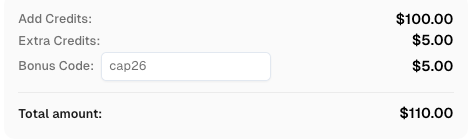
Use bonus code CAP26 when topping up your CapSolver account to get an extra 5% bonus on every recharge — with no limits.
Redeem it now in your CapSolver Dashboard
A responsible workflow keeps secrets out of source code and logs. It also uses dedicated browser profiles, low-volume test runs, staging targets, and redacted evidence. A CAPTCHA token, solver task ID, and backend verification result should be handled as operational data with a retention policy rather than as casual console output.
Decision framework for engineering teams
The best decision is usually the one that reduces long-term operational risk. If the team already has Selenium CI, WebDriver skills, and reporting standards, Selenium is likely the natural choice. If the team is building a Node.js service that controls Chromium and needs direct access to page events, Puppeteer may be more efficient. If both teams exist, choose the framework owned by the group that will maintain the workflow.
| Question | Choose Selenium when | Choose Puppeteer when |
|---|---|---|
| Who maintains the code? | QA owns the regression suite | Platform or automation engineers own Node.js scripts |
| What browser support is required? | Cross-browser behavior matters | Chromium-first behavior is enough |
| How is evidence reviewed? | Test reports, screenshots, and WebDriver logs are standard | Trace files, console events, and request logs are standard |
| How is CAPTCHA verified? | Backend assertions integrate with existing tests | Page events and API checks can be composed in JavaScript |
| What is the rollout risk? | Existing CI controls are stronger | A smaller dedicated automation service is easier to audit |
For direct API-oriented concepts, CapSolver’s FAQ can help clarify that browser automation and task APIs are related but separate layers. Engineers should document which layer is active in each job.
Conclusion: compare maintainability, not just launch speed
Selenium vs Puppeteer for CAPTCHA solving is not a contest where one tool wins every case. Selenium is usually the stronger choice for mature QA suites, cross-browser requirements, and WebDriver-based governance. Puppeteer is often stronger for JavaScript-native, Chromium-first workflows that need tight page-event control. Both can work with CapSolver when the target is authorized and the workflow is documented. The best implementation is the one that produces stable automation, protects credentials, validates backend outcomes, and remains easy to audit months after launch.
FAQ
Is Selenium or Puppeteer better for CAPTCHA solving?
Selenium is usually better for existing QA suites and cross-browser test governance. Puppeteer is often better for JavaScript-native, Chromium-first workflows. The better choice depends on ownership, browser requirements, evidence needs, and authorization boundaries.
Can both Selenium and Puppeteer work with CapSolver?
Yes. CapSolver provides integration paths for Selenium and Puppeteer. The implementation should be used only for authorized workflows, and credentials should be stored privately rather than hard-coded into scripts.
Should I automate CAPTCHA challenges in production tests?
Usually no. CAPTCHA should often be disabled, mocked, or handled with approved test keys in test environments. If a production-like CAPTCHA workflow must be validated, use low-volume, explicitly approved targets and retain redacted evidence.
Does Puppeteer make CAPTCHA automation easier than Selenium?
Puppeteer can be easier for Chromium-first JavaScript workflows because it provides convenient access to page events, console logs, and navigation states. Selenium can be easier when the team already has WebDriver infrastructure and QA reporting.
What evidence should a CAPTCHA automation test collect?
Collect the target approval, test-run ID, browser state, solver task status if used, application result, backend verification status, and redacted logs. Do not store API keys, reCAPTCHA secret keys, raw tokens, or sensitive personal data in test reports.
More
Web ScrapingApr 29, 2026
Best Auto CAPTCHA Solver Extensions for Chrome in 2026
Discover the best auto CAPTCHA solver Chrome extensions in 2026. Compare CapSolver, NopeCHA, and SolveCaptcha by speed, supported types, and privacy to find the right fit.

Web ScrapingApr 08, 2026
Browser Extension for Automatic CAPTCHA Solving: How to Use It Efficiently
Learn how to set up a browser extension for automatic CAPTCHA solving. Boost your web automation efficiency with step-by-step instructions and code examples.

