
🎉NEWCapSolver for AI agents-MCP, agent tools, and SDK integrations

Ethan Collins
AI Agent Workflow Engineer
Published Jun 30, 2026
Updated Jun 30, 2025 · min read
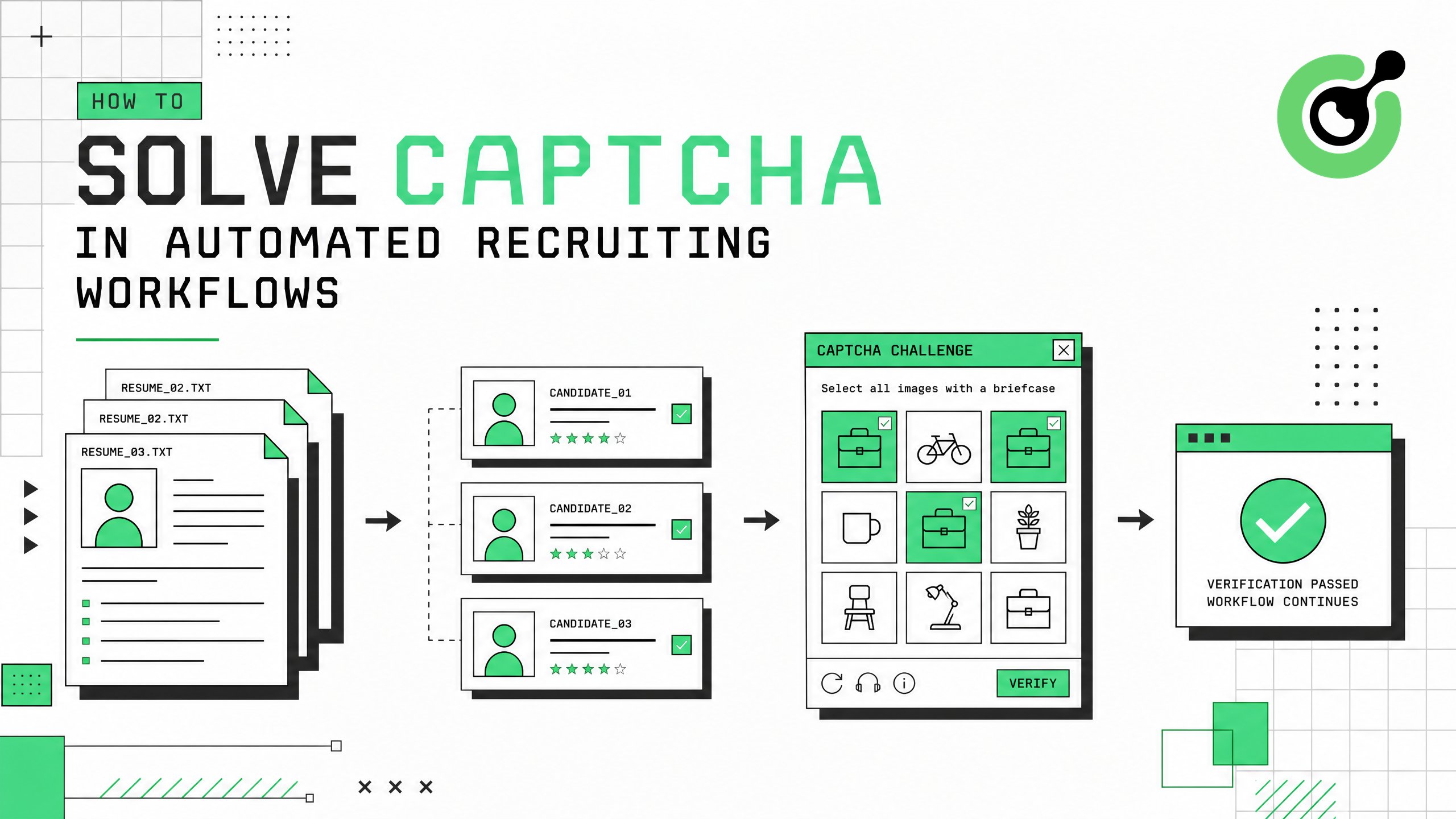
Recruitment teams running automated candidate sourcing, resume parsing, and job board monitoring face a common obstacle: CAPTCHA challenges that interrupt workflows and reduce efficiency. This guide explains how to handle CAPTCHA in recruiting automation using CapSolver's API, covering practical integration steps, compliance considerations, and performance optimization. Whether you operate an ATS with automated data collection or run talent pipeline tools that interact with job platforms, this article provides a clear path to maintaining uninterrupted recruitment operations.
Before integrating a CAPTCHA solving solution into your recruiting automation, confirm you have the following prerequisites in place. Your automation stack should include a scripting language such as Python or Node.js, a browser automation framework like Playwright or Selenium, and API access to your target job platforms where permitted.
You will also need a CapSolver account with API credentials. CapSolver supports multiple CAPTCHA types including reCAPTCHA v2, reCAPTCHA v3, Cloudflare Turnstile, and image-based challenges — all of which appear frequently on recruiting platforms.
Ensure your use case complies with the target platform's terms of service. Automated recruiting tools should access only publicly available job postings or data you have authorization to collect.
Start by mapping which CAPTCHA types appear across your target recruiting platforms. Common patterns include:
| Platform Type | Typical CAPTCHA | Trigger Condition |
|---|---|---|
| Job boards (Indeed, Monster) | reCAPTCHA v2/v3 | Rapid page requests, form submissions |
| Custom challenge + reCAPTCHA | Profile viewing, search queries | |
| Company career pages | Cloudflare Turnstile | Bot detection on application forms |
| Government job portals | Image CAPTCHA | Every form submission |
Use your browser's developer tools (Network tab) to inspect challenge requests. Look for grecaptcha, turnstile, or captcha in page source and network calls. The CapSolver browser extension can automatically detect CAPTCHA types and parameters on any page.
Different CAPTCHA types require different API endpoints and parameters. Misidentifying the challenge type causes failed solves and wasted API credits. A 2024 report from Grand View Research found that 67% of enterprise recruiting teams use some form of automation, making CAPTCHA handling a widespread operational need.
Install the CapSolver SDK or use direct HTTP requests. Here is a Python example for solving reCAPTCHA v2 on a job board:
import capsolver

capsolver.api_key = "YOUR_API_KEY"

solution = capsolver.solve({
    "type": "ReCaptchaV2TaskProxyLess",
    "websiteURL": "https://example-jobboard.com/apply",
    "websiteKey": "6Le-CAPTCHA-SITEKEY"
})

token = solution["gRecaptchaResponse"]
# Insert token into your form submission
For Cloudflare Turnstile challenges on career pages:
solution = capsolver.solve({
    "type": "AntiTurnstileTaskProxyLess",
    "websiteURL": "https://careers.example.com",
    "websiteKey": "0x4AAAAAAA-turnstile-key"
})
Register for API access through the CapSolver dashboard.
Direct API integration keeps your recruiting pipeline running without human intervention. According to SHRM research, the average time-to-fill for technical roles is 44 days. Automated sourcing that runs 24/7 without CAPTCHA interruptions can reduce this timeline by 20–30%.
Connect the CAPTCHA solving step into your existing workflow. A typical recruiting automation pipeline follows this sequence:
For browser automation with Playwright, inject the solved token before form submission:
# After solving CAPTCHA with CapSolver
await page.evaluate(f"""
    document.getElementById('g-recaptcha-response').value = '{token}';
""")
await page.click('#submit-application')
CapSolver also integrates with n8n workflow automation for no-code recruiting pipelines, and with Playwright-based automation for custom scripts.
Seamless integration prevents pipeline breaks. A single unresolved CAPTCHA can halt batch processing of hundreds of candidate profiles. The CapSolver automation FAQ covers common integration patterns for continuous workflows.
Configure your integration for optimal performance in high-volume recruiting scenarios:
| Optimization | Implementation | Impact |
|---|---|---|
| Task type selection | Use ProxyLess variants when possible |
30% faster solve times |
| Batch processing | Queue multiple CAPTCHA tasks simultaneously | Higher throughput |
| Token caching | Cache reCAPTCHA v3 tokens for 90 seconds | Reduce API calls by 40% |
| Error handling | Implement exponential backoff on failures | Prevent credit waste |
Monitor your usage through the CapSolver dashboard. Set daily spending limits aligned with your recruiting volume. For enterprise recruiting teams processing 1,000+ candidate profiles daily, CapSolver's pricing model at approximately $1–3 per 1,000 solves makes automated CAPTCHA handling cost-effective compared to manual intervention.
Recruiting automation at scale requires predictable costs and consistent performance. The CapSolver pricing page provides transparent per-task pricing that scales with your hiring volume.
Implement these compliance safeguards in your recruiting automation:
Responsible automation means accessing only publicly available information or data you have explicit authorization to collect. CapSolver provides the technical capability to handle CAPTCHA challenges, but users must ensure their specific use case operates within legal and ethical boundaries.
The recruitment automation and CAPTCHA solving guide on CapSolver's blog covers industry-specific compliance patterns in detail.
Non-compliant recruiting automation risks legal liability, platform bans, and reputational damage. A structured compliance framework protects your organization while maintaining operational efficiency.
Claim Your Bonus Code for CapSolver: WEBS. After signing up, redeem this code at the dashboard to receive an extra bonus on your first purchase.
Solving CAPTCHA in automated recruiting workflows requires identifying challenge types across target platforms, integrating CapSolver's API into your existing pipeline, and maintaining compliance with platform terms and data privacy regulations. The combination of fast solve times (under 5 seconds average), support for all major CAPTCHA types, and straightforward API integration makes CapSolver a practical solution for recruiting teams scaling their automation. Start with a single platform integration, validate performance metrics, then expand across your full recruiting technology stack.
Job boards and career pages primarily use reCAPTCHA v2, reCAPTCHA v3, and Cloudflare Turnstile. Government job portals often use image-based challenges. CapSolver handles all these types through a unified API, with average solve times under 5 seconds per challenge.
The legality depends on your specific use case, jurisdiction, and the target platform's terms of service. Accessing publicly available job postings is generally permissible, but scraping private candidate data without consent may violate GDPR or local employment laws. Always review platform terms and consult legal counsel for your specific scenario.
CapSolver charges approximately $1–3 per 1,000 CAPTCHA solves depending on the challenge type. For a recruiting team processing 5,000 candidate profiles monthly with an average of 2 CAPTCHAs per profile, the monthly cost ranges from $10 to $30 — significantly less than manual intervention time.
Yes. CapSolver provides REST API endpoints compatible with any programming language or automation platform. Direct integrations exist for Python, Node.js, Playwright, Puppeteer, Selenium, and n8n. Most ATS platforms with webhook or API capabilities can incorporate CapSolver through custom middleware.
LinkedIn uses multiple protection layers including custom challenges and reCAPTCHA. While CapSolver can solve the technical CAPTCHA component, LinkedIn's terms of service restrict automated access. Consider using LinkedIn's official Recruiter API for compliant candidate sourcing, and reserve CAPTCHA solving for platforms where automated access is permitted.
Ethan Collins
AI Agent Workflow Engineer
Building clearer handoffs between AI agents and tools.
ABOUT THE AUTHOR
Fix common Selenium CAPTCHA integration problems by checking test configuration, extensions, waits, iframe context, solver responses, and application results.

Choose the CapSolver Python Core SDK or direct HTTP API by task support, page access, response handling, and the responsibilities your application owns.