
🎉NEWCapSolver for AI agents-MCP, agent tools, and SDK integrations

Ethan Collins
AI Agent Workflow Engineer
Published Jul 03, 2026
Updated Jul 03, 2026 · min read
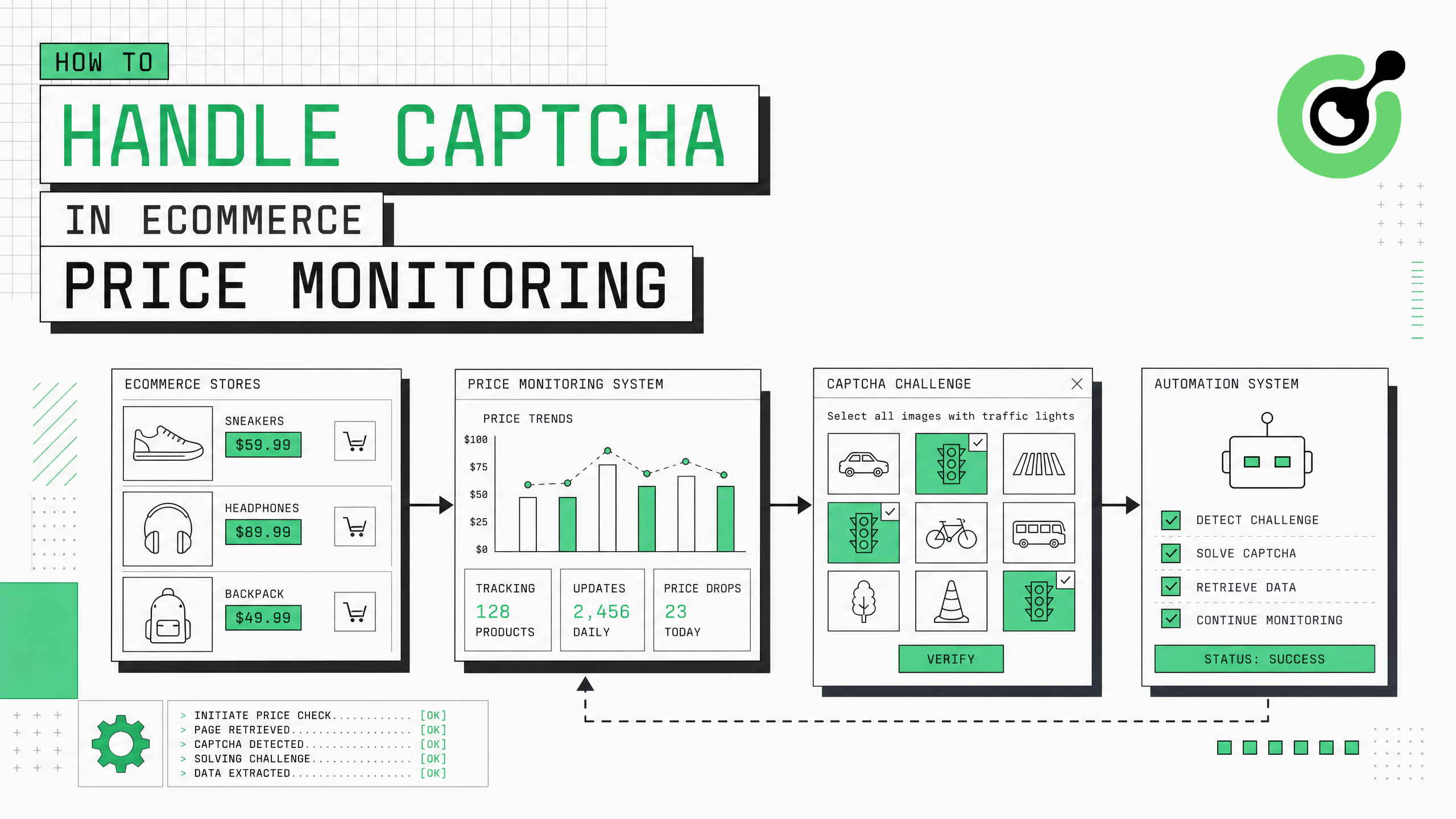
Ecommerce price monitoring is essential for competitive intelligence, MAP compliance, and dynamic pricing strategies. But the biggest technical barrier is CAPTCHA — retailers like Amazon, Walmart, and Target deploy aggressive bot protection that blocks automated price scrapers within minutes. This guide provides a complete walkthrough for integrating CAPTCHA solving into your ecommerce price monitoring pipeline, covering detection strategies, API integration, session management, and scaling to monitor thousands of SKUs daily without interruption.
Price monitoring at scale requires accessing product pages across dozens of ecommerce platforms multiple times daily. According to Statista, global ecommerce sales exceeded $6.3 trillion in 2024, and competitive pricing is a primary driver of purchase decisions. Retailers respond to this competitive pressure by deploying increasingly sophisticated bot protection. A price monitoring system without CAPTCHA handling is fundamentally unreliable — it will miss price changes during the exact periods when competitors are most active. This guide shows how to build a CAPTCHA-resilient price monitoring pipeline that delivers consistent, complete data.
Prepare these components before adding CAPTCHA handling to your price monitoring system:
Each ecommerce platform has different CAPTCHA triggers and challenge types. Map these before building your integration:
Common ecommerce CAPTCHA patterns:
| Retailer Type | Protection System | CAPTCHA Trigger | Challenge Type |
|---|---|---|---|
| Amazon-scale marketplaces | Custom + reCAPTCHA | 20-50 requests/session | Image selection grid |
| Mid-tier retailers | Cloudflare | Session start + rate limit | Turnstile invisible |
| Fashion/luxury brands | DataDome | Behavioral analysis | Custom slider |
| Electronics retailers | PerimeterX | Fingerprint mismatch | reCAPTCHA v3 |
| Grocery/local retailers | reCAPTCHA v2 | Every search query | Checkbox + images |
Understanding trigger patterns lets you minimize CAPTCHA encounters through smart request scheduling. If a site only triggers CAPTCHAs after 30 requests per session, rotating sessions every 25 requests eliminates most challenges proactively. The CAPTCHAs you cannot avoid are then handled by the solving API.
Implement a middleware layer that detects CAPTCHA responses and automatically resolves them:
import requests
from bs4 import BeautifulSoup
import time

CAPSOLVER_KEY = "your-api-key"

class EcommerceCaptchaHandler:
    def __init__(self):
        self.solve_count = 0
        self.session_solves = {}

    def detect_captcha(self, response):
        """Detect if a response contains a CAPTCHA challenge."""
        # Check for common CAPTCHA indicators
        if response.status_code == 403:
            return True
        if response.status_code == 503 and "challenge" in response.text.lower():
            return True

        soup = BeautifulSoup(response.text, 'html.parser')

        # reCAPTCHA detection
        if soup.find('div', class_='g-recaptcha'):
            return True
        if 'recaptcha' in response.text.lower():
            return True

        # Cloudflare detection
        if soup.find('div', id='cf-challenge-running'):
            return True
        if 'cf-turnstile' in response.text:
            return True

        return False

    def extract_captcha_params(self, response, url):
        """Extract site key and CAPTCHA type from the page."""
        soup = BeautifulSoup(response.text, 'html.parser')

        # Try reCAPTCHA
        recaptcha_div = soup.find('div', class_='g-recaptcha')
        if recaptcha_div:
            site_key = recaptcha_div.get('data-sitekey', '')
            return {
                "type": "ReCaptchaV2TaskProxyLess",
                "websiteKey": site_key,
                "websiteURL": url
            }

        # Try Cloudflare Turnstile
        turnstile_div = soup.find('div', class_='cf-turnstile')
        if turnstile_div:
            site_key = turnstile_div.get('data-sitekey', '')
            return {
                "type": "AntiCloudflareTask",
                "websiteKey": site_key,
                "websiteURL": url
            }

        return None

    def solve(self, captcha_params):
        """Send CAPTCHA to CapSolver and retrieve the token."""
        payload = {
            "clientKey": CAPSOLVER_KEY,
            "task": captcha_params
        }

        resp = requests.post("https://api.capsolver.com/createTask", json=payload)
        task_id = resp.json().get("taskId")

        if not task_id:
            raise Exception(f"Failed to create task: {resp.json()}")

        for _ in range(40):
            result = requests.post("https://api.capsolver.com/getTaskResult", json={
                "clientKey": CAPSOLVER_KEY,
                "taskId": task_id
            }).json()

            if result.get("status") == "ready":
                self.solve_count += 1
                return result["solution"]
            time.sleep(3)

raise TimeoutError("CAPTCHA solve timed out")A detection-first approach means your scraper only invokes the CAPTCHA solver when actually needed. This reduces API costs significantly — if your proxy rotation and session management prevent 70% of CAPTCHAs, you only pay for solving the remaining 30%.
Connect the CAPTCHA handler to your existing price monitoring workflow:
import asyncio
from typing import Optional, Dict

class PriceMonitor:
    def __init__(self, captcha_handler: EcommerceCaptchaHandler):
        self.handler = captcha_handler
        self.session = requests.Session()
        self.prices = {}

    def fetch_price(self, product_url: str, retry_count: int = 3) -> Optional[Dict]:
        """Fetch product price with automatic CAPTCHA handling."""
        for attempt in range(retry_count):
            response = self.session.get(product_url, headers={
                "User-Agent": "Mozilla/5.0 (Windows NT 10.0; Win64; x64) AppleWebKit/537.36"
            })

            if self.handler.detect_captcha(response):
                # CAPTCHA detected - solve it
                params = self.handler.extract_captcha_params(response, product_url)
                if params:
                    solution = self.handler.solve(params)
                    # Inject token and retry
                    token = solution.get("gRecaptchaResponse") or solution.get("token")
                    # Re-request with solved token
                    response = self.submit_with_token(product_url, token)

            if response.status_code == 200 and not self.handler.detect_captcha(response):
                return self.extract_price(response)

            time.sleep(2 ** attempt)

        return None

    def extract_price(self, response) -> Dict:
        """Extract price data from product page."""
        soup = BeautifulSoup(response.text, 'html.parser')
        # Implementation varies by retailer
        price_elem = soup.find('span', class_='price')
        return {
            "price": price_elem.text if price_elem else None,
            "timestamp": time.time(),
            "available": True
}Integrating CAPTCHA handling directly into the fetch loop means your price monitoring runs autonomously. When a CAPTCHA appears, it gets solved transparently without manual intervention or pipeline failures. This is critical for time-sensitive price monitoring where missing a competitor's price change by even a few hours can impact revenue.
Proxy rotation and CAPTCHA solving are complementary strategies, not alternatives. Rotating proxies reduces CAPTCHA frequency by distributing requests across many IP addresses, making each IP appear to have low request volume. When CAPTCHAs still appear (which they will, especially on heavily protected sites), the CAPTCHA solver handles them instantly. The optimal configuration uses residential proxies with a rotation interval of 5-10 requests per IP, combined with CapSolver for the 10-30% of requests that still trigger challenges. CapSolver's guide to solving CAPTCHAs in web scraping provides additional context on combining these approaches. The best proxy services comparison can help you select the right proxy provider for your monitoring needs.
For monitoring 10,000+ products, implement concurrent CAPTCHA solving with proper resource management:
import asyncio
import aiohttp
from asyncio import Semaphore

class ScalablePriceMonitor:
    def __init__(self, max_concurrent_solves=15, max_concurrent_requests=50):
        self.solve_semaphore = Semaphore(max_concurrent_solves)
        self.request_semaphore = Semaphore(max_concurrent_requests)
        self.daily_stats = {"requests": 0, "captchas": 0, "solved": 0, "failed": 0}

    async def monitor_product(self, product_url, session):
        """Monitor a single product with rate limiting."""
        async with self.request_semaphore:
            response = await session.get(product_url)

            if self.is_captcha(await response.text()):
                self.daily_stats["captchas"] += 1
                async with self.solve_semaphore:
                    token = await self.async_solve_captcha(product_url, await response.text())
                    if token:
                        self.daily_stats["solved"] += 1
                        return await self.retry_with_token(product_url, token, session)
                    else:
                        self.daily_stats["failed"] += 1
                        return None

            self.daily_stats["requests"] += 1
            return await self.parse_price(await response.text())

    async def run_monitoring_cycle(self, product_urls):
        """Run one complete monitoring cycle for all products."""
        async with aiohttp.ClientSession() as session:
            tasks = [self.monitor_product(url, session) for url in product_urls]
            results = await asyncio.gather(*tasks, return_exceptions=True)

            success_count = sum(1 for r in results if r and not isinstance(r, Exception))
            print(f"Cycle complete: {success_count}/{len(product_urls)} prices collected")
            print(f"CAPTCHAs encountered: {self.daily_stats['captchas']}, "
                  f"Solved: {self.daily_stats['solved']}")
return resultsSequential processing of 10,000 products at 2 seconds per request takes over 5.5 hours. With 50 concurrent requests and automatic CAPTCHA handling, the same monitoring cycle completes in under 30 minutes. The semaphore pattern prevents overwhelming the CAPTCHA solving API while maintaining high throughput.
| Approach | CAPTCHA Handling | Daily SKU Capacity | Data Completeness | Monthly Cost (10K SKUs) |
|---|---|---|---|---|
| Manual browsing | Human solves | 50-200 | 95%+ (slow) | $3,000-$5,000 (labor) |
| Basic scraper (no CAPTCHA) | None — fails on challenge | 10,000+ | 40-60% | $50-$100 (infra only) |
| Scraper + CapSolver | Automatic API solving | 10,000+ | 95-99% | $150-$400 (infra + API) |
| Enterprise monitoring SaaS | Built-in (opaque) | Varies | 90-95% | $2,000-$10,000 |
Claim Your Bonus Code: Use code WEBS at CapSolver dashboard to get an extra 5% bonus on every recharge. Perfect for ecommerce teams scaling their price monitoring operations.
Implement cost tracking and optimization for your CAPTCHA solving budget:
Uncontrolled CAPTCHA solving costs can escalate quickly if a retailer increases their challenge frequency or if a bug in your scraper causes unnecessary page reloads. Active cost monitoring keeps your price monitoring operation profitable.
Handling CAPTCHA in ecommerce price monitoring requires a layered approach: minimize CAPTCHA encounters through smart session management and proxy rotation, then solve unavoidable challenges automatically through CapSolver's API. The five-step framework — mapping CAPTCHA patterns, building a detection layer, integrating with your scraping pipeline, scaling with concurrency controls, and monitoring costs — creates a production system that reliably collects pricing data across thousands of SKUs daily. CapSolver's support for all major CAPTCHA types encountered on ecommerce platforms, combined with sub-12-second solve times, makes it the practical choice for price monitoring teams that need consistent data completeness without manual intervention.
Build your CAPTCHA-resilient price monitoring pipeline today at CapSolver.
With proper proxy rotation and session management, expect a 10-30% CAPTCHA encounter rate depending on the target retailers. For 10,000 daily product checks, that translates to 1,000-3,000 CAPTCHA solves per day. At CapSolver's pricing of $1.5-$3.0 per 1,000 solves, daily CAPTCHA costs range from $1.50 to $9.00. Sites with aggressive protection like Amazon may have higher rates, while smaller retailers may rarely trigger challenges.
Amazon uses a combination of CAPTCHA challenges and IP-based rate limiting. Successful monitoring requires residential proxies, realistic browser fingerprints, request delays of 3-10 seconds between pages, and automatic CAPTCHA solving for the challenges that still appear. CapSolver handles Amazon's image-grid reCAPTCHA challenges effectively. The key is keeping request volume per IP below Amazon's detection threshold while using CAPTCHA solving as a safety net.
Public pricing data displayed on ecommerce websites is generally considered publicly available information. The hiQ v. LinkedIn ruling established that scraping publicly available data does not violate the CFAA. However, you should review each retailer's terms of service, implement reasonable rate limits, and avoid accessing any authenticated or restricted areas. Use price monitoring for legitimate competitive intelligence purposes only.
Retailer CAPTCHA changes are common — a site might migrate from reCAPTCHA to Cloudflare Turnstile or deploy DataDome. Your monitoring system should detect increased failure rates through the health monitoring in Step 5 and alert your team. Since CapSolver supports all major CAPTCHA types, the fix typically involves updating the task type parameter in your CAPTCHA configuration. Maintain a modular detection system that can identify new CAPTCHA types automatically.
Ethan Collins
AI Agent Workflow Engineer
Building clearer handoffs between AI agents and tools.
ABOUT THE AUTHOR
Fix common Selenium CAPTCHA integration problems by checking test configuration, extensions, waits, iframe context, solver responses, and application results.

Choose the CapSolver Python Core SDK or direct HTTP API by task support, page access, response handling, and the responsibilities your application owns.