
🎉NEWCapSolver for AI agents-MCP, agent tools, and SDK integrations

Ethan Collins
AI Agent Workflow Engineer
Published Jun 30, 2026
Updated Jun 30, 2025 · min read
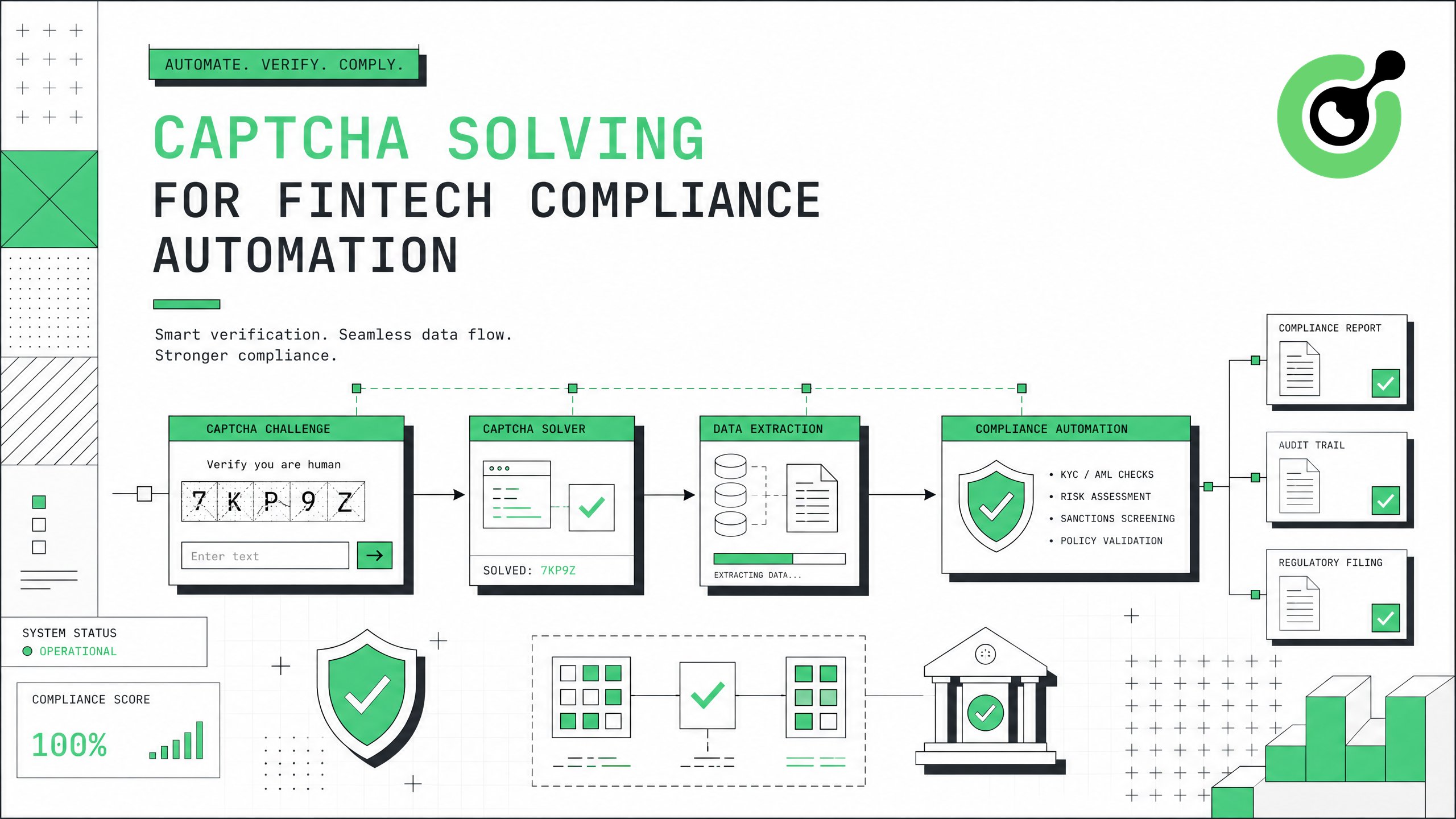
FinTech companies running automated compliance workflows — including KYC verification, AML screening, regulatory filing, and transaction monitoring — frequently encounter CAPTCHA challenges on government portals, financial databases, and regulatory websites. This guide demonstrates how to integrate CapSolver into fintech compliance automation pipelines, ensuring uninterrupted access to public regulatory data while maintaining strict adherence to legal requirements.
Your fintech compliance automation stack should include Python 3.8+ or Node.js 18+, an HTTP client library such as requests or aiohttp, and existing scripts that interact with regulatory portals or financial databases. You will need a CapSolver account with API credentials configured for your production environment.
Confirm that your automated access to each target portal is permitted under its terms of service. Many government regulatory databases explicitly allow automated access for compliance purposes, but rate limits and acceptable use policies vary. Document your compliance justification for each automated data source before deployment.
Audit your compliance workflow to identify where CAPTCHA challenges interrupt automated processes. Common fintech compliance data sources with CAPTCHA protection include:
| Data Source | CAPTCHA Type | Use Case |
|---|---|---|
| SEC EDGAR | reCAPTCHA v2 | Corporate filing retrieval, beneficial ownership checks |
| State licensing portals | Image CAPTCHA / reCAPTCHA | License verification for partners and vendors |
| FinCEN BSA E-Filing | Cloudflare Turnstile | SAR/CTR filing status checks |
| Corporate registries | reCAPTCHA v3 | Entity verification, UBO identification |
| Credit bureau portals | Custom CAPTCHA | Credit monitoring for lending decisions |
Use the CapSolver browser extension to identify exact CAPTCHA parameters (sitekey, type, version) on each target portal. Record these parameters in your configuration management system for automated retrieval.
FinTech compliance operations run on strict timelines. FinCEN regulations require Suspicious Activity Reports (SARs) to be filed within 30 days of detection. Automated screening that stalls on CAPTCHA challenges can push teams past regulatory deadlines, resulting in penalties averaging $50,000–$1 million per violation according to enforcement data.
Add CAPTCHA solving as a middleware layer in your compliance automation. Here is a production-ready Python implementation:
import capsolver
import requests

capsolver.api_key = "YOUR_API_KEY"

def solve_and_submit(portal_url, sitekey, captcha_type="ReCaptchaV2TaskProxyLess"):
    """Solve CAPTCHA and return token for form submission."""
    solution = capsolver.solve({
        "type": captcha_type,
        "websiteURL": portal_url,
        "websiteKey": sitekey
    })
    return solution["gRecaptchaResponse"]

# Example: Automated entity verification on a state registry
token = solve_and_submit(
    "https://registry.example-state.gov/entity-search",
    "6Le-REGISTRY-SITEKEY"
)

# Submit search with solved CAPTCHA token
response = requests.post(
    "https://registry.example-state.gov/api/search",
    data={"entity_name": "FinTech Corp", "g-recaptcha-response": token}
)
For Cloudflare-protected regulatory portals:
solution = capsolver.solve({
    "type": "AntiTurnstileTaskProxyLess",
    "websiteURL": "https://compliance-portal.gov",
    "websiteKey": "0x4AAAAAAA-portal-key"
})
Access your API credentials through the CapSolver dashboard.
Manual CAPTCHA solving in compliance workflows creates bottlenecks. A compliance team processing 500 entity verifications daily loses approximately 2.5 hours to manual CAPTCHA interaction at 18 seconds per challenge. CapSolver's automated solving eliminates this overhead entirely. The CapSolver web scraping FAQ addresses common questions about automated data collection from protected sources.
FinTech compliance automation requires higher reliability standards than typical web scraping. Implement a robust error handling framework:
import logging
from datetime import datetime

logger = logging.getLogger("compliance_captcha")

def solve_with_compliance_logging(portal_name, url, sitekey, max_retries=3):
    """Solve CAPTCHA with full audit logging for compliance."""
    for attempt in range(max_retries):
        try:
            start_time = datetime.utcnow()
            solution = capsolver.solve({
                "type": "ReCaptchaV2TaskProxyLess",
                "websiteURL": url,
                "websiteKey": sitekey
            })
            elapsed = (datetime.utcnow() - start_time).total_seconds()

            logger.info(f"CAPTCHA solved: portal={portal_name}, "
                       f"attempt={attempt+1}, time={elapsed:.2f}s")
            return solution["gRecaptchaResponse"]

        except Exception as e:
            logger.warning(f"CAPTCHA failed: portal={portal_name}, "
                          f"attempt={attempt+1}, error={str(e)}")
            if attempt == max_retries - 1:
                logger.error(f"CAPTCHA exhausted retries: portal={portal_name}")
                raise
This logging pattern satisfies audit requirements under OCC BSA/AML examination procedures, which require documented evidence of automated process controls.
Regulatory examiners review automation logs during compliance audits. Undocumented automated processes create examination risk. The CapSolver error troubleshooting FAQ provides guidance on handling specific error codes in production environments.
Configure your integration for enterprise-scale compliance processing:
| Operation | Volume | Optimization |
|---|---|---|
| KYC batch screening | 1,000+ entities/day | Async task queuing with concurrent solves |
| Transaction monitoring | 10,000+ alerts/day | Token pre-fetching for known portals |
| Regulatory filing checks | 100–500/day | Scheduled batch processing during off-peak hours |
| License verification | 50–200/day | Cached results with 24-hour TTL |
For high-volume operations, use CapSolver's async task creation pattern:
import asyncio
import capsolver

async def batch_verify_entities(entities, portal_url, sitekey):
    """Process multiple entity verifications concurrently."""
    tasks = []
    for entity in entities:
        task = capsolver.solve({
            "type": "ReCaptchaV2TaskProxyLess",
            "websiteURL": portal_url,
            "websiteKey": sitekey
        })
        tasks.append(task)
    return await asyncio.gather(*tasks, return_exceptions=True)
Monitor costs through the CapSolver products page. At $1–3 per 1,000 solves, a compliance team processing 2,000 daily verifications spends approximately $60–180 monthly on CAPTCHA solving — a fraction of the cost of one compliance analyst's time.
FinTech compliance operations scale with customer growth. A company onboarding 10,000 new customers monthly requires proportional scaling of verification processes. CapSolver's AI and automation capabilities support this scaling without proportional headcount increases.
Implement these safeguards specific to fintech compliance automation:
The CapSolver CAPTCHA solving FAQ provides additional technical details on security practices and data handling.
FinTech companies operate under heightened regulatory scrutiny. Automated compliance tools must themselves be compliant. Proper vendor management, data handling, and access controls protect your organization during regulatory examinations and reduce operational risk.
Claim Your Bonus Code for CapSolver: WEBS. After signing up, redeem this code at the dashboard to receive an extra bonus on your first purchase.
CAPTCHA solving for fintech compliance automation requires a structured approach that balances operational efficiency with regulatory requirements. By integrating CapSolver into your compliance pipeline with proper error handling, audit logging, and security controls, you can eliminate manual CAPTCHA intervention while maintaining full regulatory defensibility. Start with your highest-volume compliance workflow, validate the integration against your audit requirements, then expand across your full compliance technology stack.
Most government financial regulatory portals including SEC EDGAR, state corporate registries, FinCEN filing systems, and banking license databases use some form of CAPTCHA. Common types include reCAPTCHA v2, reCAPTCHA v3, Cloudflare Turnstile, and image-based challenges. CapSolver supports all of these through a single API.
Automated CAPTCHA solving is a technical tool; compliance depends on your specific use case and authorization. Accessing public regulatory databases for legitimate compliance purposes (KYC, AML screening, license verification) is generally permissible. Always verify each portal's terms of service and document your compliance justification.
CapSolver maintains a 95%+ success rate across supported CAPTCHA types with average solve times under 5 seconds. For mission-critical compliance workflows, implement retry logic (3 attempts recommended) and fallback procedures. The API provides real-time status monitoring through the dashboard.
Maintain logs of every CAPTCHA solve attempt including timestamp, target portal, success/failure status, and elapsed time. Document CapSolver as a third-party vendor in your compliance program. Record your compliance justification for automated access to each data source, and retain logs per your organization's record retention policy.
CapSolver processes CAPTCHA challenges without storing the underlying page content or form data. API communications use TLS encryption. No personally identifiable information (PII) or financial data passes through the CAPTCHA solving process — only the challenge parameters and resulting tokens are transmitted.
Ethan Collins
AI Agent Workflow Engineer
Building clearer handoffs between AI agents and tools.
ABOUT THE AUTHOR
Fix common Selenium CAPTCHA integration problems by checking test configuration, extensions, waits, iframe context, solver responses, and application results.

Choose the CapSolver Python Core SDK or direct HTTP API by task support, page access, response handling, and the responsibilities your application owns.